> ## Documentation Index
> Fetch the complete documentation index at: https://bigbluebutton.com/docs/llms.txt
> Use this file to discover all available pages before exploring further.

# Deleting a Schoology Conference

> Delete an active or past conference from your Schoology course using the gear icon menu.

## Deleting a conference

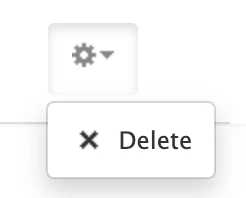
To delete any active or past conferences, go to the gear icon next to the conference and select **Delete**.
<Frame>
  <img src="https://mintcdn.com/testcompany-0e915c76/q8sv6scd7p2EBFvJ/images/Screenshot-2026-04-15-at-10.52.25-AM.png?fit=max&auto=format&n=q8sv6scd7p2EBFvJ&q=85&s=a4bb5ede3490ea9c62f918f40f63e724" alt="Screenshot 2026 04 15 At 10 52 25 AM" width="246" height="198" data-path="images/Screenshot-2026-04-15-at-10.52.25-AM.png" />
</Frame>

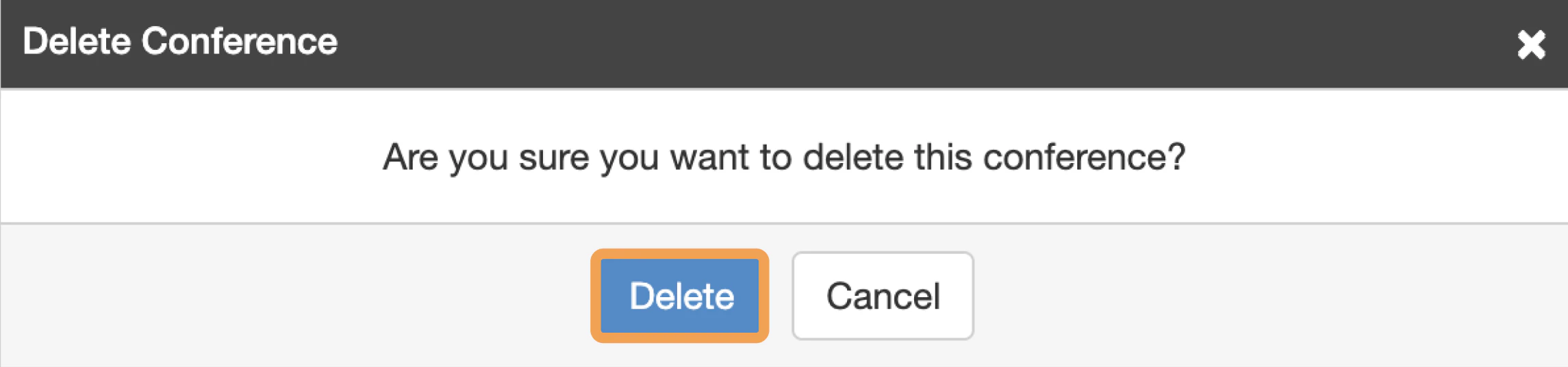
You will be prompted to confirm your deletion.
<Frame>
  <img src="https://mintcdn.com/testcompany-0e915c76/q8sv6scd7p2EBFvJ/images/Screenshot-2026-04-15-at-10.55.13-AM.png?fit=max&auto=format&n=q8sv6scd7p2EBFvJ&q=85&s=0e9d96e9ecfd447cf101a534f7fa4ddd" alt="Screenshot 2026 04 15 At 10 55 13 AM" width="2290" height="536" data-path="images/Screenshot-2026-04-15-at-10.55.13-AM.png" />
</Frame>
