> ## Documentation Index
> Fetch the complete documentation index at: https://bigbluebutton.com/docs/llms.txt
> Use this file to discover all available pages before exploring further.
# Antivirus software causes issues while connecting to a BigBlueButton Session
> Resolve antivirus connection errors by temporarily disabling the Web Shield in Avast or similar antivirus software.
Users running Avast or similar antivirus software may see a connection error when joining a BigBlueButton session. Temporarily disabling the antivirus **Web Shield** restores access.
 ## Disable the Web Shield
To open the antivirus dashboard, launch your antivirus software.
## Disable the Web Shield
To open the antivirus dashboard, launch your antivirus software.
 To open the protection settings, select **Protection** **\[1]**.
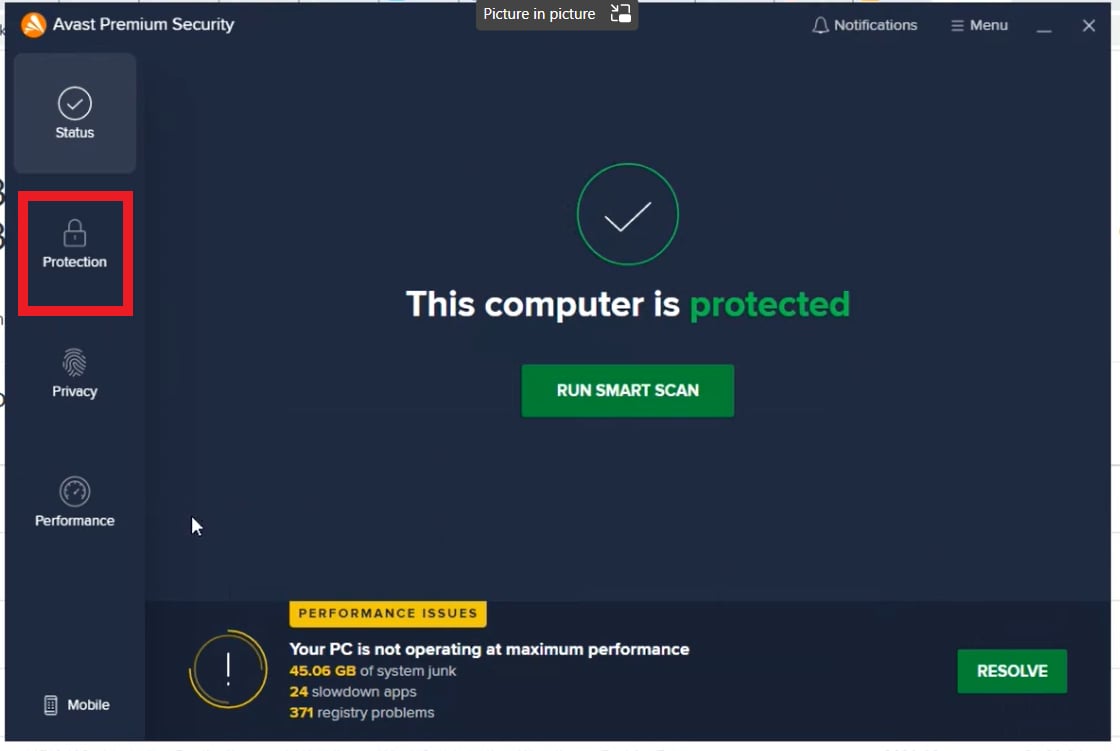 To view the active shields, select **Core Shields** **\[1]**.
 To disable web filtering, select **Web Shield** **\[1]** and switch it off.
 To choose the duration, select the option that matches how long the session will run.
 The **Web Shield** icon turns from green to red, confirming the shield is off.
 After the **Web Shield** is disabled, rejoin the BigBlueButton session. Re-enable the shield once the session ends to restore full protection.