> ## Documentation Index
> Fetch the complete documentation index at: https://bigbluebutton.com/docs/llms.txt
> Use this file to discover all available pages before exploring further.
# Lock viewers' ability to use their mic/webcam/chat/shared notes
> Moderators can lock viewer access to specific BigBlueButton features such as mic, webcam, chat, and shared notes.
Moderators can lock viewer access to specific features in BigBlueButton — for example, to encourage verbal participation, reduce back-channel chat during testing, or save bandwidth.
Common reasons to lock viewers:
* Restrict the public chat to encourage attendees to use their microphones.
* Lock the private chat to reduce back-channel communication during online testing.
* Restrict webcam sharing to save bandwidth and focus attention on uploaded content.
* Lock shared notes so only moderators can edit them.
Lock settings apply to viewers only — they do not apply to other moderators in the session.
## Apply lock settings to all viewers
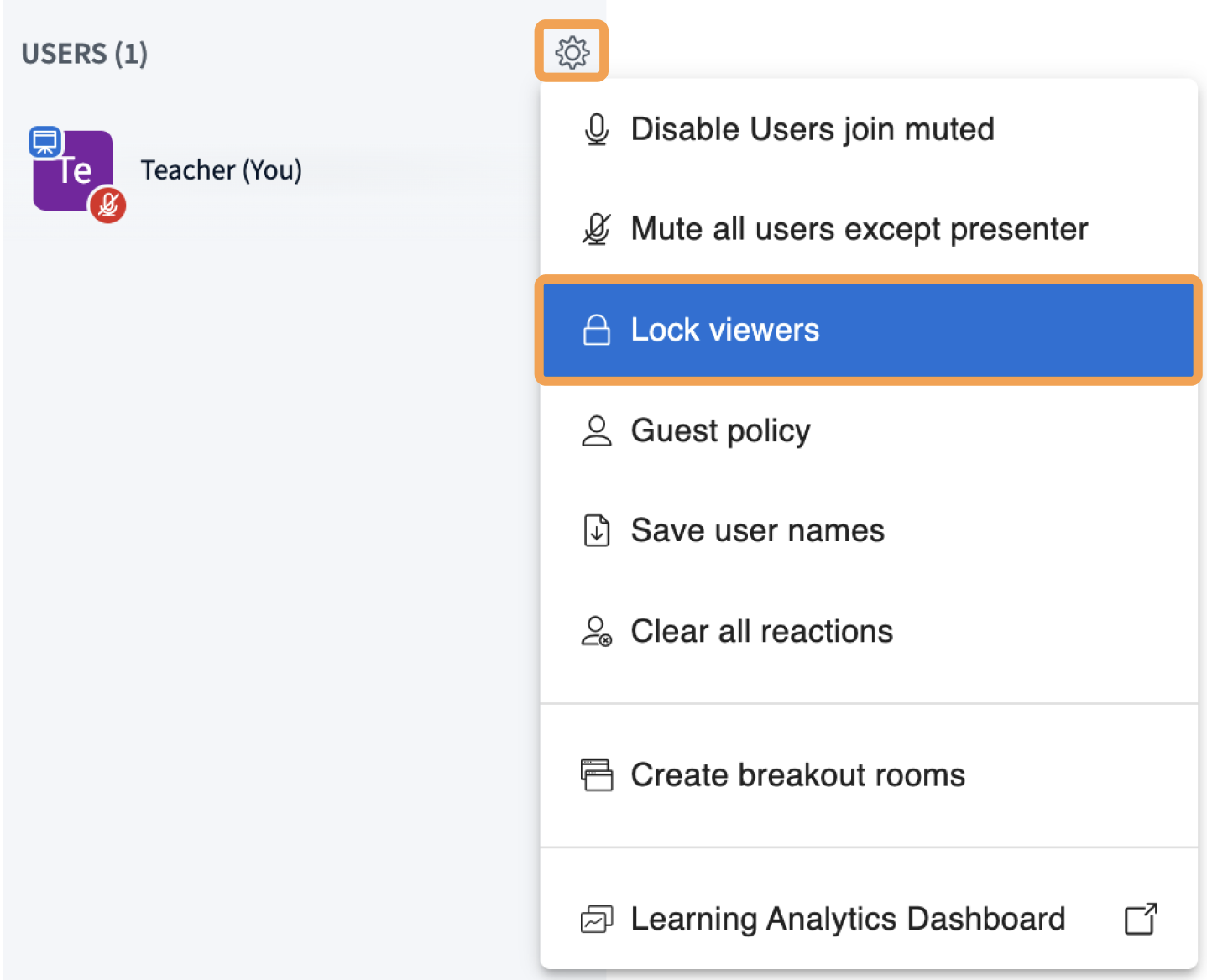 To open the lock settings, select the gear icon above the **Users** list, then choose **Lock viewers**.
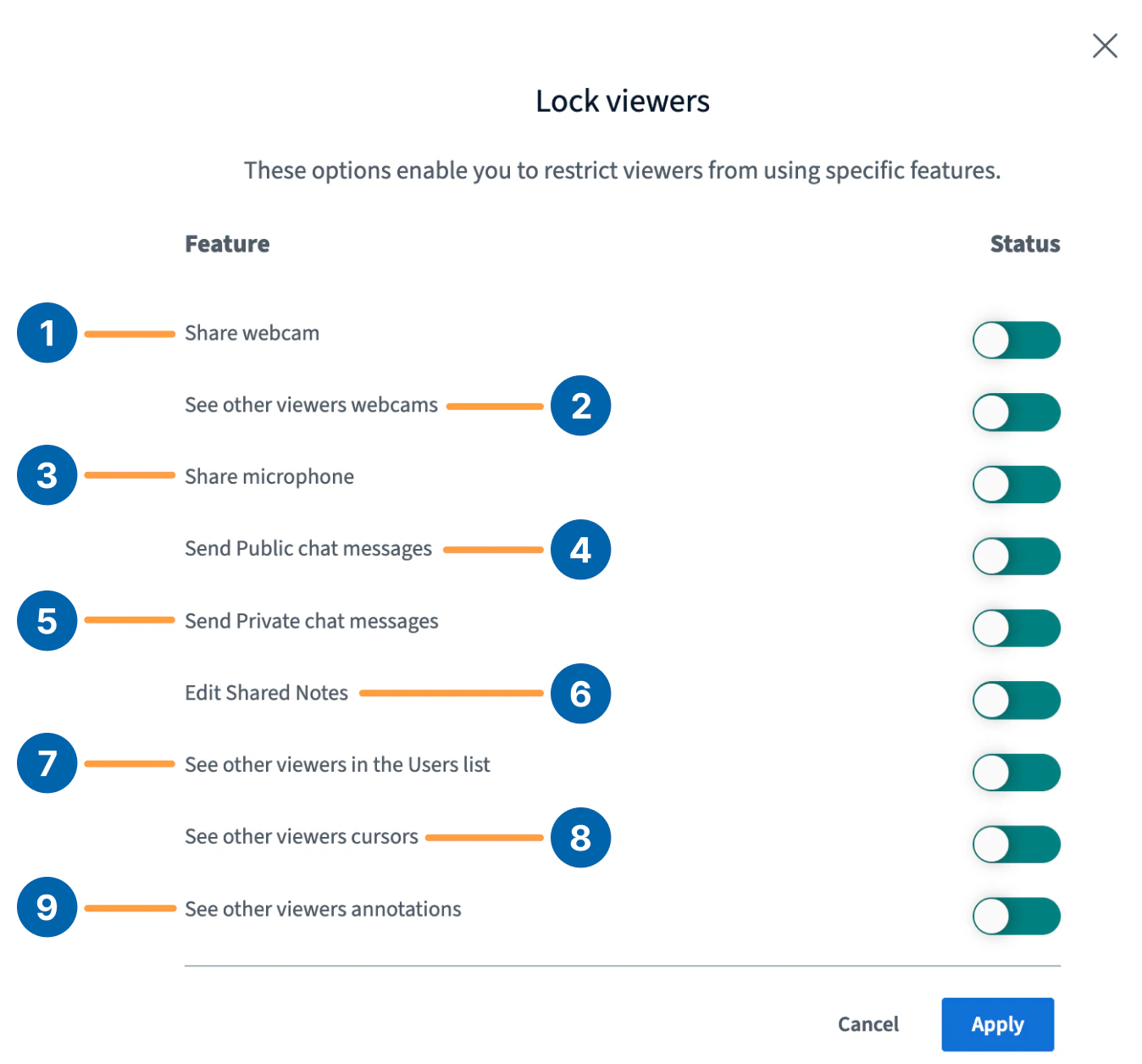 The available lock settings are:
* **Share webcam** **\[1]** — restricts viewers from sharing their webcams.
* **See other viewers webcams** **\[2]** — only the moderator's webcam is visible to viewers, while moderators continue to see all webcams. Reduces bandwidth for viewers.
* **Share microphone** **\[3]** — restricts viewers from sharing their mic. Already-joined microphones are muted and locked when this setting is applied.
* **Send Public chat messages** **\[4]** — restricts viewers from posting in the public chat.
* **Send Private chat messages** **\[5]** — restricts viewers from sending private chats to other viewers. Viewers can still reply to private chats from a moderator.
* **Edit Shared Notes** **\[6]** — restricts viewers from opening or contributing to shared notes.
* **See other viewers in the Users list** **\[7]** — viewers see only their own user icon and the moderator's.
* **See other viewers cursors** **\[8]** — viewers see only the moderator's cursor on the whiteboard.
* **See other viewers annotations** **\[9]** — viewers see only the moderator's annotations.
## Lock or unlock private chat per user
Sessions can be configured to start with private chat disabled, or you can lock **Send Private chat messages** manually at any time.
The available lock settings are:
* **Share webcam** **\[1]** — restricts viewers from sharing their webcams.
* **See other viewers webcams** **\[2]** — only the moderator's webcam is visible to viewers, while moderators continue to see all webcams. Reduces bandwidth for viewers.
* **Share microphone** **\[3]** — restricts viewers from sharing their mic. Already-joined microphones are muted and locked when this setting is applied.
* **Send Public chat messages** **\[4]** — restricts viewers from posting in the public chat.
* **Send Private chat messages** **\[5]** — restricts viewers from sending private chats to other viewers. Viewers can still reply to private chats from a moderator.
* **Edit Shared Notes** **\[6]** — restricts viewers from opening or contributing to shared notes.
* **See other viewers in the Users list** **\[7]** — viewers see only their own user icon and the moderator's.
* **See other viewers cursors** **\[8]** — viewers see only the moderator's cursor on the whiteboard.
* **See other viewers annotations** **\[9]** — viewers see only the moderator's annotations.
## Lock or unlock private chat per user
Sessions can be configured to start with private chat disabled, or you can lock **Send Private chat messages** manually at any time.
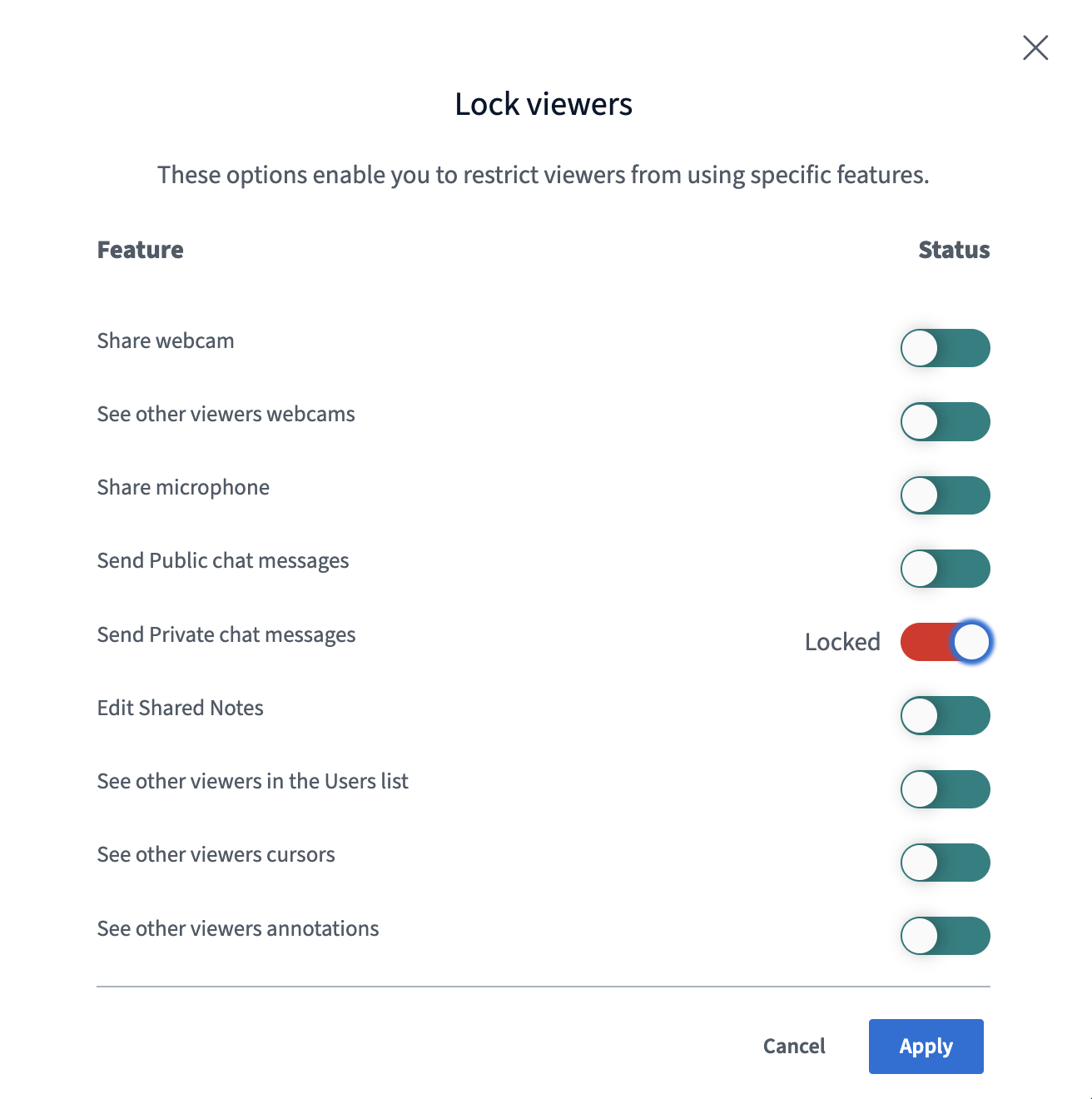 Once locked, users appear marked as **Locked**.
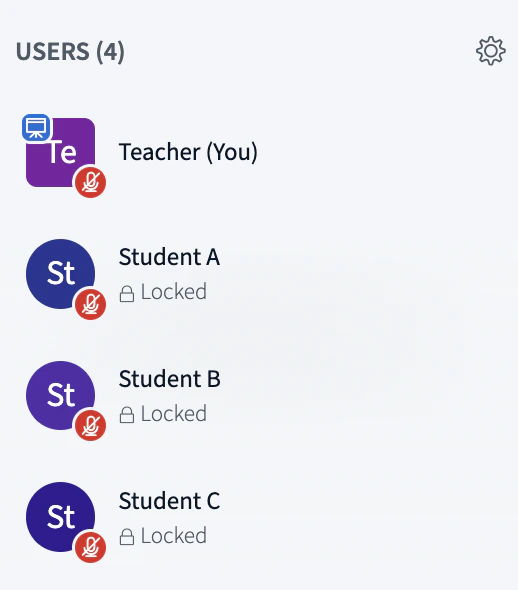 While locked, users cannot send private chats to each other, although moderators can still send private chats to locked users.
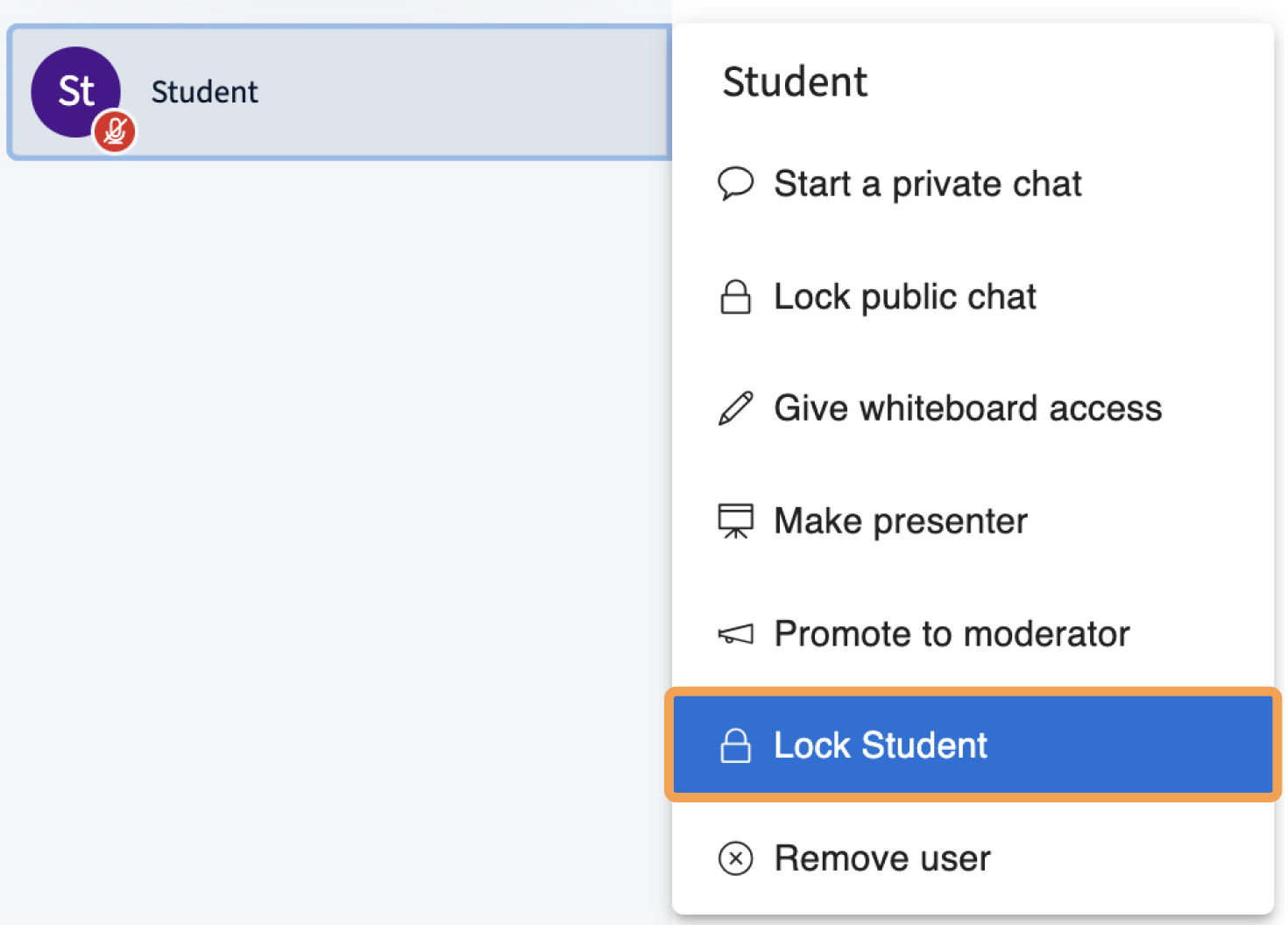
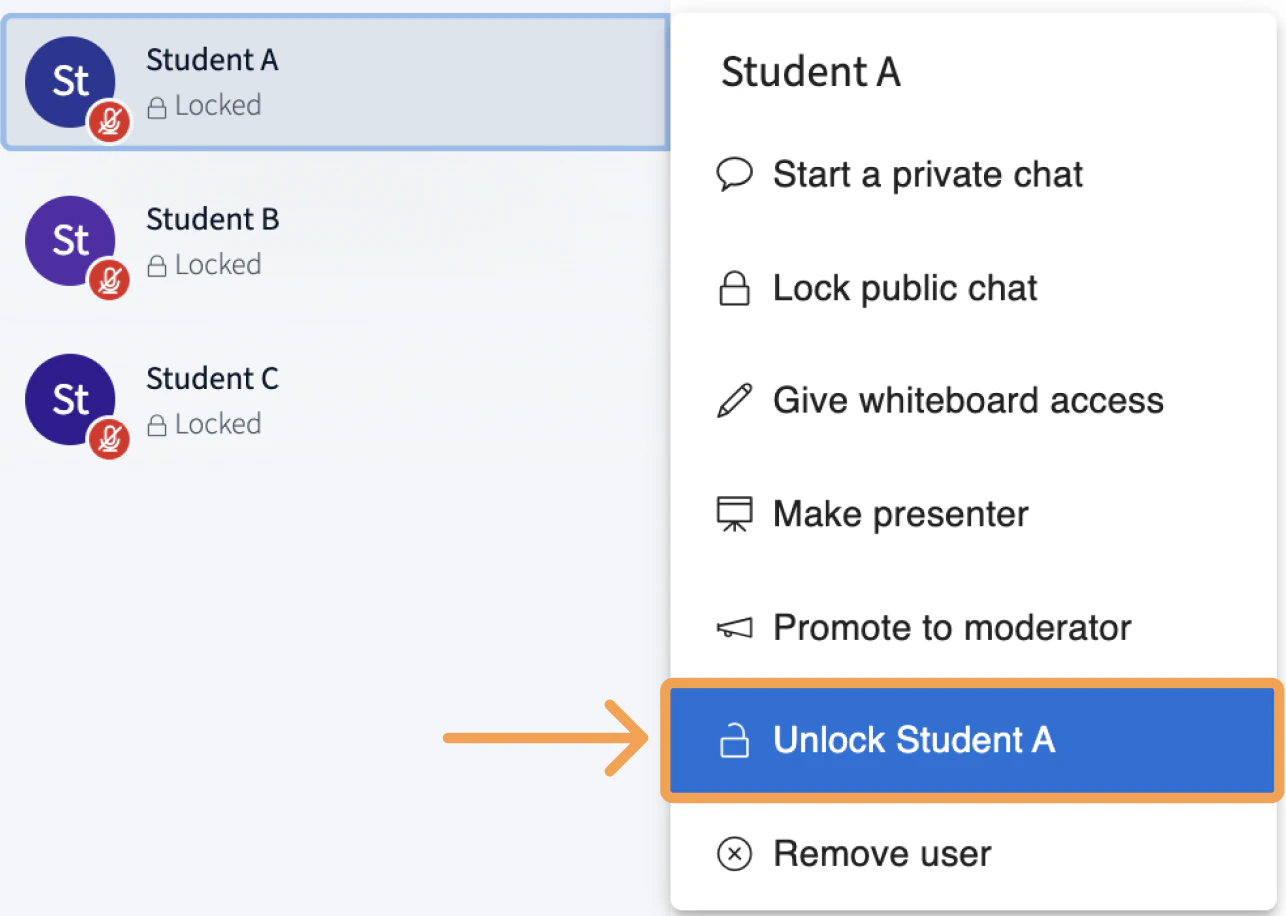
To enable private chat for an individual user without unlocking the whole session, select the user's name in the user list and select **Unlock \**.
While locked, users cannot send private chats to each other, although moderators can still send private chats to locked users.
To enable private chat for an individual user without unlocking the whole session, select the user's name in the user list and select **Unlock \**.
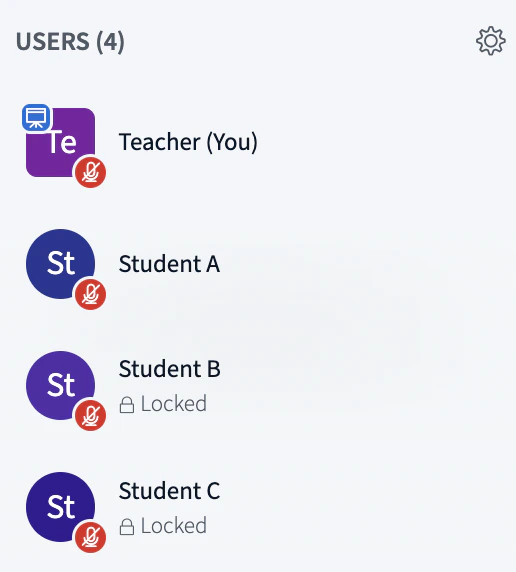
 Unlocked users can send private chats to locked users, but locked users cannot reply. In the example below, *Student A* is unlocked and can send private chats to *Student B* and *Student C*, but neither can reply.
 Two unlocked users can chat with each other in both directions. In the example below, *Student B* and *Student C* are both unlocked and can send private chats to each other.
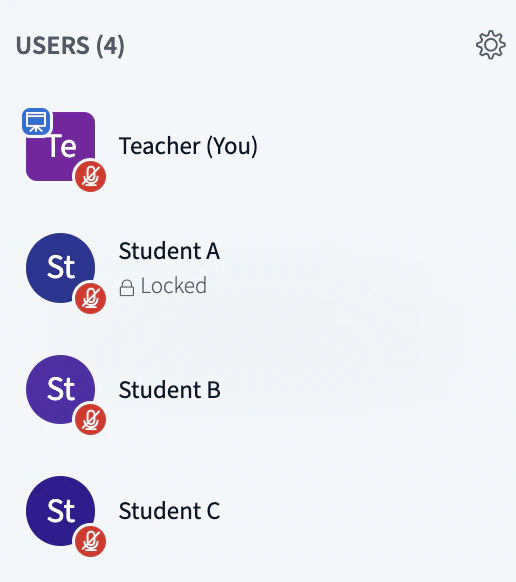 To lock a user again, select their name in the user list and select **Lock \**.