> ## Documentation Index
> Fetch the complete documentation index at: https://bigbluebutton.com/docs/llms.txt
> Use this file to discover all available pages before exploring further.
# Manage users
> Moderators manage settings for all users at once or for individual users from the User list.
Moderators manage participant settings for everyone in the session or for individual users. All users (moderators and viewers) appear in the **User list** panel on the left side of the session.
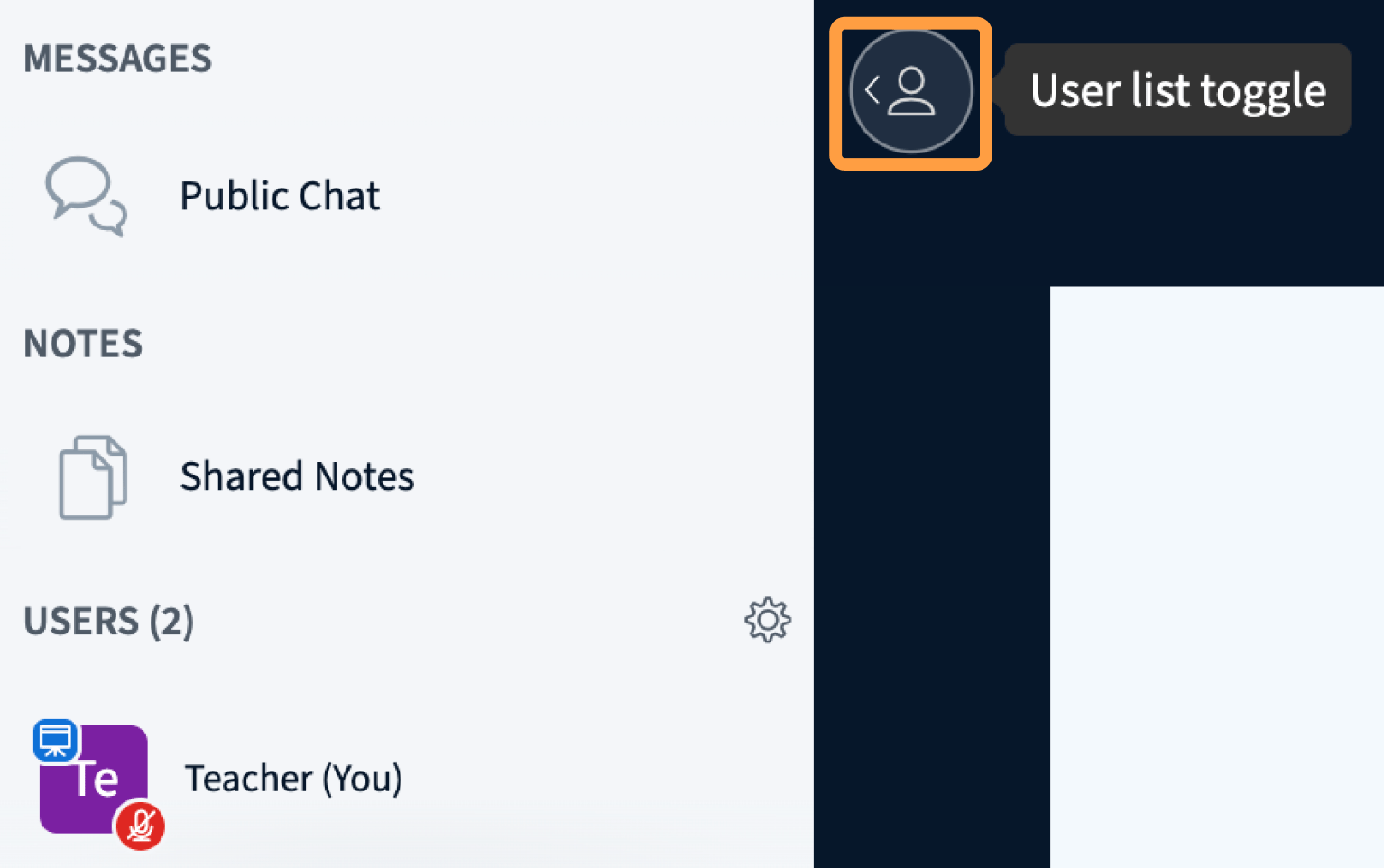
To show or hide the panel, select the **User list toggle** button.
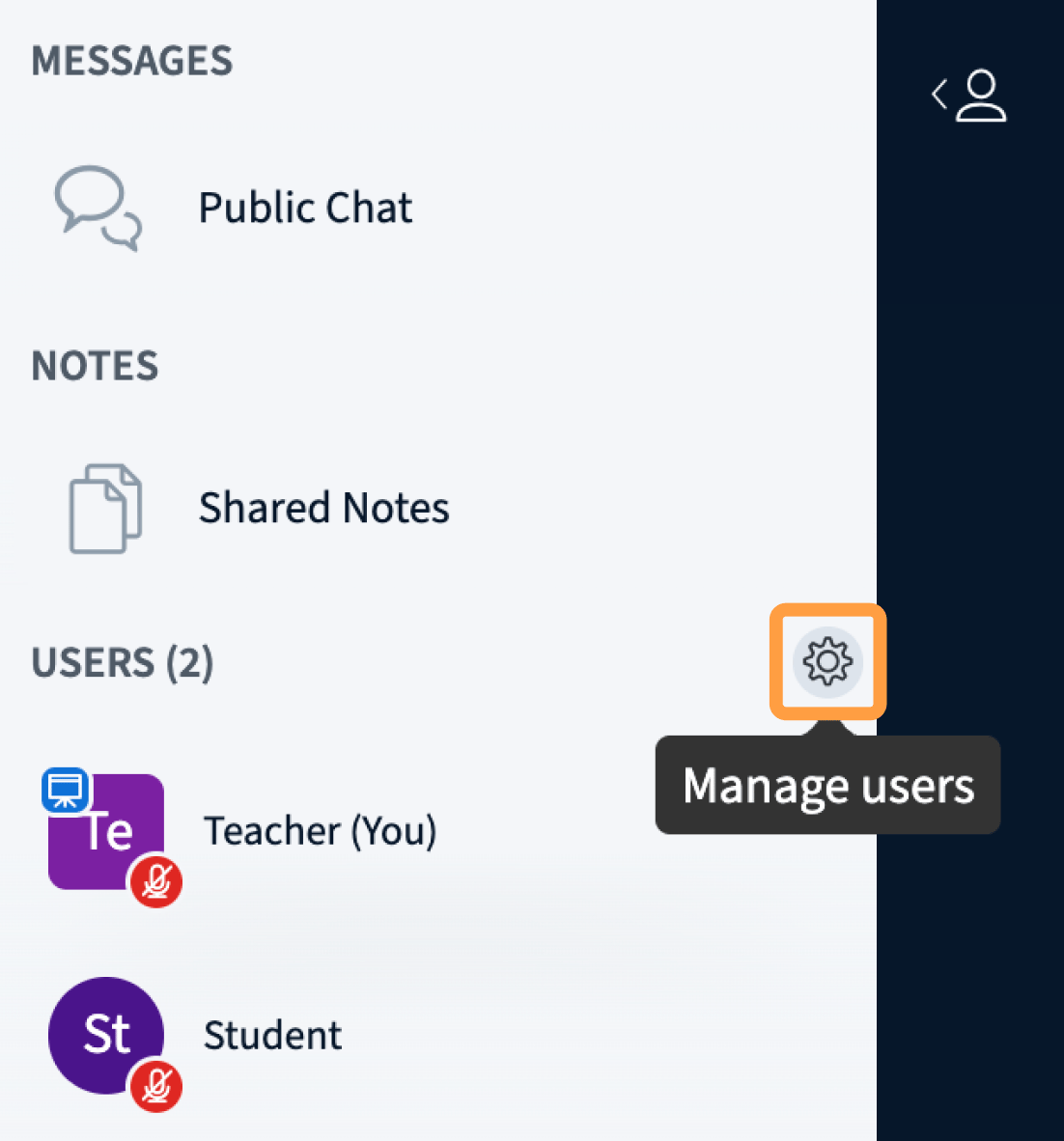
 To open settings that apply to everyone, select the **Manage users** gear icon beside **USERS**. The manage users menu opens.
 ## Manage all users
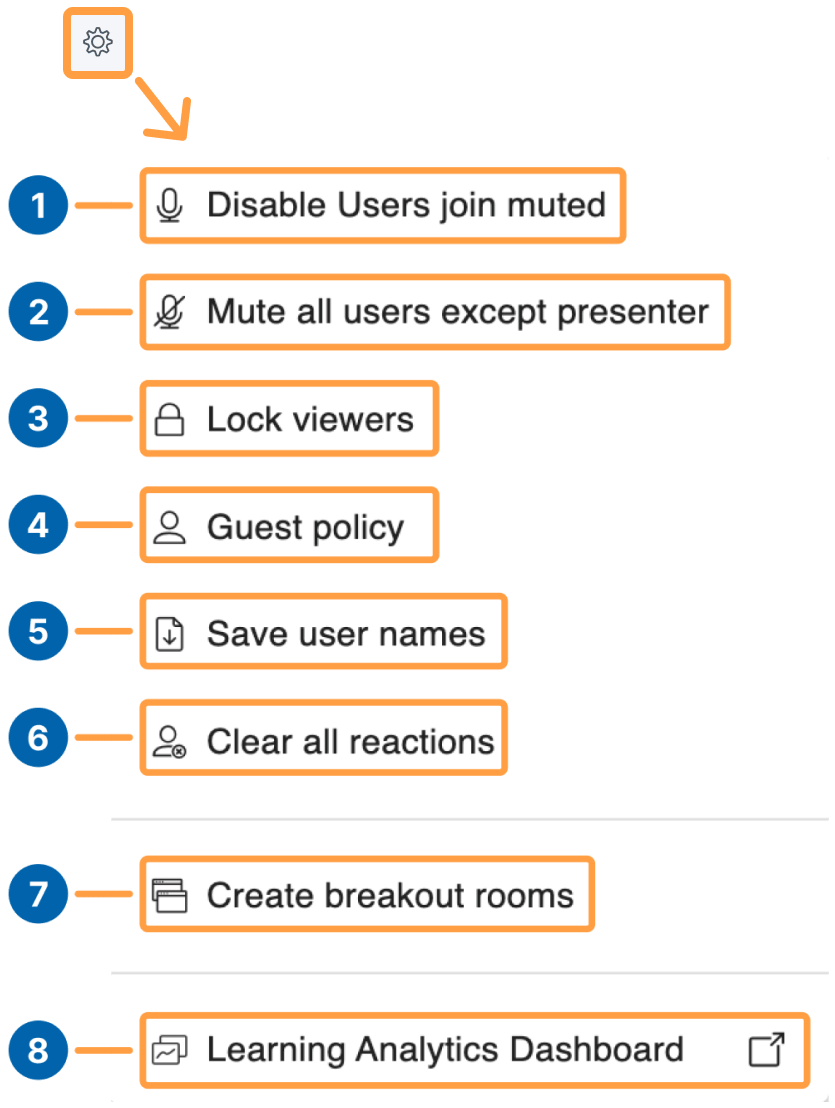 Select **\[1] Enable (or Disable) Users join muted** to control whether users joining the session have their microphones muted.
Select **\[2] Mute all users except presenter** to mute every user except the presenter. Users can still unmute themselves.
Select **\[3] Lock viewers** to open a menu with more granular options. See [Lock viewers](/docs/help/moderator-guide/lock-viewers-ability-to-use-their-micwebcamchatshared-notes) for more information.
Select **\[4] Guest policy** to set the session user access policy. See [Guest policy](/docs/help/moderator-guide/how-to-configure-guest-policy) for more information.
Select **\[5] Save user names** to download the list of users as a text file.
Select **\[6] Clear all reactions** to remove all emojis and raised hands.
Select **\[7] Create breakout rooms** to open the breakout rooms management interface. See [Create and manage breakout rooms](/docs/help/moderator-guide/create-and-manage-breakout-rooms) for more information.
Select **\[8] Learning Analytics Dashboard** to open the dashboard. See [Learning Analytics Dashboard](/docs/help/moderator-guide/learning-analytics-dashboard) for more information.
## Manage a single user
To open settings for an individual user, select their name in the **User list**. A menu of actions for that user opens.
Select **\[1] Enable (or Disable) Users join muted** to control whether users joining the session have their microphones muted.
Select **\[2] Mute all users except presenter** to mute every user except the presenter. Users can still unmute themselves.
Select **\[3] Lock viewers** to open a menu with more granular options. See [Lock viewers](/docs/help/moderator-guide/lock-viewers-ability-to-use-their-micwebcamchatshared-notes) for more information.
Select **\[4] Guest policy** to set the session user access policy. See [Guest policy](/docs/help/moderator-guide/how-to-configure-guest-policy) for more information.
Select **\[5] Save user names** to download the list of users as a text file.
Select **\[6] Clear all reactions** to remove all emojis and raised hands.
Select **\[7] Create breakout rooms** to open the breakout rooms management interface. See [Create and manage breakout rooms](/docs/help/moderator-guide/create-and-manage-breakout-rooms) for more information.
Select **\[8] Learning Analytics Dashboard** to open the dashboard. See [Learning Analytics Dashboard](/docs/help/moderator-guide/learning-analytics-dashboard) for more information.
## Manage a single user
To open settings for an individual user, select their name in the **User list**. A menu of actions for that user opens.
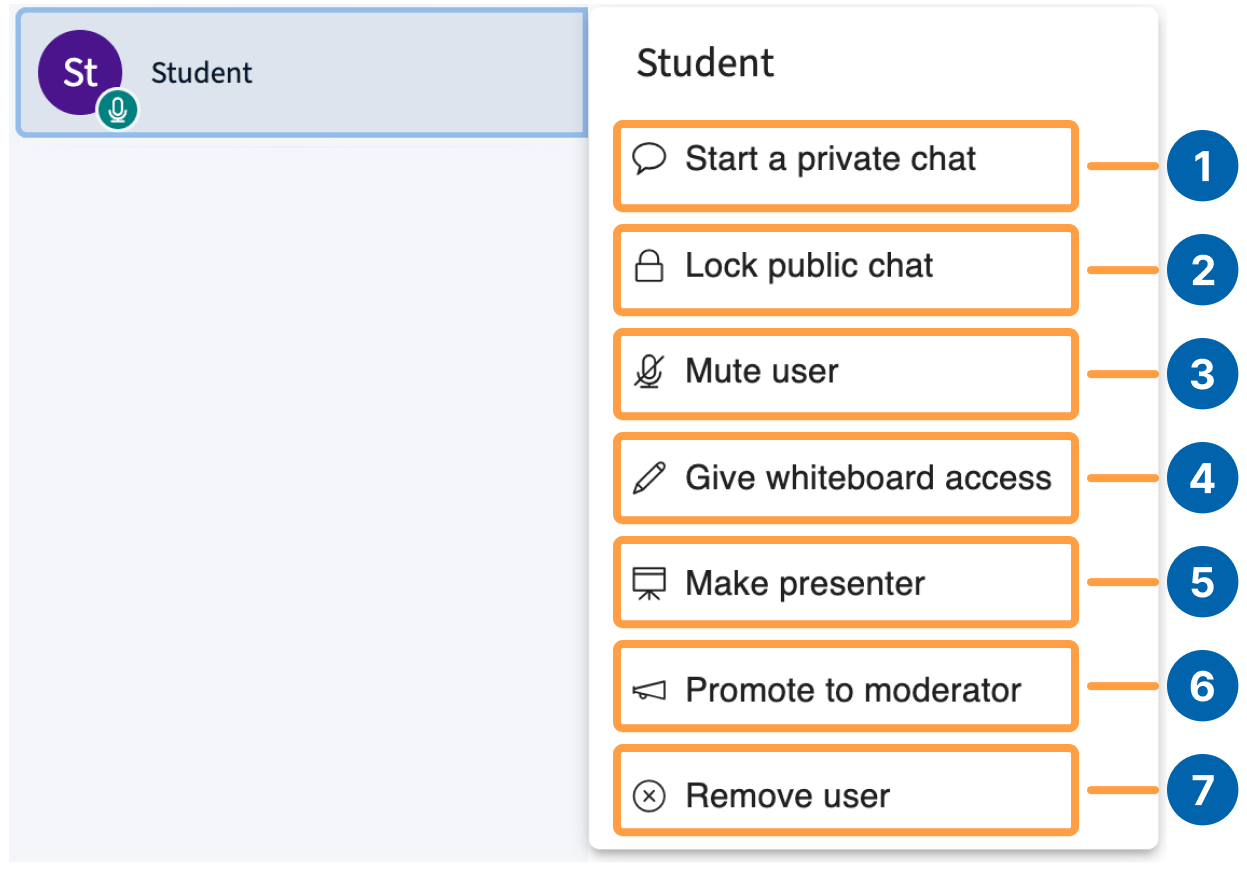 Select **\[1] Start a private chat** to open a window visible only to the moderator and the selected user.
Select **\[2] Lock public chat** to prevent the user from posting messages in the **Public Chat** window.
Select **\[3] Mute user** to mute the selected user's microphone.
Select **\[4] Give whiteboard access** to allow the selected user to mark up the whiteboard.
Select **\[5] Make presenter** to promote the user to the [presenter](/docs/help/presenter-guide/use-the-presentation-controls) role.
Select **\[6] Promote to moderator** or **Demote to viewer** to change the user's role.
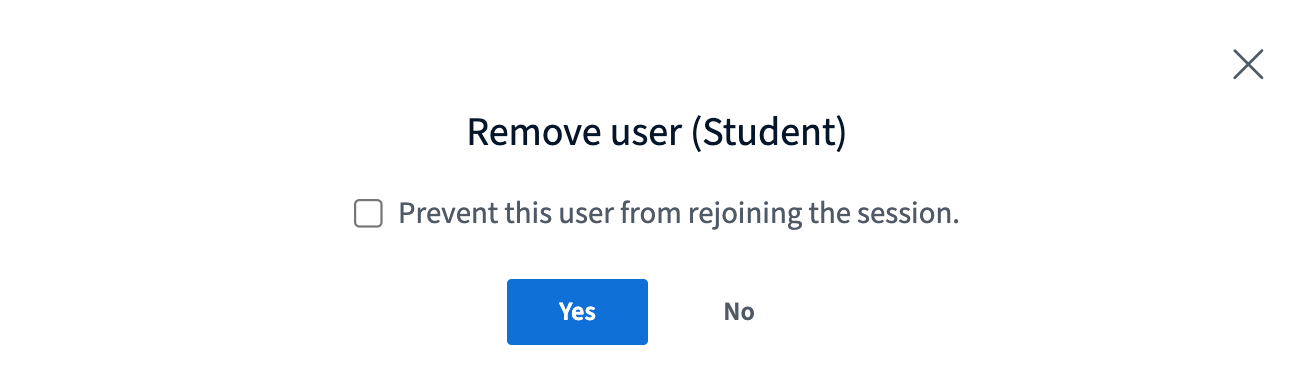
Select **\[7] Remove user** to eject the user from the session. You can also choose **Prevent this user from rejoining the session**.
Select **\[1] Start a private chat** to open a window visible only to the moderator and the selected user.
Select **\[2] Lock public chat** to prevent the user from posting messages in the **Public Chat** window.
Select **\[3] Mute user** to mute the selected user's microphone.
Select **\[4] Give whiteboard access** to allow the selected user to mark up the whiteboard.
Select **\[5] Make presenter** to promote the user to the [presenter](/docs/help/presenter-guide/use-the-presentation-controls) role.
Select **\[6] Promote to moderator** or **Demote to viewer** to change the user's role.
Select **\[7] Remove user** to eject the user from the session. You can also choose **Prevent this user from rejoining the session**.