> ## Documentation Index
> Fetch the complete documentation index at: https://bigbluebutton.com/docs/llms.txt
> Use this file to discover all available pages before exploring further.
# Start and stop recording
> Moderators use the Start/Stop Recording button to capture the session when recording is enabled for the meeting.
When a BigBlueButton meeting is enabled for recording, the moderator uses the **Start/Stop Recording** button in the live session to [start](#start-the-recording) or [stop](#stop-or-pause-the-recording) the recording.
Enabling recording when the meeting is created does not auto-capture the session. You must use the **Start/Stop Recording** button in the live session for a recording to be produced.
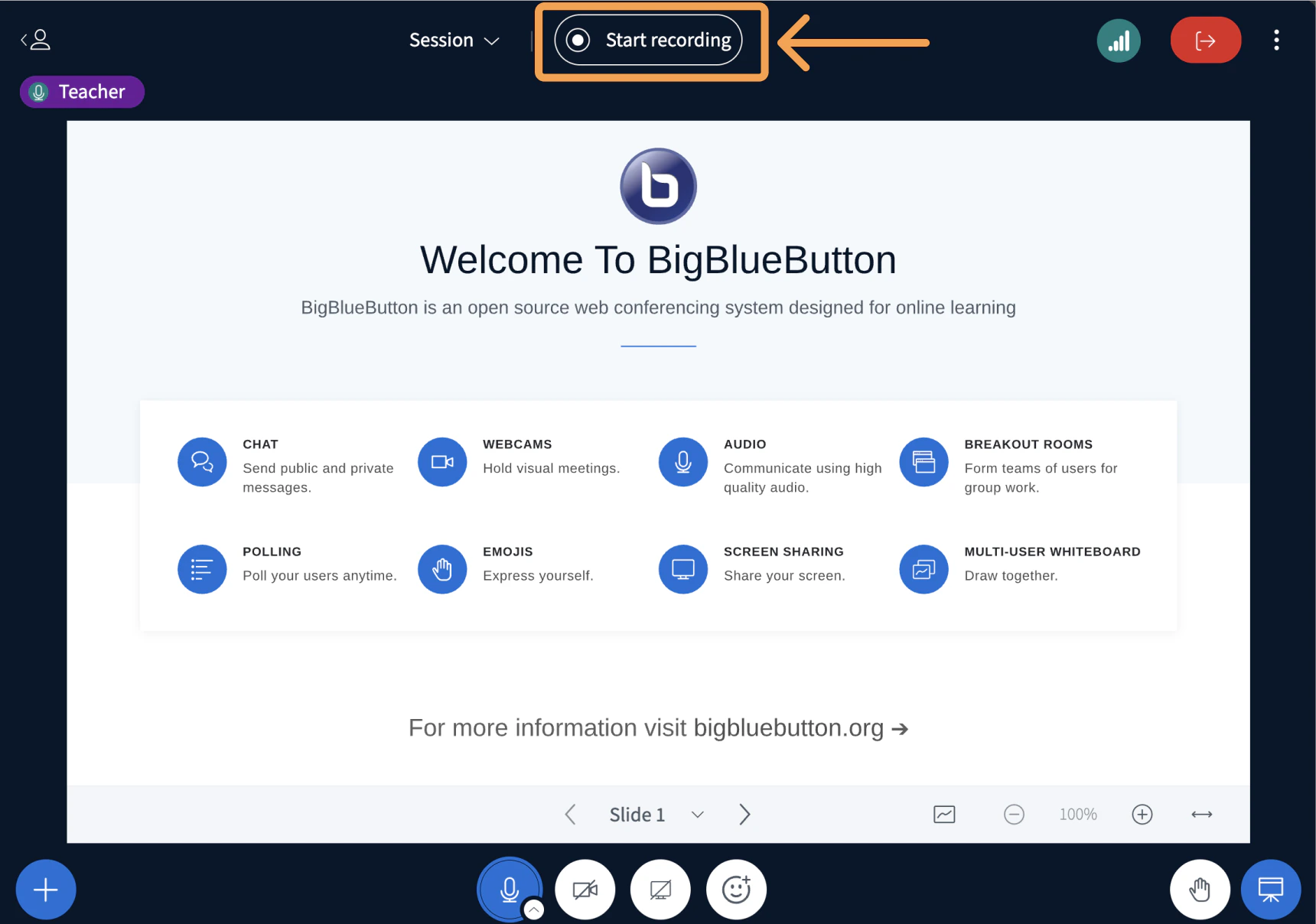
The recording icon sits in the top centre of the BigBlueButton interface, to the right of the session title.
 ## Start the recording
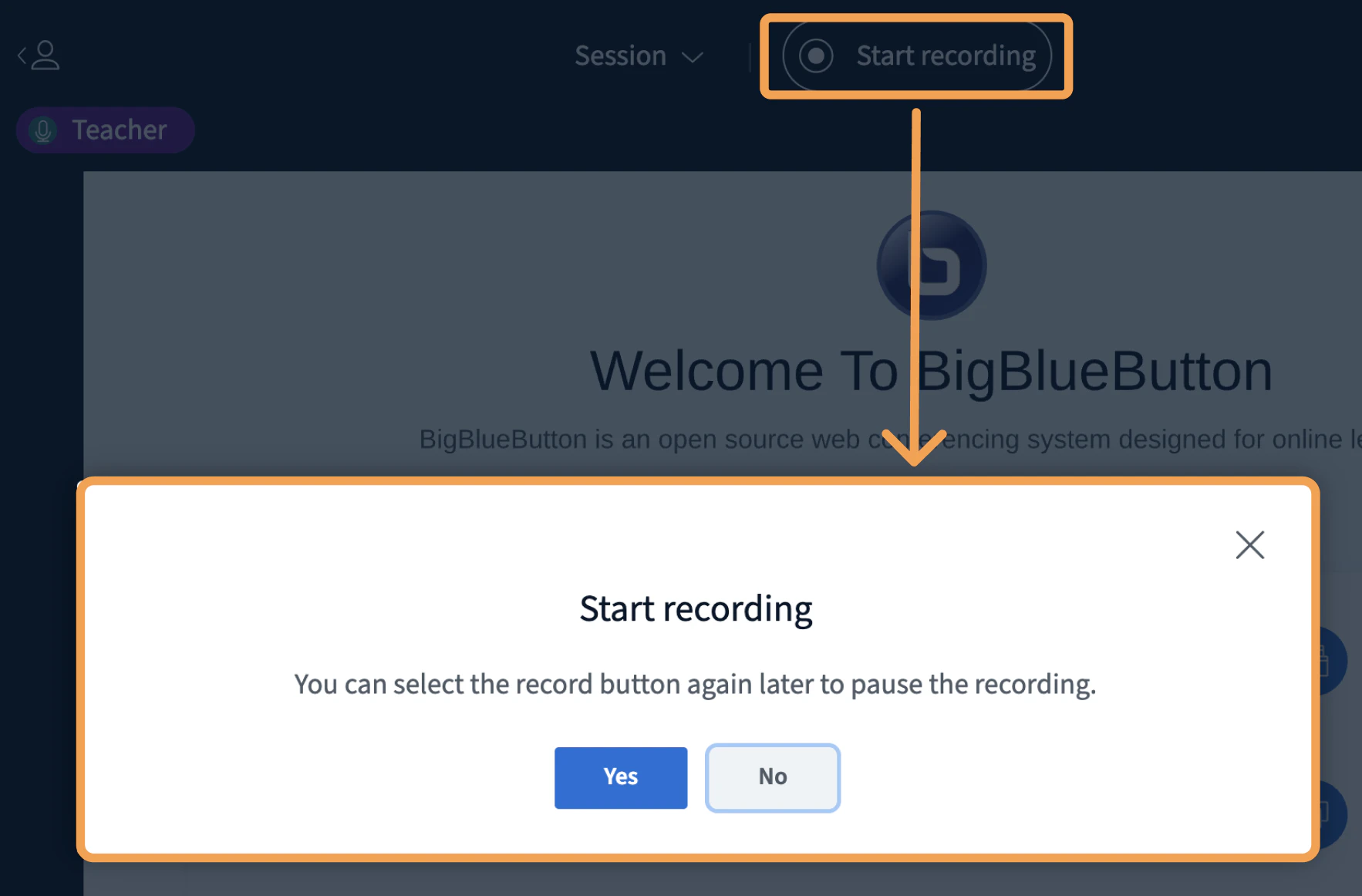
To start the recording, select the **Start Recording** button.
## Start the recording
To start the recording, select the **Start Recording** button.
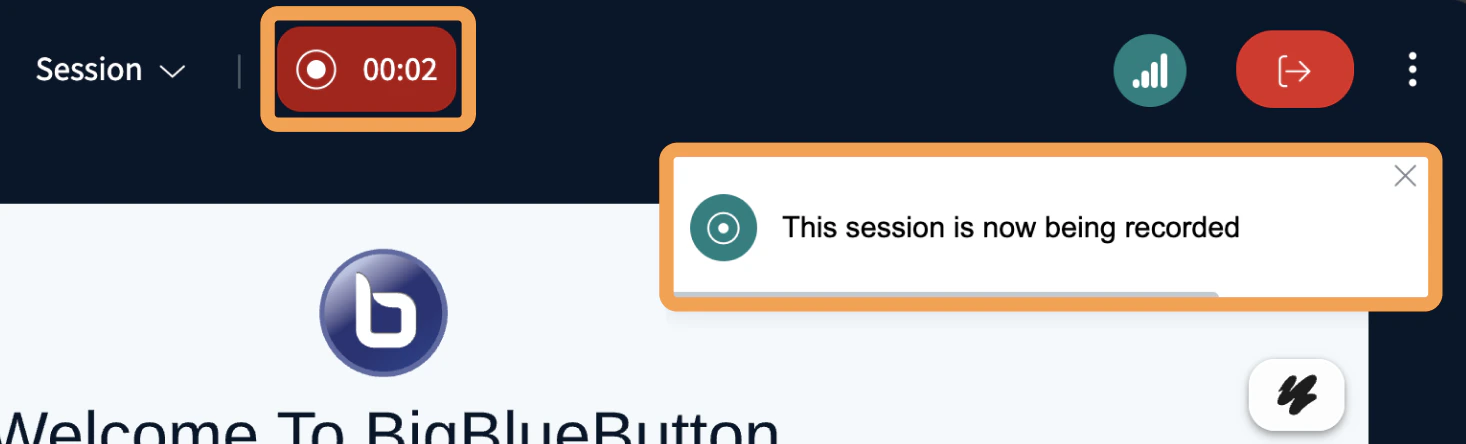 The recording icon turns red and a timer counts up the recorded duration.
## Stop or pause the recording
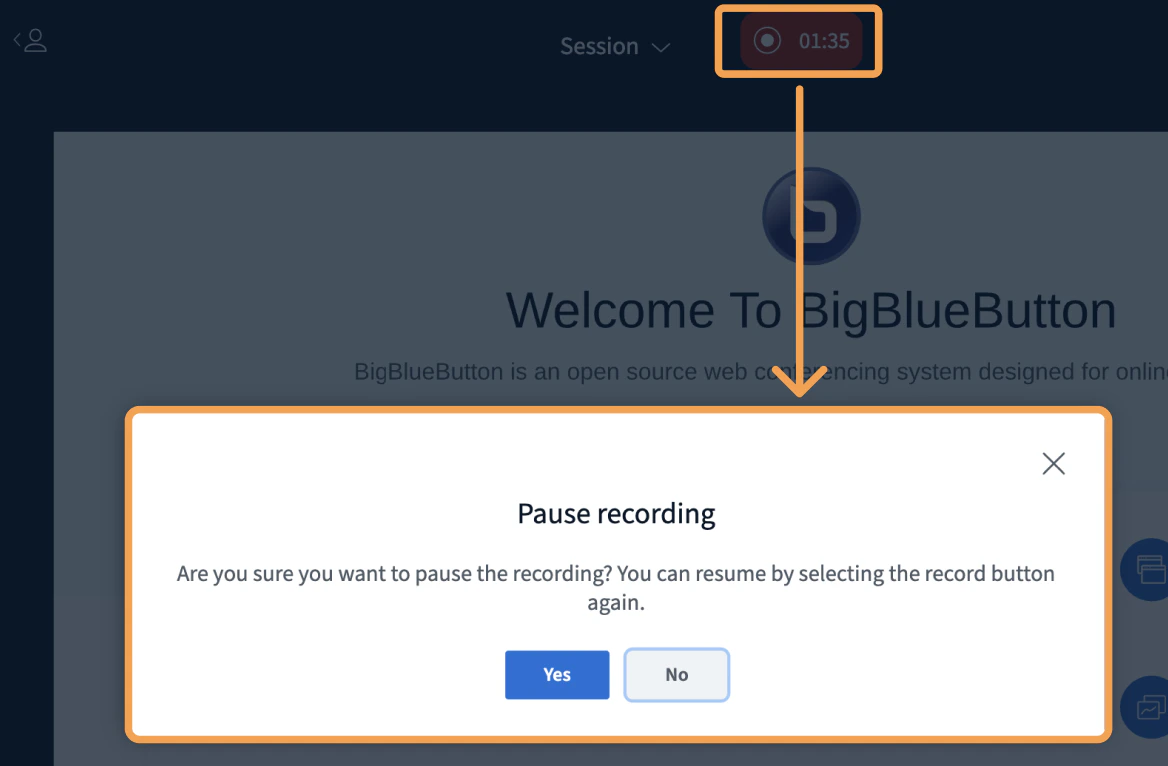
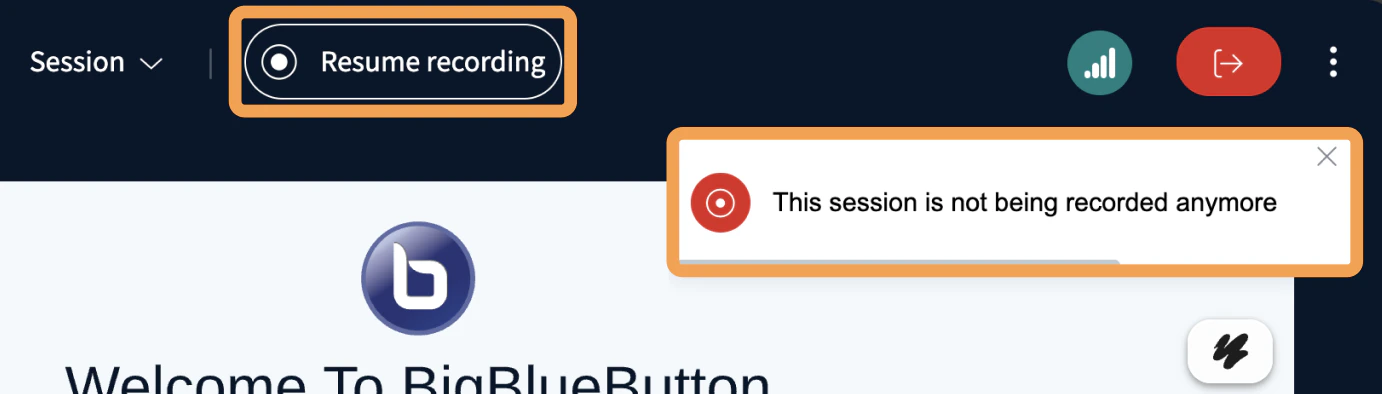
To stop or pause the recording, select the **red icon and timer**.
The recording icon turns red and a timer counts up the recorded duration.
## Stop or pause the recording
To stop or pause the recording, select the **red icon and timer**.
 Recording processing takes about as long as the **full** session duration and only begins after the session ends or all attendees log out.
All sessions have a maximum duration of 9 hours.
Recording processing takes about as long as the **full** session duration and only begins after the session ends or all attendees log out.
All sessions have a maximum duration of 9 hours.