> ## Documentation Index
> Fetch the complete documentation index at: https://bigbluebutton.com/docs/llms.txt
> Use this file to discover all available pages before exploring further.
# Using Smart Slides for one-click polling
> Smart Slides detects poll, quiz, and video patterns in your slide content and turns them into one-click interactions during a session.
**Smart Slides** detects specific patterns in your slide content and turns them into one-click polls, quizzes, or video plays during a BigBlueButton session. There is no setup beyond writing your slides — when BigBlueButton recognises a supported pattern, a launch button appears for the presenter.
This page covers the [seven Smart Slide types](#smart-slide-types), the [quick-reference table](#quick-reference), and how [Smart Slides feed into the Learning Analytics Dashboard](#learning-analytics-dashboard).
For a video walkthrough, see [How Smart Slides work](https://www.youtube.com/watch?v=mze90AVni08).
## Launch a Smart Slide
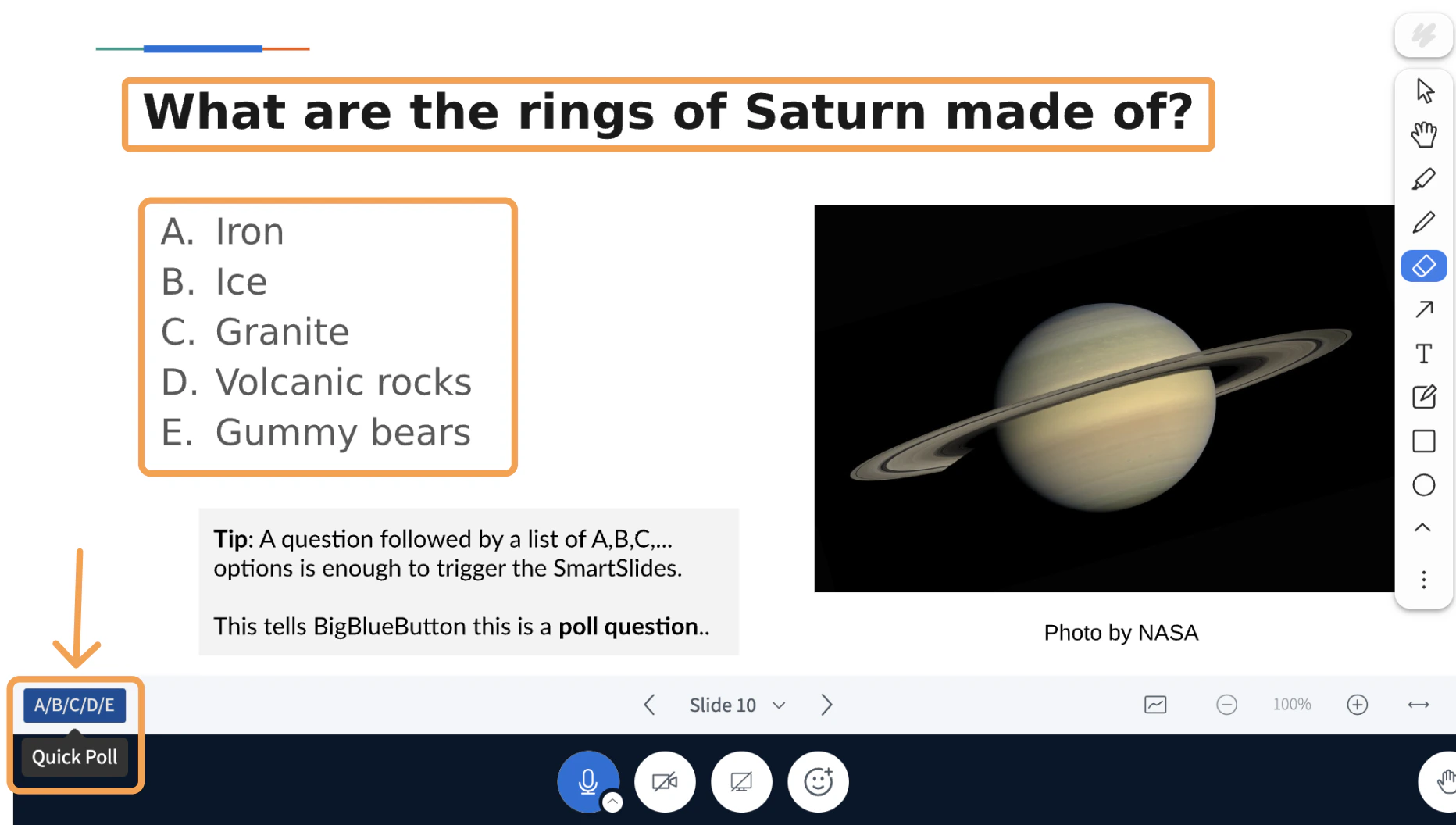
When the current slide contains a recognised pattern, a **Quick Poll** or **Play External Video** button appears in the lower-left of the toolbar.
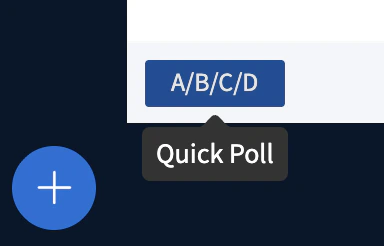 Select the button to launch the interaction. Question text and answer choices are pulled directly from the slide.
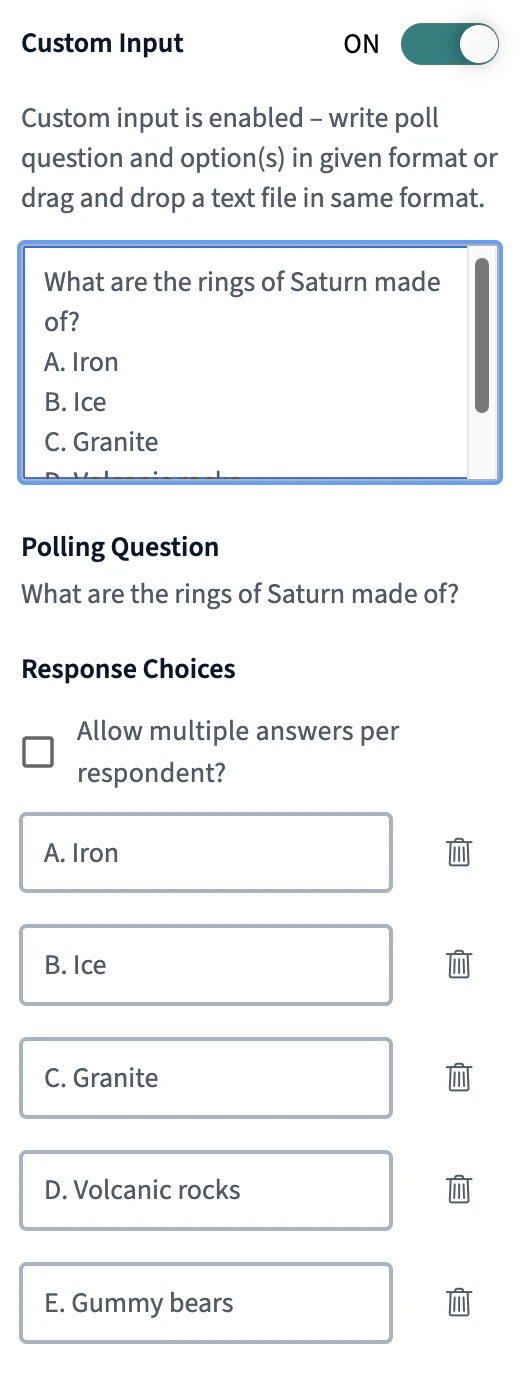
 The poll opens with the extracted information.
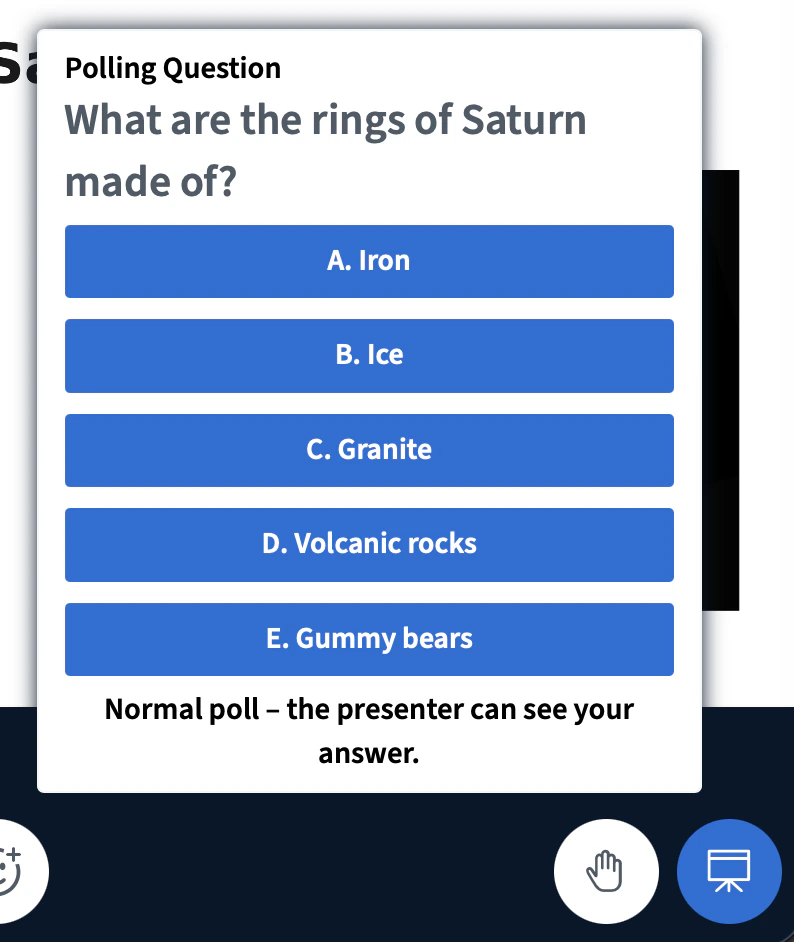
 Students see the corresponding response prompt.
 ## Smart Slide types
### Single choice poll
**Trigger:** A question followed by a lettered or bulleted list of answer options.
Students see the question and select one answer. This is the most common Smart Slide type and requires no special syntax.
**Example slide text:**
```
What are the rings of Saturn made of?
A. Iron
B. Ice
C. Granite
D. Volcanic rocks
E. Gummy bears
```
### Quiz with a correct answer
**Trigger:** A single-choice poll with `__` (two underscores) appended to the correct answer.
Adding `__` after an answer marks the question as a quiz. The Learning Analytics Dashboard tracks who answered correctly and shows a per-student breakdown in the **Quiz** tab.
To hide the answer marker from students, change the colour of the `__` characters to match the slide background. BigBlueButton still detects them.
**Example slide text:**
```
What are the rings of Saturn made of?
A. Iron
B. Ice__
C. Granite
D. Volcanic rocks
E. Gummy bears
```
## Smart Slide types
### Single choice poll
**Trigger:** A question followed by a lettered or bulleted list of answer options.
Students see the question and select one answer. This is the most common Smart Slide type and requires no special syntax.
**Example slide text:**
```
What are the rings of Saturn made of?
A. Iron
B. Ice
C. Granite
D. Volcanic rocks
E. Gummy bears
```
### Quiz with a correct answer
**Trigger:** A single-choice poll with `__` (two underscores) appended to the correct answer.
Adding `__` after an answer marks the question as a quiz. The Learning Analytics Dashboard tracks who answered correctly and shows a per-student breakdown in the **Quiz** tab.
To hide the answer marker from students, change the colour of the `__` characters to match the slide background. BigBlueButton still detects them.
**Example slide text:**
```
What are the rings of Saturn made of?
A. Iron
B. Ice__
C. Granite
D. Volcanic rocks
E. Gummy bears
```
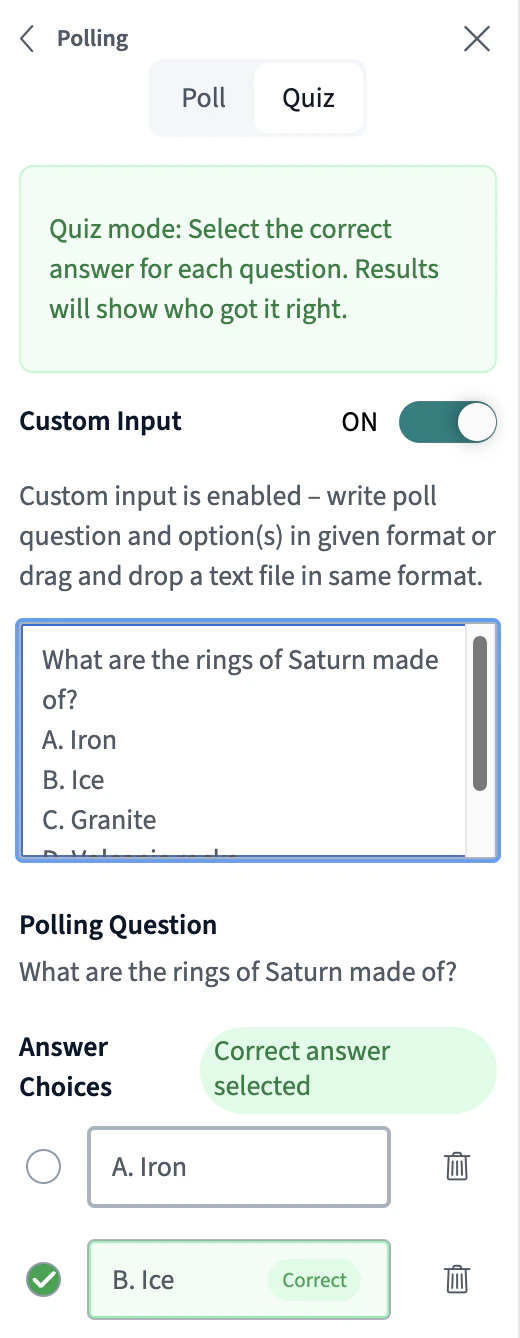
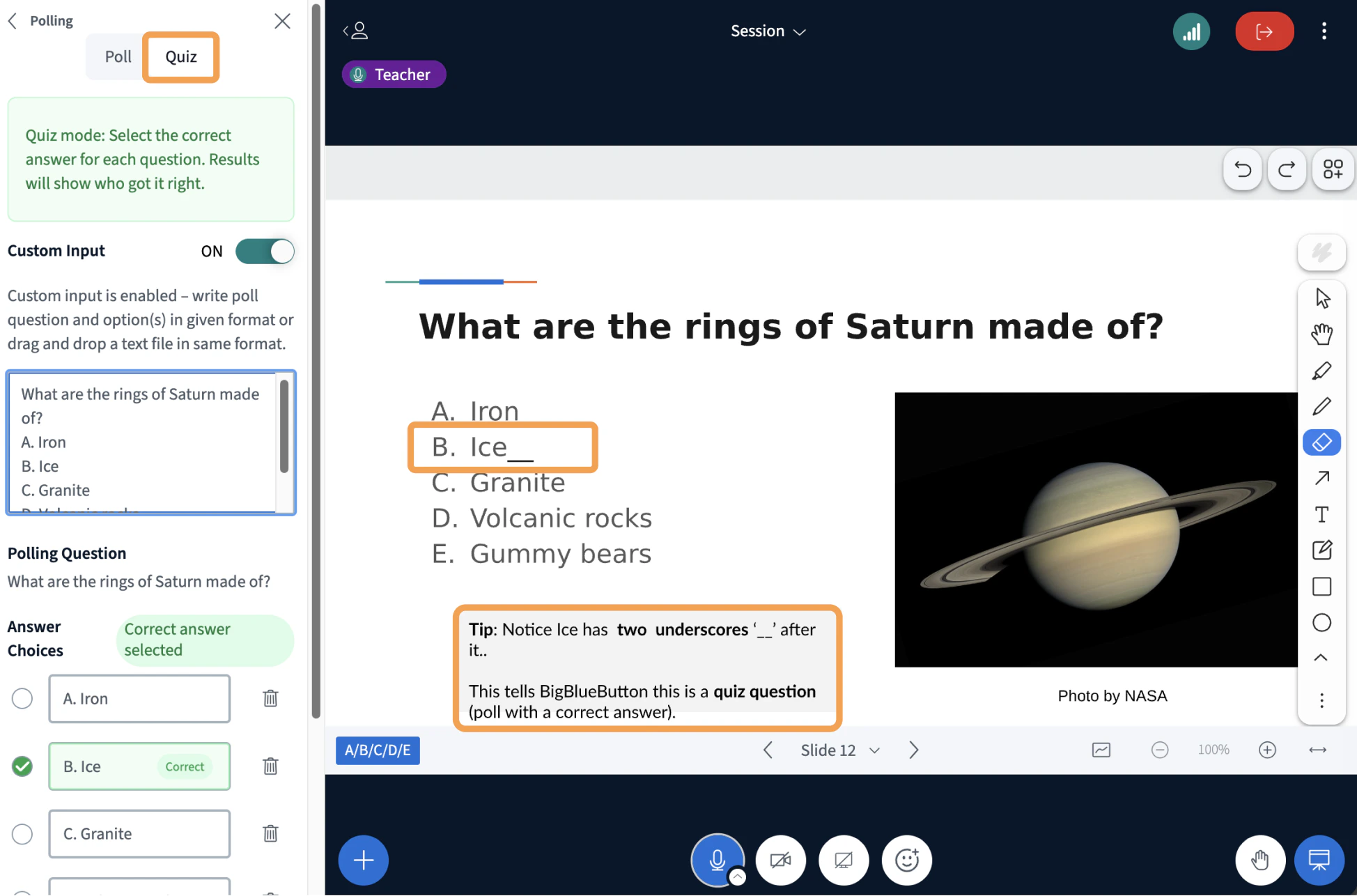 The quiz launches with the correct answer pre-marked.
 ### Multiple choice poll
**Trigger:** A question ending in `??` (two question marks), followed by a list of answer options.
Students can select more than one answer. Use this type when a question has multiple valid responses.
**Example slide text:**
```
What two elements comprise table salt??
A. Sodium
B. Calcium
C. Chloride
D. Zinc
```
### Yes/No poll
**Trigger:** The text `(yes/no)` anywhere in the question.
Launches a Yes/No poll. Use it for quick checks, opinion questions, or agreement prompts.
**Example slide text:**
```
Did Einstein discover the atom (yes/no)?
```
### True/False poll
**Trigger:** The text `(true/false)` anywhere in the question.
Functionally similar to Yes/No, but the response options are labelled True and False.
**Example slide text:**
```
Did Einstein discover the atom (true/false)?
```
### Typed response poll
**Trigger:** A question with no answer options listed below it.
When BigBlueButton sees a question without A, B, C choices, it treats the question as open-ended. Students type their answer directly, and responses are visible to the presenter.
**Example slide text:**
```
Calculating time
Two cars started from the same point at 5 am, traveling in opposite directions
at 40 and 50 mph respectively. At what time will they be 450 miles apart?
```
### External video
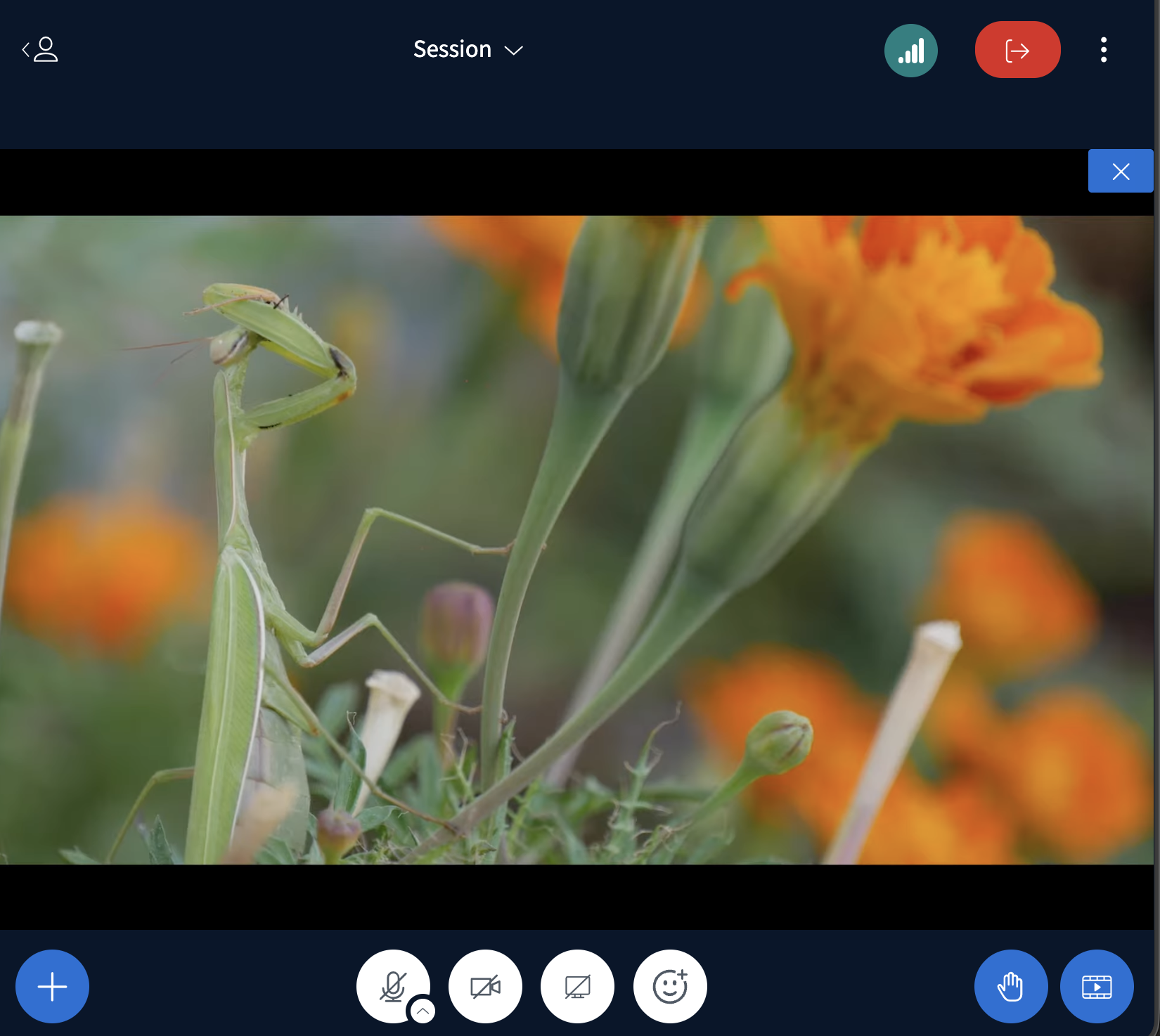
**Trigger:** A YouTube, Vimeo, or direct `.mp4` URL placed on the slide. The URL must be on a single unbroken line.
BigBlueButton detects the link and shows the **external video** button in the lower-left of the toolbar. Selecting it shares the video with all participants in a synchronized player.
### Multiple choice poll
**Trigger:** A question ending in `??` (two question marks), followed by a list of answer options.
Students can select more than one answer. Use this type when a question has multiple valid responses.
**Example slide text:**
```
What two elements comprise table salt??
A. Sodium
B. Calcium
C. Chloride
D. Zinc
```
### Yes/No poll
**Trigger:** The text `(yes/no)` anywhere in the question.
Launches a Yes/No poll. Use it for quick checks, opinion questions, or agreement prompts.
**Example slide text:**
```
Did Einstein discover the atom (yes/no)?
```
### True/False poll
**Trigger:** The text `(true/false)` anywhere in the question.
Functionally similar to Yes/No, but the response options are labelled True and False.
**Example slide text:**
```
Did Einstein discover the atom (true/false)?
```
### Typed response poll
**Trigger:** A question with no answer options listed below it.
When BigBlueButton sees a question without A, B, C choices, it treats the question as open-ended. Students type their answer directly, and responses are visible to the presenter.
**Example slide text:**
```
Calculating time
Two cars started from the same point at 5 am, traveling in opposite directions
at 40 and 50 mph respectively. At what time will they be 450 miles apart?
```
### External video
**Trigger:** A YouTube, Vimeo, or direct `.mp4` URL placed on the slide. The URL must be on a single unbroken line.
BigBlueButton detects the link and shows the **external video** button in the lower-left of the toolbar. Selecting it shares the video with all participants in a synchronized player.
 **Single video example:**
```
https://youtu.be/v2Z4eANMNuA
```
**Multiple videos with labels:**
You can place several video URLs on one slide. Add a comment after a `#` on each URL to label it — BigBlueButton displays the labels in a selection menu.
```
https://www.youtube.com/watch?v=-SM_HTxVcx0#Layout-Manager
https://www.youtube.com/watch?v=tqkVEWO12tI#Uploading-Presentations
https://www.youtube.com/watch?v=xeLOzKBUdIk#Using-Webcams
```
Direct `.mp4` links also work:
```
https://example.com/your-video.mp4
```
## Quick reference
| Slide content | Smart Slide type |
| --------------------------------------------------- | -------------------------- |
| Question + A, B, C… options | Single choice poll |
| Question + A, B, C… options + `__` after one answer | Quiz with a correct answer |
| Question ending in `??` + options | Multiple choice poll |
| Question containing `(yes/no)` | Yes/No poll |
| Question containing `(true/false)` | True/False poll |
| Question with no options | Typed response poll |
| YouTube, Vimeo, or `.mp4` URL | External video |
## Learning Analytics Dashboard
All poll and quiz responses are aggregated automatically in the [Learning Analytics Dashboard](/docs/help/moderator-guide/learning-analytics-dashboard). The dashboard shows response distributions per question and, for quiz questions, a per-student view of correct vs. incorrect answers.
## Try it out
To experiment with Smart Slides, download this sample slide deck and upload it in BigBlueButton:
* [BigBlueButton Sample Smart Slides](https://docs.google.com/presentation/d/1cqj8jOuaSmTjFh3zj0aT7o52sPI3cDH5-rF-gxm4vBY/edit?slide=id.g179c55560b9_0_99#slide=id.g179c55560b9_0_99)
Look for the Smart Slides button when BigBlueButton detects a supported pattern.
**Single video example:**
```
https://youtu.be/v2Z4eANMNuA
```
**Multiple videos with labels:**
You can place several video URLs on one slide. Add a comment after a `#` on each URL to label it — BigBlueButton displays the labels in a selection menu.
```
https://www.youtube.com/watch?v=-SM_HTxVcx0#Layout-Manager
https://www.youtube.com/watch?v=tqkVEWO12tI#Uploading-Presentations
https://www.youtube.com/watch?v=xeLOzKBUdIk#Using-Webcams
```
Direct `.mp4` links also work:
```
https://example.com/your-video.mp4
```
## Quick reference
| Slide content | Smart Slide type |
| --------------------------------------------------- | -------------------------- |
| Question + A, B, C… options | Single choice poll |
| Question + A, B, C… options + `__` after one answer | Quiz with a correct answer |
| Question ending in `??` + options | Multiple choice poll |
| Question containing `(yes/no)` | Yes/No poll |
| Question containing `(true/false)` | True/False poll |
| Question with no options | Typed response poll |
| YouTube, Vimeo, or `.mp4` URL | External video |
## Learning Analytics Dashboard
All poll and quiz responses are aggregated automatically in the [Learning Analytics Dashboard](/docs/help/moderator-guide/learning-analytics-dashboard). The dashboard shows response distributions per question and, for quiz questions, a per-student view of correct vs. incorrect answers.
## Try it out
To experiment with Smart Slides, download this sample slide deck and upload it in BigBlueButton:
* [BigBlueButton Sample Smart Slides](https://docs.google.com/presentation/d/1cqj8jOuaSmTjFh3zj0aT7o52sPI3cDH5-rF-gxm4vBY/edit?slide=id.g179c55560b9_0_99#slide=id.g179c55560b9_0_99)
Look for the Smart Slides button when BigBlueButton detects a supported pattern.