> ## Documentation Index
> Fetch the complete documentation index at: https://bigbluebutton.com/docs/llms.txt
> Use this file to discover all available pages before exploring further.
# Managing Users
> Administrators can use the Manage Users menu to view, search, sort, and edit all user accounts created. This article covers how to access the Manage...
## Administrators can use the Manage Users menu to view, search, sort, and edit all user accounts created.
This article covers how to [access the Manage Users menu](#accessing-the-manager-users-menu) where you can:
* [View, search & sort user accounts](#search--sort)
* [Delete, ban & edit user accounts](#delete-ban-or-edit-user-accounts)
## Accessing the Manager Users Menu
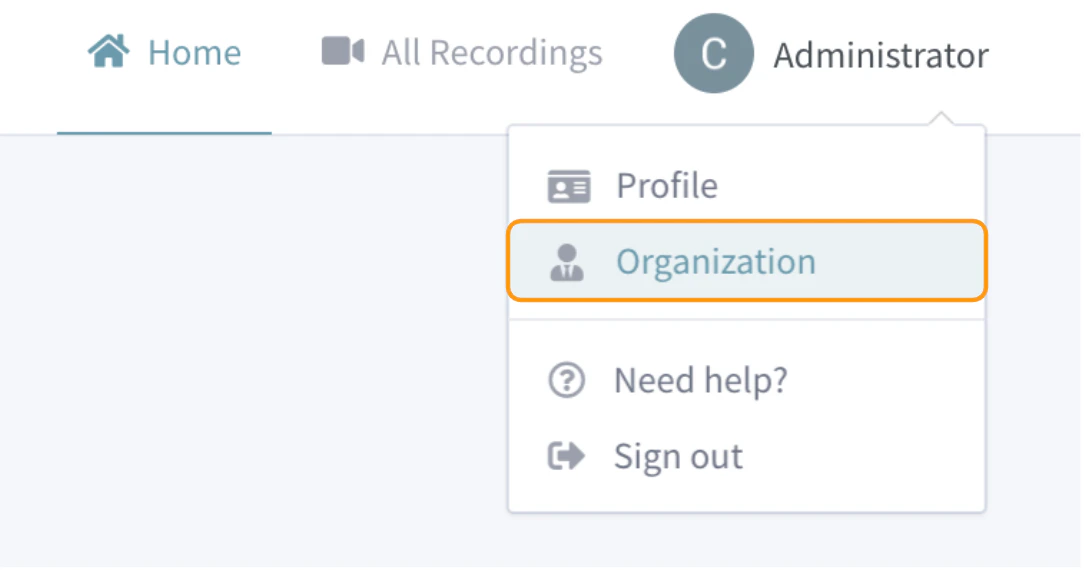 Select **Organization**from your account drop down.
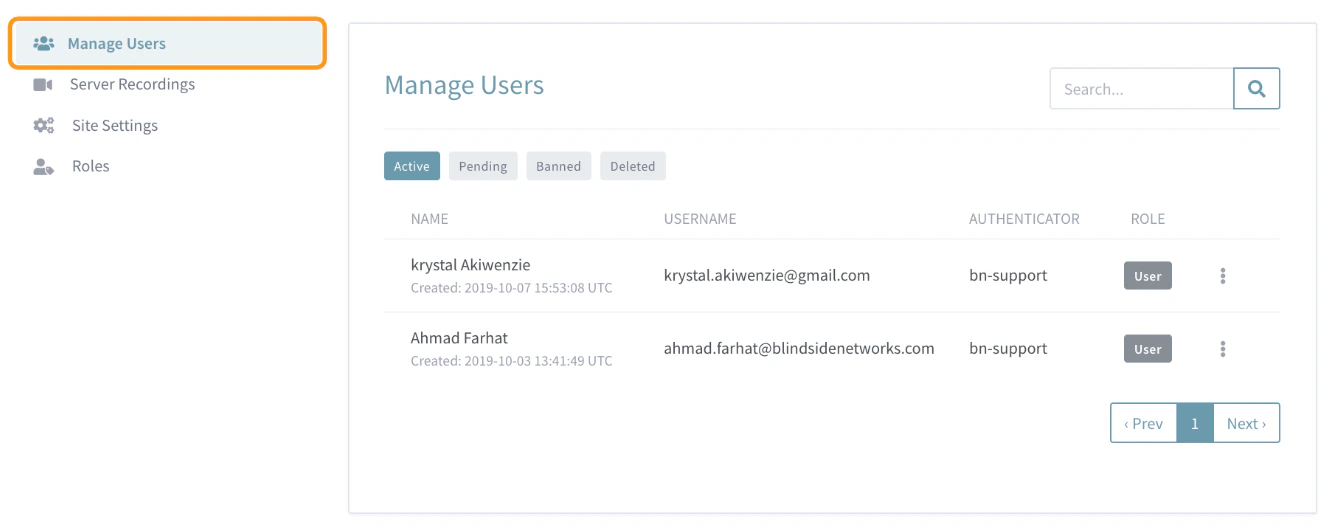 By default the **Manage Users** menu will open.
## Tabs
By default the **Manage Users** menu will open.
## Tabs
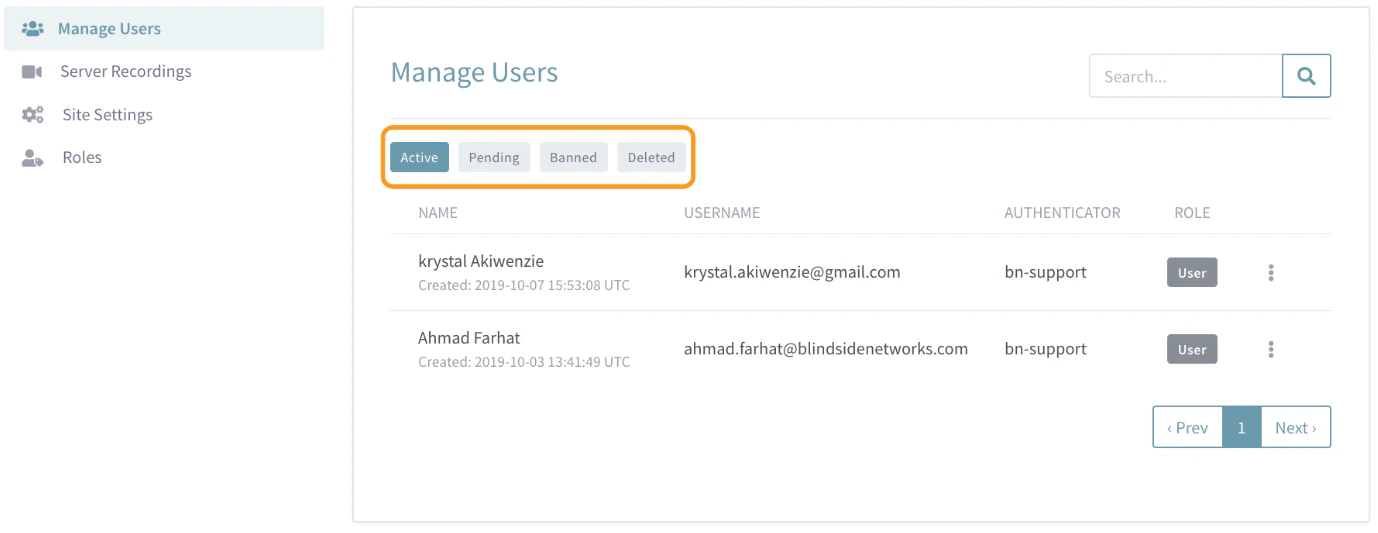 The **Manage Users** menu separates account owners into four specific categories or **Tabs** . Click the specific tab for a listing of users under each.
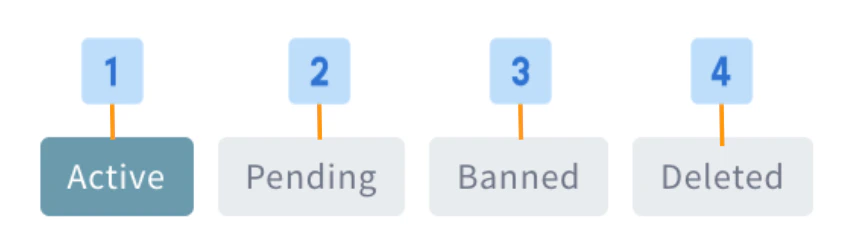 The four **Tabs** or categories of users are:
1. **Active \[1]**: Lists all active user accounts, this is the default tab listing when the Manage Users menu is opened.
2. **Pending \[2]**: Lists all user accounts that are awaiting an Administrator's approval .
3. **Banned \[3]**: Lists all users who were denied permission to create an account or who were banned from their Personal Rooms account by an Administrator .
4. **Deleted \[4]**: Lists all users whose accounts were deleted by an Administrator .
## Search & Sort
The four **Tabs** or categories of users are:
1. **Active \[1]**: Lists all active user accounts, this is the default tab listing when the Manage Users menu is opened.
2. **Pending \[2]**: Lists all user accounts that are awaiting an Administrator's approval .
3. **Banned \[3]**: Lists all users who were denied permission to create an account or who were banned from their Personal Rooms account by an Administrator .
4. **Deleted \[4]**: Lists all users whose accounts were deleted by an Administrator .
## Search & Sort
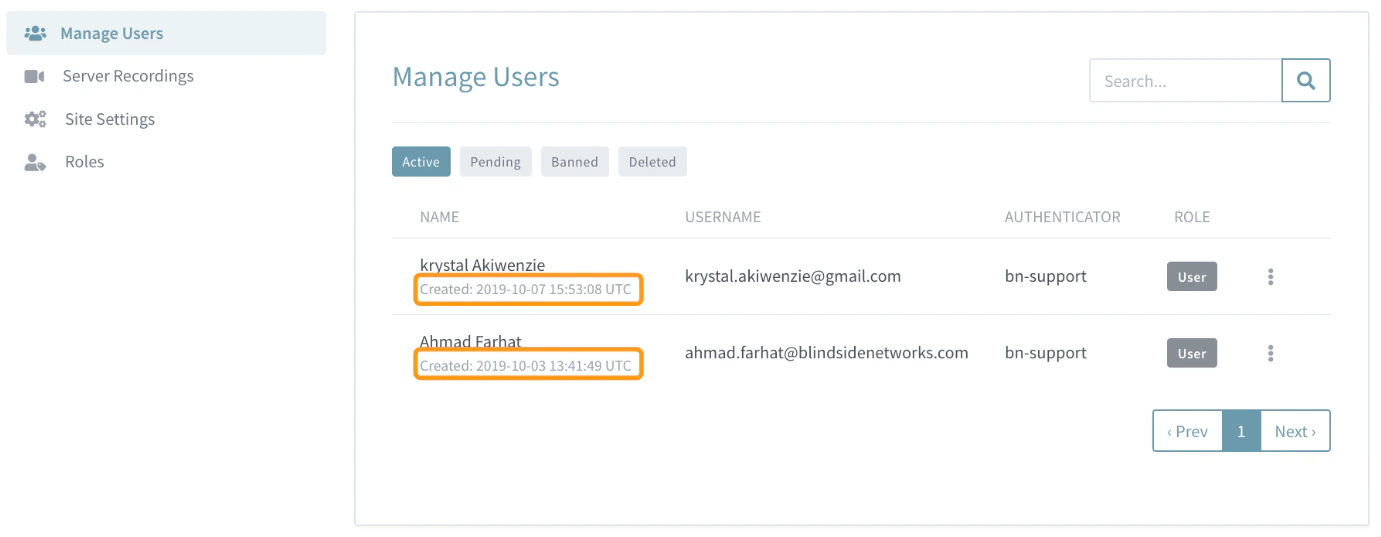 The **Manage Users** menu will, by default, list users in chronological order based on the date they were added to your Personal Rooms instance. All times are UTC.
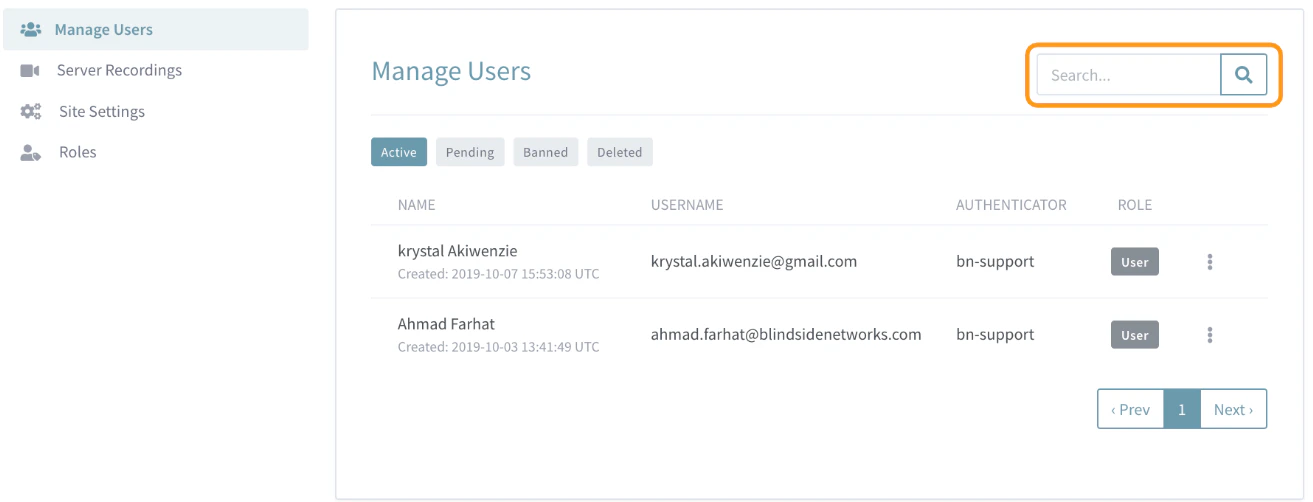 Use the **S\*\*\*\*earch Bar** to filter based on name, user name (email), authenticator or user creation date.
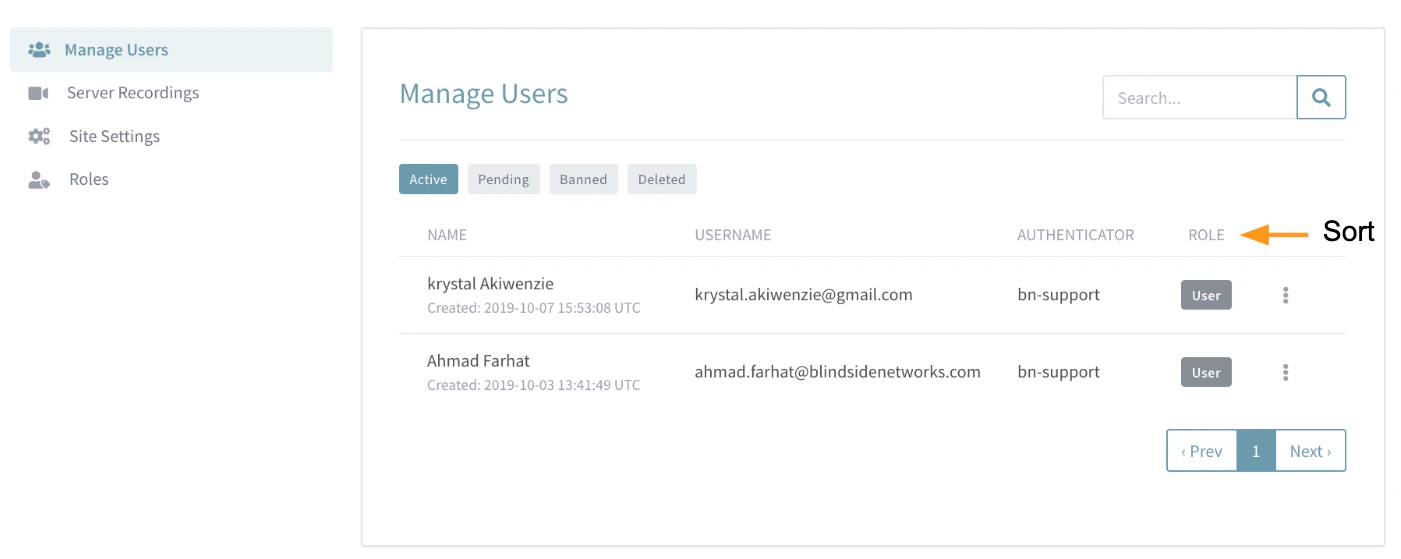 To filter based on role, select the specific role you wish to view from the **Role**column. You should see only the users with the assigned role selected.
## Delete, Ban, or Edit User Accounts
Administrators can Delete, Ban, or Edit each user account registered to their Personal Rooms instance.
To filter based on role, select the specific role you wish to view from the **Role**column. You should see only the users with the assigned role selected.
## Delete, Ban, or Edit User Accounts
Administrators can Delete, Ban, or Edit each user account registered to their Personal Rooms instance.
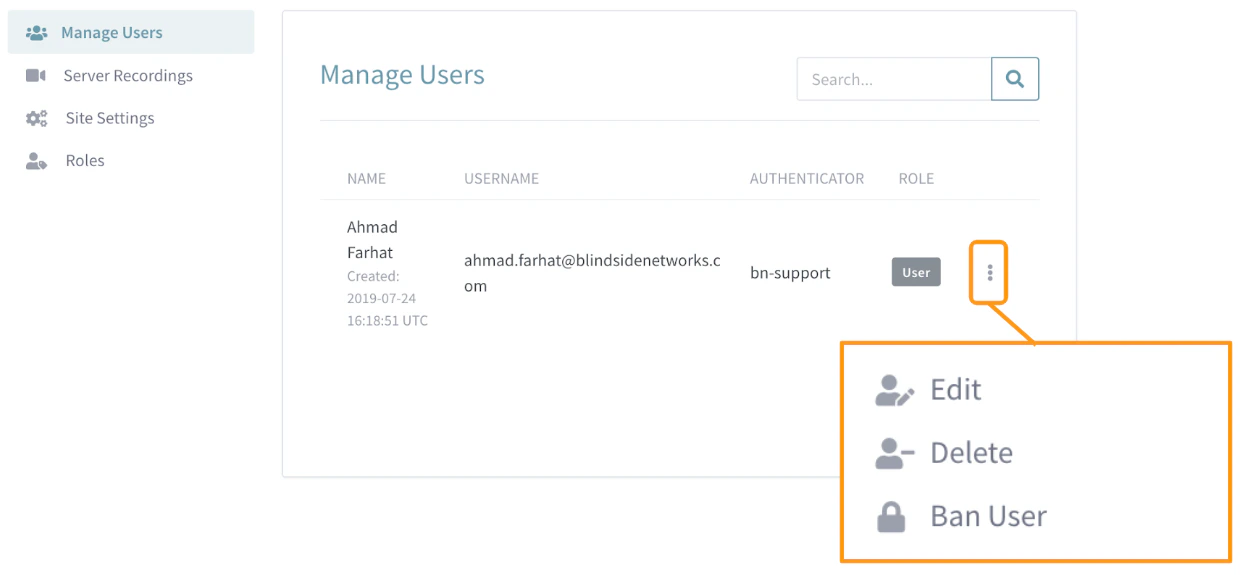 Select the **Vertical Ellipsis**or **H\*\*\*\*amburger Menu** located to the right of each user account.
To delete an account, select **Delete** from the account options.
It is important to note that this will remove the account from your Personal Rooms instance, however, does not prevent the user from signing up in the future with the same credentials.
To ban an account, select **Ban** from the account options.
This will both remove the user account and prevent the user from using the banned credentials to sign up for your Personal rooms instance in the future.
To edit an account, select **Edit**from the account options, and an edit user menu will open.
Select the **Vertical Ellipsis**or **H\*\*\*\*amburger Menu** located to the right of each user account.
To delete an account, select **Delete** from the account options.
It is important to note that this will remove the account from your Personal Rooms instance, however, does not prevent the user from signing up in the future with the same credentials.
To ban an account, select **Ban** from the account options.
This will both remove the user account and prevent the user from using the banned credentials to sign up for your Personal rooms instance in the future.
To edit an account, select **Edit**from the account options, and an edit user menu will open.
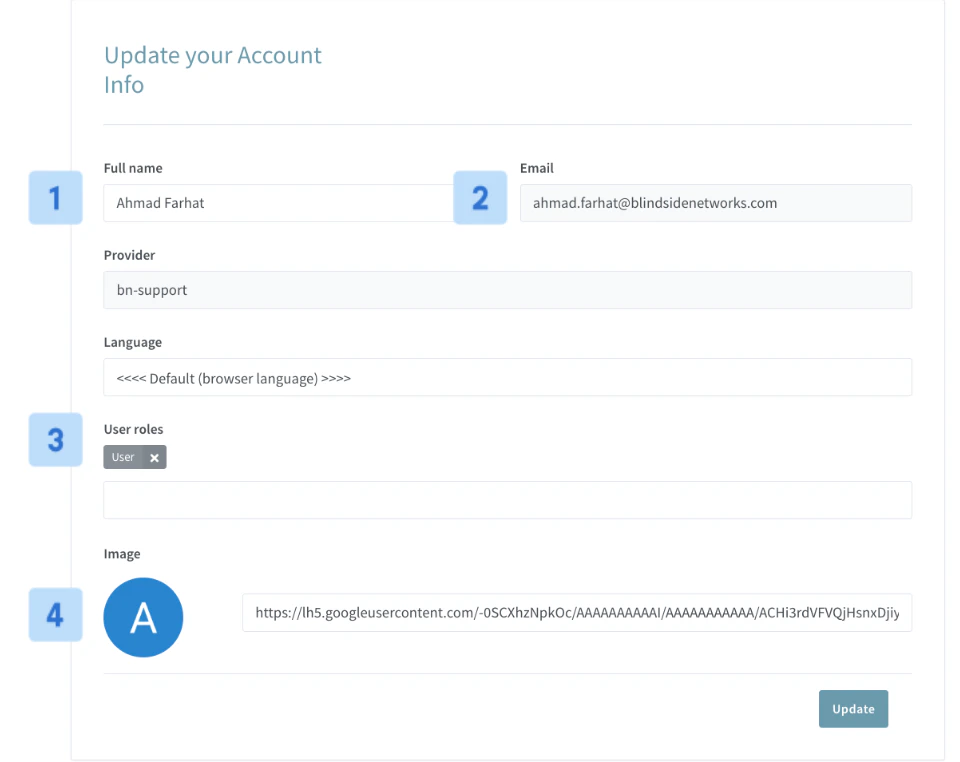 Administrators can edit the ******Account Name \[1], Account Email \[2], Account Role \[3], and add a Profile Picture \[4]****** to the account.
When editing an account **Role \[3]** it is important to note that though a user may be assigned multiple roles, only the role with the highest priority will be used to determine the user's account permissions.
Administrators can edit the ******Account Name \[1], Account Email \[2], Account Role \[3], and add a Profile Picture \[4]****** to the account.
When editing an account **Role \[3]** it is important to note that though a user may be assigned multiple roles, only the role with the highest priority will be used to determine the user's account permissions.