> ## Documentation Index
> Fetch the complete documentation index at: https://bigbluebutton.com/docs/llms.txt
> Use this file to discover all available pages before exploring further.
# Overview of Personal Rooms interface
> The Personal Rooms main page contains four areas: Account Information, the Home Button, the Personal Room Manager, and the Recordings Manager.
After you sign in to Personal Rooms, the main page displays four key areas: **Account Information**, the **Home Button**, the **Personal Room Manager**, and the **Recordings Manager**.
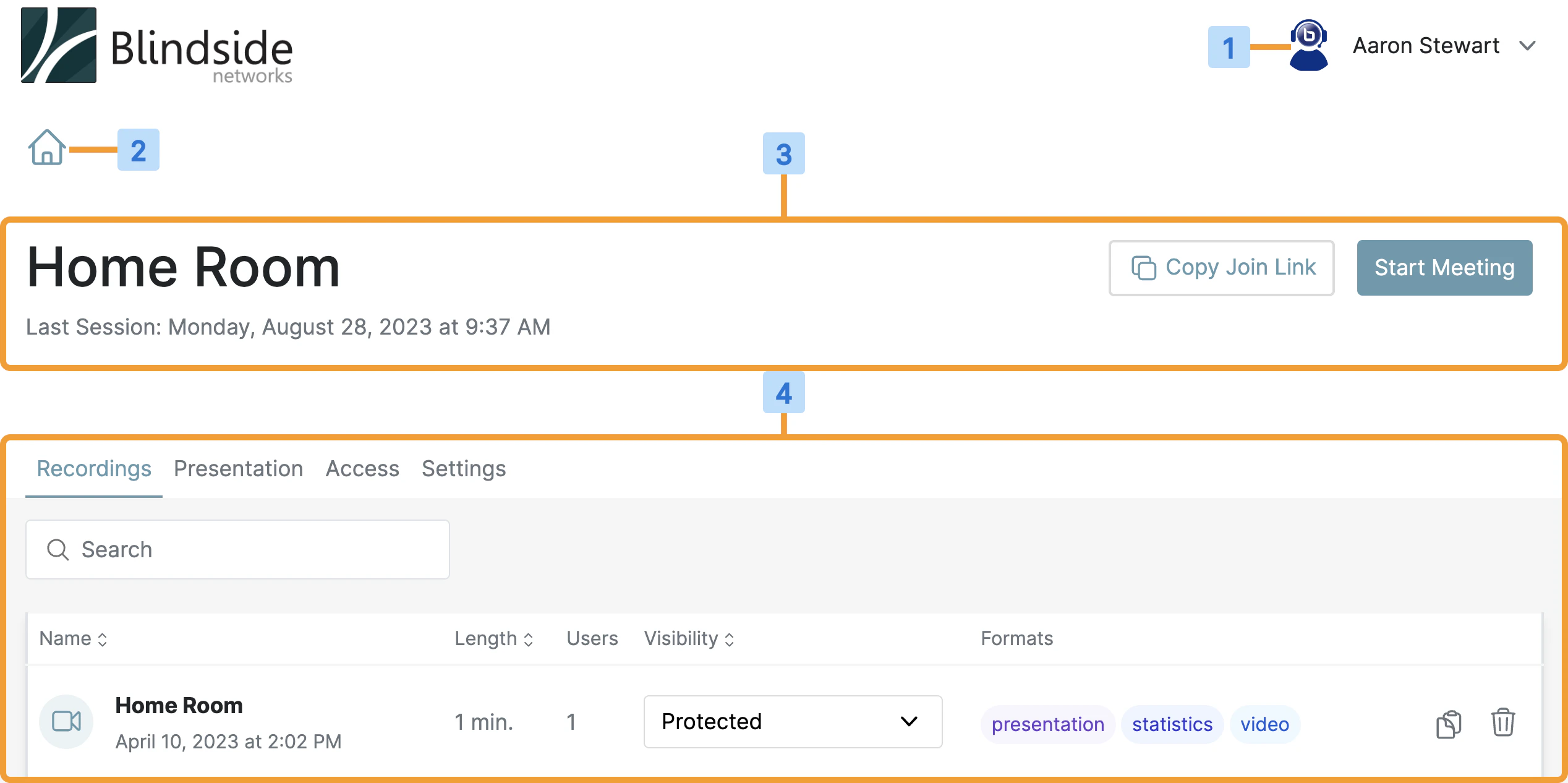 * **Account Information** **\[1]** — update your profile, access the help center, and (if applicable) open the Administrator Panel.
* **Home Button** **\[2]** — quickly return to the home page that lists all of your Personal Rooms.
* **Personal Room Manager** **\[3]** — shows the room title and lets you start, join, or copy the room link, alongside last-session information.
* **Recordings Manager** **\[4]** — shows recordings, meeting statistics, and the invite link for the selected room. Processed recordings appear here once they are available.
## Recordings Manager
* **Account Information** **\[1]** — update your profile, access the help center, and (if applicable) open the Administrator Panel.
* **Home Button** **\[2]** — quickly return to the home page that lists all of your Personal Rooms.
* **Personal Room Manager** **\[3]** — shows the room title and lets you start, join, or copy the room link, alongside last-session information.
* **Recordings Manager** **\[4]** — shows recordings, meeting statistics, and the invite link for the selected room. Processed recordings appear here once they are available.
## Recordings Manager
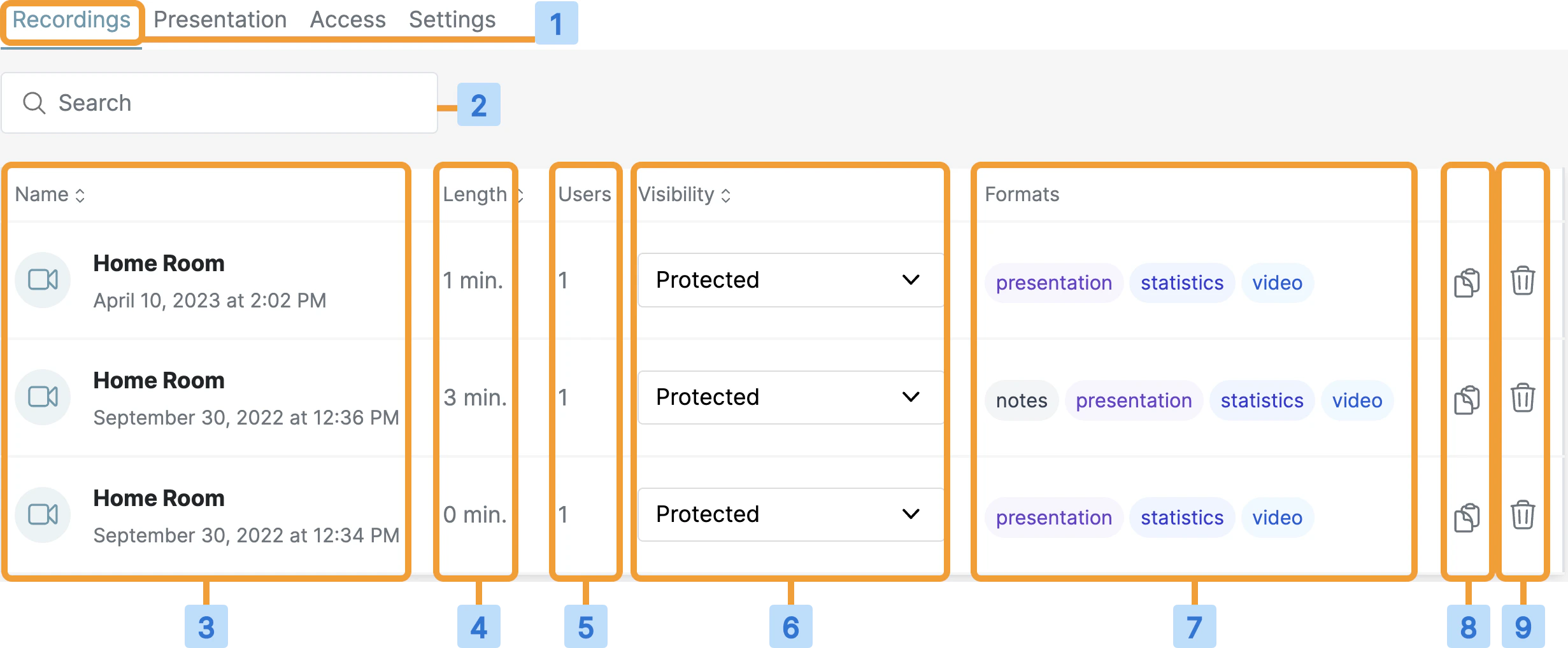 | # | Column |
| - | -------------------------------------------------------- |
| 1 | **Recordings tab** — shows all recordings for this room. |
| 2 | Search for a recording. |
| 3 | Recording name and the date and time of the session. |
| 4 | Length of the recording in minutes. |
| 5 | Number of users who attended. |
| 6 | Visibility of the recording. |
| 7 | Available formats. |
| 8 | Quickly copy the recording link. |
| 9 | Quickly delete the recording. |
| # | Column |
| - | -------------------------------------------------------- |
| 1 | **Recordings tab** — shows all recordings for this room. |
| 2 | Search for a recording. |
| 3 | Recording name and the date and time of the session. |
| 4 | Length of the recording in minutes. |
| 5 | Number of users who attended. |
| 6 | Visibility of the recording. |
| 7 | Available formats. |
| 8 | Quickly copy the recording link. |
| 9 | Quickly delete the recording. |