> ## Documentation Index
> Fetch the complete documentation index at: https://bigbluebutton.com/docs/llms.txt
> Use this file to discover all available pages before exploring further.
# How do I invite a guest to a live meeting?
> Moderators on BigBlueButton Enhanced can invite a guest into the active session by sharing a per-session invite link.
If your account has been upgraded to BigBlueButton Enhanced from Blindside Networks, moderators can invite a guest into a live session using a per-session invite link.
## Invite a guest
When you join a BigBlueButton session, the **Session Details** window appears automatically.
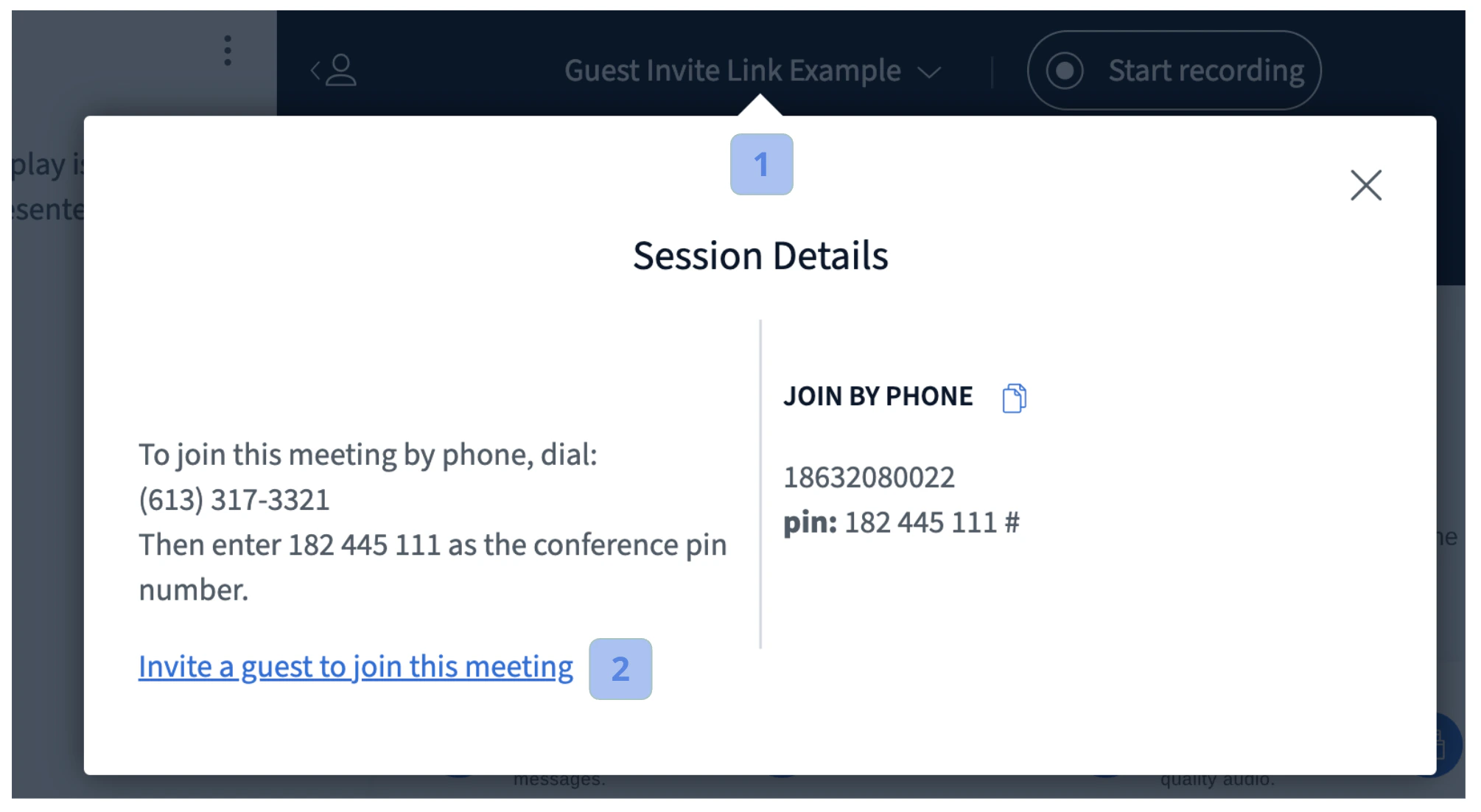 To re-open the **Session Details** window later, select the **Meeting Title** **\[1]**.
If you joined as a moderator, the guest invite option is available. Select **Invite a guest to join this meeting** **\[2]** to open a new tab containing the invite link.
To re-open the **Session Details** window later, select the **Meeting Title** **\[1]**.
If you joined as a moderator, the guest invite option is available. Select **Invite a guest to join this meeting** **\[2]** to open a new tab containing the invite link.
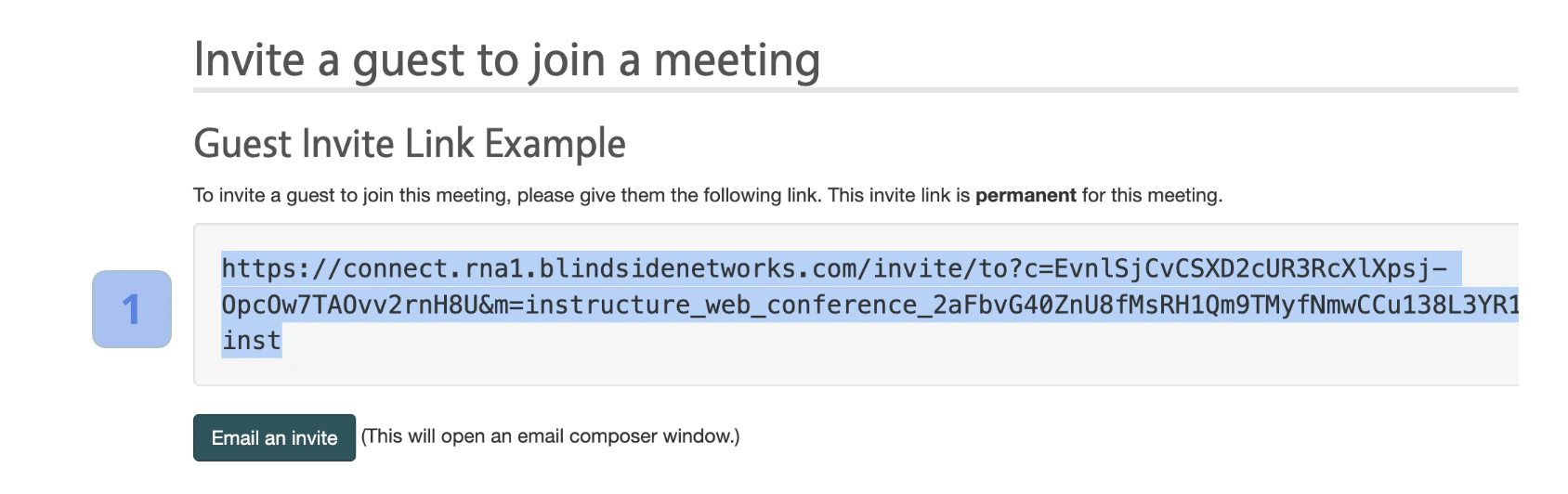 Copy the **invite link** **\[1]** and email it to your guest so they can join directly.
By default, the invite link is only valid for the current active session. To make the link valid for the current session **and** all future sessions for this meeting, contact Blindside Networks.
## Join a session via a guest invite link
When a guest opens the invite link, the **Join a running meeting** prompt appears.
Copy the **invite link** **\[1]** and email it to your guest so they can join directly.
By default, the invite link is only valid for the current active session. To make the link valid for the current session **and** all future sessions for this meeting, contact Blindside Networks.
## Join a session via a guest invite link
When a guest opens the invite link, the **Join a running meeting** prompt appears.
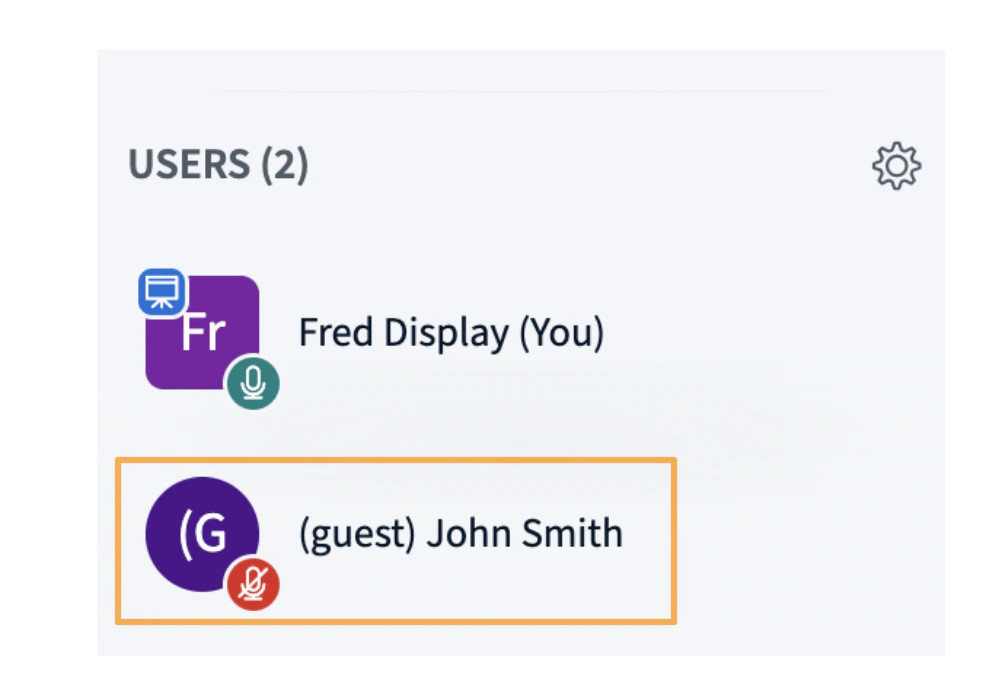
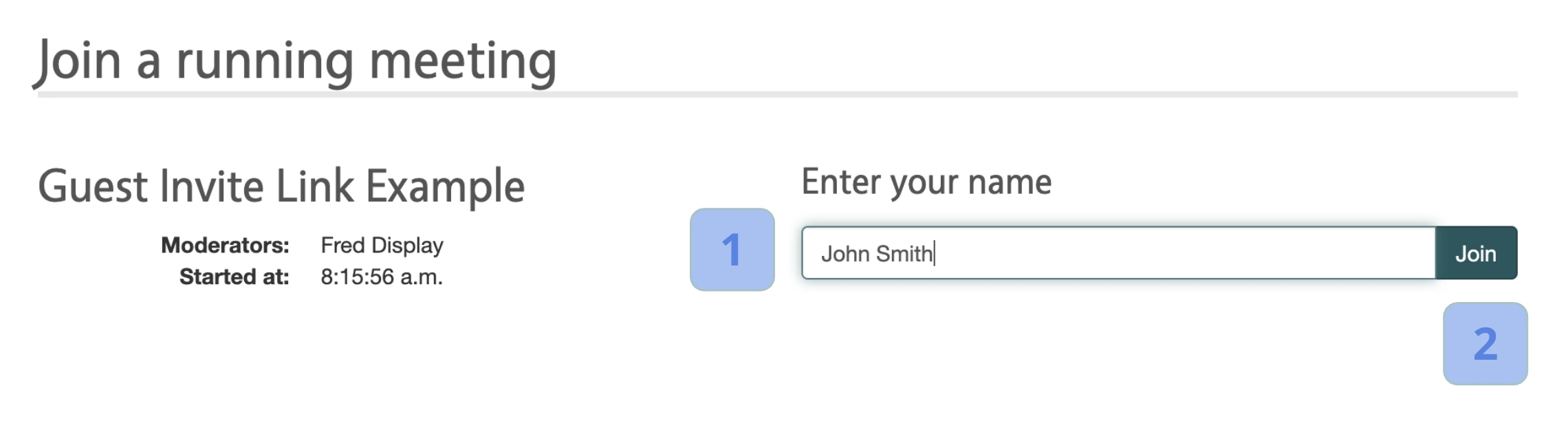 To join, enter your **name** **\[1]** and select **Join** **\[2]**. The guest enters the session as a viewer with the **(guest)** prefix on their name.