> ## Documentation Index
> Fetch the complete documentation index at: https://bigbluebutton.com/docs/llms.txt
> Use this file to discover all available pages before exploring further.
# BigBlueButton Enhanced
> BigBlueButton Enhanced accounts can be customized with welcome messages, lock settings, dial-in visibility, recording policies, branding, and S3 transfer.
As part of BigBlueButton Enhanced hosting, Blindside Networks can customize a range of account-level settings. To request any of the changes below, contact your Blindside Networks Customer Success Manager with a description of what you need.
If you want to try BigBlueButton, visit [https://my.bigbluebutton.com/](https://my.bigbluebutton.com/)
## Custom welcome message
When users join a session, they see a welcome message in the chat with a grey background.
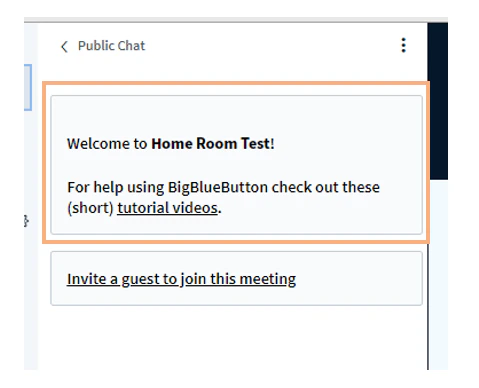 We can replace the message with whatever text you choose.
## Show dial-in number only to moderators
All North American accounts include a default dial-in number, visible by default to both instructors and students. Some schools (especially K12) prefer to make the dial-in number visible only to moderators — for example, in a separate moderator-only welcome message.
We can replace the message with whatever text you choose.
## Show dial-in number only to moderators
All North American accounts include a default dial-in number, visible by default to both instructors and students. Some schools (especially K12) prefer to make the dial-in number visible only to moderators — for example, in a separate moderator-only welcome message.
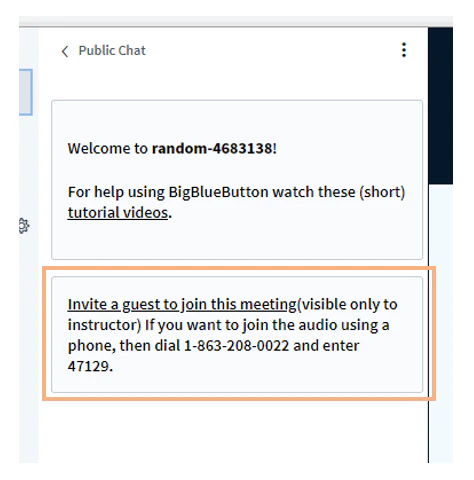 We can set whatever moderator-only welcome message you want.
## Default lock settings
Each instructor can use **Lock viewers** to restrict viewer access to specific features.
We can set whatever moderator-only welcome message you want.
## Default lock settings
Each instructor can use **Lock viewers** to restrict viewer access to specific features.
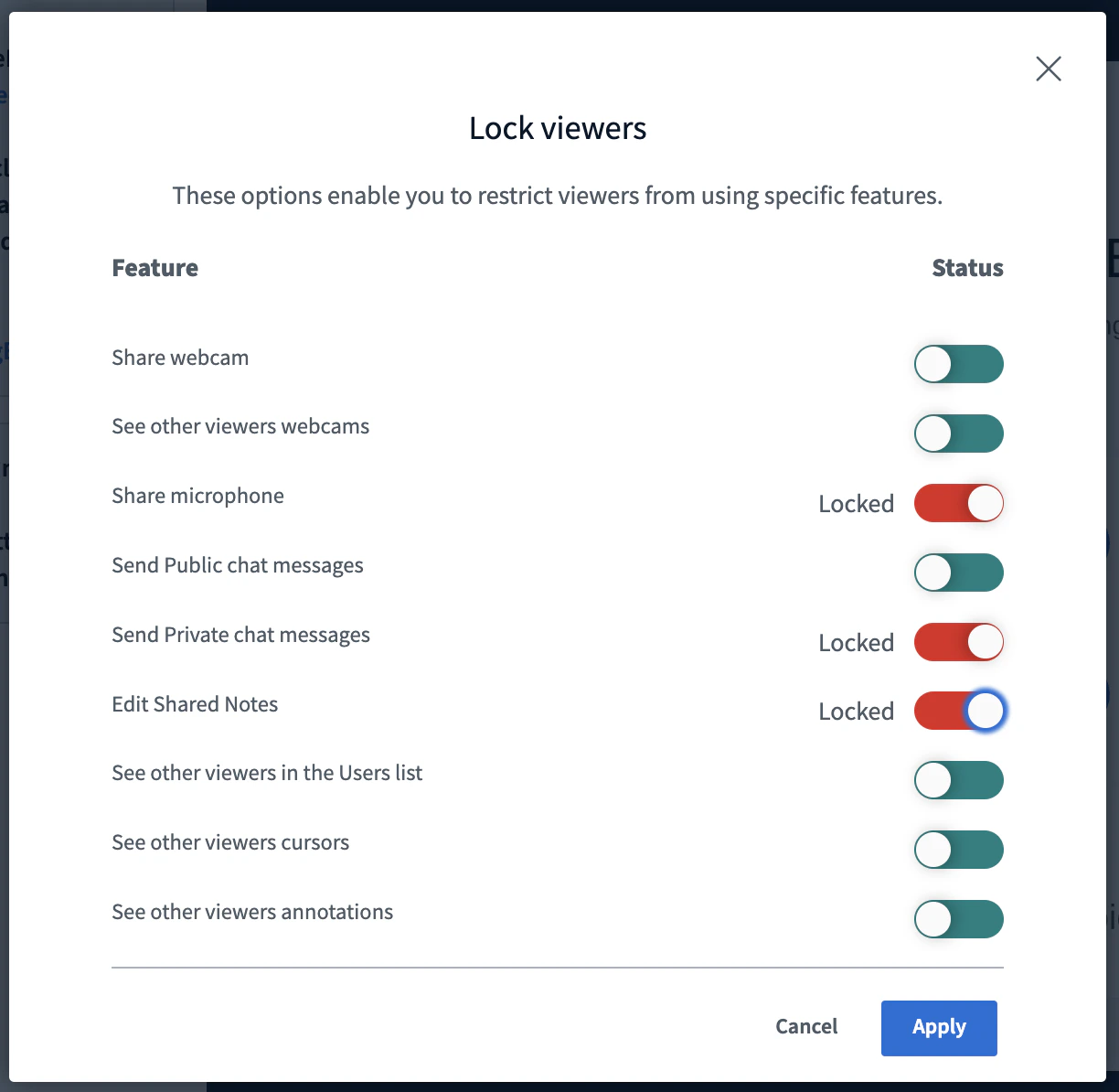
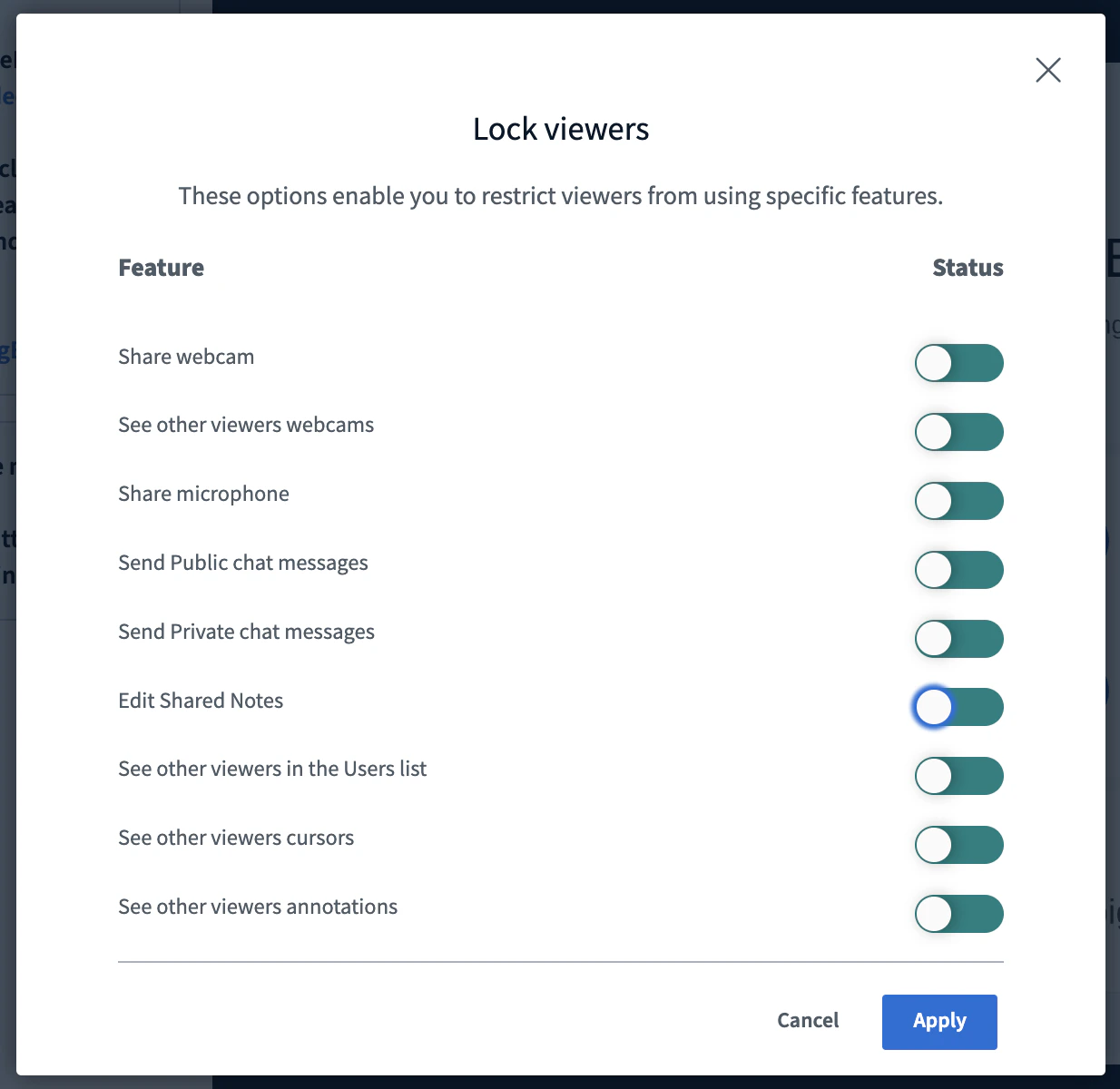 We can set any of these lock settings as defaults for your account. For example, you can configure every session to start with these locks in effect:
* Microphone
* Private chat messages
* Edit shared notes
We can set any of these lock settings as defaults for your account. For example, you can configure every session to start with these locks in effect:
* Microphone
* Private chat messages
* Edit shared notes
 ## Ability to unmute users
By default, moderators cannot unmute another user's microphone, for privacy. For K12, we can enable moderators to unmute student microphones directly.
## Mute users on join
By default, users joining with a microphone are unmuted. We can change the default so all users join muted.
## Auto-expire recordings
If your school requires recordings to be deleted automatically after a set period — for example, two years (730 days) — we can configure auto-deletion. Tell us the retention you need.
## Protected recording links
We can enable Protected Recording Links so viewers cannot copy and share recording links.
## Don't record student webcams
We can configure your account so student webcams are not visible in the recordings.
## Disable recording
We can configure your account so no sessions are recorded.
## Hide viewer names in recording chat
We can conceal student names in the chat of recordings. Student/viewer names appear as "Viewer" while moderator/instructor names display as normal.
## Automatically end session when no moderators are present
We can set an interval (such as 2 minutes) after which BigBlueButton automatically ends a session that no longer has a moderator present. This is useful in K12 to avoid scenarios where the educator gets disconnected (for example, loses their internet connection) and students are left unsupervised.
## Custom logo
We can place your logo in the upper-left corner of the BigBlueButton session.
## Ability to unmute users
By default, moderators cannot unmute another user's microphone, for privacy. For K12, we can enable moderators to unmute student microphones directly.
## Mute users on join
By default, users joining with a microphone are unmuted. We can change the default so all users join muted.
## Auto-expire recordings
If your school requires recordings to be deleted automatically after a set period — for example, two years (730 days) — we can configure auto-deletion. Tell us the retention you need.
## Protected recording links
We can enable Protected Recording Links so viewers cannot copy and share recording links.
## Don't record student webcams
We can configure your account so student webcams are not visible in the recordings.
## Disable recording
We can configure your account so no sessions are recorded.
## Hide viewer names in recording chat
We can conceal student names in the chat of recordings. Student/viewer names appear as "Viewer" while moderator/instructor names display as normal.
## Automatically end session when no moderators are present
We can set an interval (such as 2 minutes) after which BigBlueButton automatically ends a session that no longer has a moderator present. This is useful in K12 to avoid scenarios where the educator gets disconnected (for example, loses their internet connection) and students are left unsupervised.
## Custom logo
We can place your logo in the upper-left corner of the BigBlueButton session.
 ## Custom default webcam background
For additional branding, provide a PNG or JPEG image at an HTTPS URL, and we can configure your account to use it as the default webcam background. Users can still upload their own background.
## Automatic transfer of recordings to an S3 bucket
We can set up a workflow so that once our infrastructure finishes processing a recording, it is automatically transferred to a write-only S3 bucket hosted by you, along with a manifest of the recording metadata.
## Custom default webcam background
For additional branding, provide a PNG or JPEG image at an HTTPS URL, and we can configure your account to use it as the default webcam background. Users can still upload their own background.
## Automatic transfer of recordings to an S3 bucket
We can set up a workflow so that once our infrastructure finishes processing a recording, it is automatically transferred to a write-only S3 bucket hosted by you, along with a manifest of the recording metadata.