> ## Documentation Index
> Fetch the complete documentation index at: https://bigbluebutton.com/docs/llms.txt
> Use this file to discover all available pages before exploring further.
# Camera as Content
> Presenters can share a webcam as the main presentation content — useful for displaying a physical whiteboard or focusing on a particular area of a hybrid classroom.
Presenters in hybrid classes can share a webcam as the main presentation content. Use this to display a physical whiteboard, focus on a particular student, or highlight an area of the classroom.
The camera being shared as content cannot already be in use as your main webcam.
## Share a camera as content
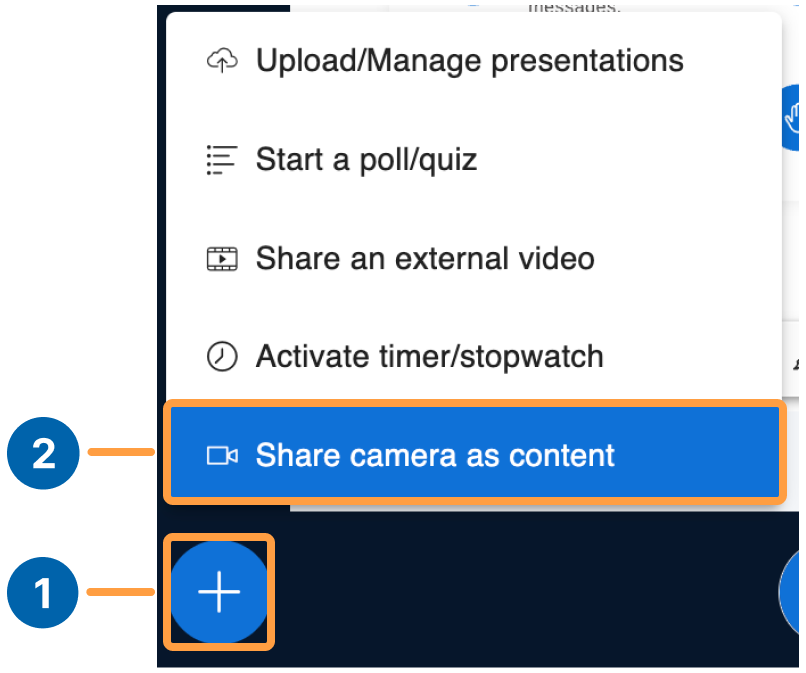
To share a camera as the main content:
1. Select the **action button**.
2. Select **Share camera as content**.
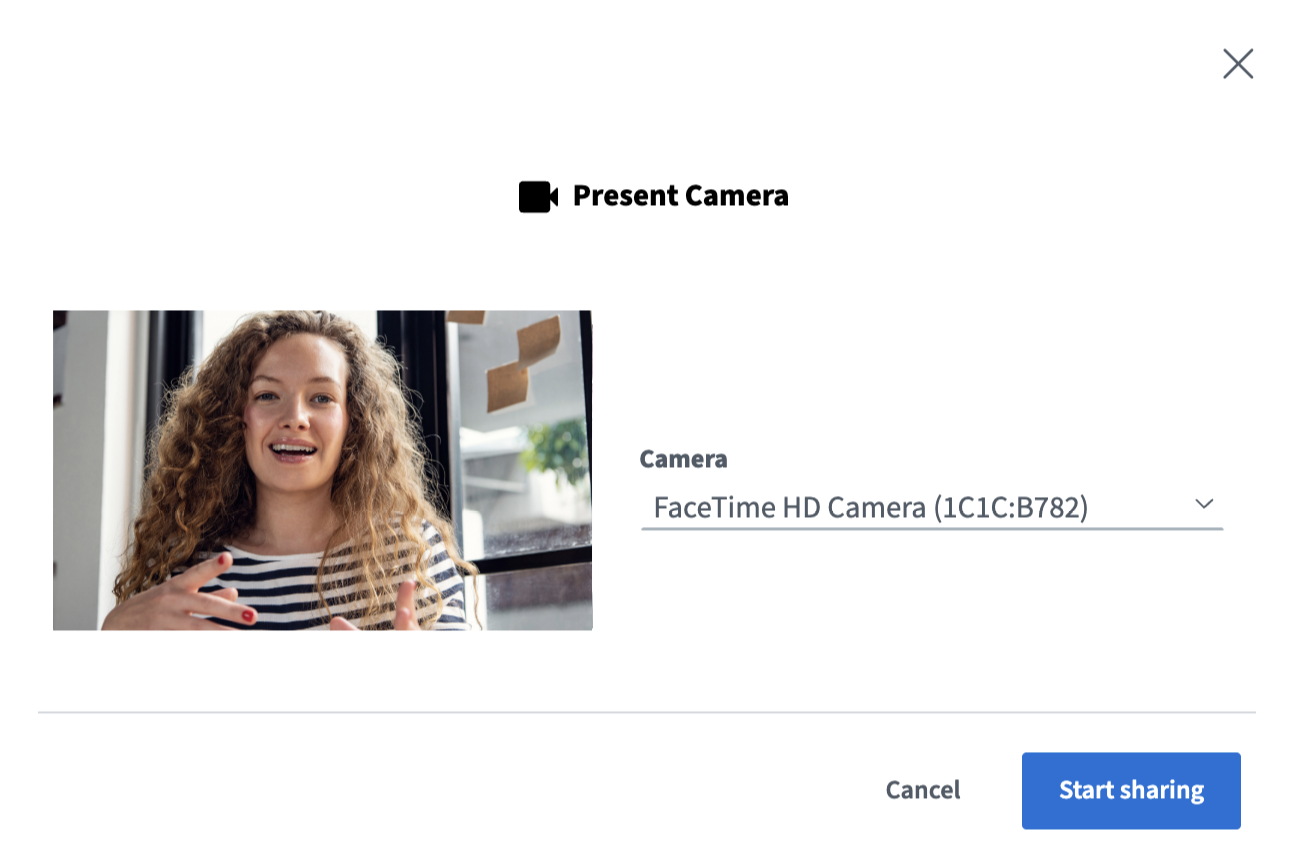
 The webcam settings dialog appears. Select an available webcam.
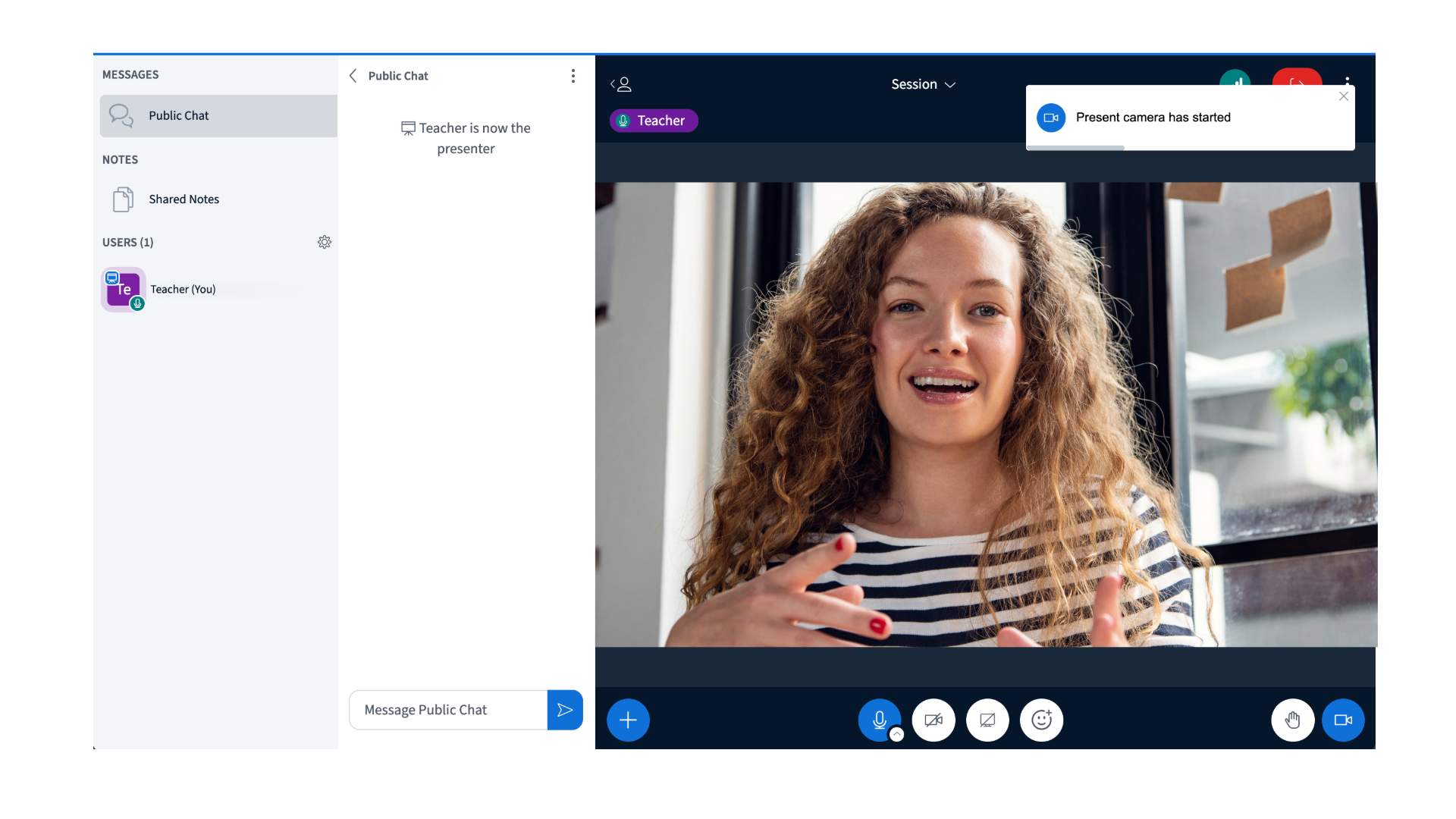
 The selected camera appears in the presentation area for everyone in the session.
 ## Stop sharing the camera as content
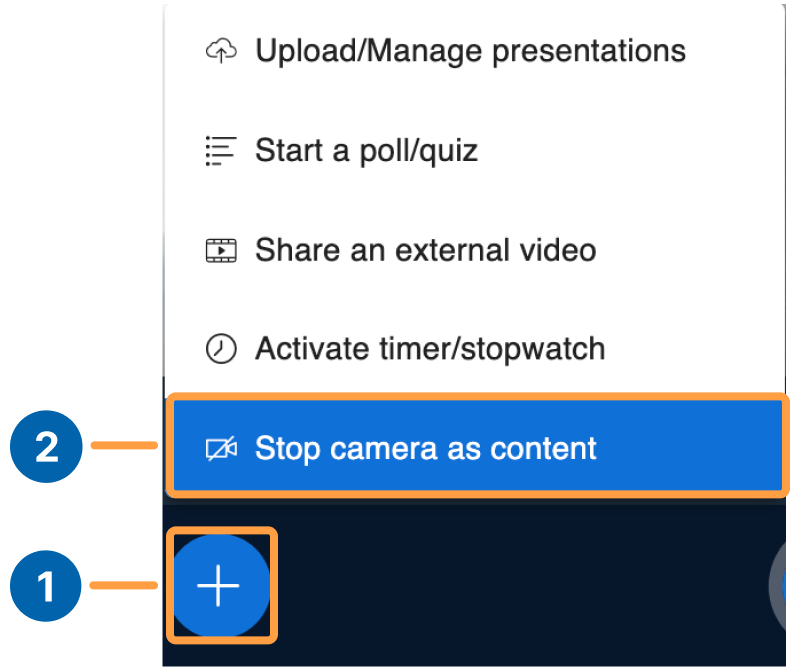
1. Select the **action button**.
2. Select **Stop camera as content**.
## Stop sharing the camera as content
1. Select the **action button**.
2. Select **Stop camera as content**.