> ## Documentation Index
> Fetch the complete documentation index at: https://bigbluebutton.com/docs/llms.txt
> Use this file to discover all available pages before exploring further.
# Disable self-view of webcam
> Any user sharing a webcam can hide their own self-view to reduce on-camera fatigue, while their webcam continues to broadcast to others.
Any user sharing a webcam can hide their own self-view to reduce the fatigue of watching themselves on camera. Disabling self-view affects only your own display — your webcam continues to broadcast to other users.
## Disable self-view
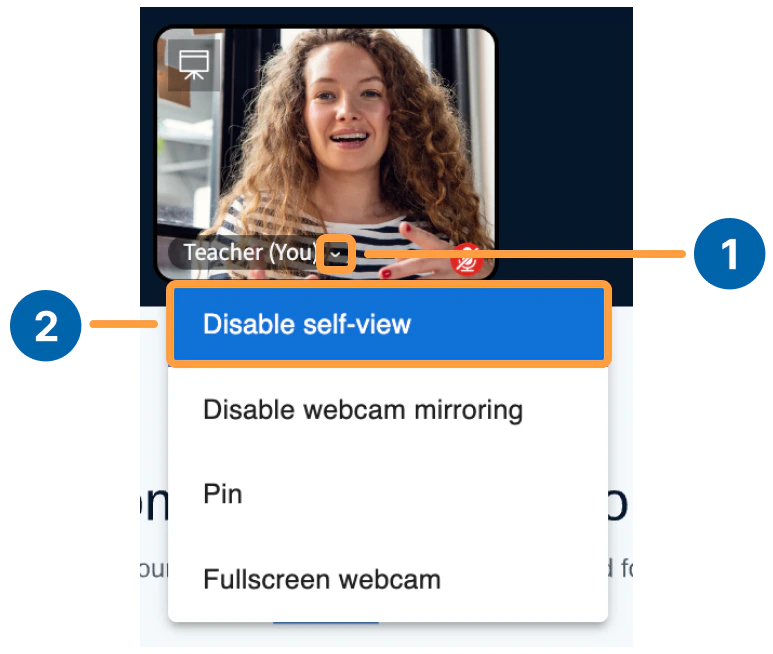
To disable self-view:
1. Select the **caret** next to your name.
2. Select **Disable self-view**.
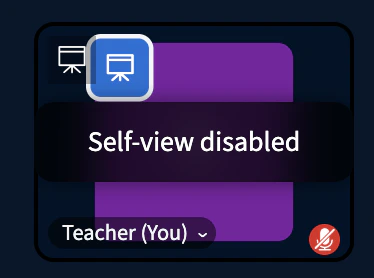
 A placeholder image of yourself appears with an overlay reminding you that **your webcam is still active and others see you**.
 ## Enable self-view
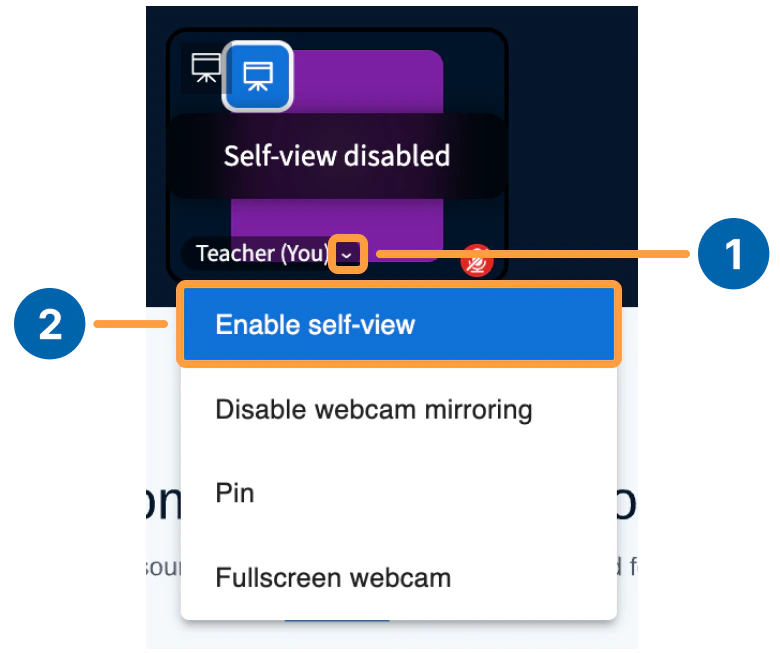
To turn self-view back on:
1. Select the **caret** next to your name.
2. Select **Enable self-view**.
## Enable self-view
To turn self-view back on:
1. Select the **caret** next to your name.
2. Select **Enable self-view**.