> ## Documentation Index
> Fetch the complete documentation index at: https://bigbluebutton.com/docs/llms.txt
> Use this file to discover all available pages before exploring further.

# Timer and Stopwatch

> Presenters can display a countdown timer or count-up stopwatch to all participants, with an audible alarm when a timer elapses.

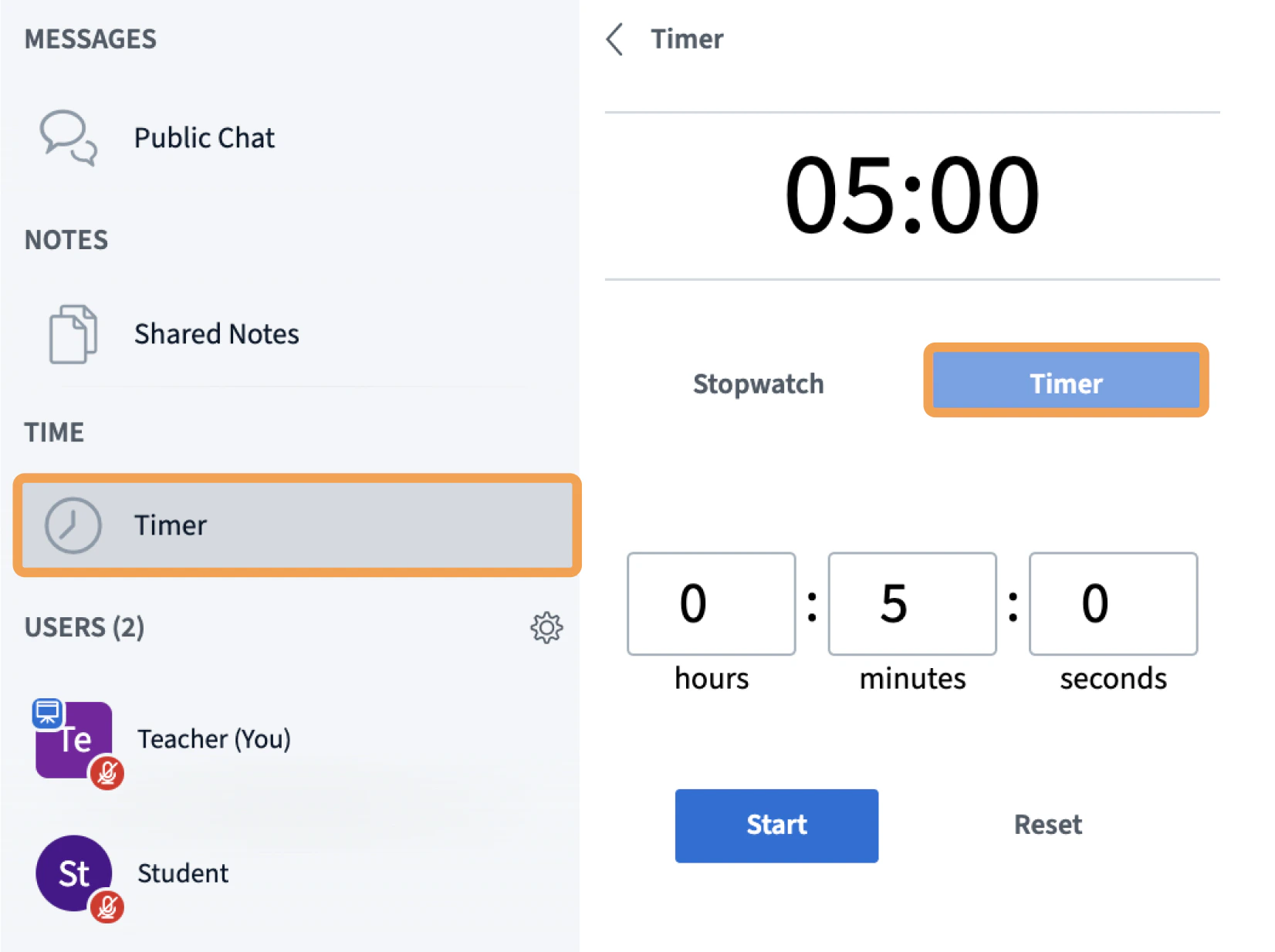
Presenters can display a [countdown timer](#timer) or [count-up stopwatch](#stopwatch) to all participants in the session. An audible alarm plays when a timer elapses.

## Activate a timer or stopwatch

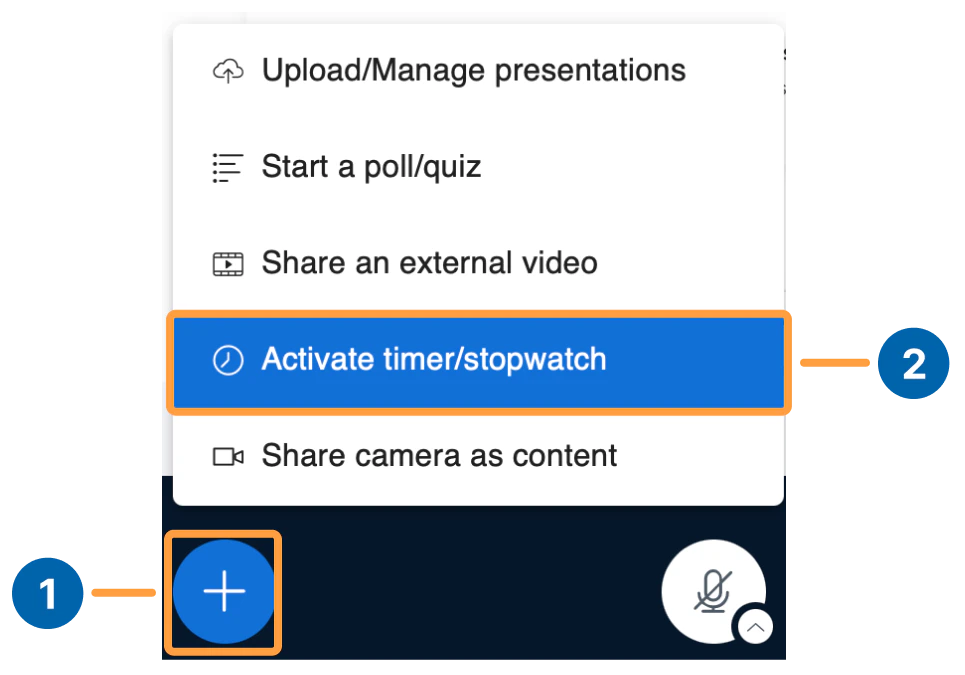
1. Select the **action menu**.
2. Select **Activate timer/stopwatch**.
<Frame>
  <img src="https://mintcdn.com/testcompany-0e915c76/kBlX8Wf5wRjOmJlr/images/timerstop.png?fit=max&auto=format&n=kBlX8Wf5wRjOmJlr&q=85&s=a95a86f344020e88699058843362715a" alt="Timerstop" width="965" height="675" data-path="images/timerstop.png" />
</Frame>

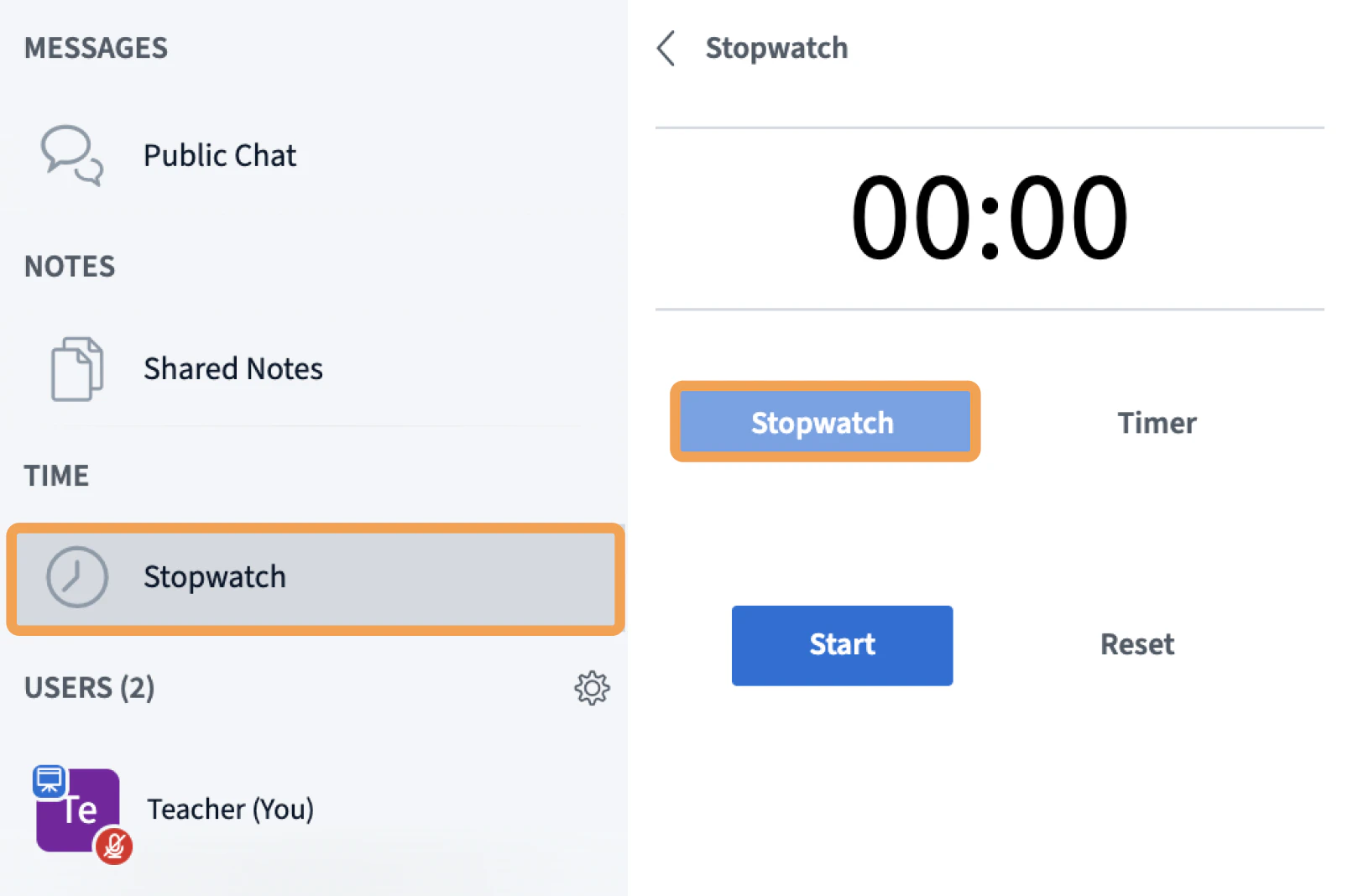
The side panel updates to show the timer and stopwatch options.

### Stopwatch
<Frame>
  <img src="https://mintcdn.com/testcompany-0e915c76/jGyPviMwdV64YBda/images/Screenshot2026-03-24at10.10.42AM.png?fit=max&auto=format&n=jGyPviMwdV64YBda&q=85&s=d5b14f4a61e3ce538236f4b32d7ed792" alt="Stopwatch options" width="1618" height="1068" data-path="images/Screenshot2026-03-24at10.10.42AM.png" />
</Frame>

### Timer

<Frame>
  <img src="https://mintcdn.com/testcompany-0e915c76/jGyPviMwdV64YBda/images/Screenshot2026-03-24at10.10.31AM.png?fit=max&auto=format&n=jGyPviMwdV64YBda&q=85&s=30d471e2350e6d3705b0e11f9b840c14" alt="Timer options" width="1652" height="1234" data-path="images/Screenshot2026-03-24at10.10.31AM.png" />
</Frame>

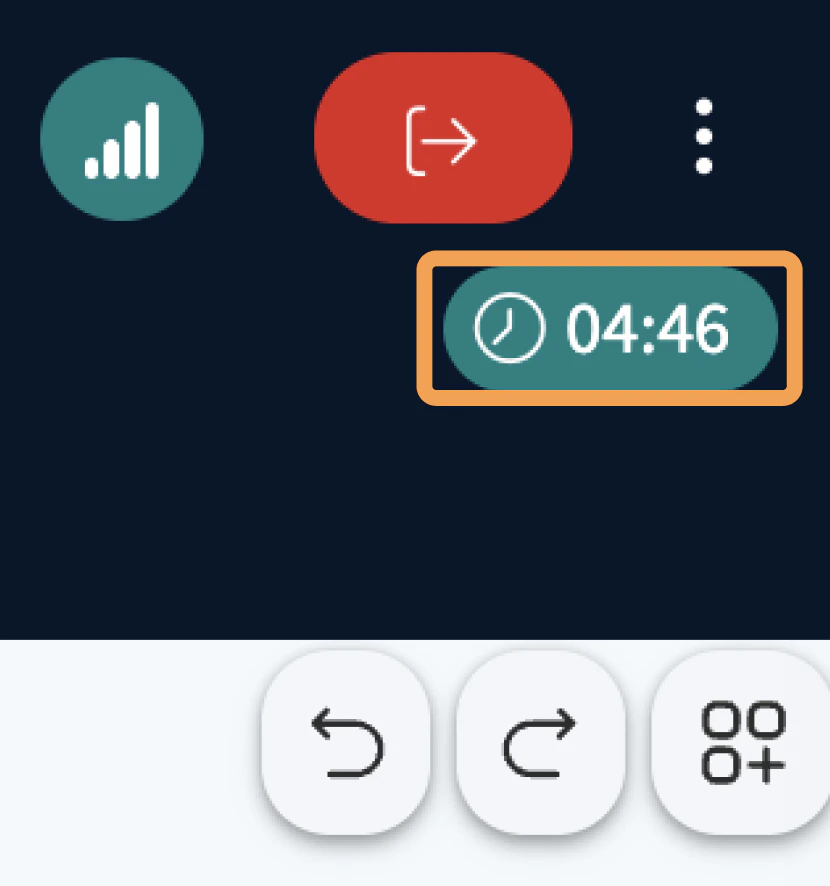
All users see the active stopwatch or timer in the upper-right corner of the session.
<Frame>
  <img src="https://mintcdn.com/testcompany-0e915c76/jGyPviMwdV64YBda/images/Screenshot2026-03-24at10.13.26AM.png?fit=max&auto=format&n=jGyPviMwdV64YBda&q=85&s=236080f2dc58447ada039c6f874522be" alt="Timer or stopwatch in the upper-right corner" width="830" height="886" data-path="images/Screenshot2026-03-24at10.13.26AM.png" />
</Frame>