> ## Documentation Index
> Fetch the complete documentation index at: https://bigbluebutton.com/docs/llms.txt
> Use this file to discover all available pages before exploring further.
# Students are not able to view their concluded meeting recordings
> In Sakai Meetings, when a BigBlueButton conference is recorded it is accessible only to those who were invited to the conference when it was created....
## In Sakai Meetings, when a BigBlueButton conference is recorded it is accessible only to those who were invited to the conference when it was created.
If a meeting is created and recorded without any attendees invited, the recording will only be visible to the creator of the conference (moderator/instructor).
The same will be the case when a student is registered after the conference was created; they will not see the processed recording.
## To share the recording URL
Navigate to the meetings recordings tab then select **video.** The recording will load in a separate browser tab for viewing.
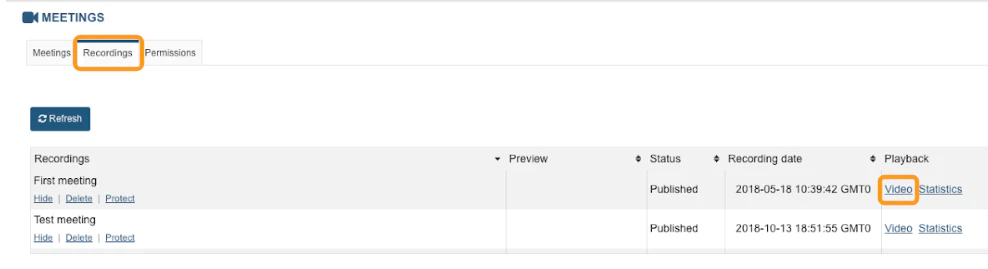 Once the recording has loaded into the browser tab, copy and paste the recording URL directly from the web address bar.
 This link can be posted to course announcements or sent directly to individuals who were not invited or were not registered to the conference for viewing.