> ## Documentation Index
> Fetch the complete documentation index at: https://bigbluebutton.com/docs/llms.txt
> Use this file to discover all available pages before exploring further.
# User is getting disconnected
See [minimum bandwidth requirements](/docs/help/faq/what-are-the-minimum-requirements-for-bigbluebutton) for BigBlueButton.
If a user's connection is not sufficient for the BigBlueButton session, the client may take a long time to load or, after a period of time, disconnect (it may look like to users they got kicked out).
The biggest use of bandwidth is webcams. If a session is sharing lots of a webcams, a user can elect to turn off the webcams on their client to (significantly) reduce the bandwidth requirements.
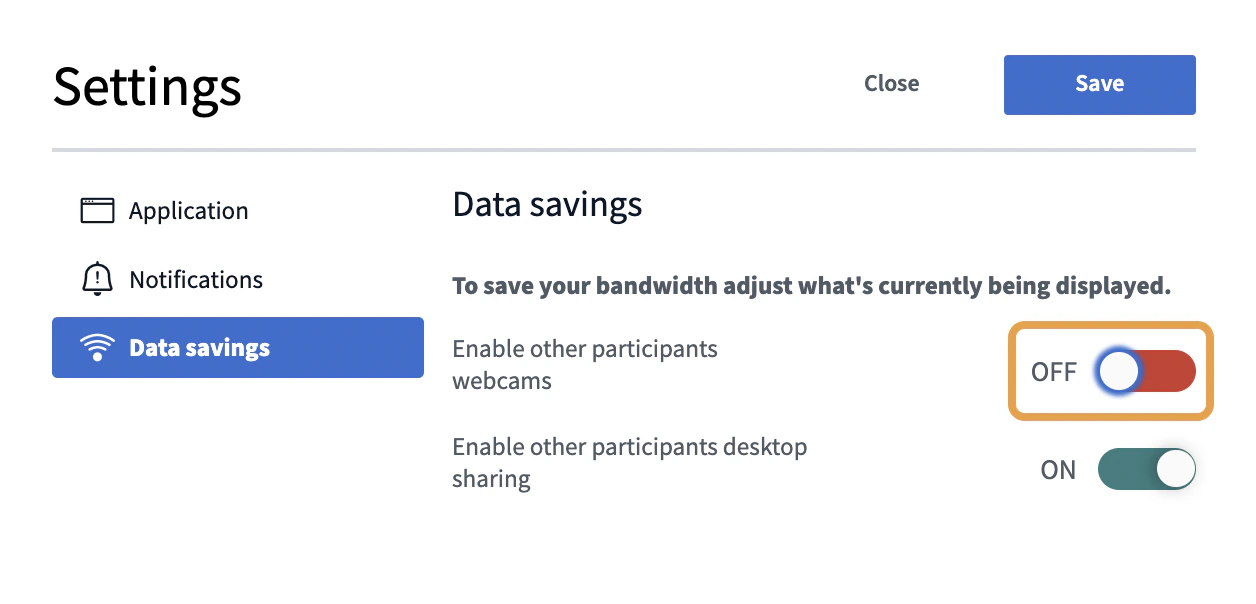
To turn off webcams, click the **Settings** menu
 And choose **Data savings** and turn off webcams: