> ## Documentation Index
> Fetch the complete documentation index at: https://bigbluebutton.com/docs/llms.txt
> Use this file to discover all available pages before exploring further.
# Close the presentation/enlarge the webcams
> Any user can close the presentation area to enlarge shared webcams, or disable incoming webcams to save bandwidth.
Any user can [close the presentation](#close-the-presentation) to give shared webcams the full screen — useful for a video chat-style session. You can also [disable incoming webcams](#disable-incoming-webcams) to save bandwidth on a slow connection.
You can only close the presentation when at least one webcam is being shared.
## Close the presentation
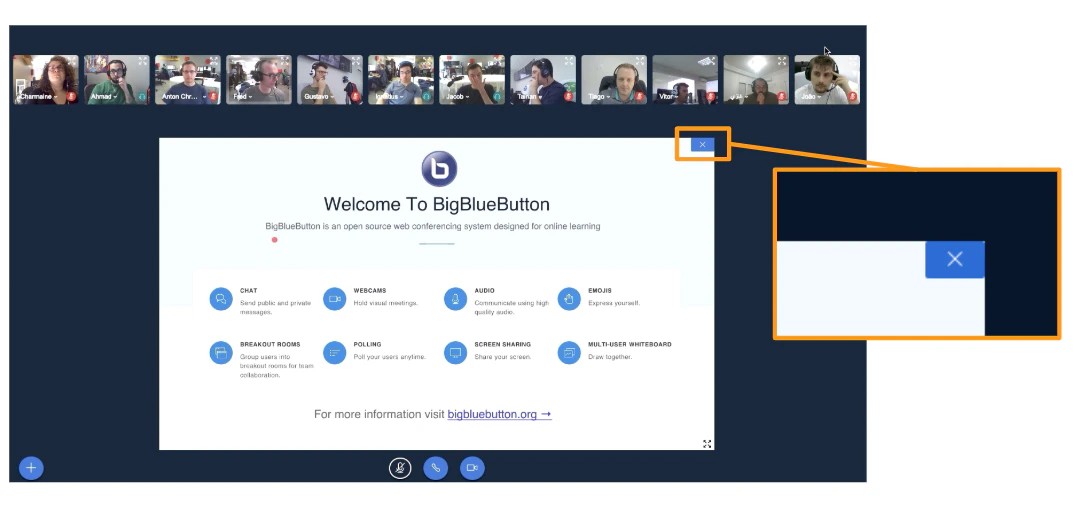 To close the presentation, select the **X** in the upper-right corner of the presentation area. The webcam streams expand to fill the full BigBlueButton interface.
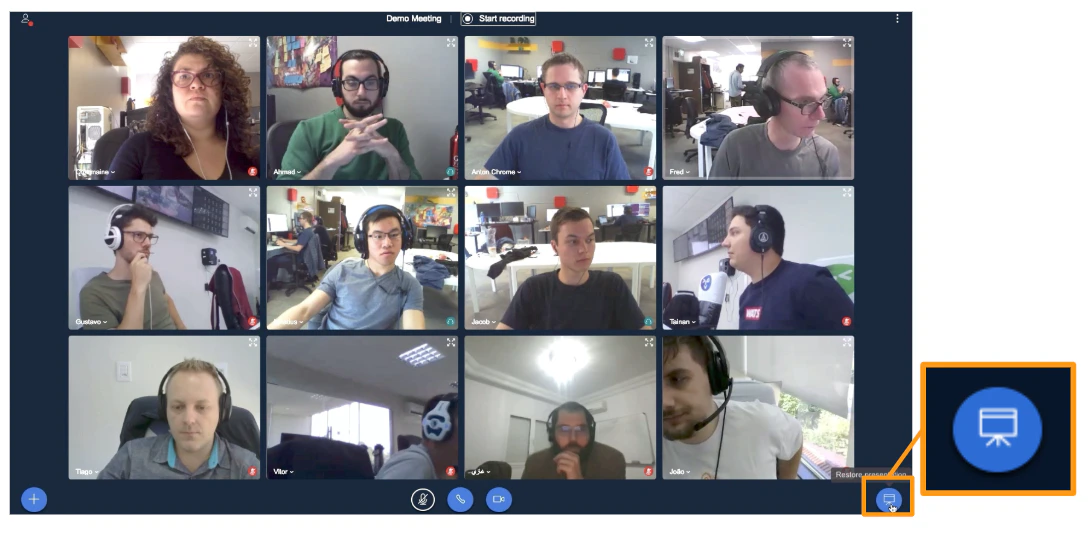 To restore the presentation, select the **Presentation** icon in the lower-right corner.
There is no hard limit on the number of webcams that can be shared, but bandwidth is the practical limit. With many webcams, some may stop updating.
## Disable incoming webcams
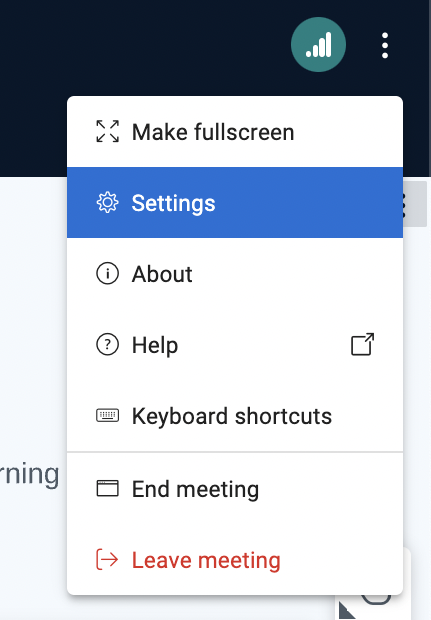
To turn off all incoming webcam streams — useful on mobile or low-bandwidth connections — open the **Settings** menu.
To restore the presentation, select the **Presentation** icon in the lower-right corner.
There is no hard limit on the number of webcams that can be shared, but bandwidth is the practical limit. With many webcams, some may stop updating.
## Disable incoming webcams
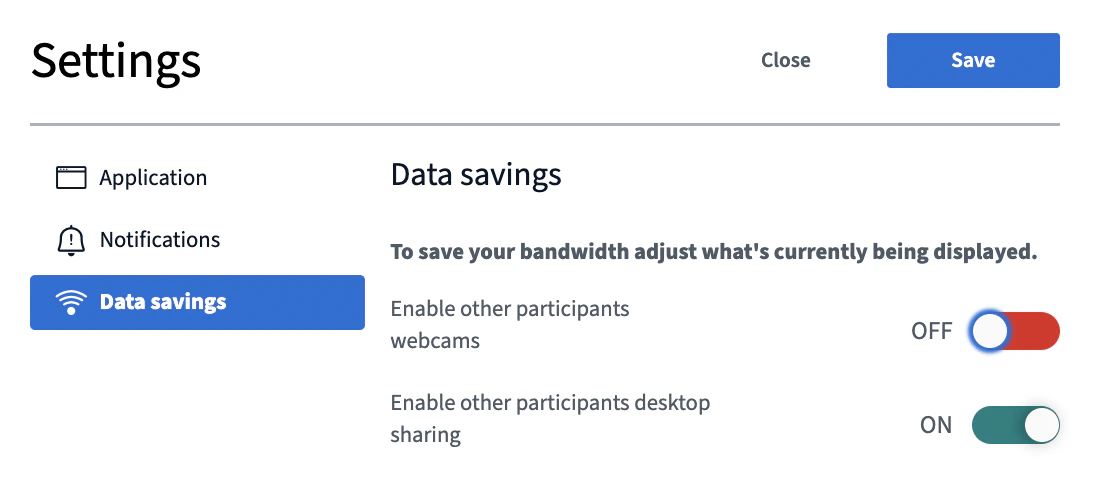
To turn off all incoming webcam streams — useful on mobile or low-bandwidth connections — open the **Settings** menu.
 Select **Data savings**, turn off **Enable other participants webcams**, then select **Save**.