> ## Documentation Index
> Fetch the complete documentation index at: https://bigbluebutton.com/docs/llms.txt
> Use this file to discover all available pages before exploring further.
# Move webcam(s) in a live session
> Any user can drag webcams to a preferred position in their own view of the BigBlueButton interface.
Any user can drag webcams to a preferred position within their own BigBlueButton interface. By default, webcams display at the top or bottom middle of the layout.
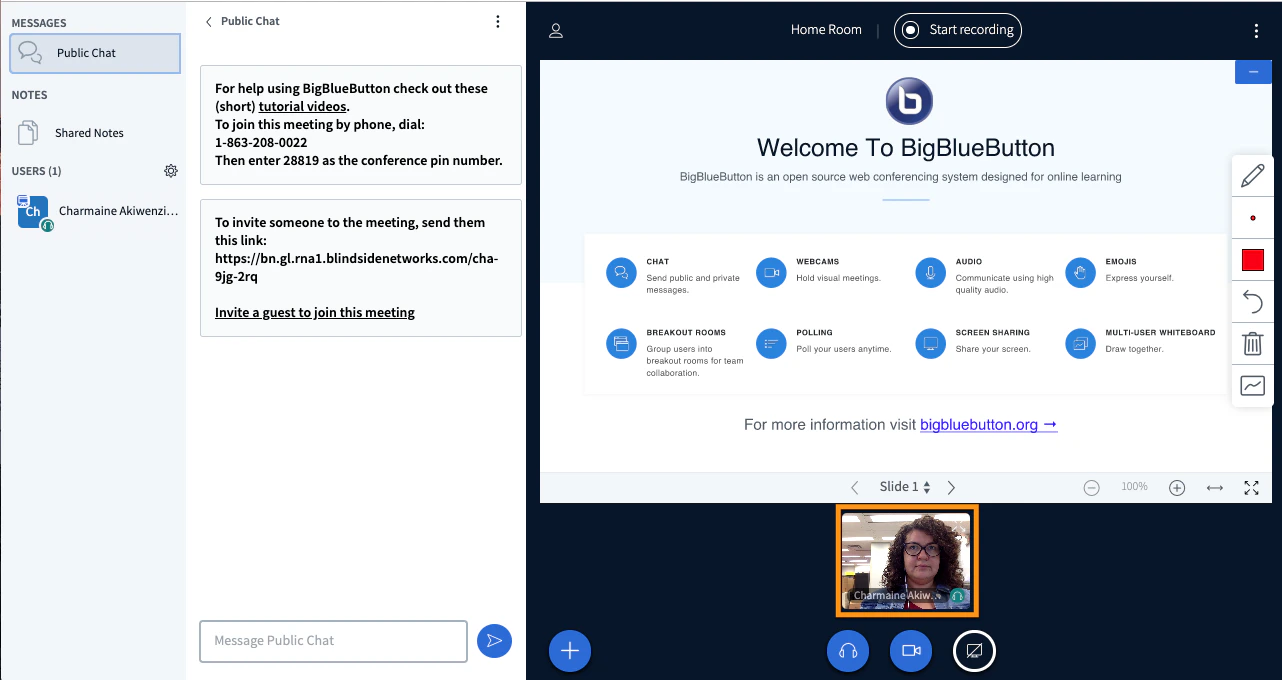 You can drag and drop a single webcam anywhere on your screen, or snap webcams to the top or bottom of the presentation area.
For a walkthrough, see this [overview video](https://youtu.be/xeLOzKBUdIk?si=yfuJRot4zY-sVz9j\&t=120).
Moving webcams only changes the local view for each user. A moderator cannot push a webcam layout out to everyone.
You can drag and drop a single webcam anywhere on your screen, or snap webcams to the top or bottom of the presentation area.
For a walkthrough, see this [overview video](https://youtu.be/xeLOzKBUdIk?si=yfuJRot4zY-sVz9j\&t=120).
Moving webcams only changes the local view for each user. A moderator cannot push a webcam layout out to everyone.