> ## Documentation Index
> Fetch the complete documentation index at: https://bigbluebutton.com/docs/llms.txt
> Use this file to discover all available pages before exploring further.
# How to Create a Conference
> Create a new Schoology Conference from the Conferences panel and set its name, start time, and end time.
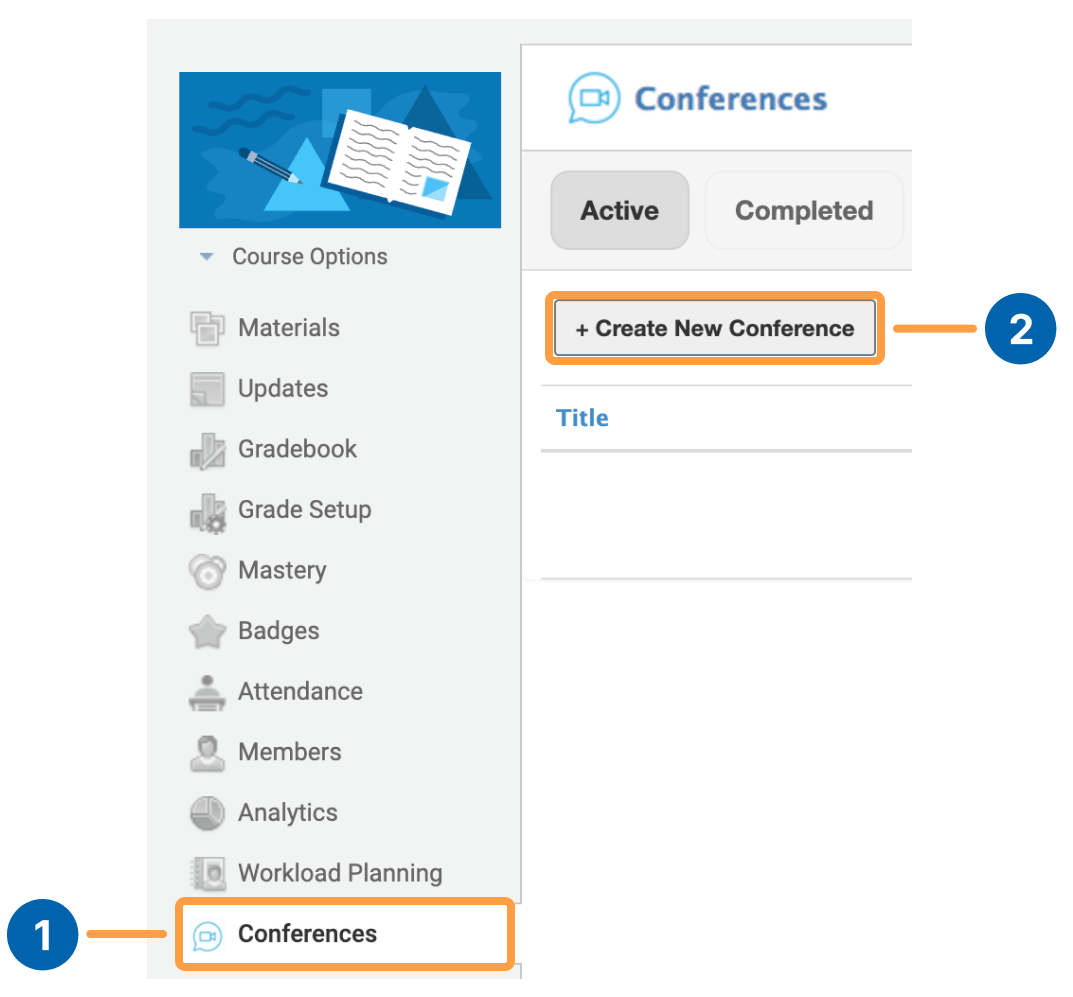
To create a Conference in Schoology, you can go to **Conferences \[1]** in the navigation panel and select **Create New Conference \[2]**.
 ## Creating a Conference
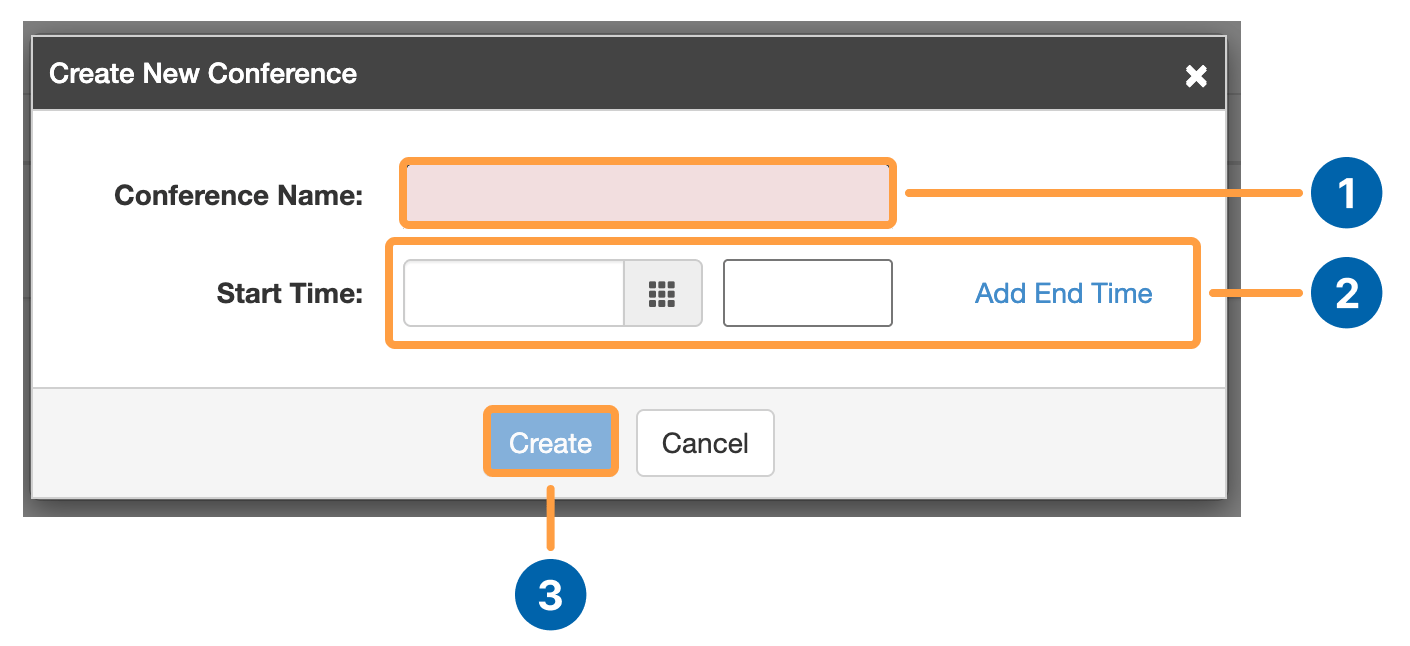 You can add the **name of the Conference \[1]** and the **start date and time \[2]** of the conference. You can also add the end time of the conference as an option.
Select **Create \[3]** to add your conference.
You can add the **name of the Conference \[1]** and the **start date and time \[2]** of the conference. You can also add the end time of the conference as an option.
Select **Create \[3]** to add your conference.