> ## Documentation Index
> Fetch the complete documentation index at: https://bigbluebutton.com/docs/llms.txt
> Use this file to discover all available pages before exploring further.
# Can I manually add course member to an existing Conference?
> Yes, if the conference is not yet concluded.
If a Conference has not yet concluded (move to the bottom under Concluded Conferences), you can manually edit the the Attendees list and other course members. This change will take effect the next time the conference is started.
If the conference was created with `Invite all course members` selected (which is the default setting), Canvas will automatically add late course enrollments to Attendees list of the conference.
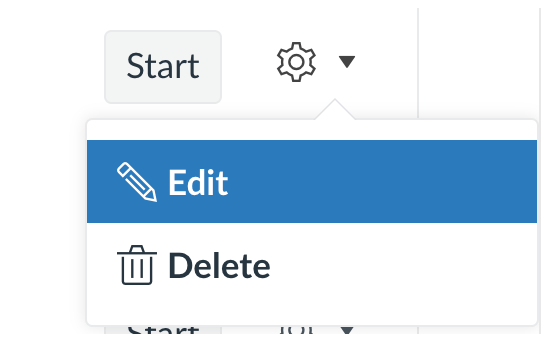
To edit the Conference, locate the non-concluded conference you want to update, select the cog wheel icon, then select **Edit**.
 ## Add a course member
To add a specific course member, select the **Course Members** and a drop-down list will appear showing all users not yet in the Attendees list.
## Add a course member
To add a specific course member, select the **Course Members** and a drop-down list will appear showing all users not yet in the Attendees list.
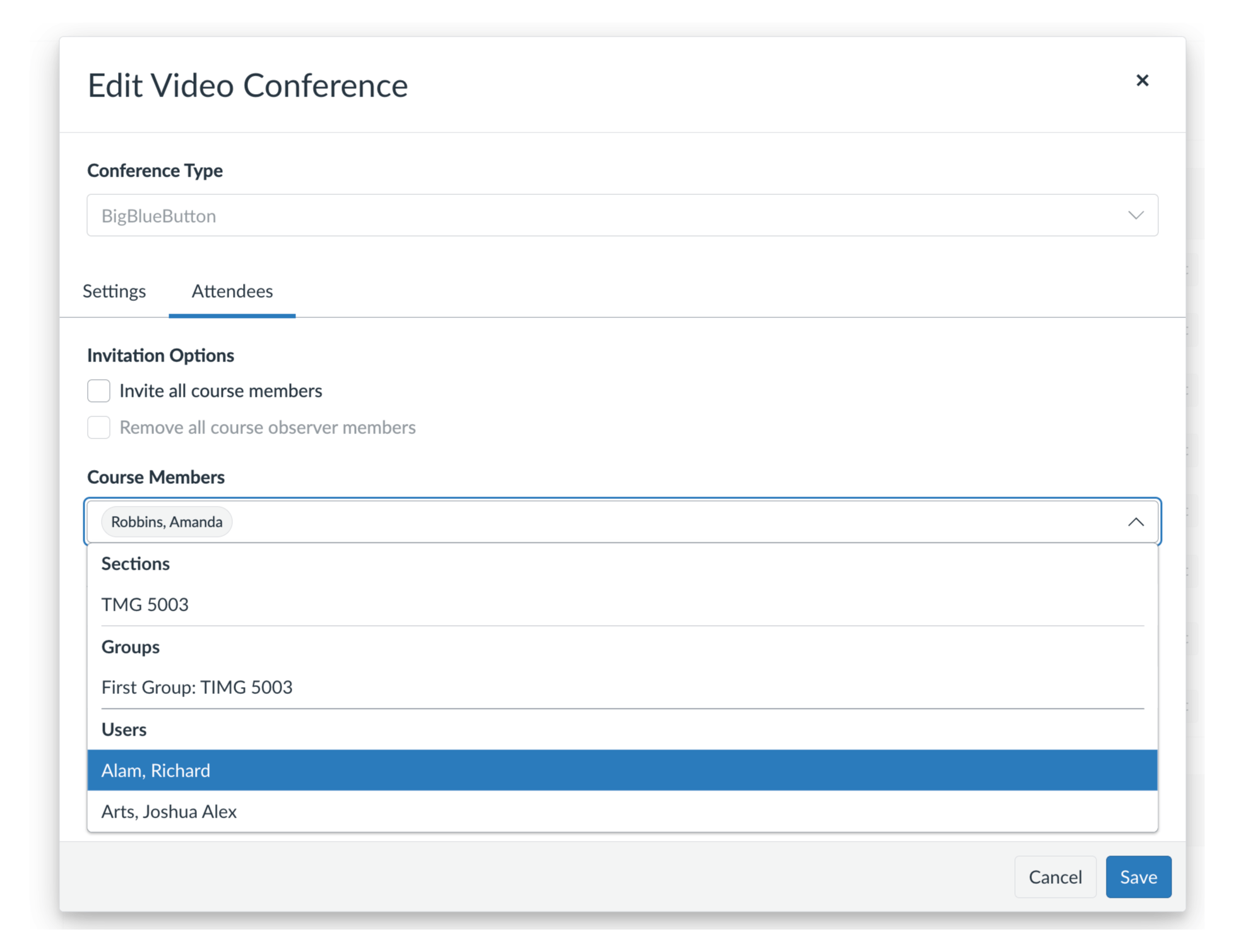 Select **Save** to apply the changes.
## Add all course members
To add all course members, Select the checkbox **Invite all course members** and click **Save**.
Select **Save** to apply the changes.
## Add all course members
To add all course members, Select the checkbox **Invite all course members** and click **Save**.
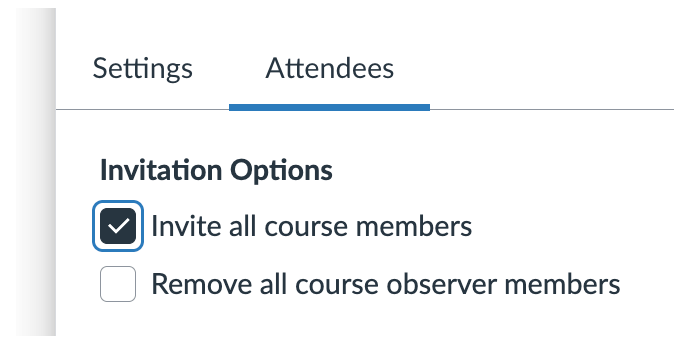 Select **Save** to apply the changes.