> ## Documentation Index
> Fetch the complete documentation index at: https://bigbluebutton.com/docs/llms.txt
> Use this file to discover all available pages before exploring further.
# Can we automatically enable all Conferences to be recorded?
> Canvas administrators can use custom theme JavaScript to force the record option on for every new Conference and prevent instructors from disabling it.
When you create a new Conference, the record option is checked by default.
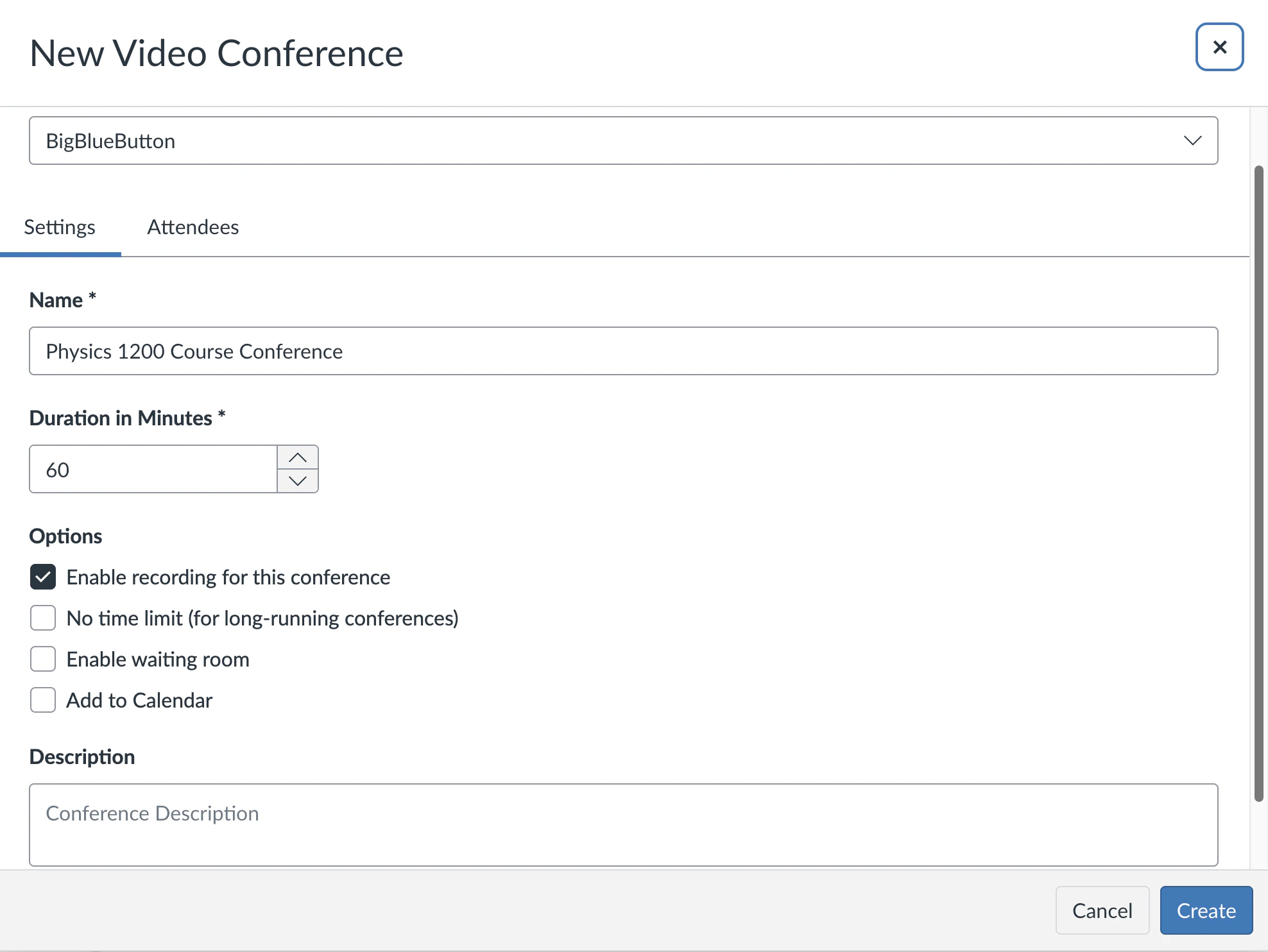 At some schools, however, this setting is not checked by default.
If you are a Canvas administrator, you can force the record option on for every instructor at your institution. Canvas lets you apply your own theme with custom CSS and JavaScript, and a small JavaScript snippet sets **Enable recording for this conference** to true and prevents instructors from disabling it.
The following video walks through the setup: [https://youtu.be/7oITHgBU8jg](https://youtu.be/7oITHgBU8jg).
To apply the change, add the JavaScript snippet below to your theme, or append it to any existing JavaScript in your theme.
```text theme={null}
/* Force conferences to be recorded */
$("button.new-conference-btn").live("click",
function() {
rec = $("#web_conference_user_settings_record")[0];
if (rec) { rec.checked = true; rec.disabled = true; }
}
);
```
After you upload the snippet, the record option is checked and disabled whenever an instructor creates a new Conference.
At some schools, however, this setting is not checked by default.
If you are a Canvas administrator, you can force the record option on for every instructor at your institution. Canvas lets you apply your own theme with custom CSS and JavaScript, and a small JavaScript snippet sets **Enable recording for this conference** to true and prevents instructors from disabling it.
The following video walks through the setup: [https://youtu.be/7oITHgBU8jg](https://youtu.be/7oITHgBU8jg).
To apply the change, add the JavaScript snippet below to your theme, or append it to any existing JavaScript in your theme.
```text theme={null}
/* Force conferences to be recorded */
$("button.new-conference-btn").live("click",
function() {
rec = $("#web_conference_user_settings_record")[0];
if (rec) { rec.checked = true; rec.disabled = true; }
}
);
```
After you upload the snippet, the record option is checked and disabled whenever an instructor creates a new Conference.