> ## Documentation Index
> Fetch the complete documentation index at: https://bigbluebutton.com/docs/llms.txt
> Use this file to discover all available pages before exploring further.
# Integration with Canvas Studio
> Canvas customers on BigBlueButton Enhanced hosting can have Conferences recordings upload automatically to Studio and share them with the instructor's account.
If you upgrade to BigBlueButton Enhanced hosting for Conferences and use Studio (Canvas's video content management system), we can configure your BigBlueButton Enhanced account to upload recordings into Studio automatically and share them with the instructor's account.
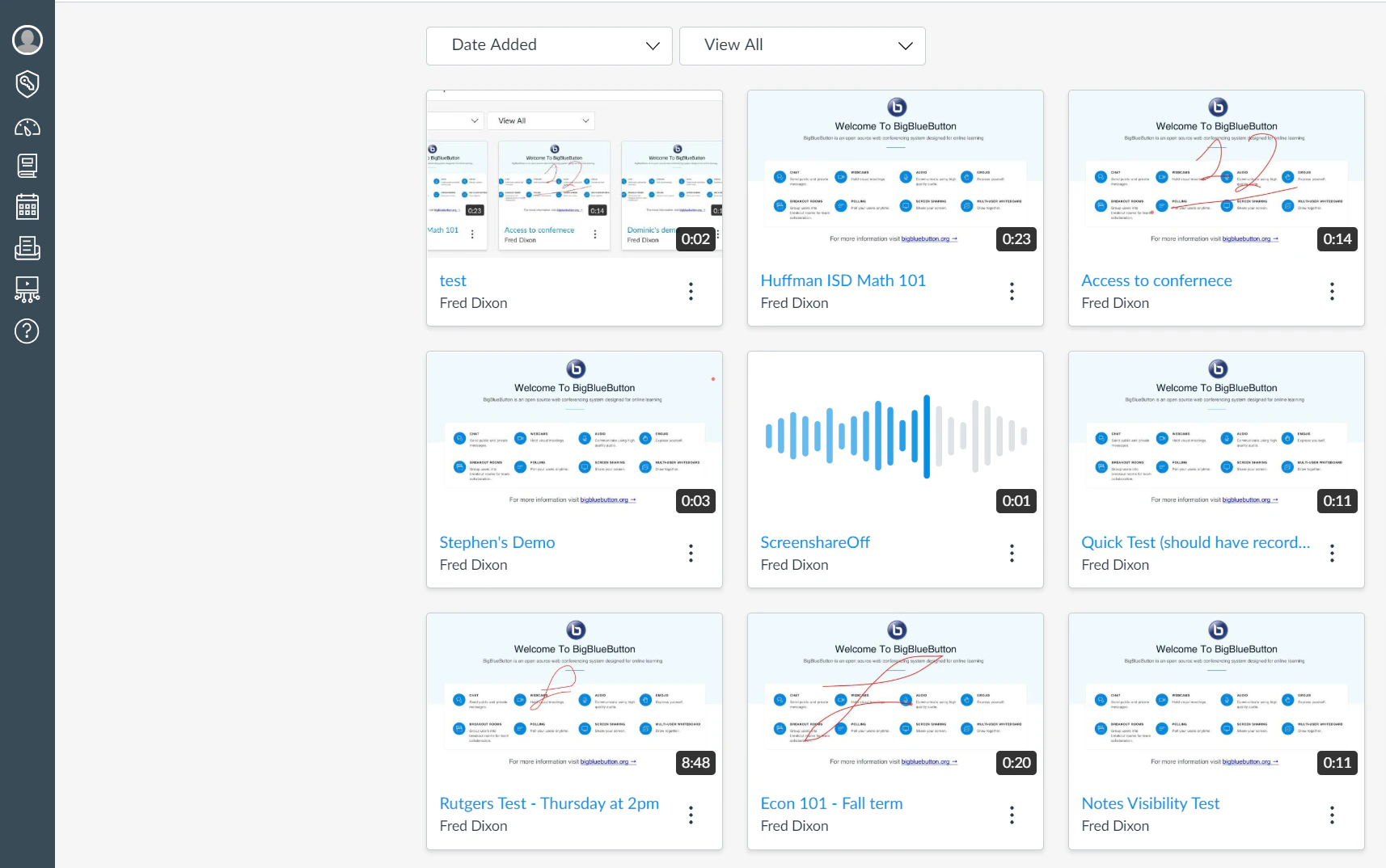
The screenshot below shows recordings from Conferences shared in the instructor's account.
 ## What you need
To configure the upload, we need a Studio account for making API requests. The account must be able to sign in to your ``.instructuremedia.com address (for example, myuniversity.instructuremedia.com) and have privileges to upload videos and share them with other accounts.
## Get started
To set up Studio integration for your BigBlueButton Enhanced account, contact your Blindside Networks Customer Success Manager. We will work with you to configure and test the integration.
## What you need
To configure the upload, we need a Studio account for making API requests. The account must be able to sign in to your ``.instructuremedia.com address (for example, myuniversity.instructuremedia.com) and have privileges to upload videos and share them with other accounts.
## Get started
To set up Studio integration for your BigBlueButton Enhanced account, contact your Blindside Networks Customer Success Manager. We will work with you to configure and test the integration.