> ## Documentation Index
> Fetch the complete documentation index at: https://bigbluebutton.com/docs/llms.txt
> Use this file to discover all available pages before exploring further.
# Why has my recording not appeared?
> A Conferences recording only appears in Canvas if recording was enabled before the conference started and a moderator started recording at least once during it.
For a recording to appear in Canvas, two things must happen.
## Enable recording before the conference starts
The conference must start with **Enable recording for this conference** selected. This option is enabled by default.
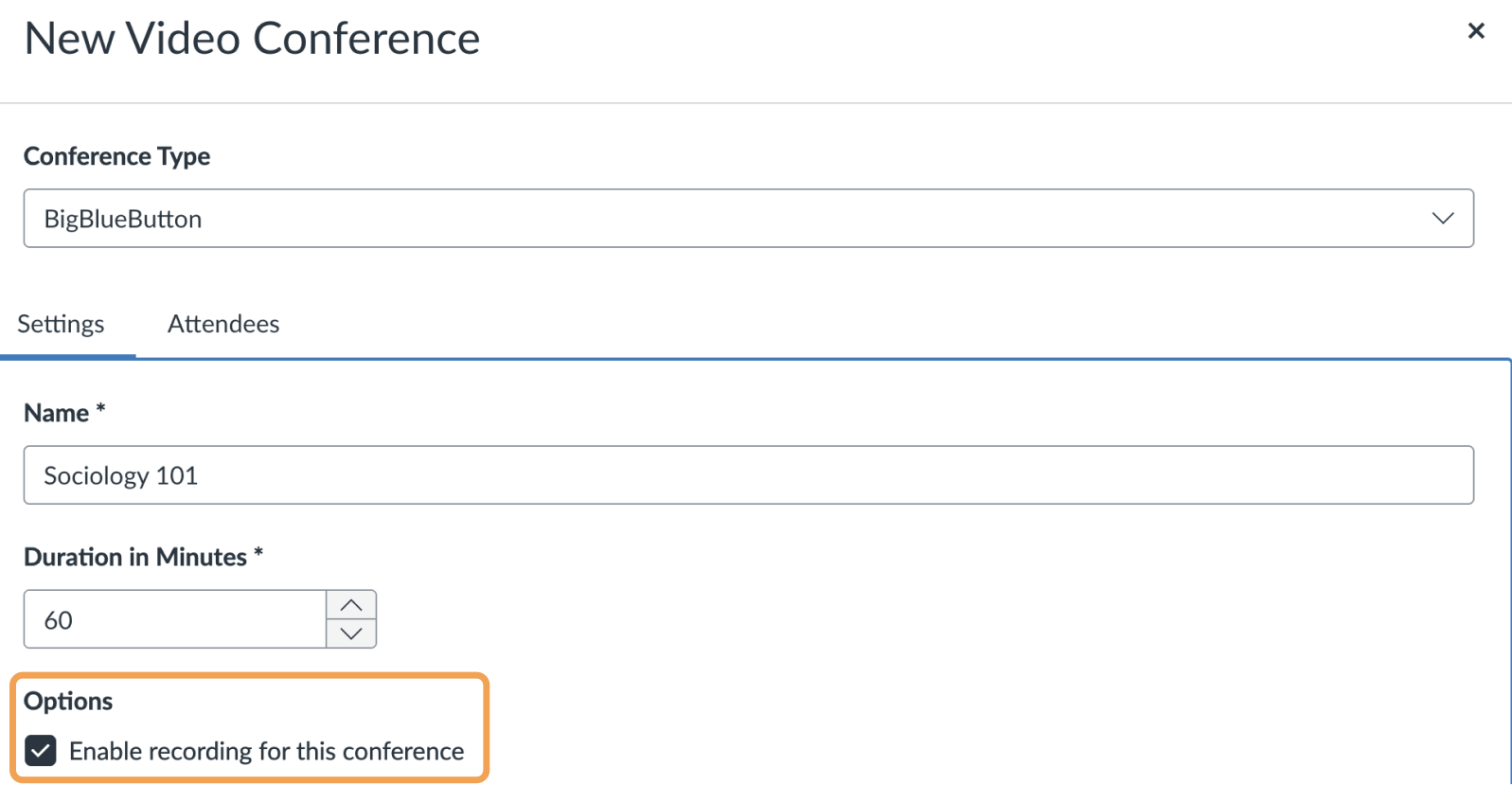 Enable this option *before* the conference starts. Selecting the checkbox while the conference is already running has no effect.
## Start recording during the conference
During the conference, a moderator must [select the Start/Resume Recording button to mark the start of recording](/docs/help/moderator-guide/start-and-stop-recording) at least once.
## When the recording appears
If both conditions are met, the recording appears within 24 hours after the conference concludes.
Enable this option *before* the conference starts. Selecting the checkbox while the conference is already running has no effect.
## Start recording during the conference
During the conference, a moderator must [select the Start/Resume Recording button to mark the start of recording](/docs/help/moderator-guide/start-and-stop-recording) at least once.
## When the recording appears
If both conditions are met, the recording appears within 24 hours after the conference concludes.
