> ## Documentation Index
> Fetch the complete documentation index at: https://bigbluebutton.com/docs/llms.txt
> Use this file to discover all available pages before exploring further.
# Record-enabled conference not appearing for viewing
> Moderators must select the Start/Stop recording button in a live Canvas Conference for it to record, even when the Conference was created with recording enabled.
When a Canvas Conference is enabled for recording, the moderator must still select the **Start/Stop recording** button in the live session to capture a recording.
If a Conference is enabled for recording when it is created, the moderator sees the **Start/Stop recording** button in the upper-right corner of the BigBlueButton interface.
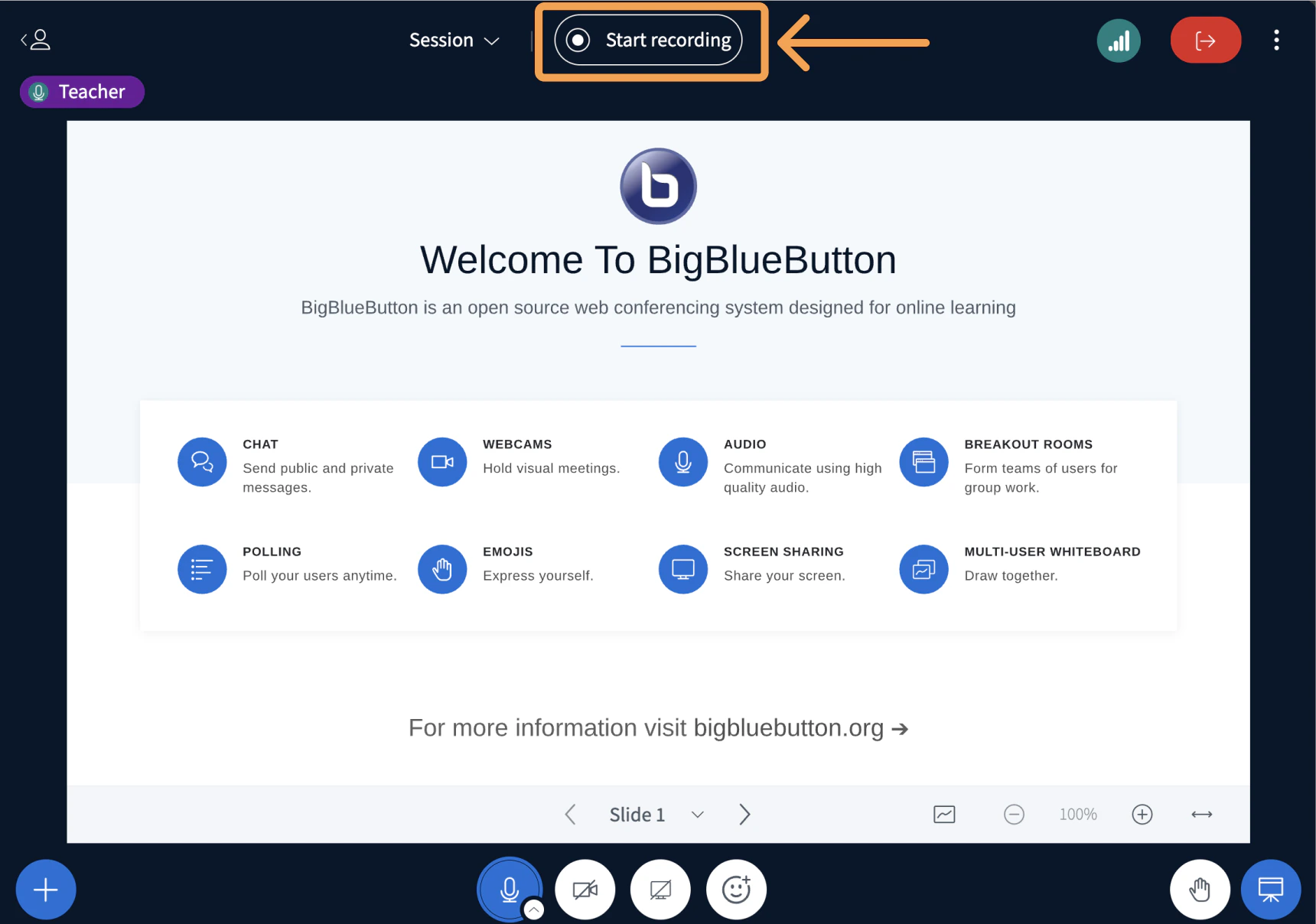 Enabling recording does not capture the session automatically. The moderator must select the **Start/Stop recording** button to begin capturing.
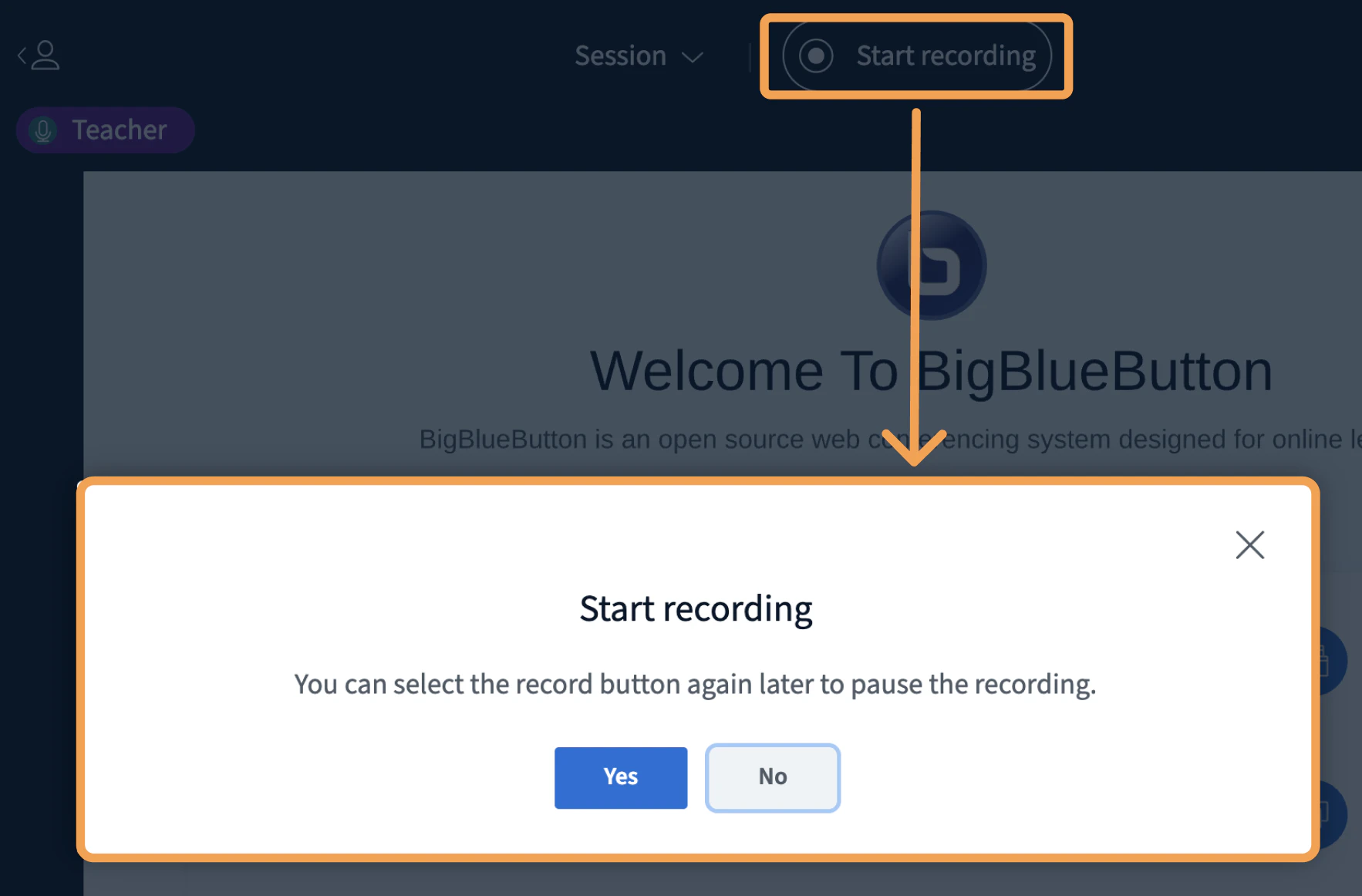
To start recording, select the **Start/Stop recording** button. A prompt appears to confirm you want to begin recording.
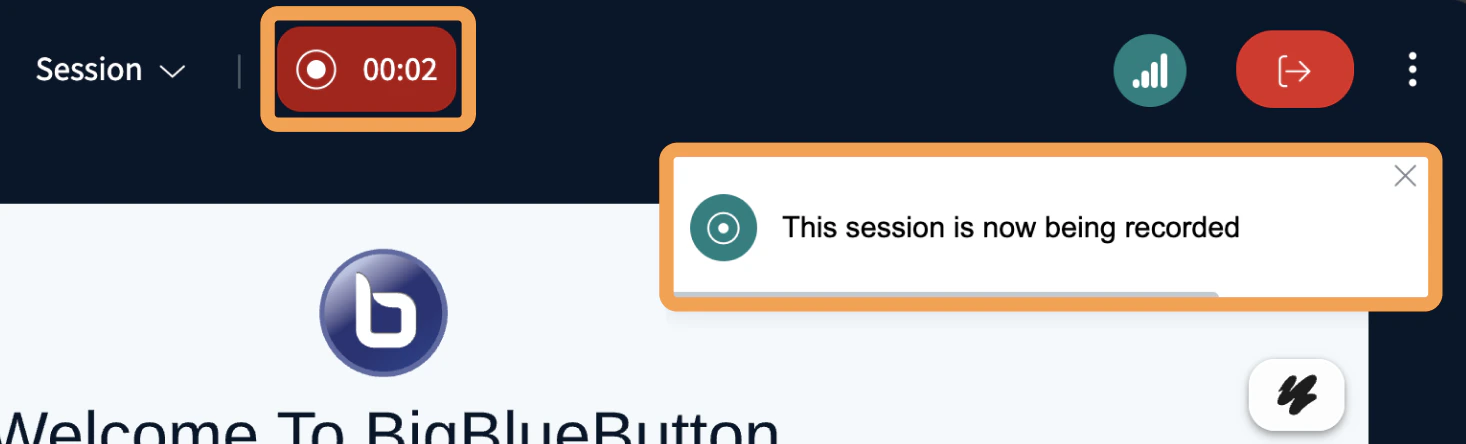
Once recording starts, the button changes to **light blue** with a **red** indicator, and a counter shows the number of minutes recorded from the session.
Enabling recording does not capture the session automatically. The moderator must select the **Start/Stop recording** button to begin capturing.
To start recording, select the **Start/Stop recording** button. A prompt appears to confirm you want to begin recording.
Once recording starts, the button changes to **light blue** with a **red** indicator, and a counter shows the number of minutes recorded from the session.
 ## Enable recording on an existing conference
If you do not see the **Start/Stop recording** button, recording was not enabled when the Conference was created in Canvas.
To enable recording, log out of the current session before editing the Conference settings.
Edits applied to a live session do not take effect until all attendees leave and the session restarts.
For help creating and editing your Canvas Conferences, see [Creating and starting a Conference](/docs/integrations/canvas/creating-and-starting-a-conference).
## Enable recording on an existing conference
If you do not see the **Start/Stop recording** button, recording was not enabled when the Conference was created in Canvas.
To enable recording, log out of the current session before editing the Conference settings.
Edits applied to a live session do not take effect until all attendees leave and the session restarts.
For help creating and editing your Canvas Conferences, see [Creating and starting a Conference](/docs/integrations/canvas/creating-and-starting-a-conference).