> ## Documentation Index
> Fetch the complete documentation index at: https://bigbluebutton.com/docs/llms.txt
> Use this file to discover all available pages before exploring further.
# Common module settings
> Understand the standard Moodle module settings that still affect BigBlueButton activities, including availability, ID number, groups, and grouping.
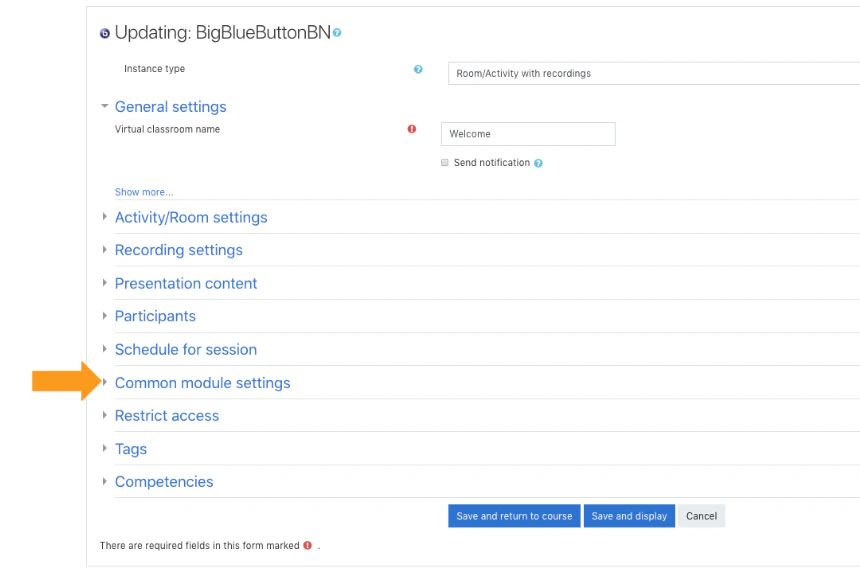
BigBlueButton activities in Moodle also use the standard **Common module settings** section.
## What you can configure
* activity availability
* ID number
* group mode
* grouping
## Availability
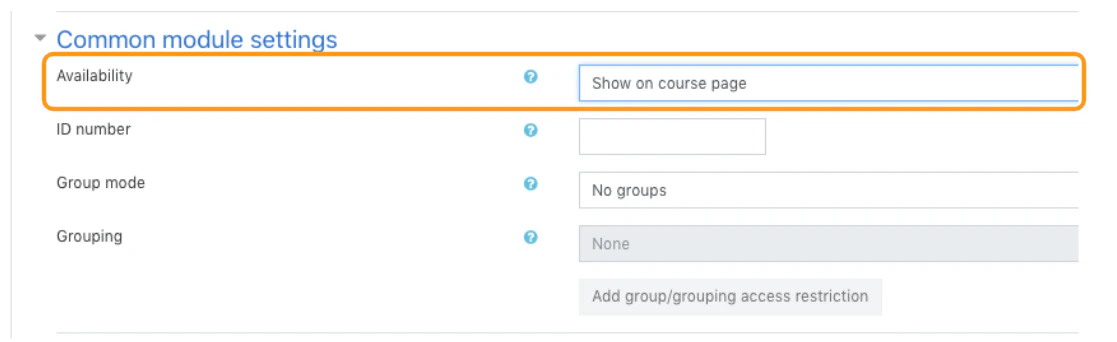
If the activity is set to **show on course page**, students can access it subject to any other access restrictions.
If it is set to **hide from students**, the activity is available only to users who can view hidden activities.
 ## ID number
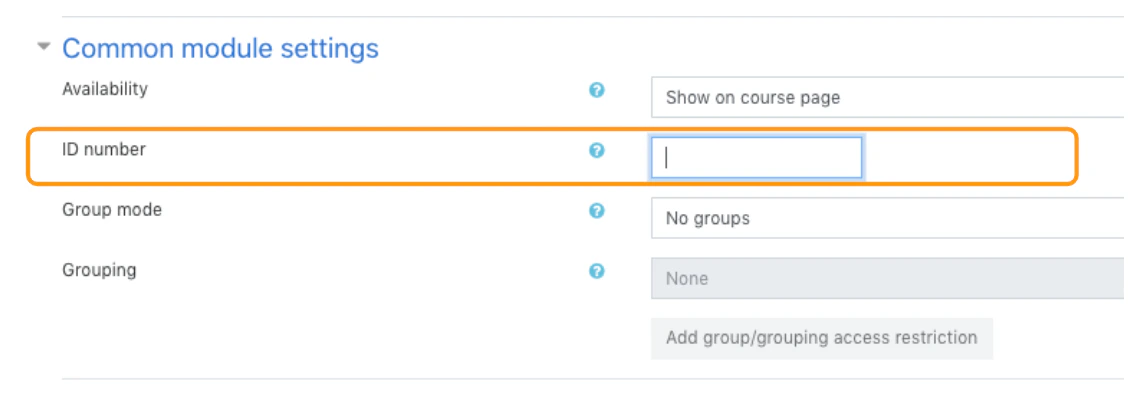
An ID number can help identify the activity for grading, reporting, or custom workflows.
## ID number
An ID number can help identify the activity for grading, reporting, or custom workflows.
 ## Group mode
Group mode is defined at the course level by default, but the activity can also define its own mode unless the course forces a single setting.
Available modes include:
* **No groups**
* **Separate groups**
* **Visible groups**
## Group mode
Group mode is defined at the course level by default, but the activity can also define its own mode unless the course forces a single setting.
Available modes include:
* **No groups**
* **Separate groups**
* **Visible groups**
 ## Grouping
Grouping is a collection of groups within a course. When grouping is enabled, students assigned to groups inside that grouping can work together within the configured activity scope.
## Related page
* [Groups and grouping](/docs/integrations/moodle/teachers/groups-and-grouping)
## Grouping
Grouping is a collection of groups within a course. When grouping is enabled, students assigned to groups inside that grouping can work together within the configured activity scope.
## Related page
* [Groups and grouping](/docs/integrations/moodle/teachers/groups-and-grouping)