> ## Documentation Index
> Fetch the complete documentation index at: https://bigbluebutton.com/docs/llms.txt
> Use this file to discover all available pages before exploring further.
# Import recording links
> Import processed recording links from other Moodle courses into a BigBlueButton activity.
Administrators or activity owners can import recording links from other courses into a specific BigBlueButton activity.
> This feature is usually hidden unless it has been enabled by an administrator.
## Import links
1. Open the BigBlueButton activity where you want the recordings to appear.
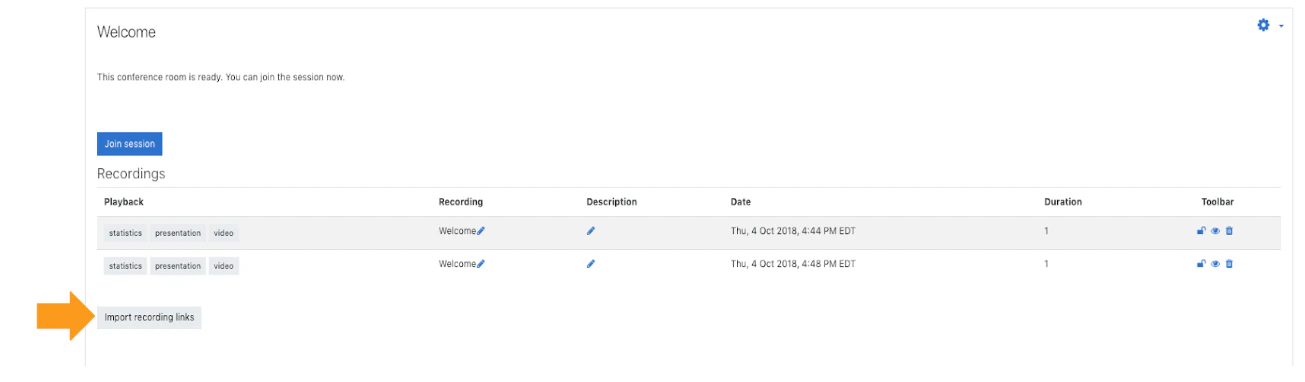
2. Go to the recordings area.
3. Select **Import recording links**.
4. Choose the source course.
5. Select one or more available recordings.
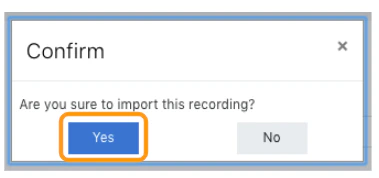
6. Confirm the import.
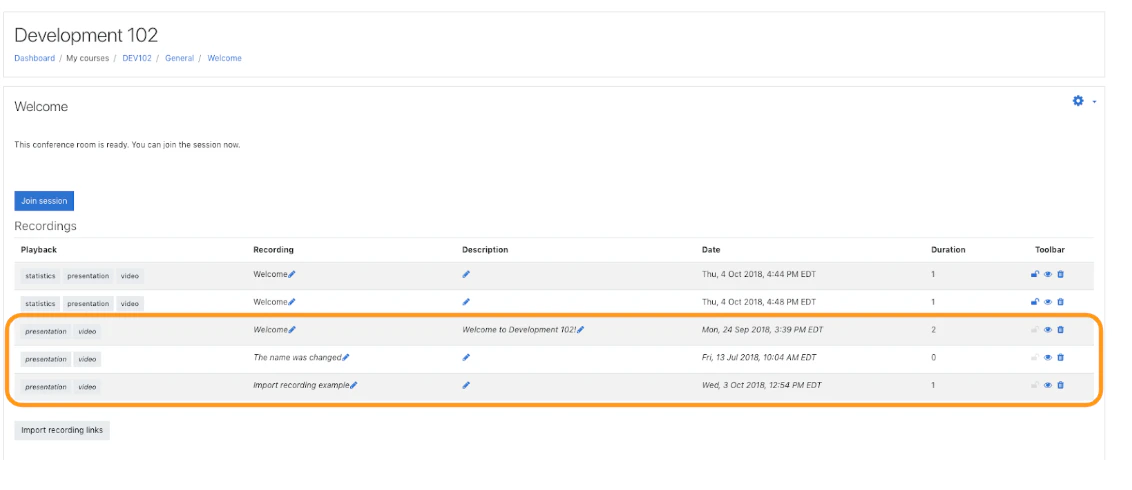
Imported links appear in the destination activity’s recordings table.


 ## Important note
Only courses and recordings that your site allows for import will appear in the selection flow.
## Related pages
* [Manage recordings](/docs/integrations/moodle/teachers/recordings)
* [Recording settings](/docs/integrations/moodle/teachers/recording-settings)
## Important note
Only courses and recordings that your site allows for import will appear in the selection flow.
## Related pages
* [Manage recordings](/docs/integrations/moodle/teachers/recordings)
* [Recording settings](/docs/integrations/moodle/teachers/recording-settings)