> ## Documentation Index
> Fetch the complete documentation index at: https://bigbluebutton.com/docs/llms.txt
> Use this file to discover all available pages before exploring further.
# Presentations
> Upload a presentation or document ahead of time so it is available inside the BigBlueButton session and from the Moodle activity page.
You can upload a presentation or document ahead of time when creating or editing a BigBlueButton activity.
## Upload a presentation
1. Open the activity settings.
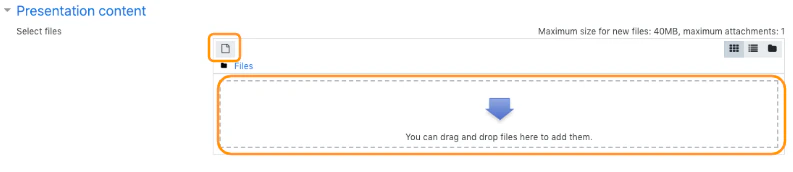
2. Find the **Presentation content** section.
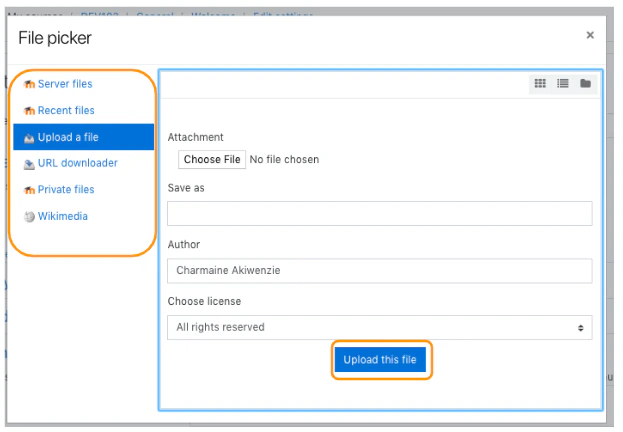
3. Drag and drop the file into the uploader, or use the file picker.
4. Save the activity.
The file picker options may vary depending on your Moodle site configuration.
 ## How it is used
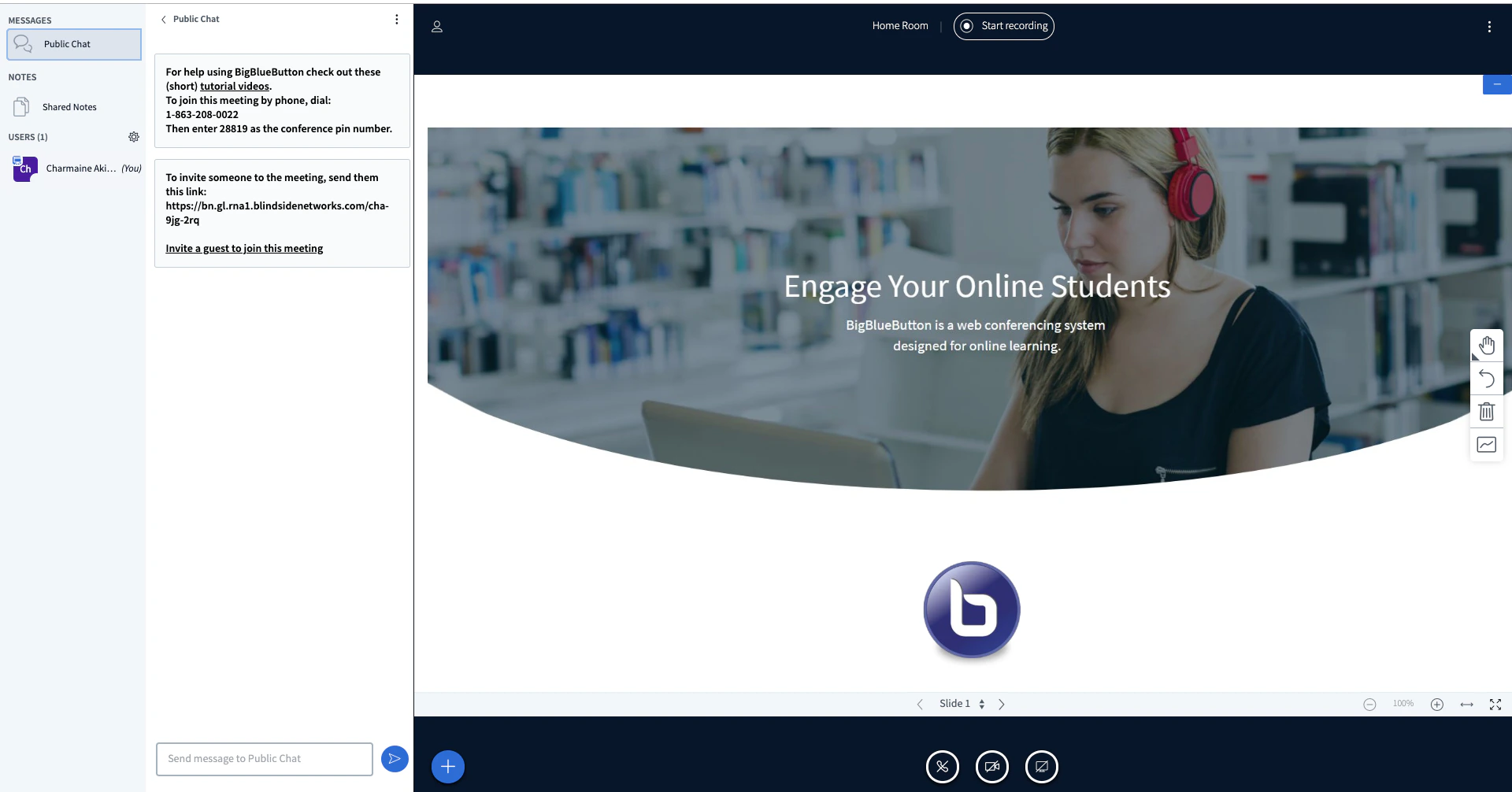
When the live session starts, the uploaded content appears as the default presentation inside BigBlueButton.
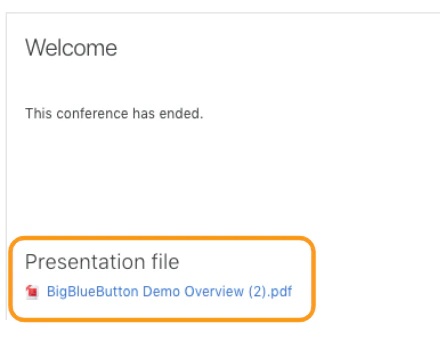
After the conference ends, the uploaded presentation may also remain available for download from the Moodle activity page.
## How it is used
When the live session starts, the uploaded content appears as the default presentation inside BigBlueButton.
After the conference ends, the uploaded presentation may also remain available for download from the Moodle activity page.
 ## Related pages
* [Room settings](/docs/integrations/moodle/teachers/room-settings)
* [Manage recordings](/docs/integrations/moodle/teachers/recordings)
## Related pages
* [Room settings](/docs/integrations/moodle/teachers/room-settings)
* [Manage recordings](/docs/integrations/moodle/teachers/recordings)