> ## Documentation Index
> Fetch the complete documentation index at: https://bigbluebutton.com/docs/llms.txt
> Use this file to discover all available pages before exploring further.
# Recording settings
> Adjust activity-level recording settings such as table format, deleted-activity recordings, and imported recording visibility.
Some recording settings can be changed at the activity level by the owner or administrator of the BigBlueButton activity.
> These settings may be hidden unless an administrator has enabled them site-wide.
## Common recording settings
These settings may include:
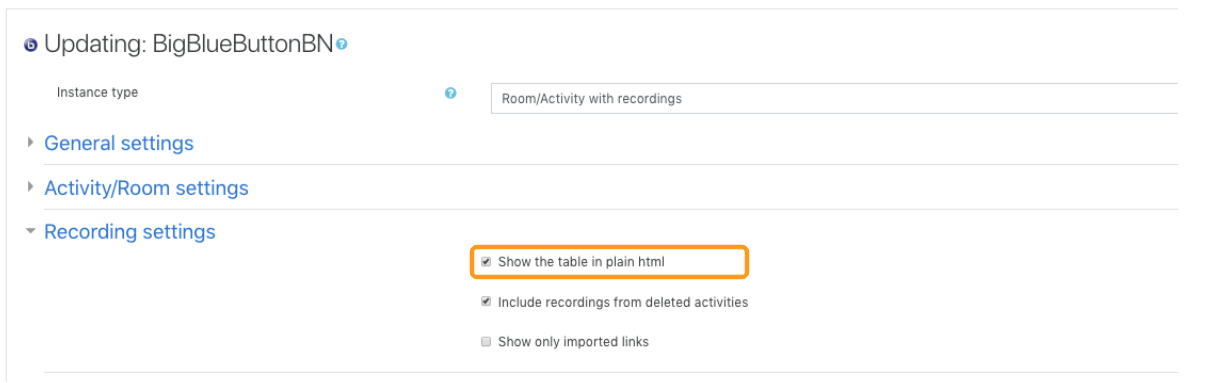
* how the recordings table is displayed
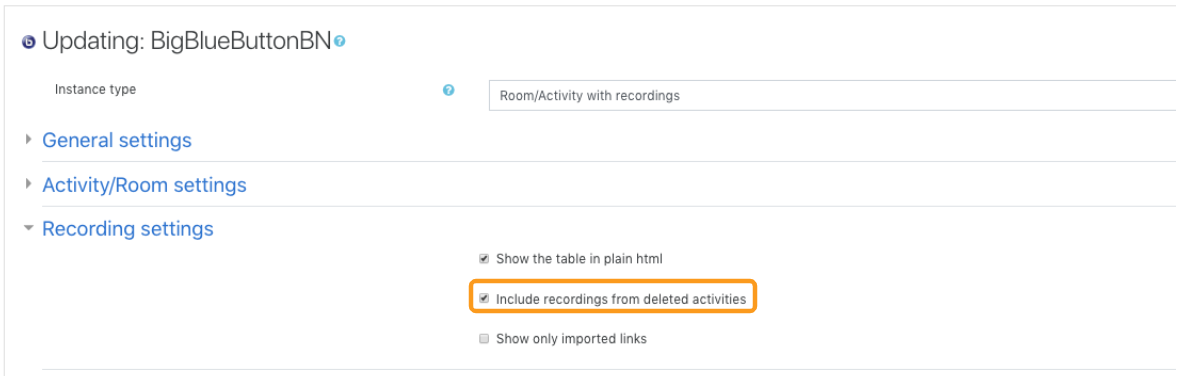
* whether recordings from deleted activities are included
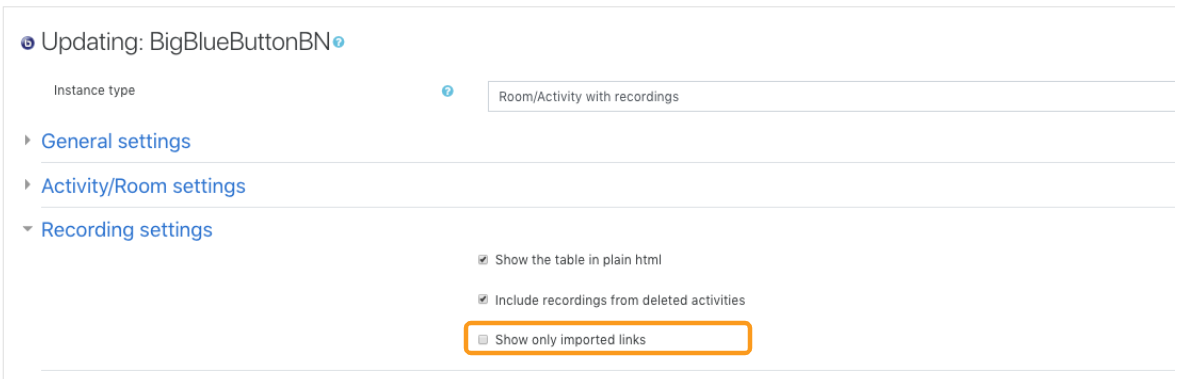
* whether only imported recording links are shown
## Recording table format
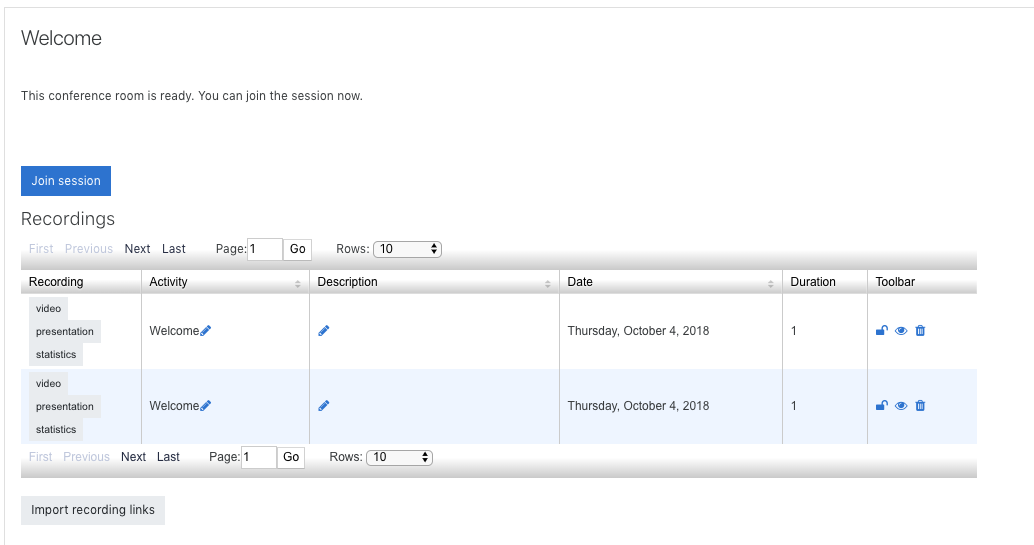
Some Moodle sites allow the recordings table to be displayed in a simpler HTML layout or a richer filtered view.
If you have many recordings tied to one activity, the richer table can be easier to search and scan.

 ## Deleted-activity recordings
When enabled, recordings that were created under activities later deleted from the course can still appear in the interface.
## Deleted-activity recordings
When enabled, recordings that were created under activities later deleted from the course can still appear in the interface.
 ## Imported recording links only
When enabled, the table can be filtered to show only imported recording links instead of every available recording for the activity.
## Imported recording links only
When enabled, the table can be filtered to show only imported recording links instead of every available recording for the activity.
 ## Related pages
* [Manage recordings](/docs/integrations/moodle/teachers/recordings)
* [Import recording links](/docs/integrations/moodle/teachers/import-recording-links)
## Related pages
* [Manage recordings](/docs/integrations/moodle/teachers/recordings)
* [Import recording links](/docs/integrations/moodle/teachers/import-recording-links)