> ## Documentation Index
> Fetch the complete documentation index at: https://bigbluebutton.com/docs/llms.txt
> Use this file to discover all available pages before exploring further.
# Sakai default recording settings
> BigBlueButton meetings can be enabled to provide a recording option during a live virtual session. When enabled, the meeting will allow the moderator...
## BigBlueButton meetings can be enabled to provide a recording option during a live virtual session.
When enabled, the meeting will allow the moderator to engage the start/stop record button in the live session to generate a viewable, shareable recording link.
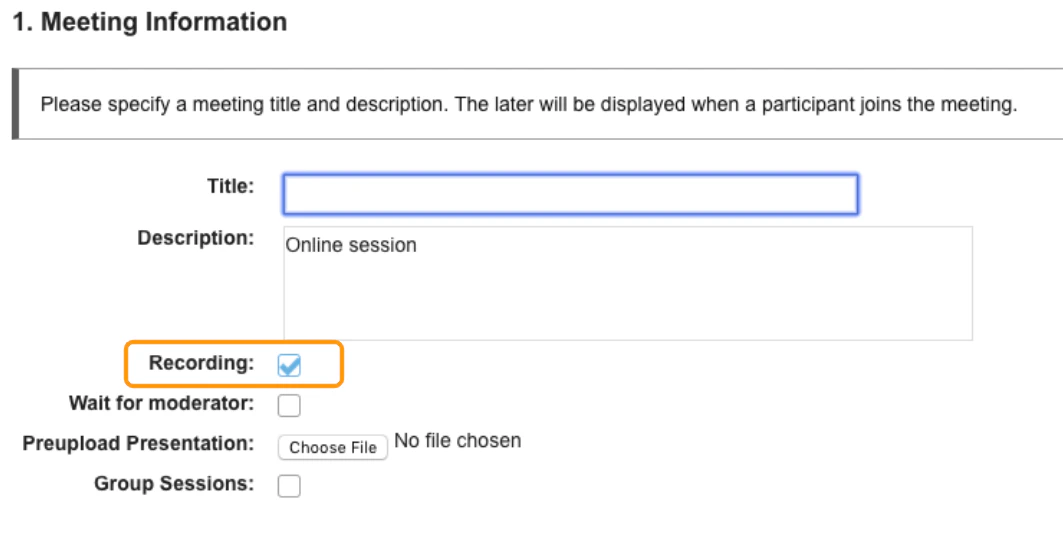 By default, BigBlueButton meetings are enabled to be recorded.
## \*Important to note that this is not an auto capture feature\*
In order to produce a recording of a meeting the moderator or instructor has to enable the start/stop record option by selecting the \*\*recording button,\*\*which is located in the upper middle of the BigBlueButton interface.
By default, BigBlueButton meetings are enabled to be recorded.
## \*Important to note that this is not an auto capture feature\*
In order to produce a recording of a meeting the moderator or instructor has to enable the start/stop record option by selecting the \*\*recording button,\*\*which is located in the upper middle of the BigBlueButton interface.
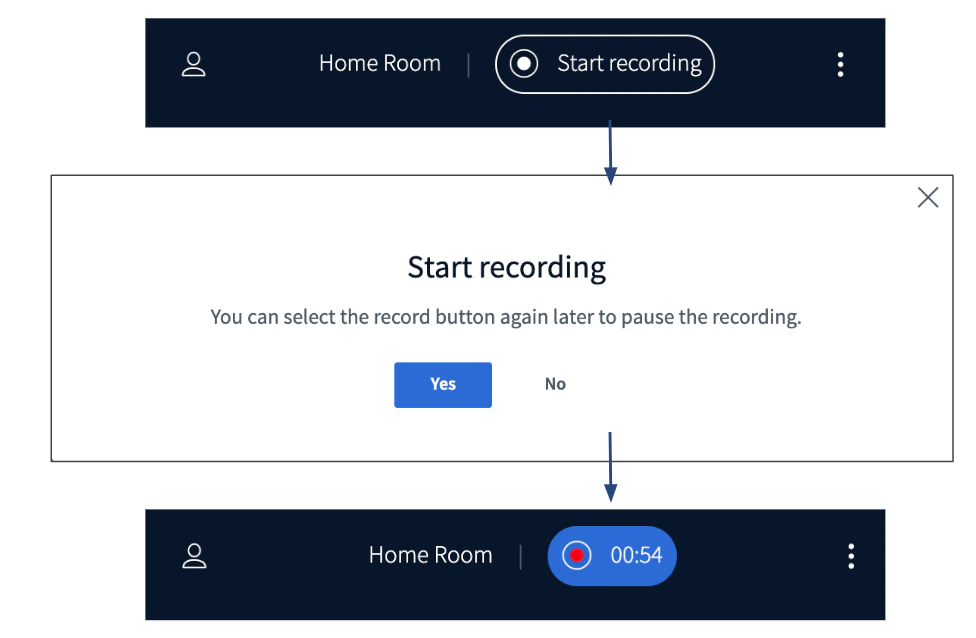 When the session is being recorded the icon will change from greyscale to **blue with a red indicator**, and a count up of active recorded minutes will show.
## Locating processed recordings
Recordings are tied to the meeting activity they were created under. Processed recording links and their statistics reports will appear under meeting's **recordings**tab.
When the session is being recorded the icon will change from greyscale to **blue with a red indicator**, and a count up of active recorded minutes will show.
## Locating processed recordings
Recordings are tied to the meeting activity they were created under. Processed recording links and their statistics reports will appear under meeting's **recordings**tab.
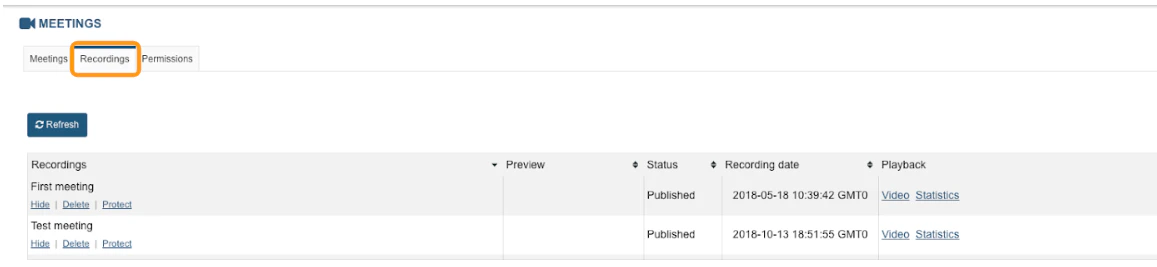 All available recordings will appear in the recordings table in chronological order.
## Recording Playback
All available recordings will appear in the recordings table in chronological order.
## Recording Playback
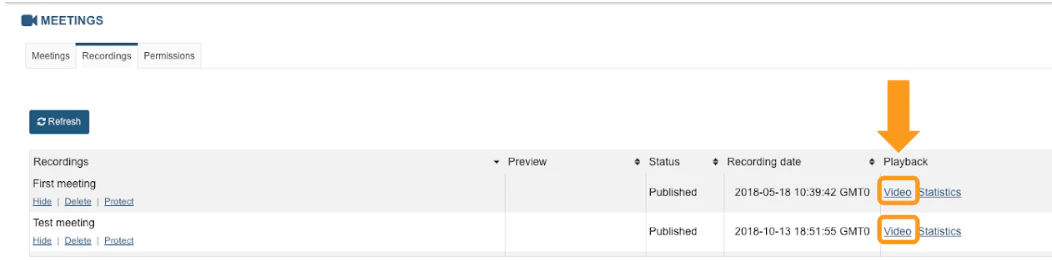 To view a recording, under the playback column, select the **Video**option. Your recording will load in a separate tab for viewing.
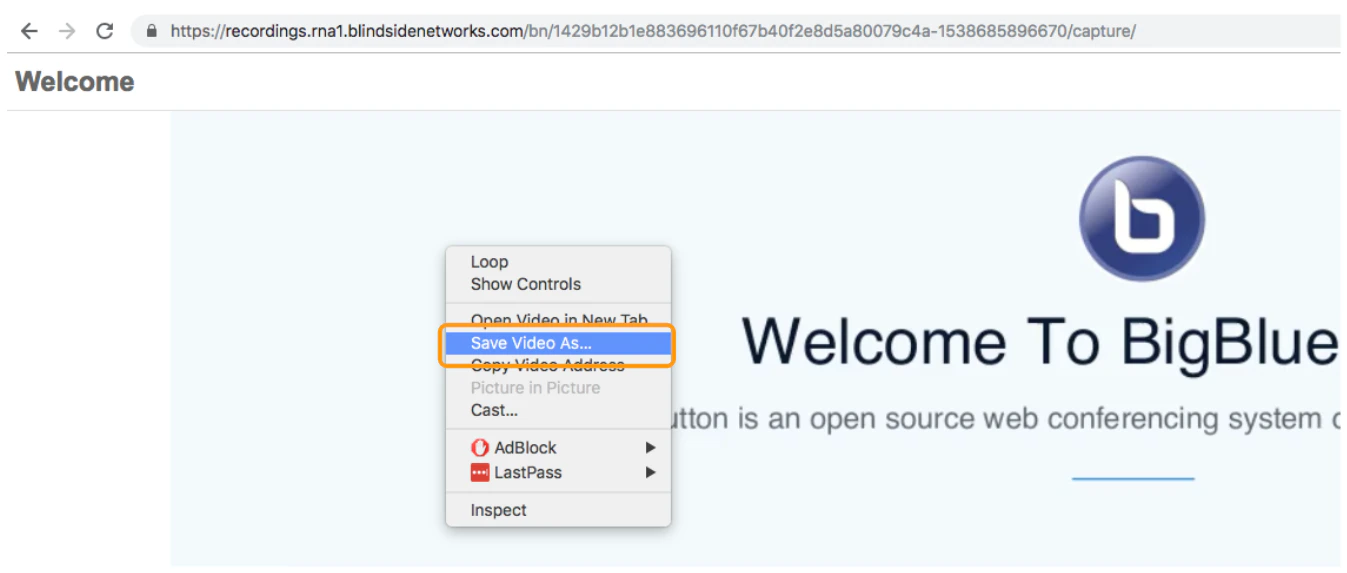 The video file format can be saved as an mp4 when right clicking anywhere in the recording playback and choosing "save as" to save to a desired location on your local system.