If you want to try BigBlueButton, visit https://my.bigbluebutton.com/
Custom welcome message
When users join a session, they see a welcome message in the chat with a grey background.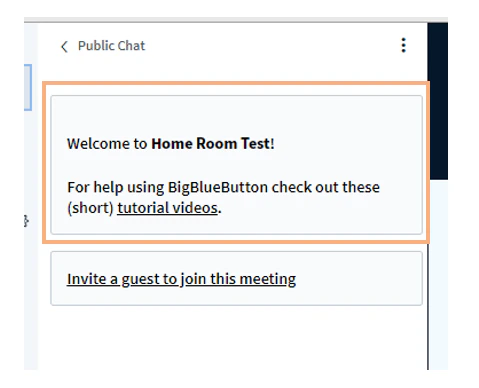
Show dial-in number only to moderators
All North American accounts include a default dial-in number, visible by default to both instructors and students. Some schools (especially K12) prefer to make the dial-in number visible only to moderators — for example, in a separate moderator-only welcome message.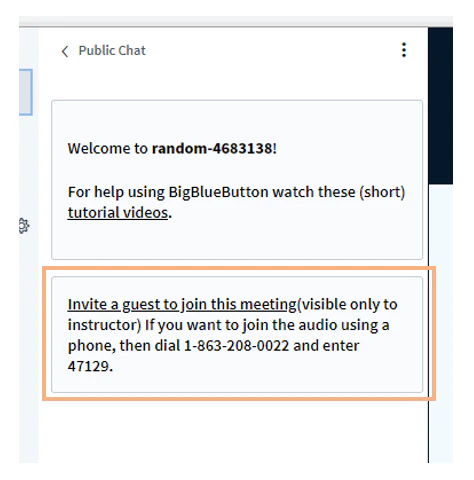
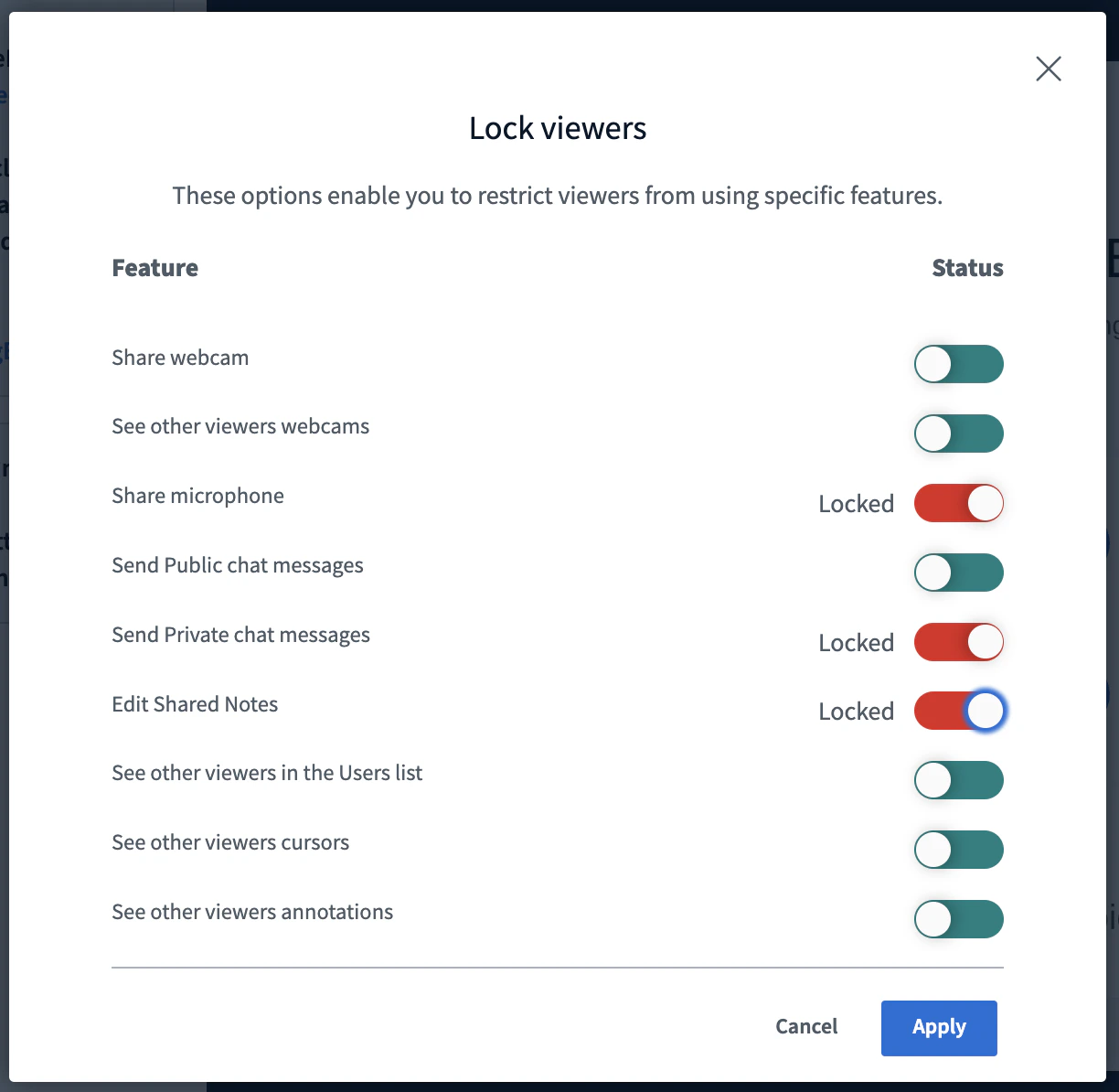
Default lock settings
Each instructor can use Lock viewers to restrict viewer access to specific features.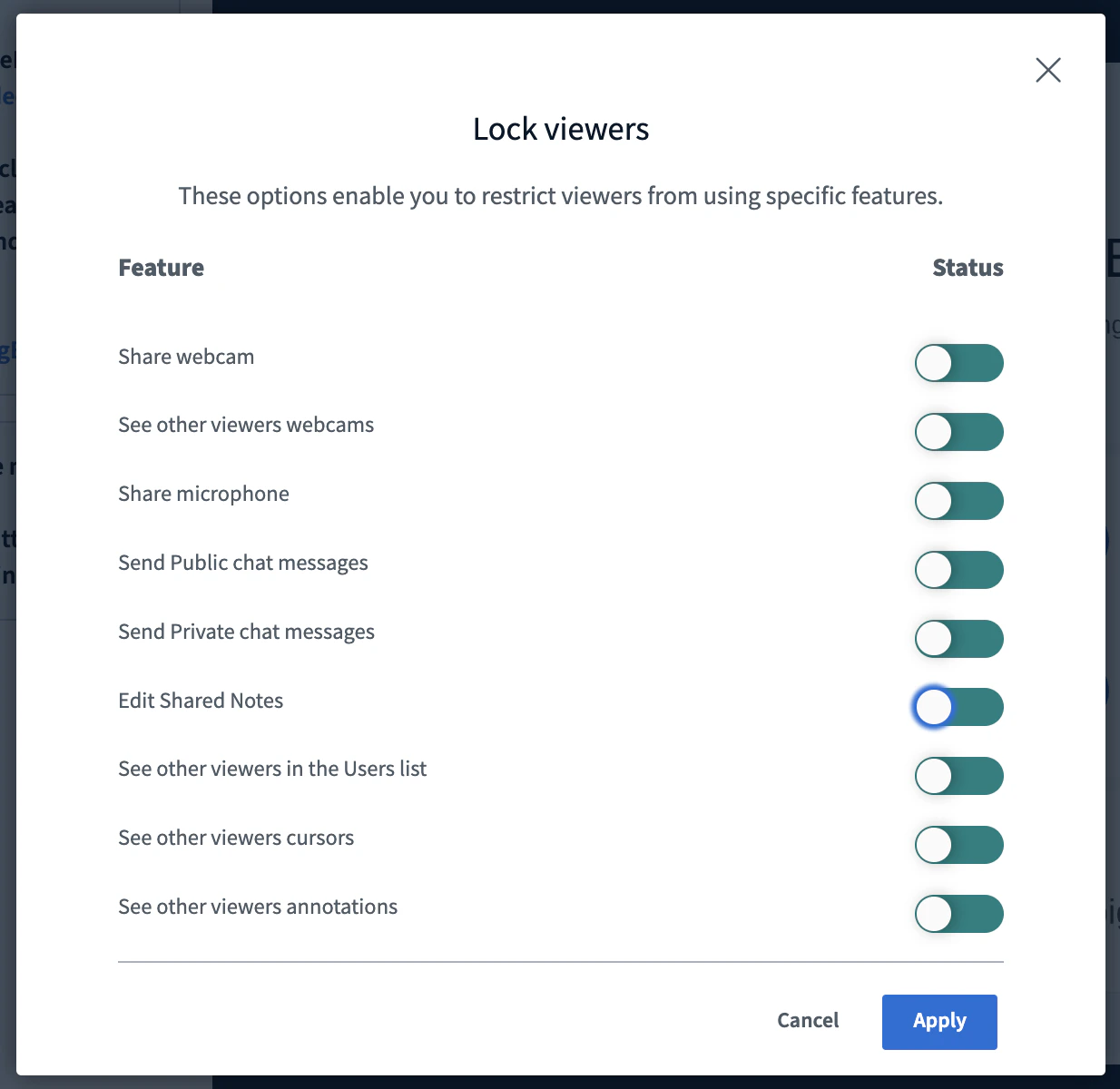
- Microphone
- Private chat messages
- Edit shared notes
Ability to unmute users
By default, moderators cannot unmute another user’s microphone, for privacy. For K12, we can enable moderators to unmute student microphones directly.Mute users on join
By default, users joining with a microphone are unmuted. We can change the default so all users join muted.Auto-expire recordings
If your school requires recordings to be deleted automatically after a set period — for example, two years (730 days) — we can configure auto-deletion. Tell us the retention you need.Protected recording links
We can enable Protected Recording Links so viewers cannot copy and share recording links.Don’t record student webcams
We can configure your account so student webcams are not visible in the recordings.Disable recording
We can configure your account so no sessions are recorded.Hide viewer names in recording chat
We can conceal student names in the chat of recordings. Student/viewer names appear as “Viewer” while moderator/instructor names display as normal.Automatically end session when no moderators are present
We can set an interval (such as 2 minutes) after which BigBlueButton automatically ends a session that no longer has a moderator present. This is useful in K12 to avoid scenarios where the educator gets disconnected (for example, loses their internet connection) and students are left unsupervised.Custom logo
We can place your logo in the upper-left corner of the BigBlueButton session.