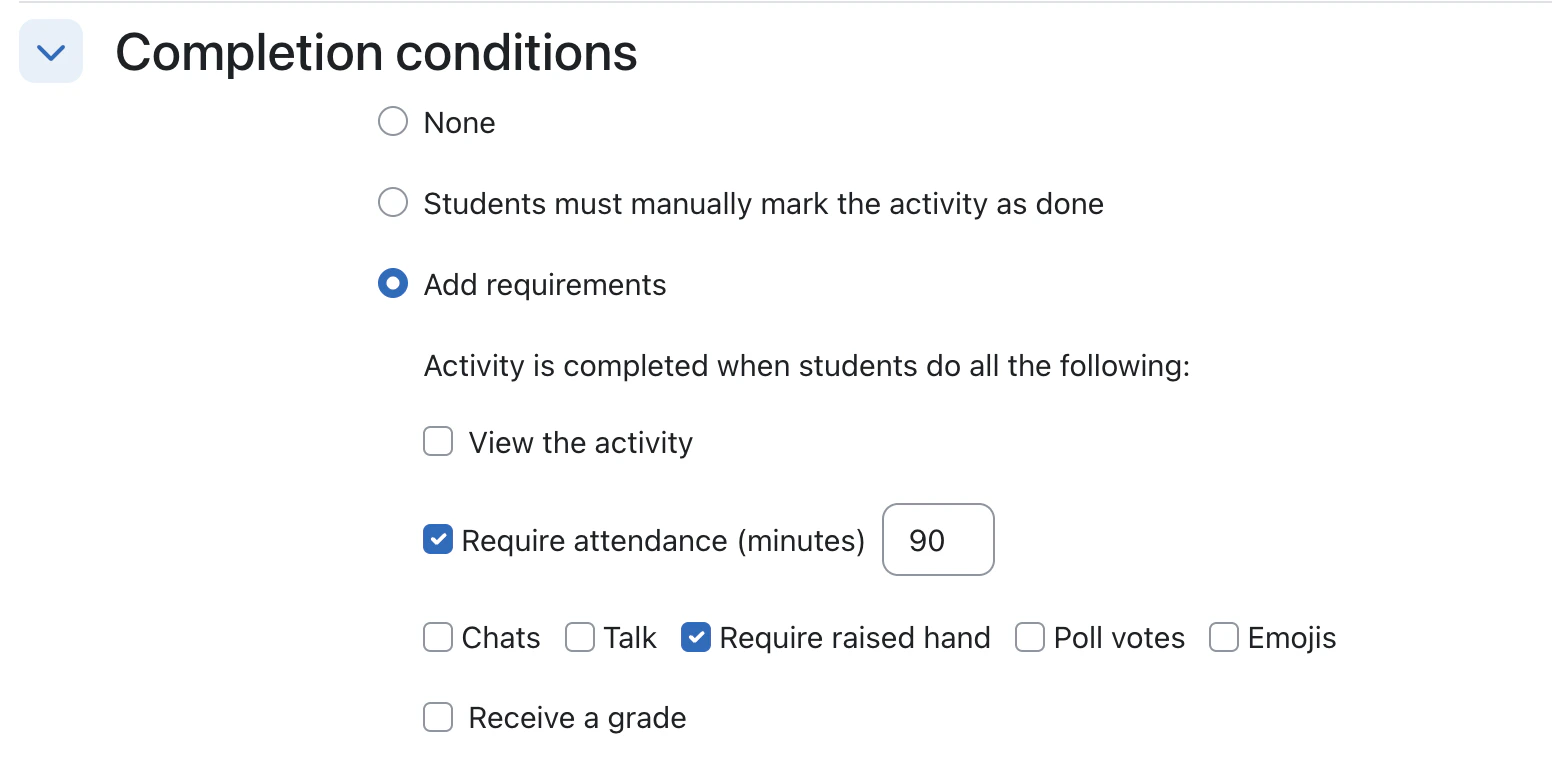
Today, with Moodle 4.1+, an educator can specify activity completion conditions for each BigBlueButton Activity. The BigBlueButton plugin for Moodle has built-in Activity Completion that can mark the activity as completed when certain thresholds are reached. For example, in the screen shot below, the educator has indicated to Moodle (specifically to the BigBlueButton activity in Moodle) to mark the activity as completed when both of these conditions are met:
  1. The student has been present for more than 90 minutes in a class, and
  2. Has raised their hand at least once.
Setting Completion conditions in Moodle

How Activity Completion Works

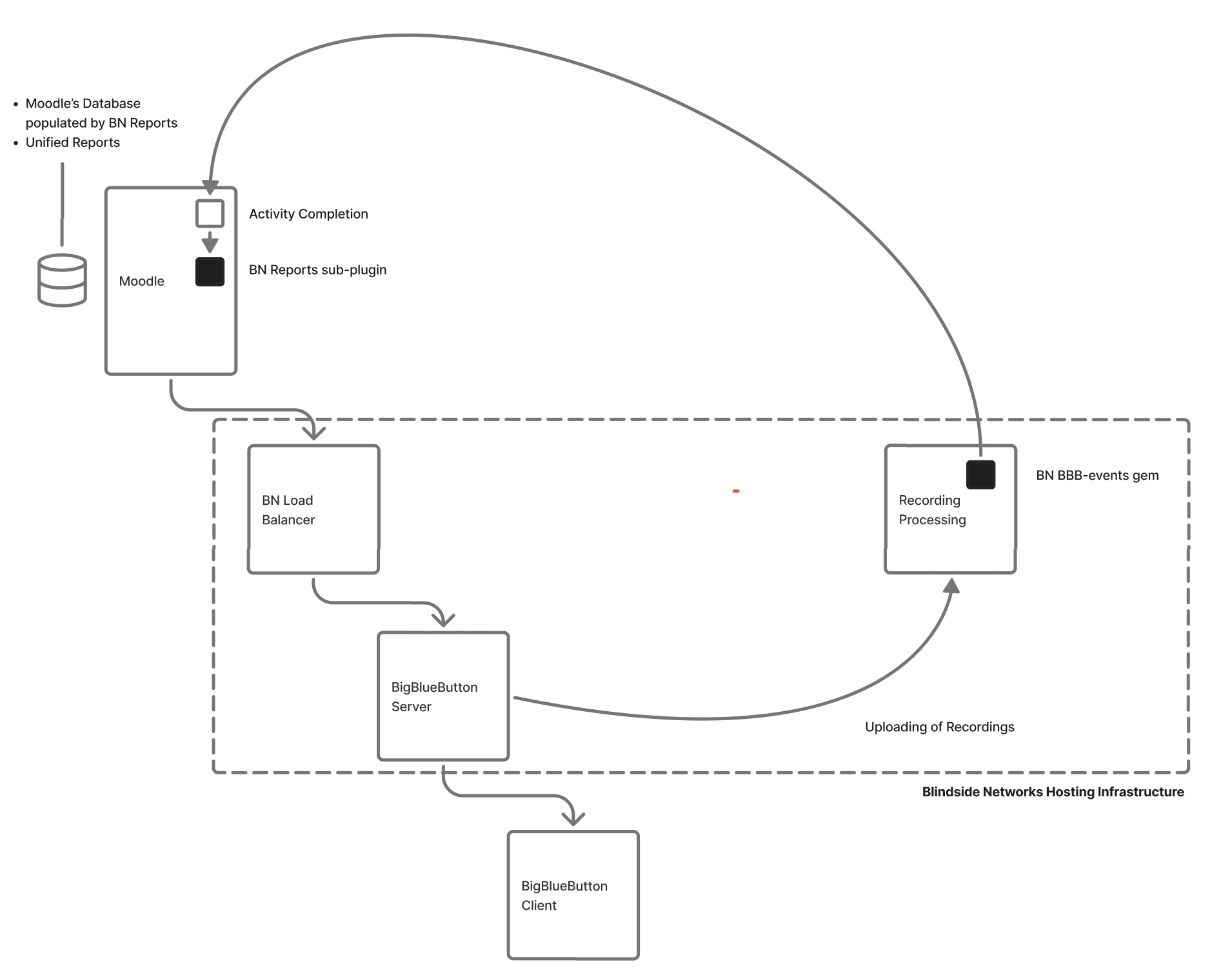
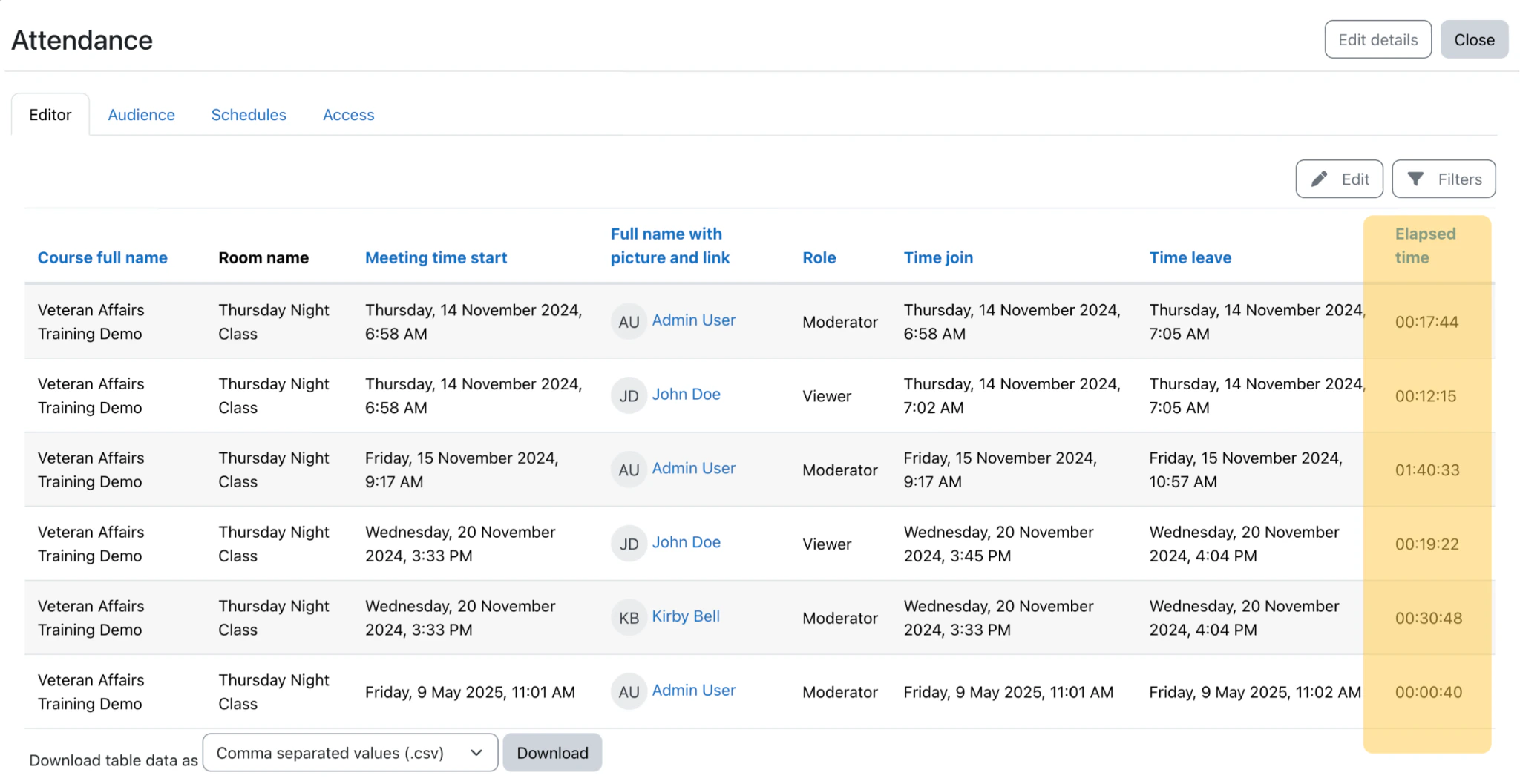
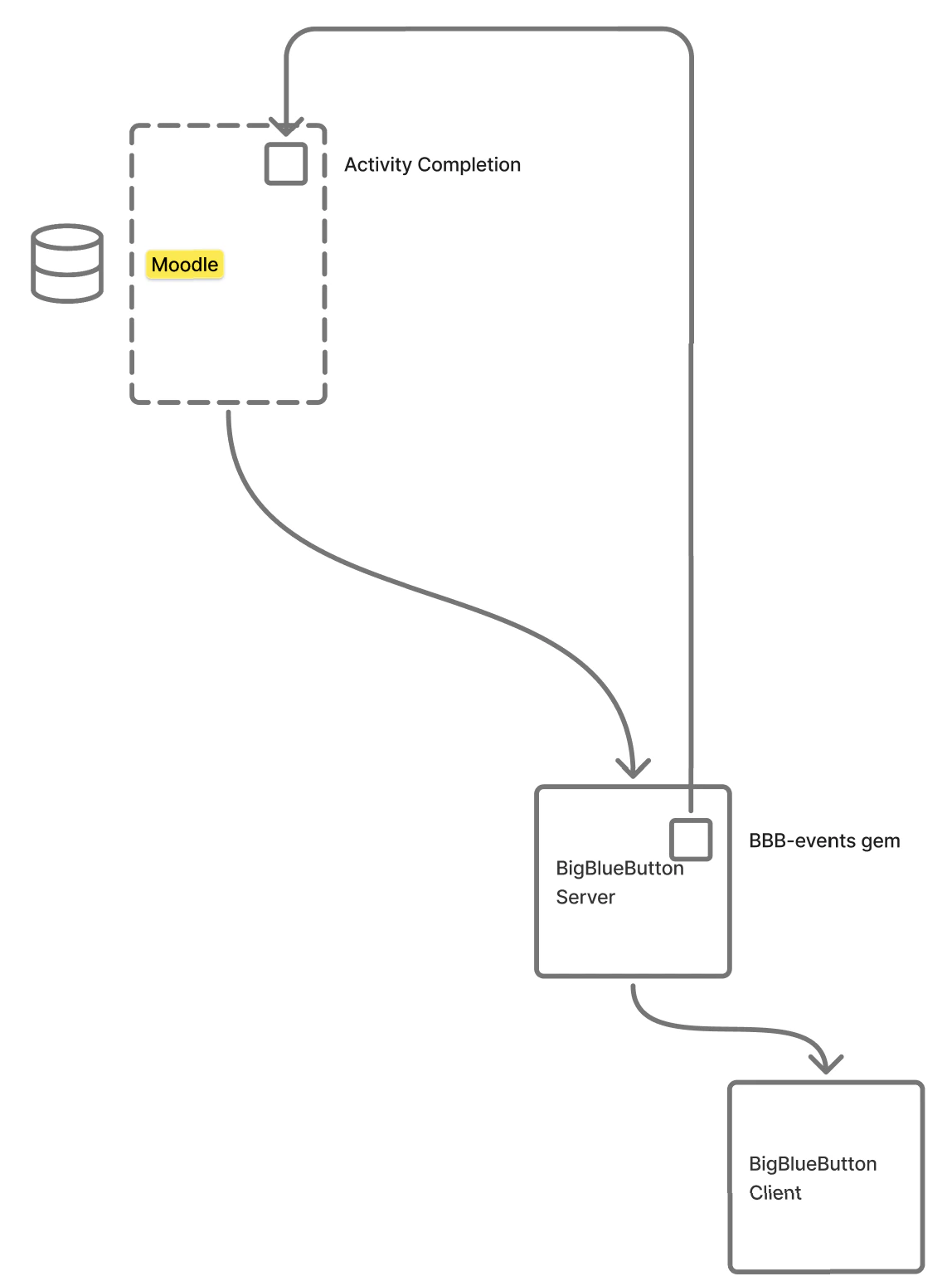
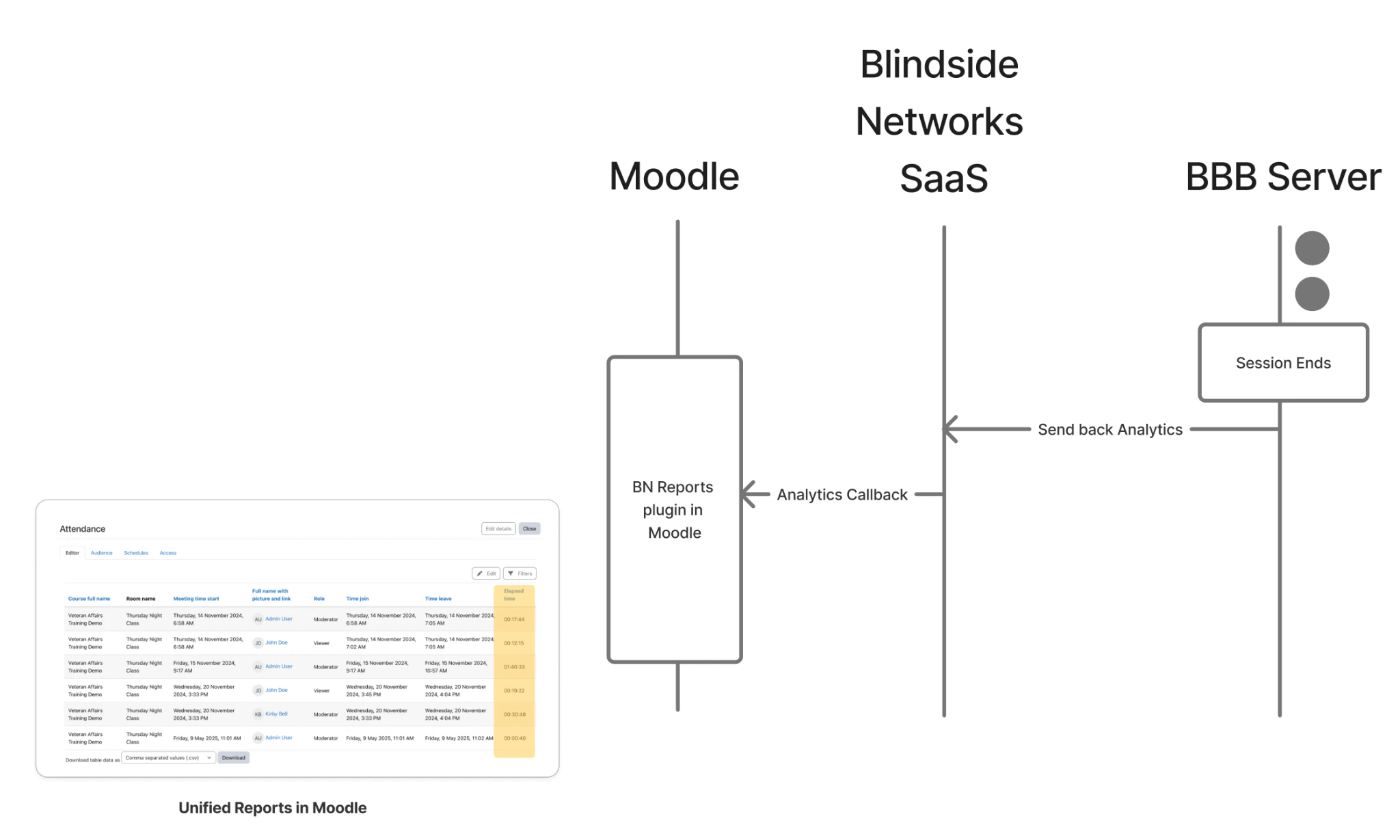
With activity completion enabled, after each BigBlueButton session concludes, the BigBlueButton server will aggregate all the events for the user and send them back to Moodle. Analytics Callback to Moodle In Blindside Networks’s hosting for BigBlueButton, you can install a new plugin BN Reports that will capture this data and populate Moodle’s database. BN Reports will intercept the Analytics Callback and populate Moodle’s database tables with this data. BN Reports intercepting the Analytics Callback and writing to Moodle's database tables BN Reports sub-plugin populating Moodle's database To see details of what data is returned, see BN Hosting Analytics Callback. With this unified data, Moodle Administrator and educators can now create reports that link together student’s activities across Moodle and BigBlueButton. An example of such a report would be an Attendance Report. Unified report showing each user's attendance along with Elapsed time in session
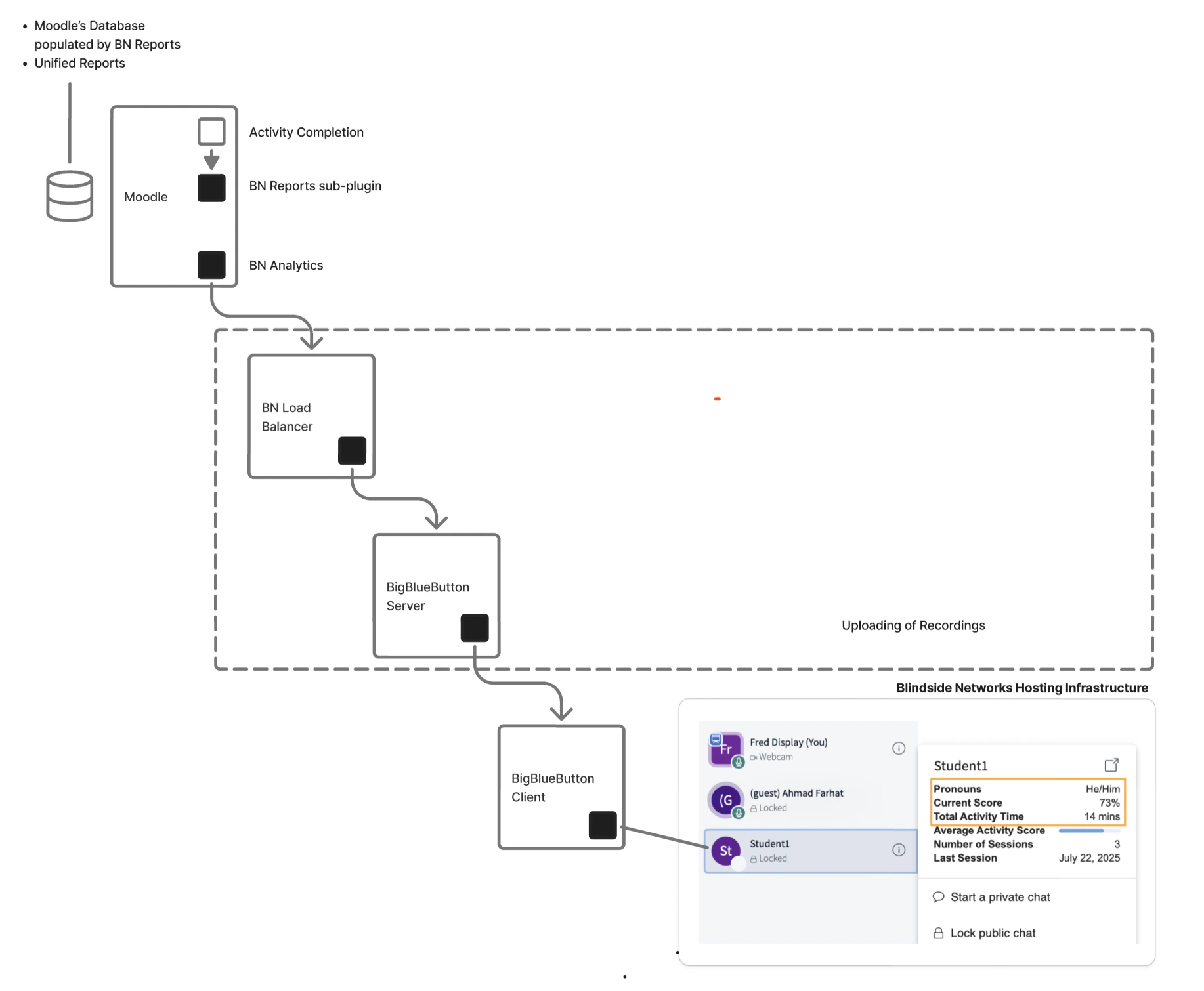
BN Analytics in BigBlueButton (Moodle)

As shown above, the BN Analytics in Moodle can display:
  1. Absentee students
  2. LMS Analytics on individual students
  3. LMS Alerts on individual students
When the BigBlueButton session starts, if your account is configured to have the LMS plugin, it will make a callback to the LMS, or to an endpoint that proxies the LMS, to retrieve the roster, student analytics, and student alerts. BigBlueButton session start callback to the LMS retrieving roster, student analytics, and alerts