

There are four steps to running a Learning Challenge.
- Use AI to generate questions ahead of your class.
- Paste in the questions and set the time limit.
- Start the challenge and monitor the live results as students submit their answers.
- End the challenge and share the results with student names or pseudonyms.
1. Use AI to generate questions
As shown in the video above, you can use your favorite AI to generate a formatted list of questions on any topic — anatomy, algebra, English, or anything else you teach. Here are three examples to get you started.Generate 4 grade 7 English questions, all multiple choice.
Generate 4 grade 9 Algebra questions.
Generate 4 questions on the anatomy of the heart valves, all multiple choice.
Generate 5 grade 4 questions on the water cycle.
Formatting instructions only — add your own topic section above them.
A detailed topic section — place it above the formatting instructions.
Some AI chatbots wrap their answer in a code fence — a line of three backticks before and after the questions. If yours does, delete those two lines before pasting. The list must start with
[ and end with ].2. Paste in the questions
To launch a challenge, select +, then select Learning Challenge. Paste in the JSON list of questions, then set the time limit. In the example below, we pasted in questions about English grammar and set the time limit to 120 seconds, or two minutes.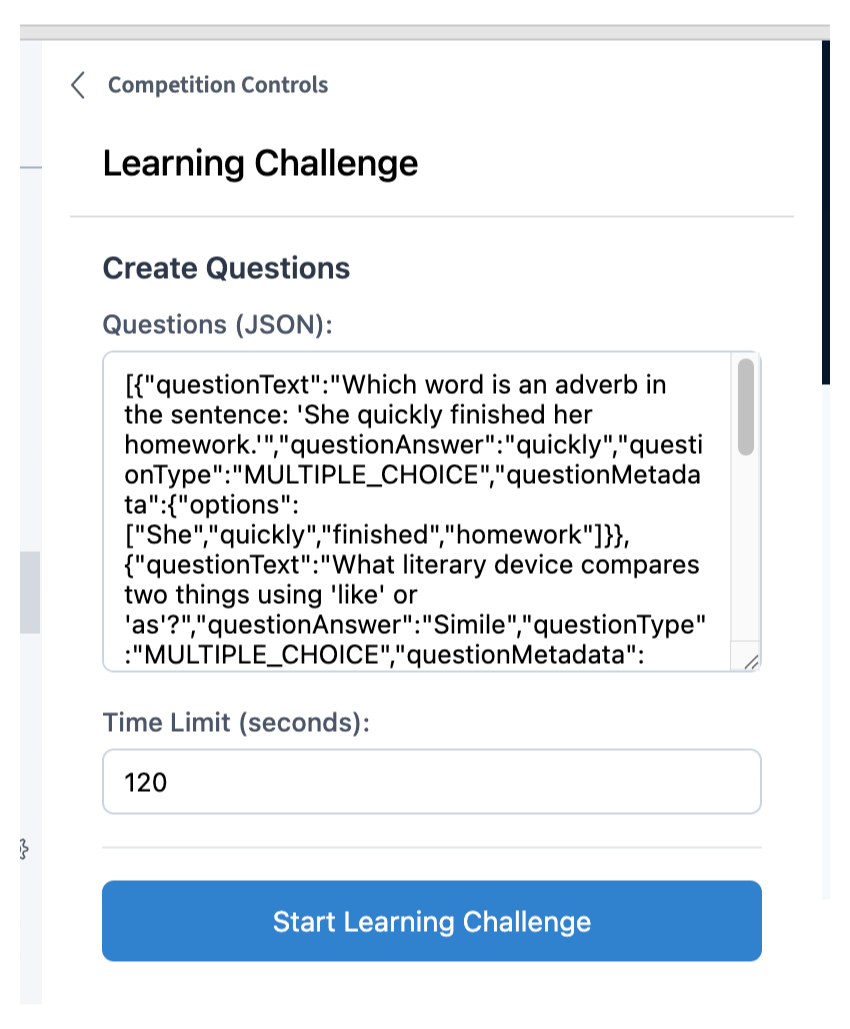
3. Start the challenge
Once you select Start Challenge, your students see the first question. They can navigate through the questions and see the time remaining in the upper right-hand corner.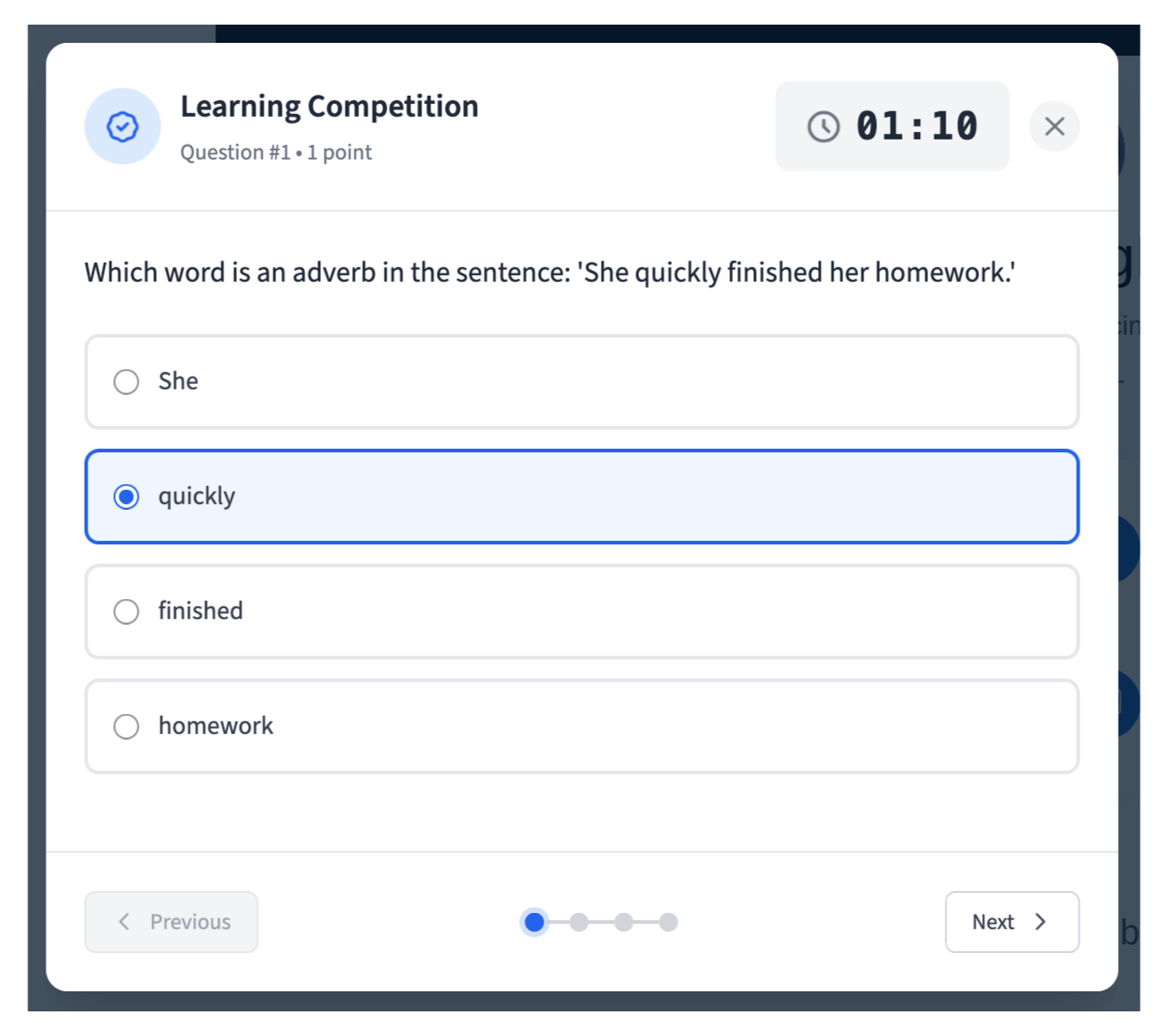
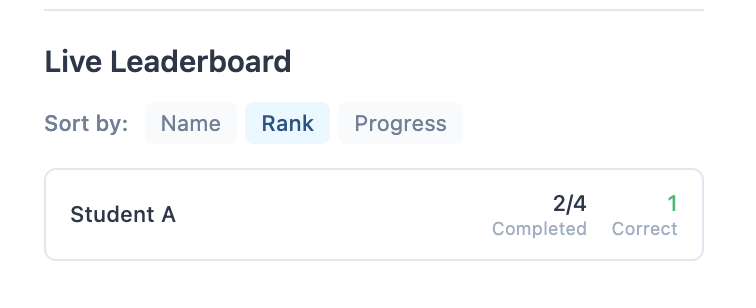
4. End the challenge
Once your students have submitted their answers, you see a preview of the results.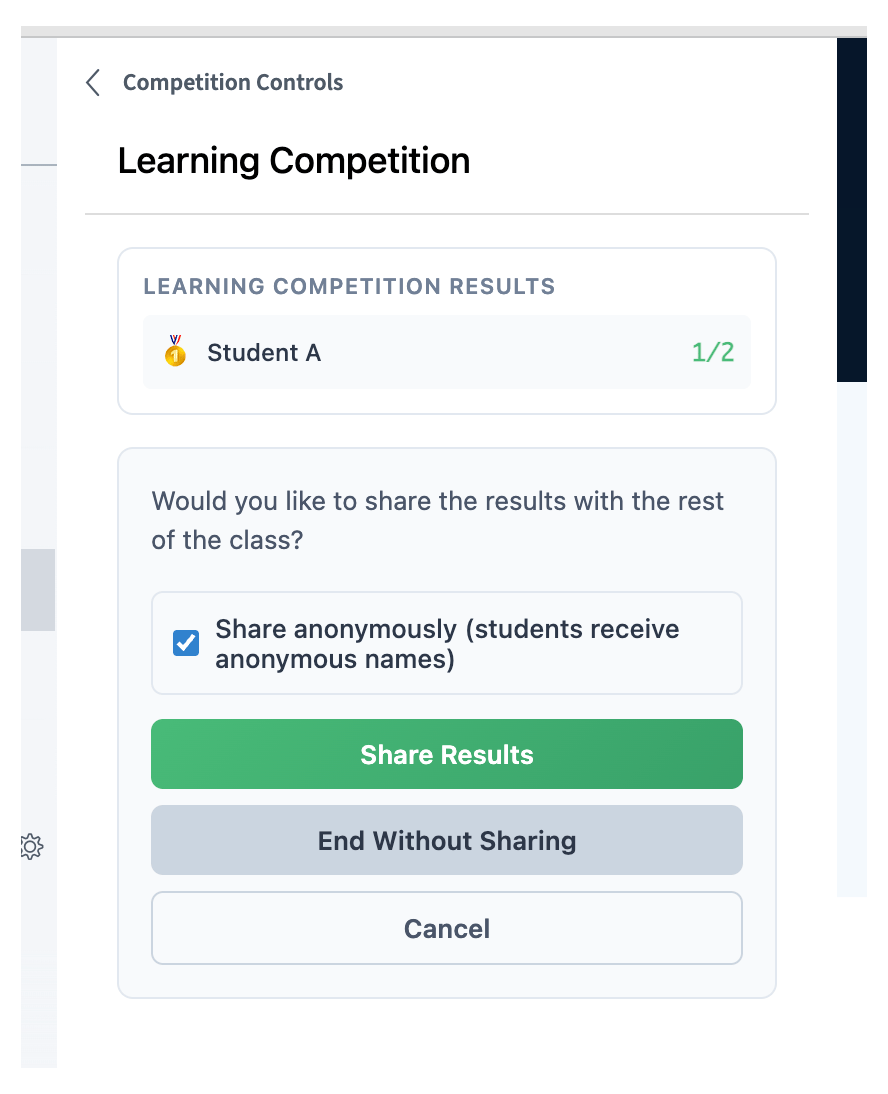
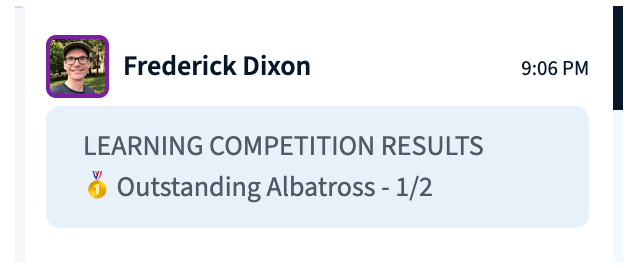
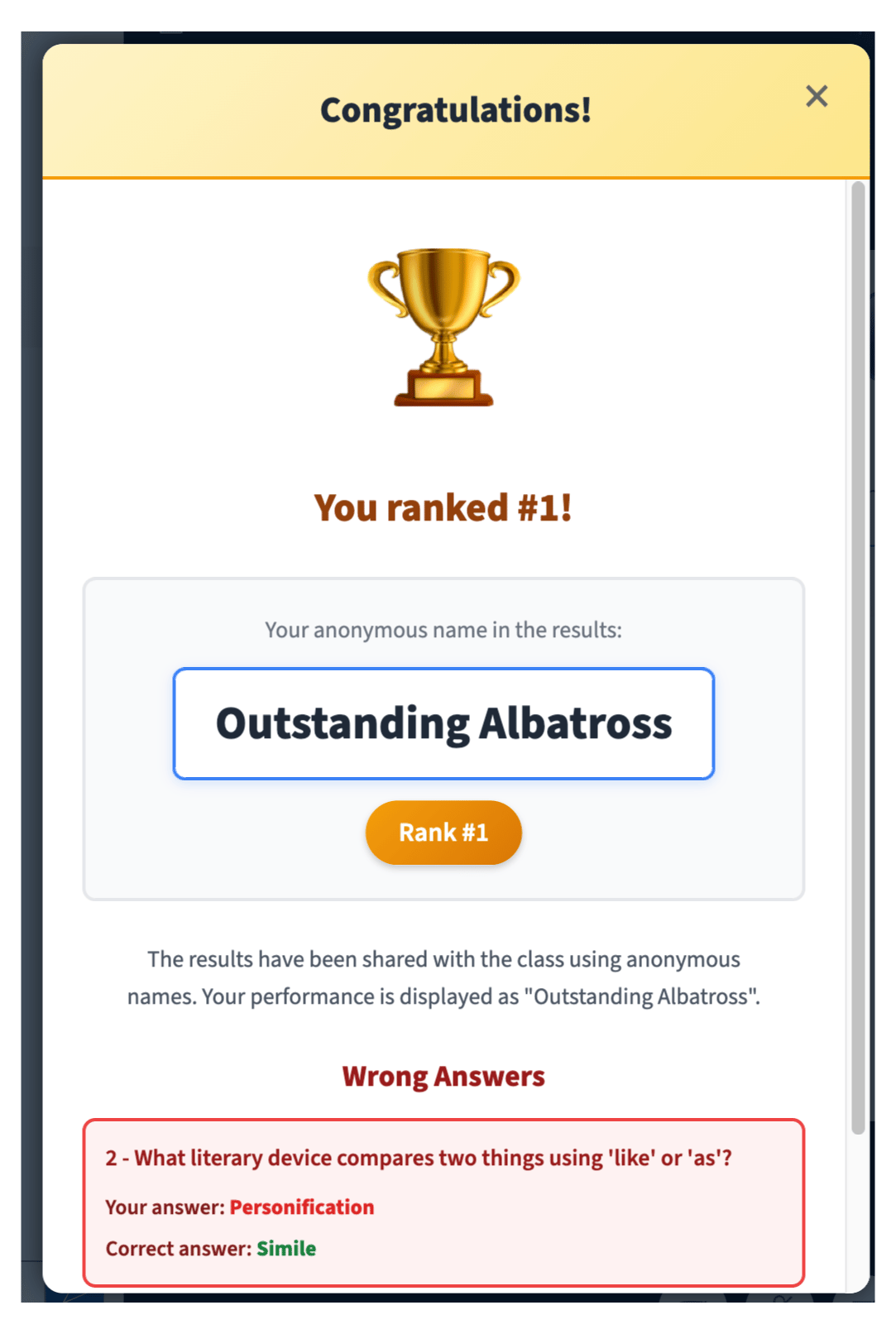
The Learning Challenge is low-stakes quizzing. Results do not pass back to the gradebook in your LMS.