Documentation Index
Fetch the complete documentation index at: https://bigbluebutton.com/docs/llms.txt
Use this file to discover all available pages before exploring further.
BigBlueButton Enhanced hosting from Blindside Networks lets you download a recording as a single video file.
To download a recording, right-click within the playback area and select Save video as…. The downloaded file is a 720p .mp4 (MPEG-4) video, approximately 150 MB per hour of recording.
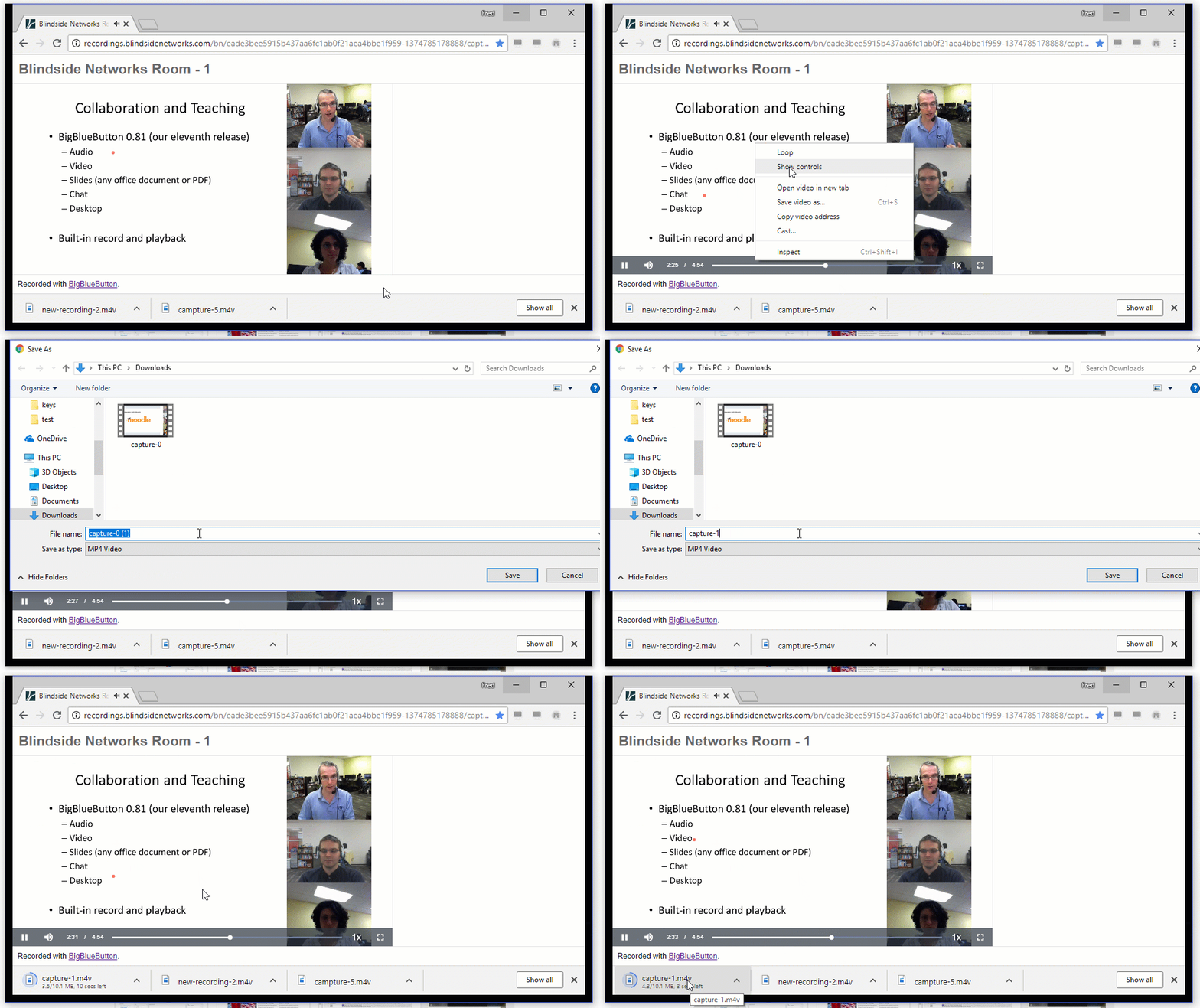
The downloaded video does not include videos shared via the Share video option, nor does it include chat. To save chat messages, scroll to the end of the recording in the browser and copy and paste the final chat panel.
BigBlueButton Essentials recordings play back in the browser as a synchronized combination of web components — there is no single video file to download.
You can still download the video component of the recording (webcams and audio), but the presentation portion (uploaded slides, whiteboard, and polling) uses a combination of JavaScript, PNG images, and SVG, and only runs in the browser.
To get downloadable, permanent recordings as single video files, upgrade to BigBlueButton Enhanced hosting.