Set permissions
1
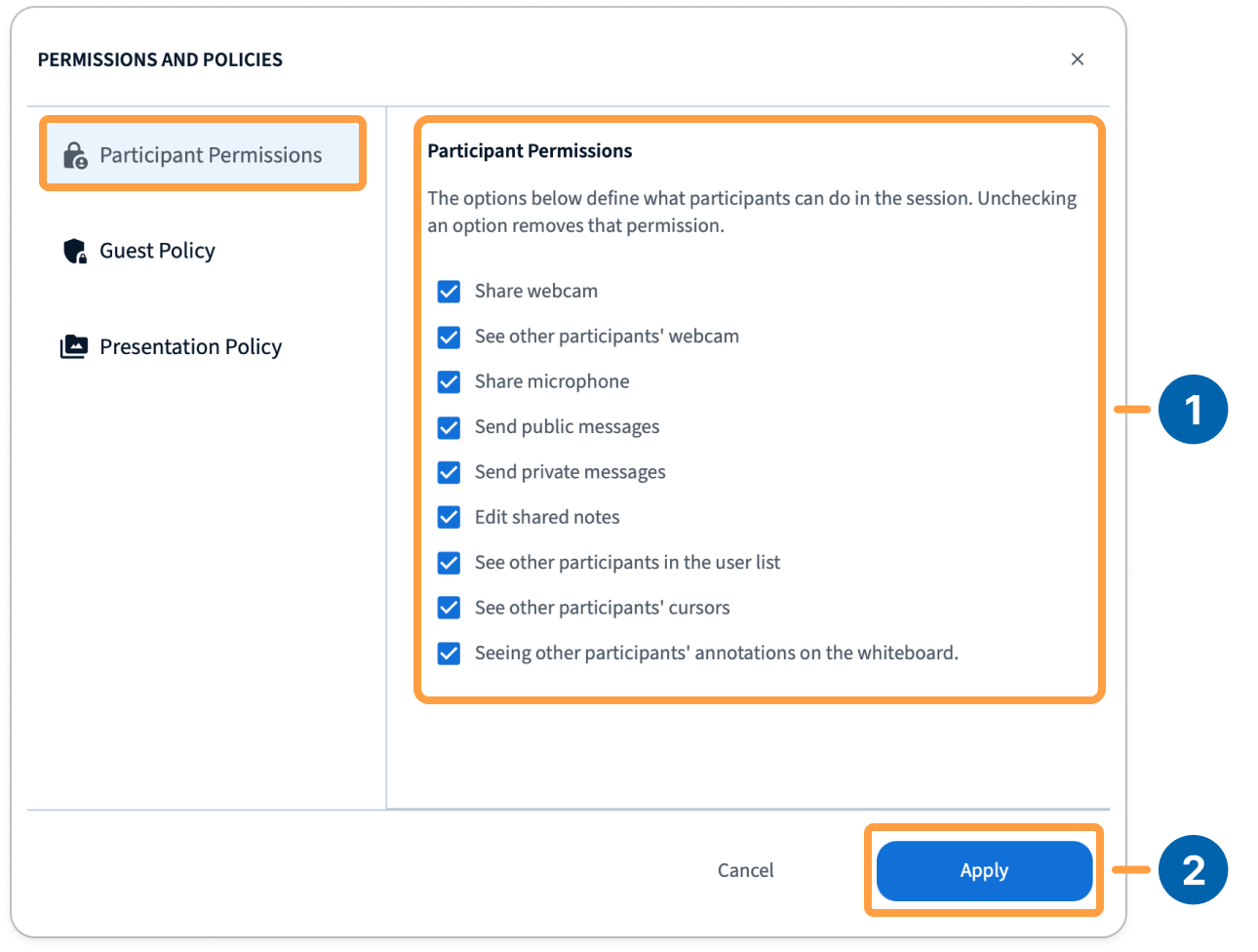
Open permissions and policies [1]
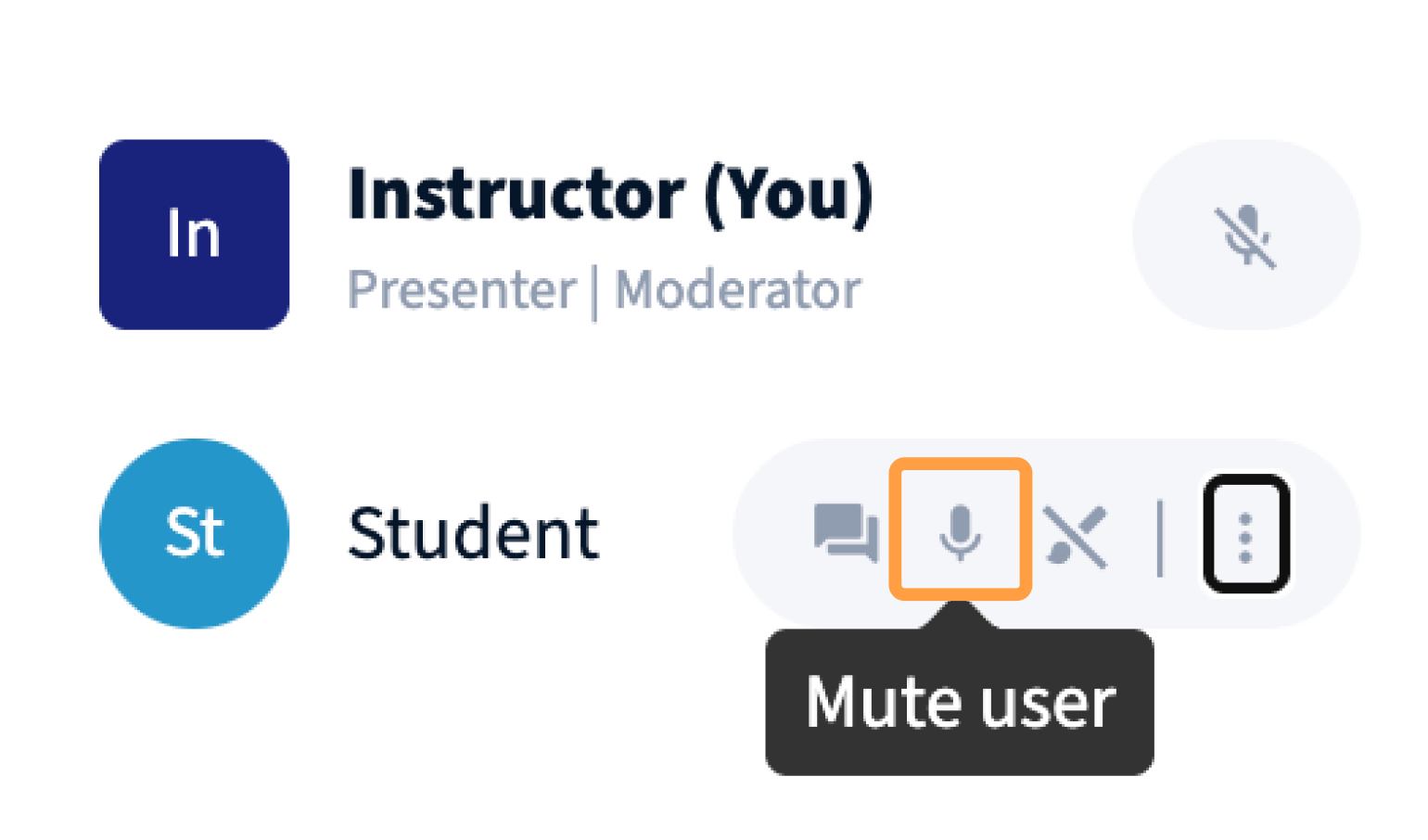
Open permissions and policies from the user list.
2
Clear what you want to restrict
For example, to stop participants from messaging each other, clear private chat.
3
Apply [2]
Select Apply. Participants see the usual message telling them the setting has been locked.
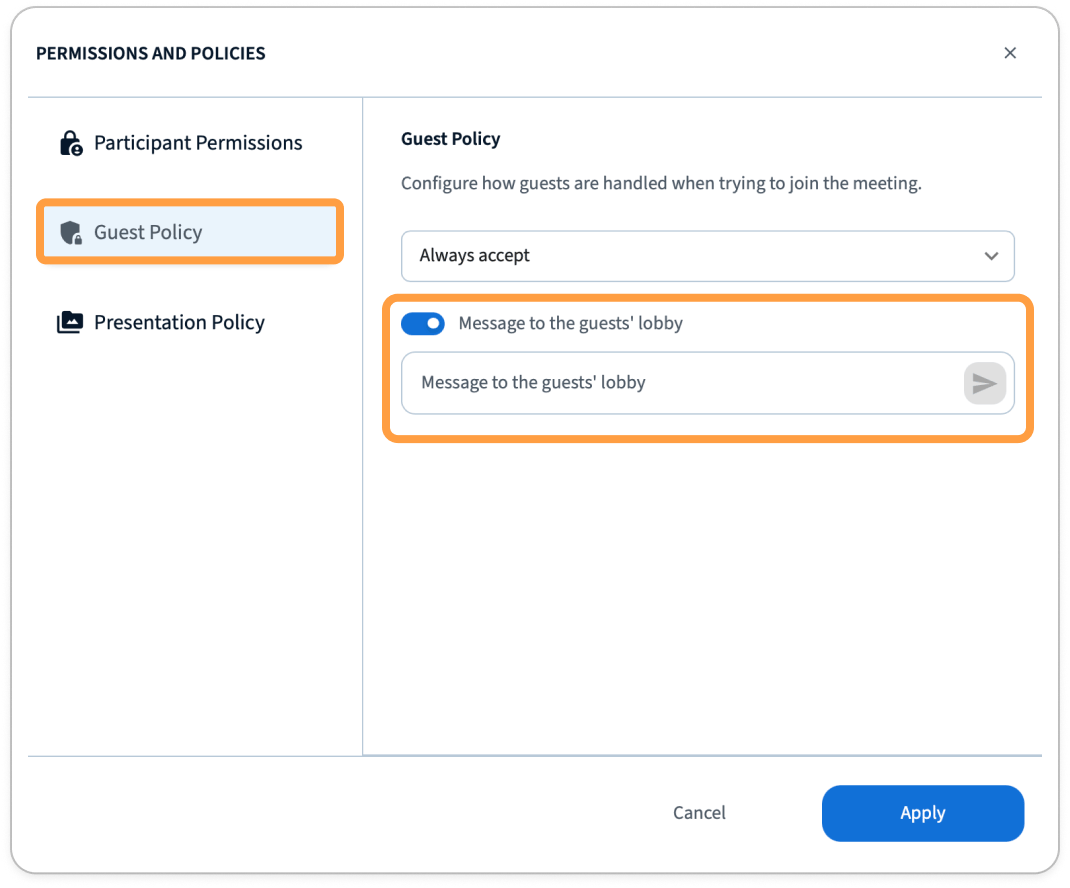
Guest policy
The same place holds the guest policy, which decides what happens when someone arrives [1]: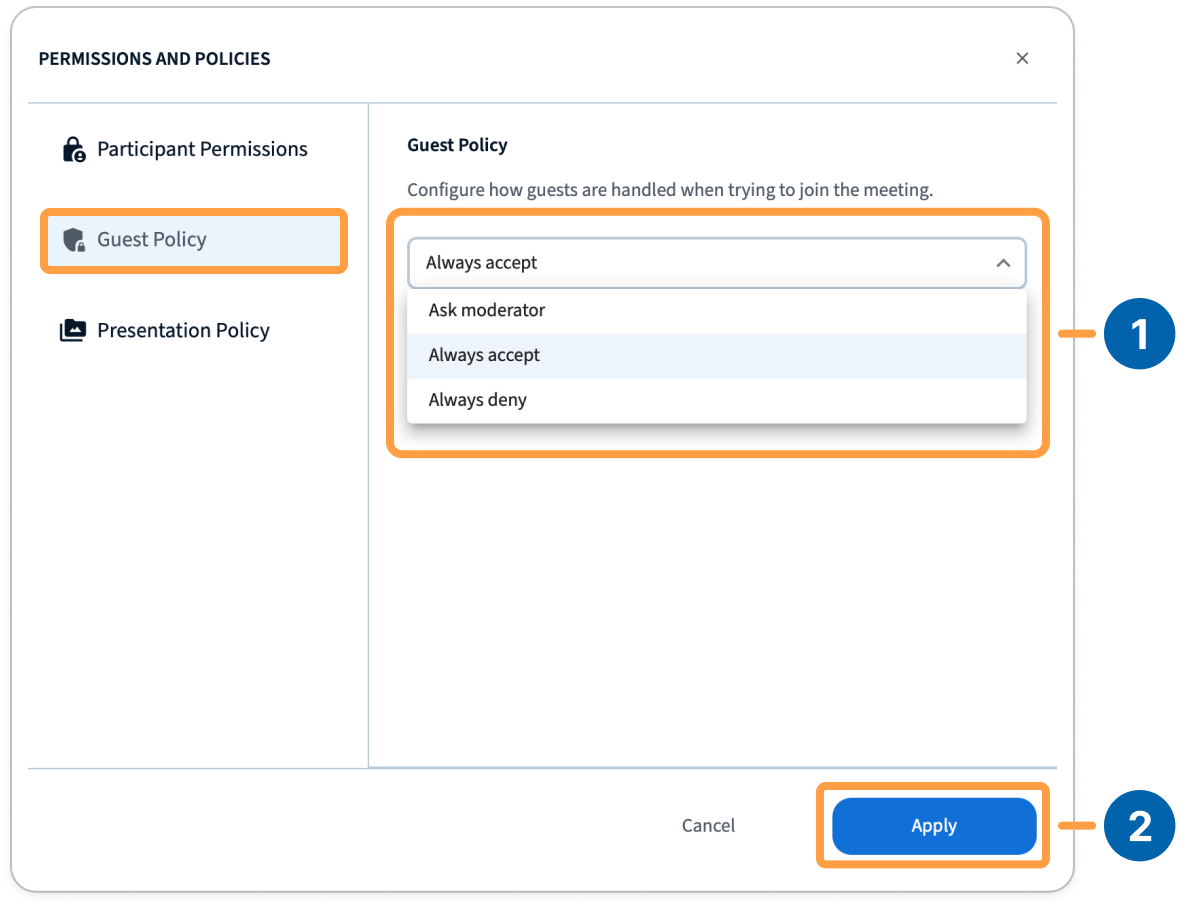
You can confirm your settings by selecting apply [2].
Presentation policy
Also in the same panel is the presenting policy — whether you assign the presenter role, participants request it, or anyone can present at any time [1]. You can confirm your settings by applying them [2] after selection. See Presenting Modes.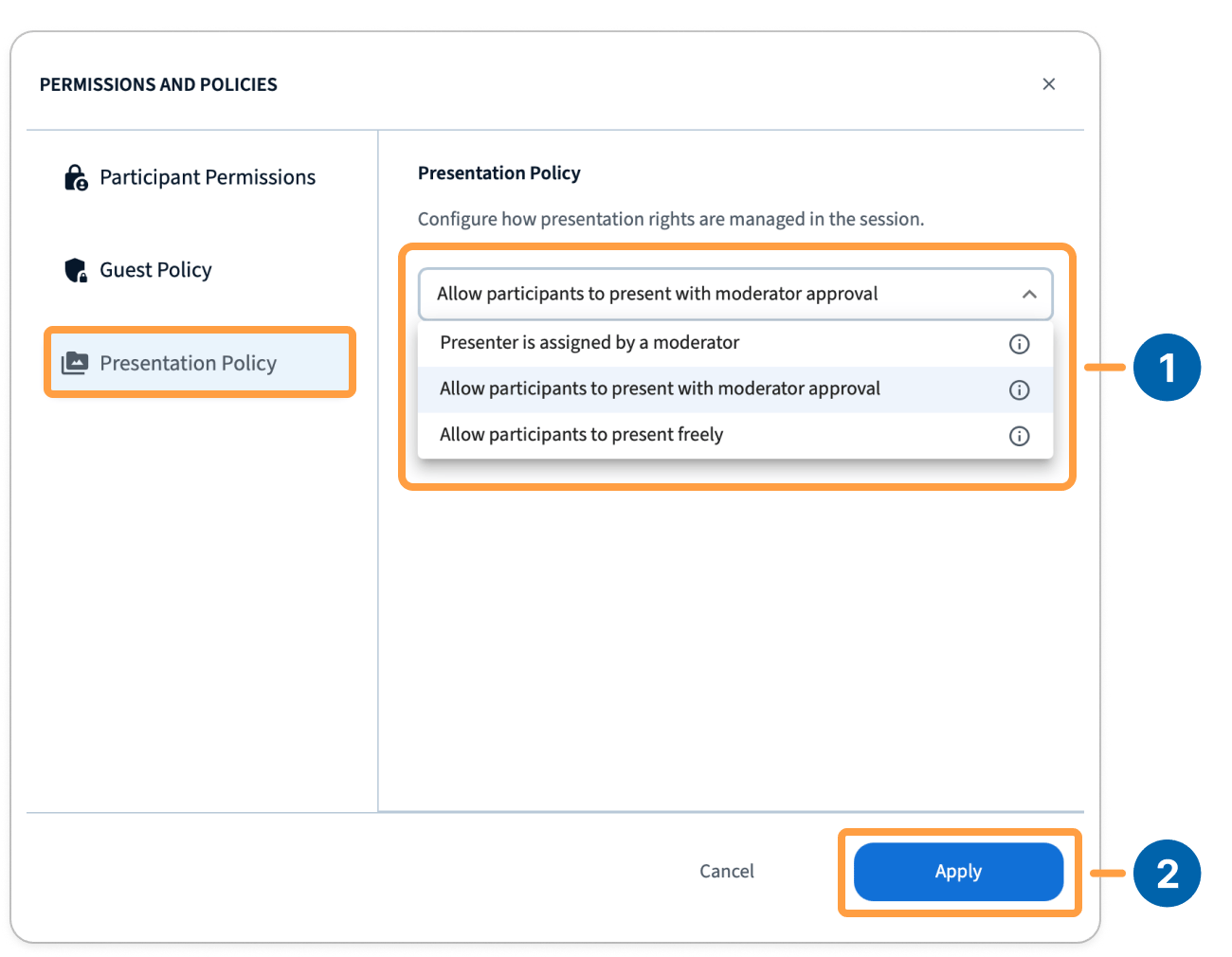
Managing individual users
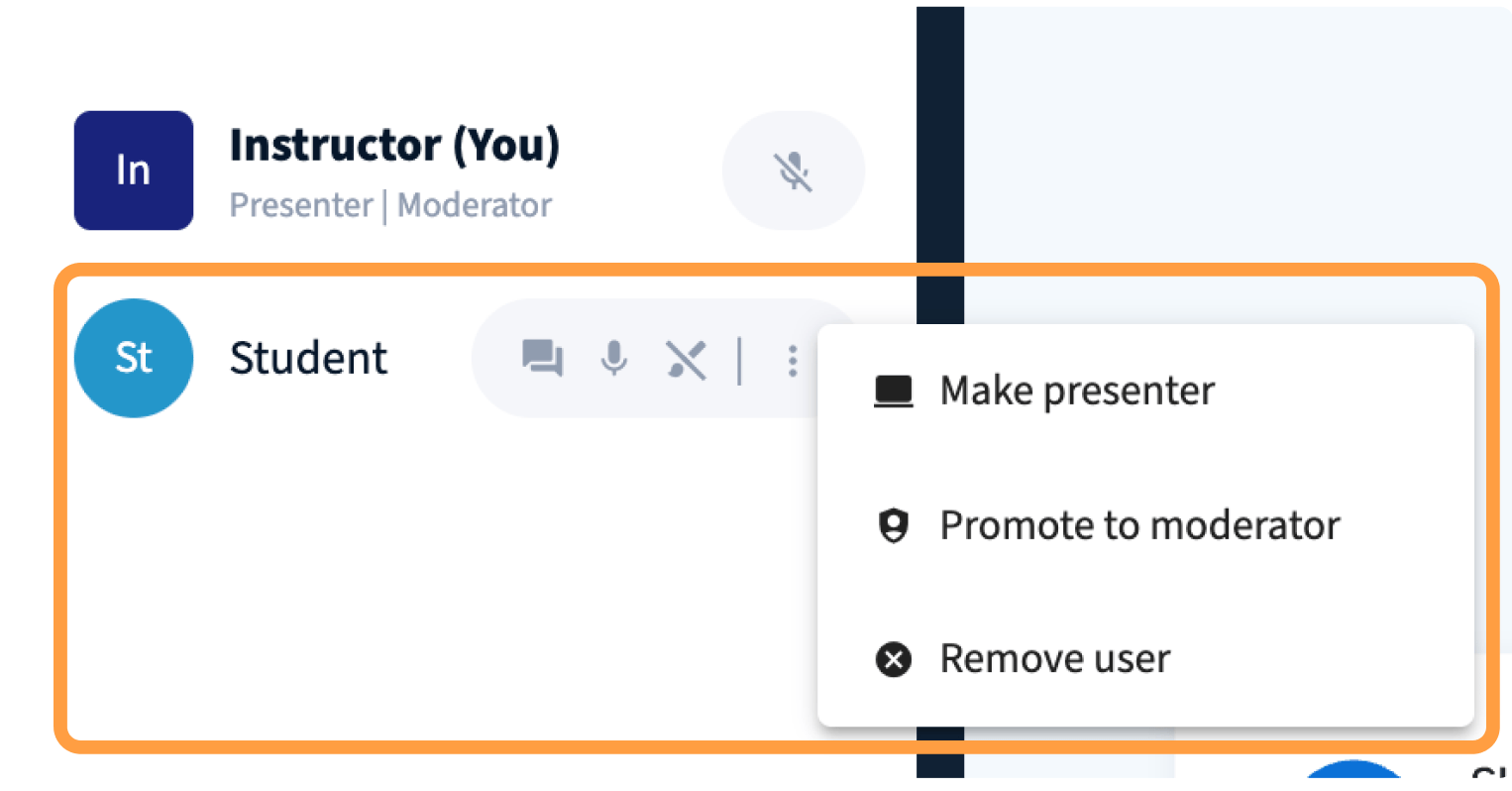
The per-user actions are the same ones you know from 3.0: make someone a presenter, promote them to moderator, or remove them.