Users running Avast or similar antivirus software may see a connection error when joining a BigBlueButton session. Temporarily disabling the antivirus Web Shield restores access.
Antivirus connection error shown when joining a BigBlueButton session

Disable the Web Shield

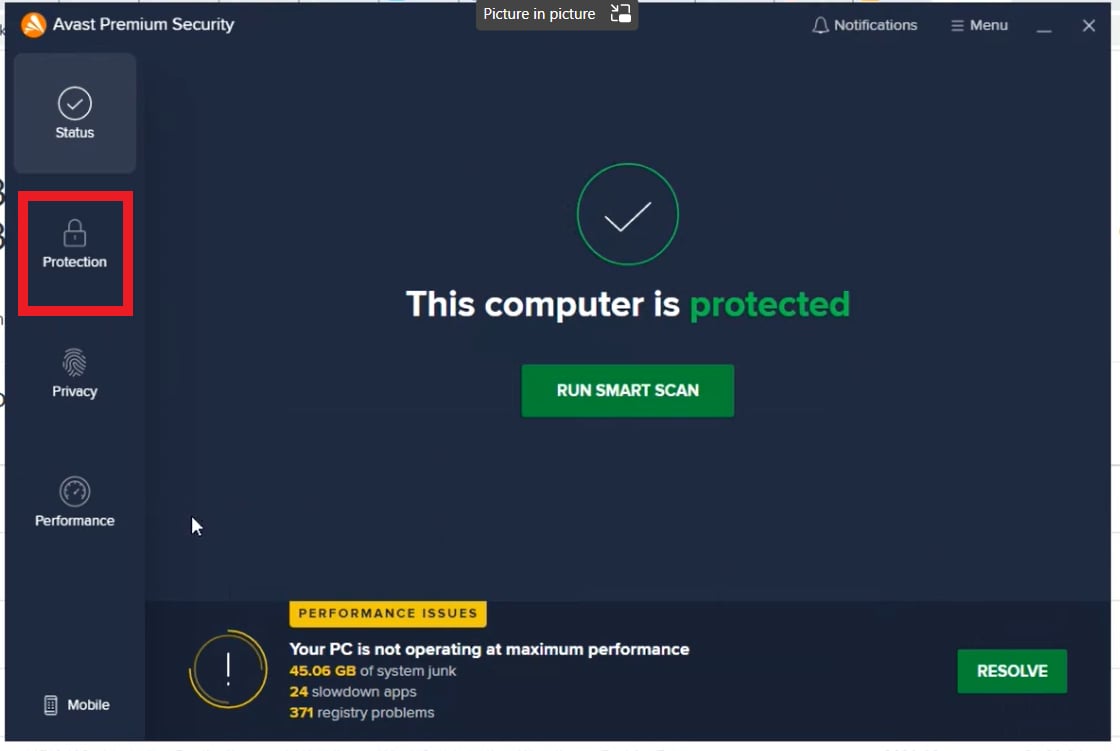
To open the antivirus dashboard, launch your antivirus software.
Avast antivirus dashboard
To open the protection settings, select Protection [1].
Protection icon highlighted in the Avast sidebar
To view the active shields, select Core Shields [1].
Core Shields option inside the Protection menu
To disable web filtering, select Web Shield [1] and switch it off.
Web Shield toggle inside Core Shields
To choose the duration, select the option that matches how long the session will run.
Duration options for disabling Web Shield
The Web Shield icon turns from green to red, confirming the shield is off.
Web Shield icon shown in red after being disabled
After the Web Shield is disabled, rejoin the BigBlueButton session. Re-enable the shield once the session ends to restore full protection.