If you encounter an error message in the client, or the client’s screen suddenly goes blue, then the browser’s console will contain additional…
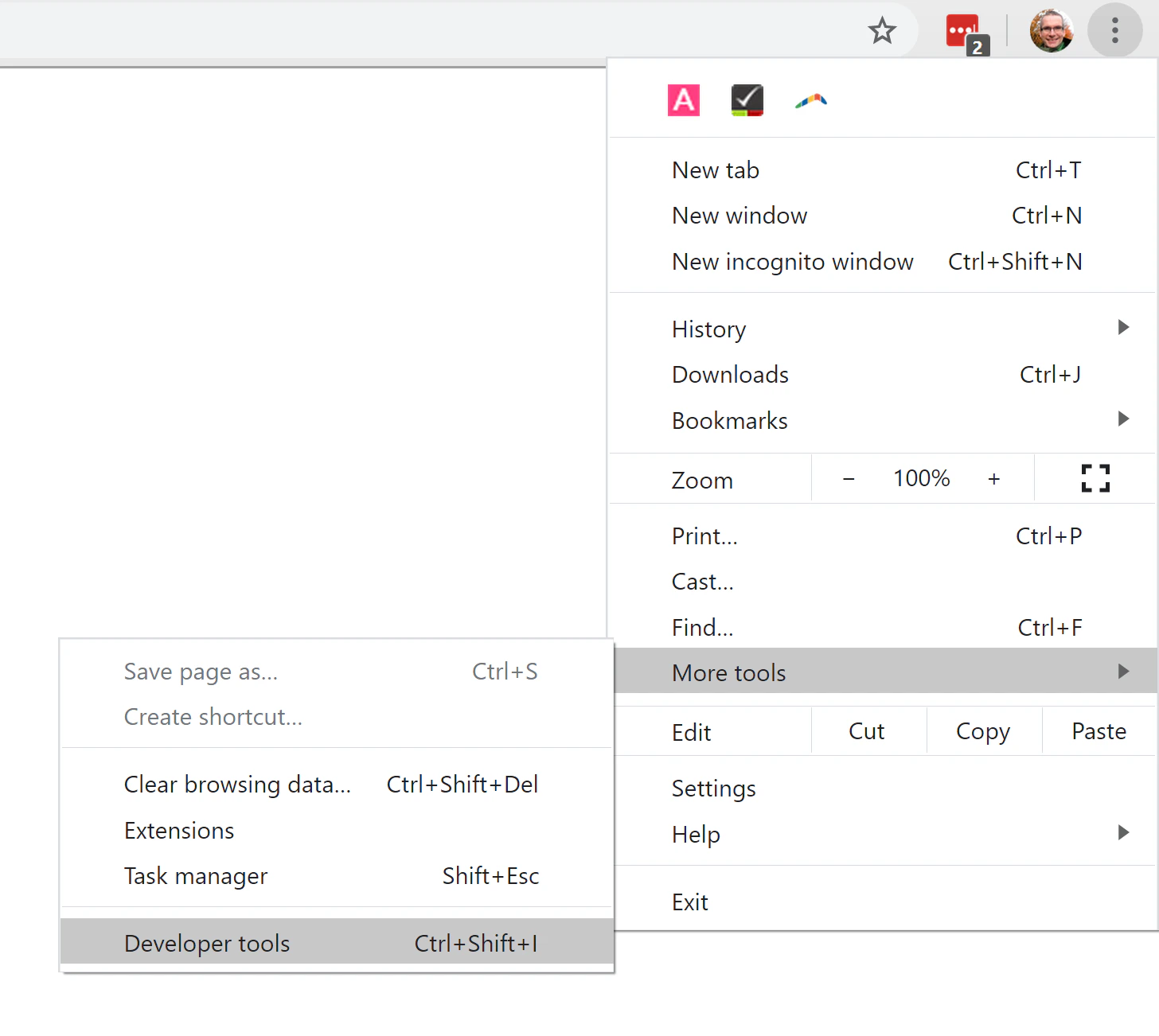
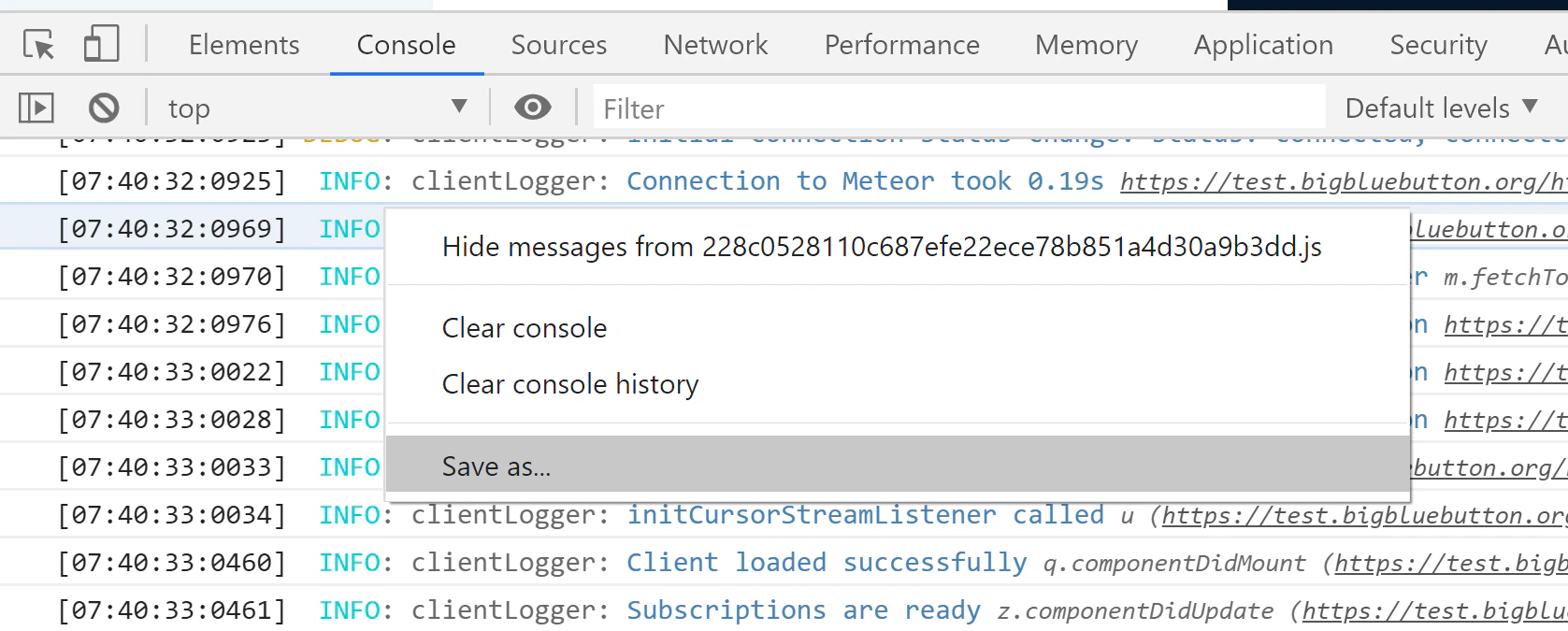
If you encounter an error message in the client, or the client’s screen suddenly goes blue, then the browser’s console will contain additional information on the error message.Video on Chrome.Video on Firefox.To access the console in Chrome, under the menu choose More tools -> Developer toolsThis will open to the Javascript console by default. Within the area of the console, right-click and choose Save as…This will prompt you to save the contents of the console to a file.Send this file to Blindside Networks support with as much description as possible of what you were doing prior to seeing BigBlueButton show an error or stop working.
Was this page helpful?
Assistant
Responses are generated using AI and may contain mistakes.