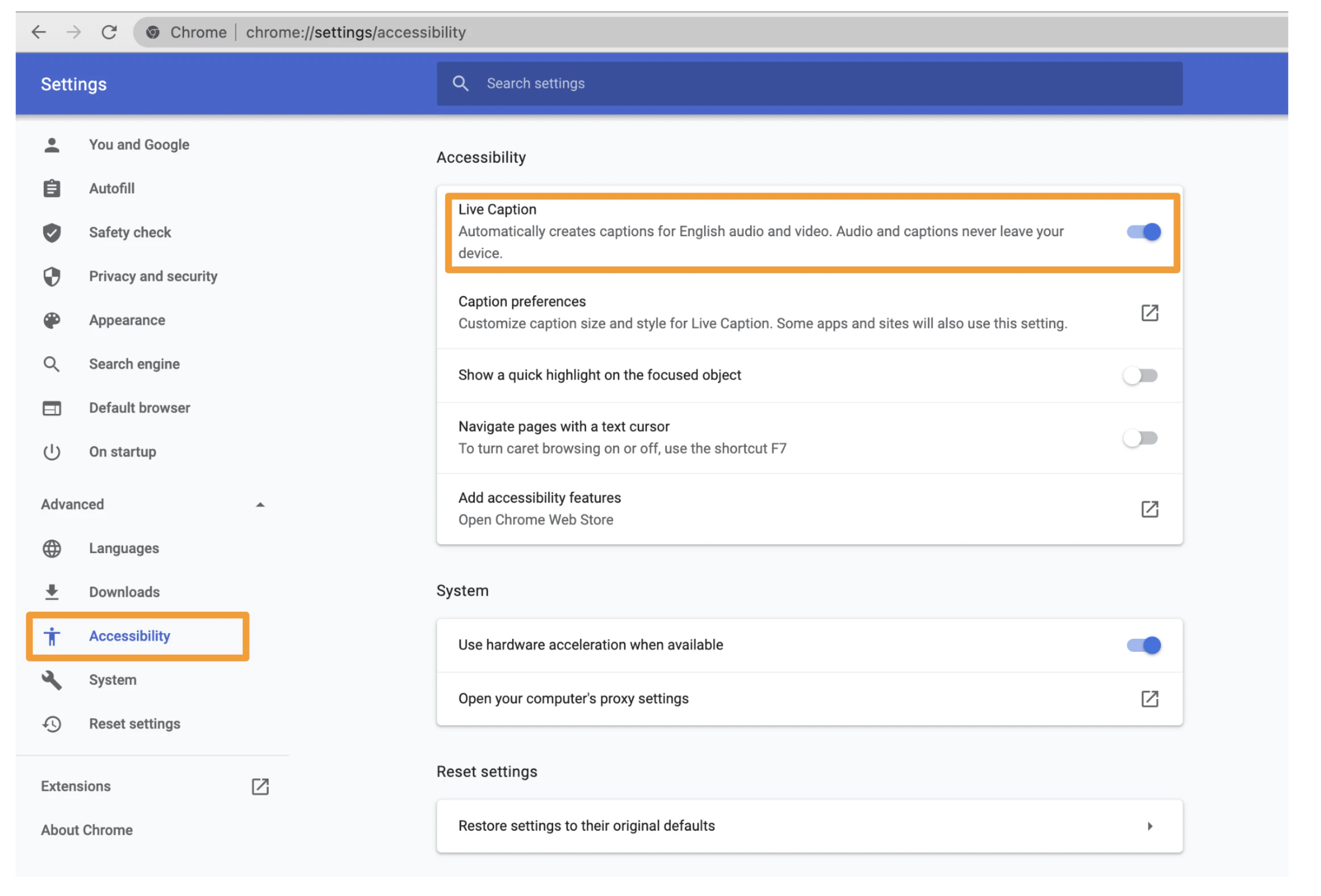
Chrome v132.0 (and later) offers built-in captioning of all audio in a meeting.
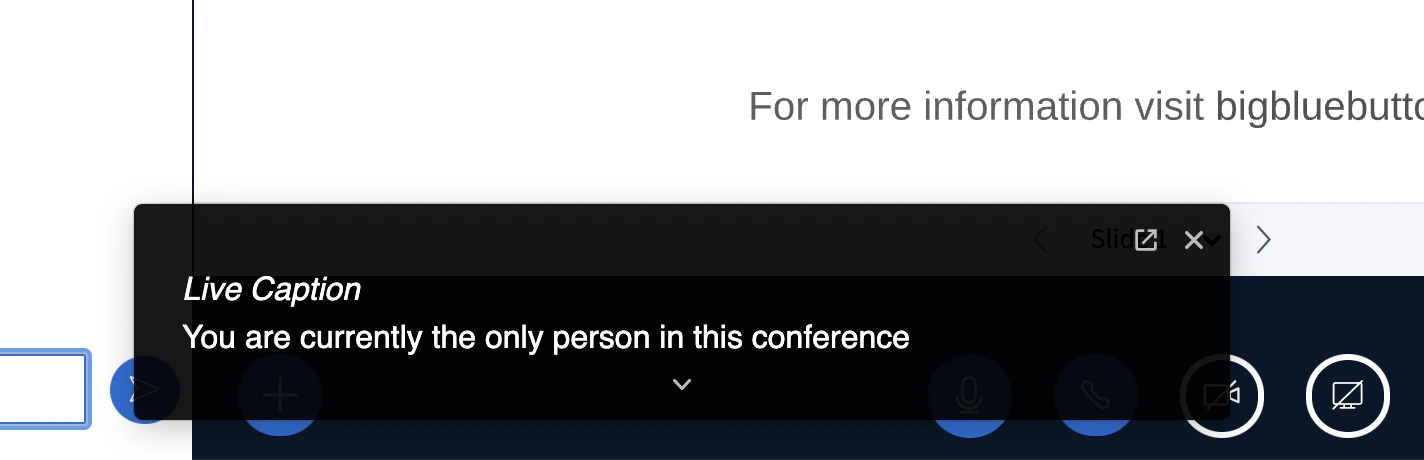
You can enable live captioning by opening Chrome settings, Select Advanced, Select Accessibility, and enabling Live Captions.Once enabled, you’ll see a window at the bottom giving a live caption (English) of the meeting’s audio.For more information, see https://blog.google/products/chrome/live-caption-chrome/
Was this page helpful?
Assistant
Responses are generated using AI and may contain mistakes.