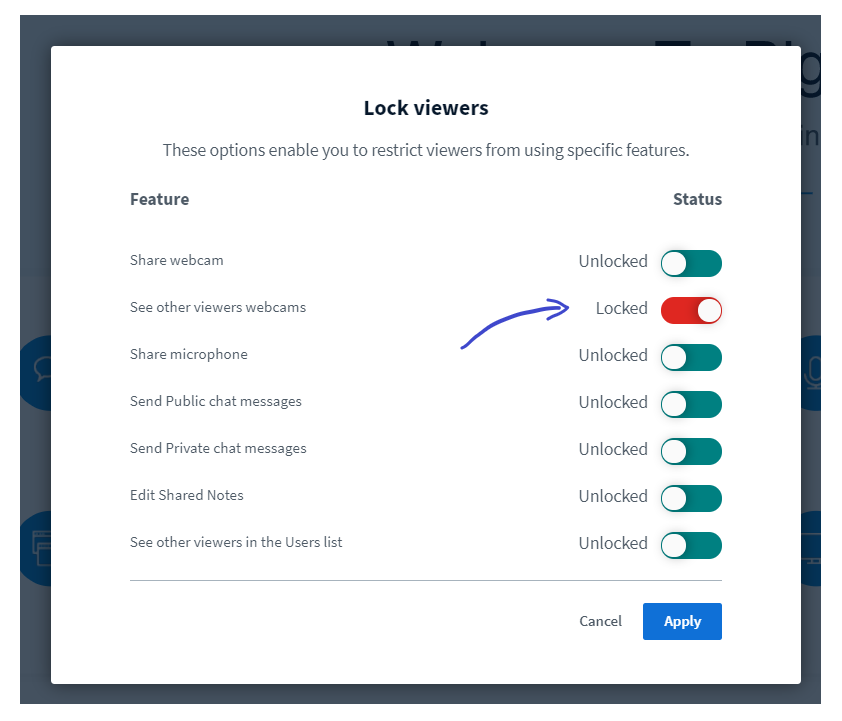
BigBlueButton is not designed as a purely video conferencing application, but rather it focuses on engagement with students (breakout rooms, shared notes, multi-user whiteboard, etc.). For most Premium Tier accounts, you can share webcams in BigBlueButton and students can see each other by unlocking the See other viewers webcams (in the lock settings). mceclip0.png BigBlueButton will dynamically adjust the number of webcams moderators and viewers see based on the number of users in the session.
Number of UsersWebcams moderator can viewWebcams viewers can view
>30256
>40205
>50164
>6084
>7083
>8082
>10082
See this article for further information - Options for giving students visibility of other student’s webcams Right now, there are no hard-coded limits in the webcam sharing, but the above guidelines will ensure you and your students have a good experience. If a student is on low bandwidth, they can turn off webcams for their client via the Options menu. Viewers now see (up to) five (5) webcams at a time.