

It it important to note that only user(s) who have been assigned the Administrator role have access to the Administrator Panel.
Once you are logged in as an Administrator your account drop down will have a new option titled Organization: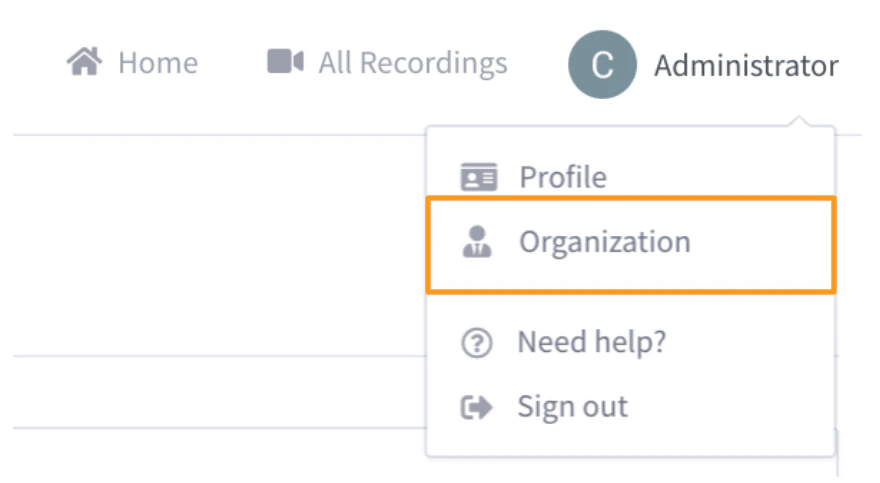
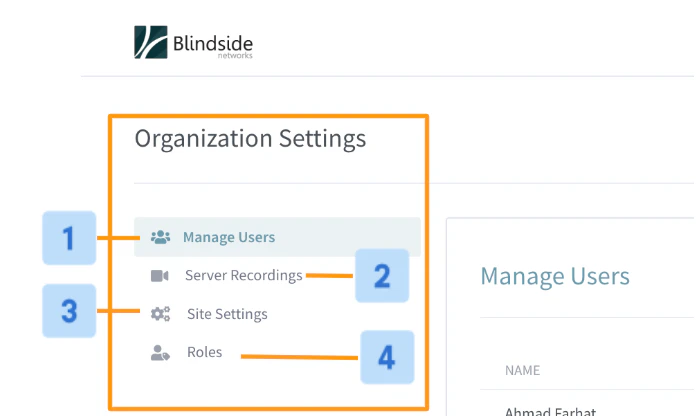
- Manage Users [1]: quickly manager users and accounts associated with your Personal Rooms instance.
- Server Recording [2]: easily access all recordings associated with Personal Rooms.
- Site Settings [3]: customize your Personal Rooms instance. Set a logo, theme colour, and registrations methods (to name a few).
- **Roles [4]: **edit or create new roles and assign permissions.