Documentation Index

Fetch the complete documentation index at: https://bigbluebutton.com/docs/llms.txt

Use this file to discover all available pages before exploring further.

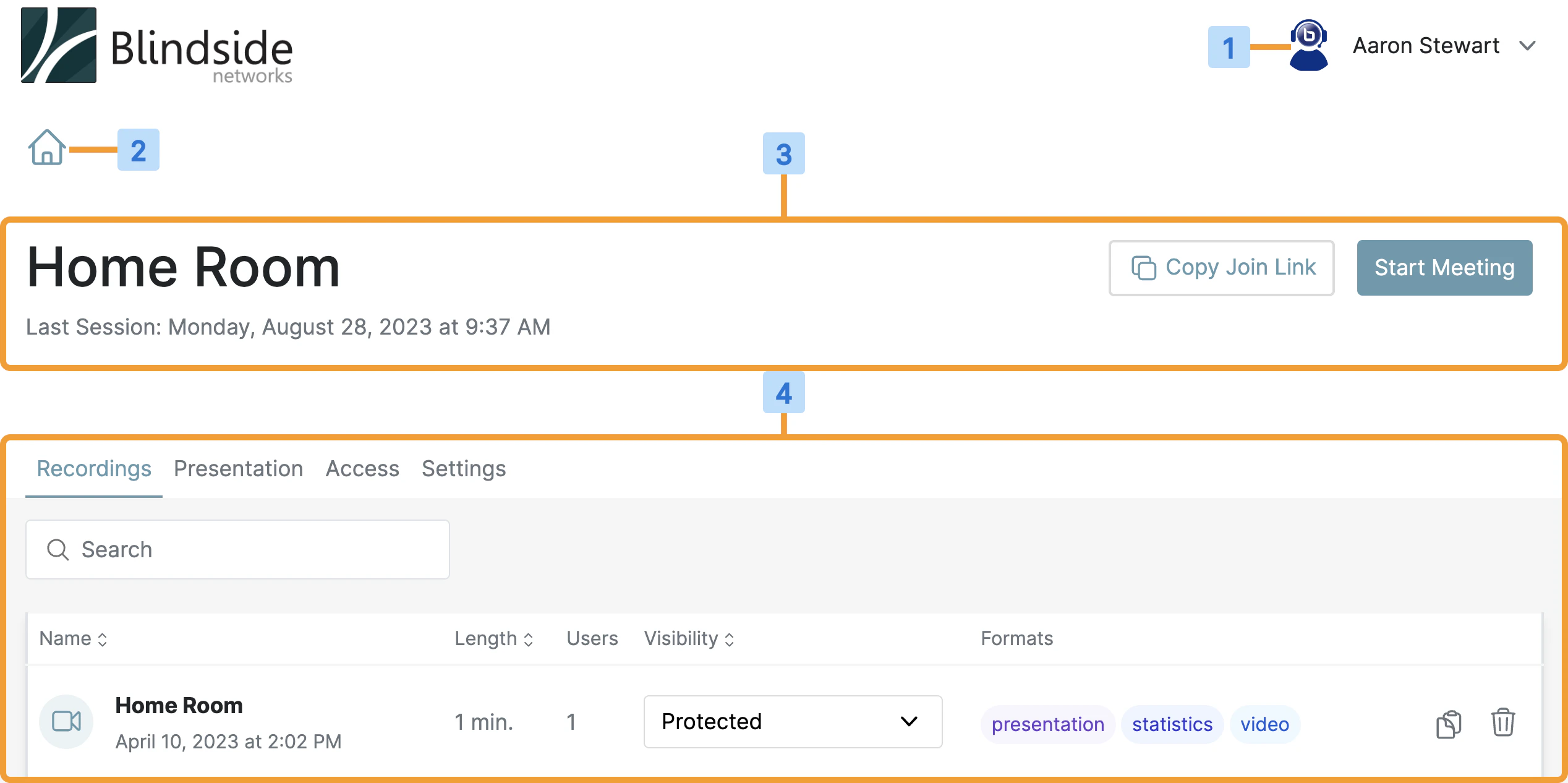
After you sign in to Personal Rooms, the main page displays four key areas: Account Information, the Home Button, the Personal Room Manager, and the Recordings Manager. Personal Rooms main page with Account Information, Home Button, Personal Room Manager, and Recordings Manager areas highlighted
  • Account Information [1] — update your profile, access the help center, and (if applicable) open the Administrator Panel.
  • Home Button [2] — quickly return to the home page that lists all of your Personal Rooms.
  • Personal Room Manager [3] — shows the room title and lets you start, join, or copy the room link, alongside last-session information.
  • Recordings Manager [4] — shows recordings, meeting statistics, and the invite link for the selected room. Processed recordings appear here once they are available.

Recordings Manager
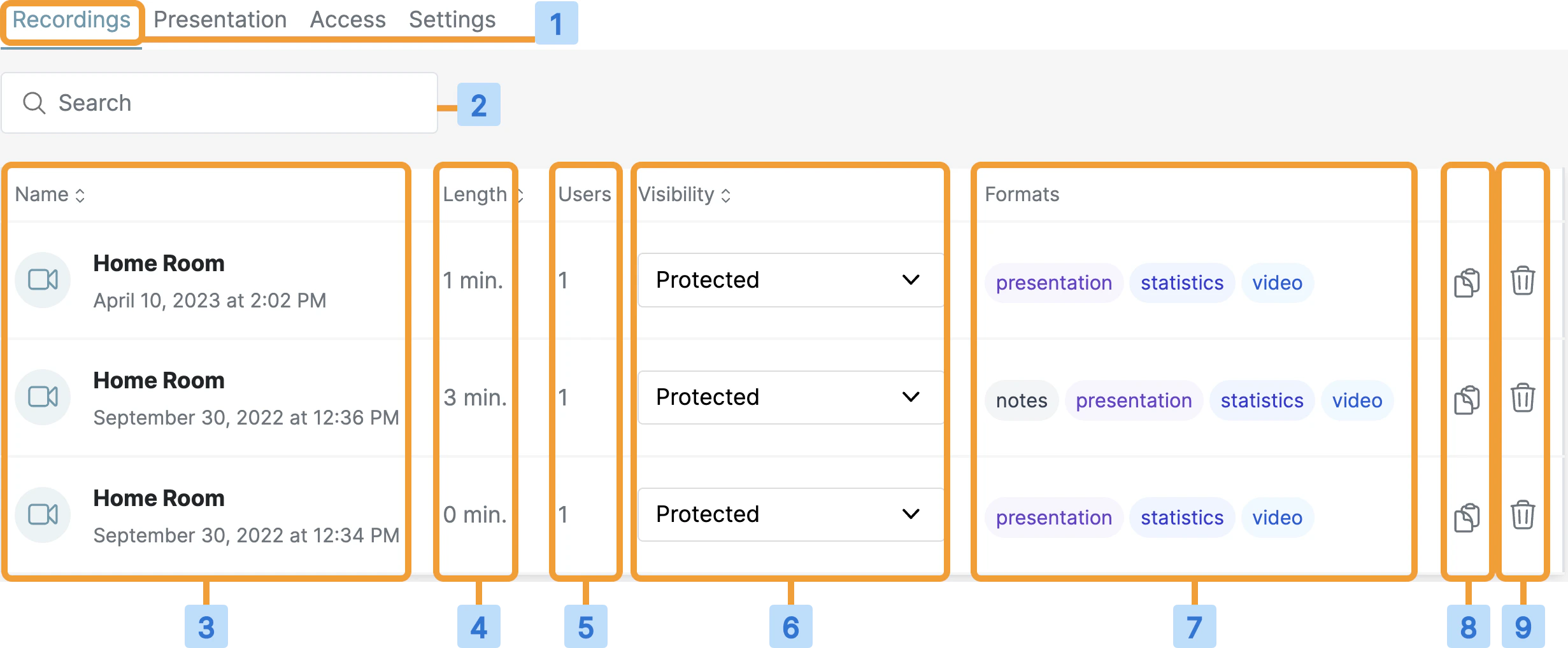
Recordings Manager listing recordings with name, date, length, attendees, visibility, and format columns
#Column
1Recordings tab — shows all recordings for this room.
2Search for a recording.
3Recording name and the date and time of the session.
4Length of the recording in minutes.
5Number of users who attended.
6Visibility of the recording.
7Available formats.
8Quickly copy the recording link.
9Quickly delete the recording.