Create a new Conference
BigBlueButton is available within the course menu.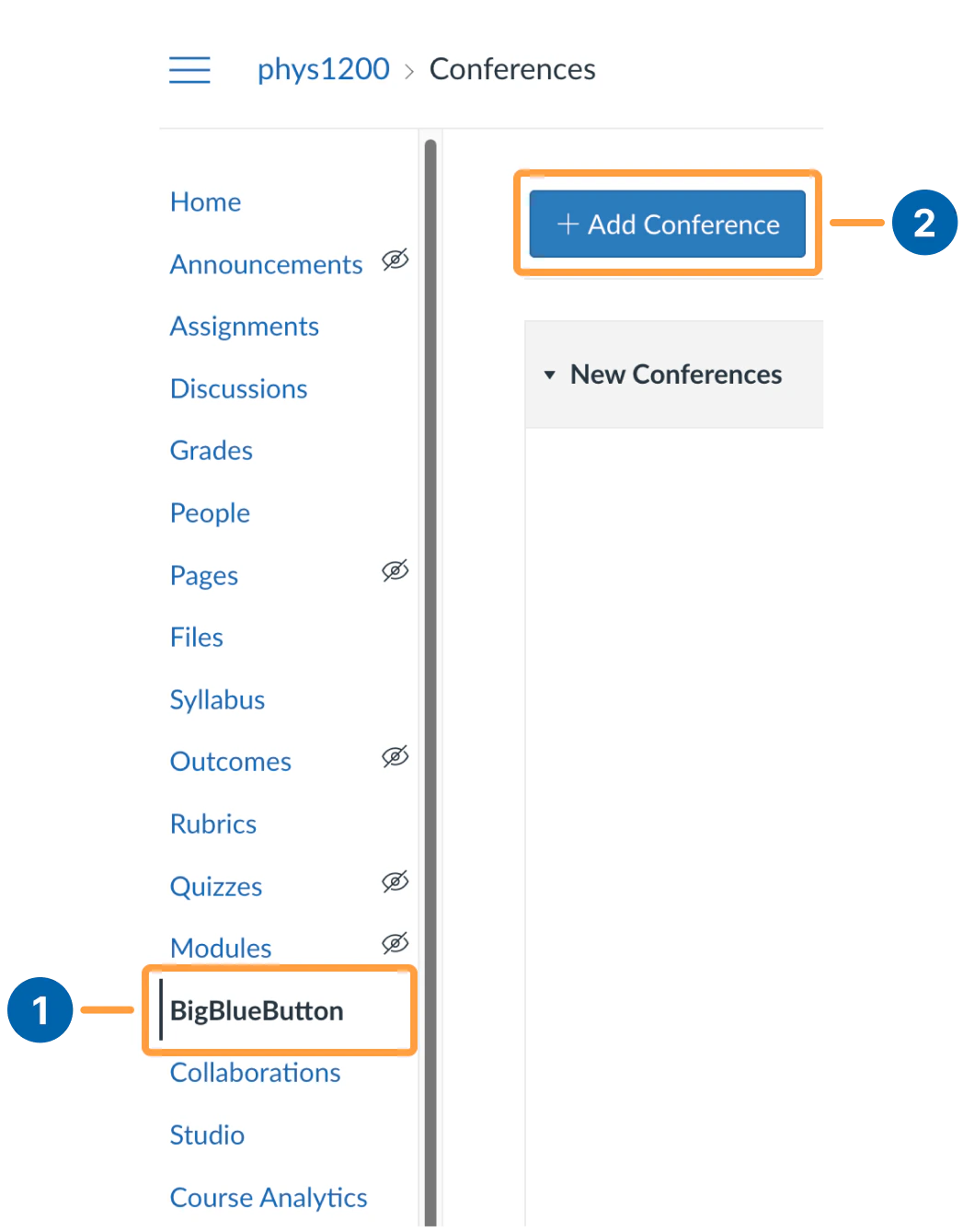
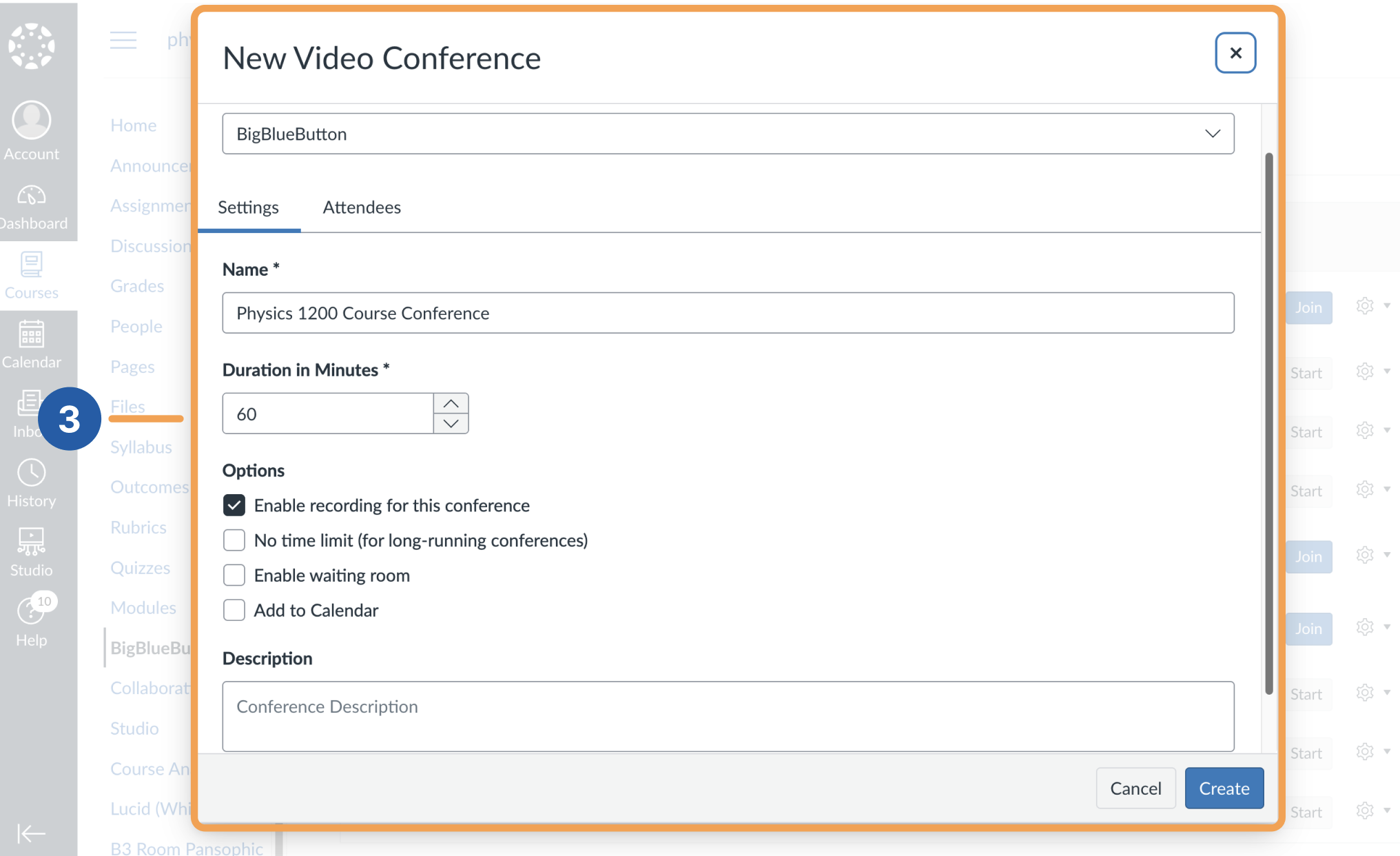
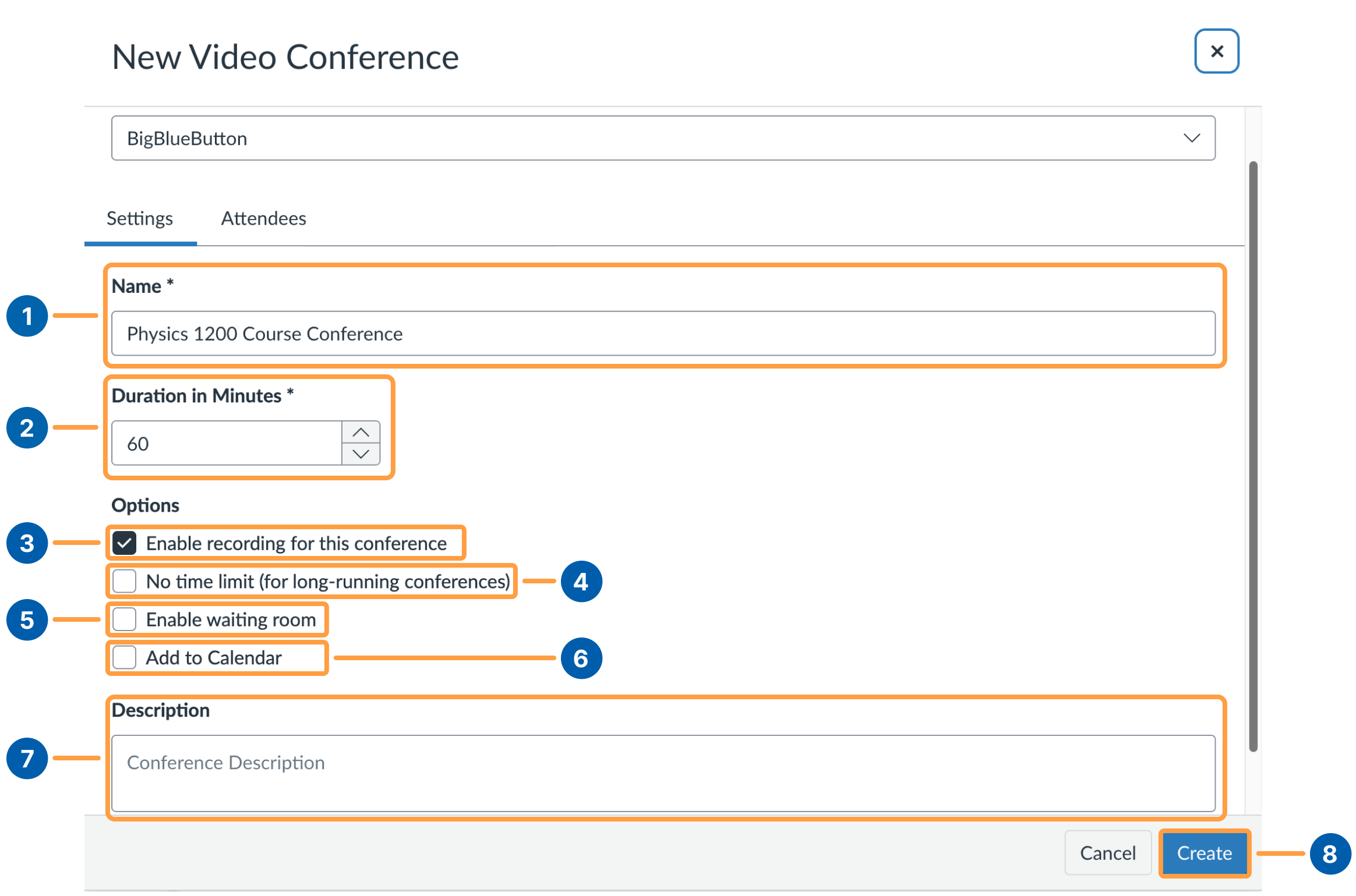
- Name: The title of the Conference you are creating.
- Duration in Minutes: How long students can join after the Conference starts, after which the session closes its doors.
- Enable recording for this conference: Check this to enable start, pause, and stop recording, along with recording recovery.
- No time limit: Keeps the Conference open after starting, so the join option is always visible.
- Enable waiting room: Creates a waiting room so you can admit selected students or everyone when you are ready.
- Add to calendar: Adds the Conference to the course calendar.
- Description: Add details about your Conference.
- Create: Confirms creation of the Conference with these settings.
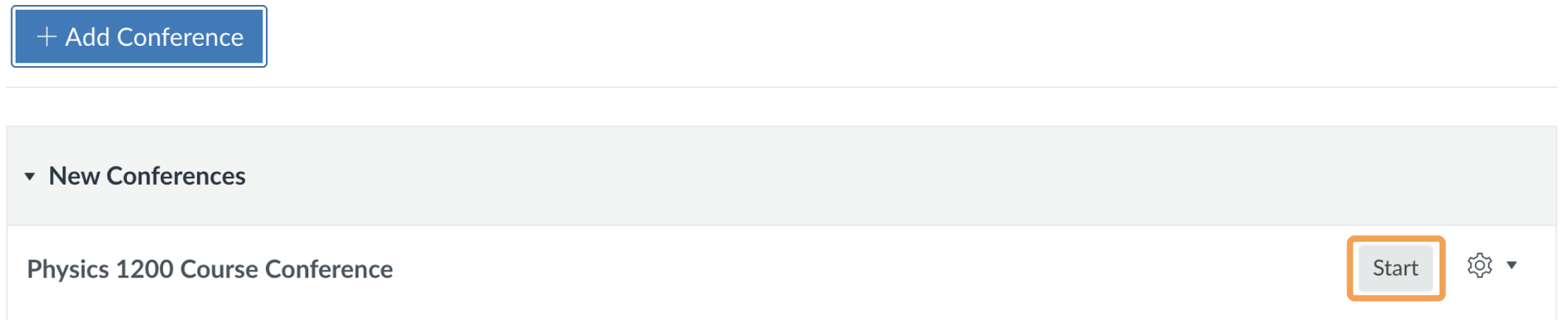
Start a created Conference