Instructors can find and delete recordings of concluded Canvas Conferences, and premium-tier customers can also view recording statistics and notes.
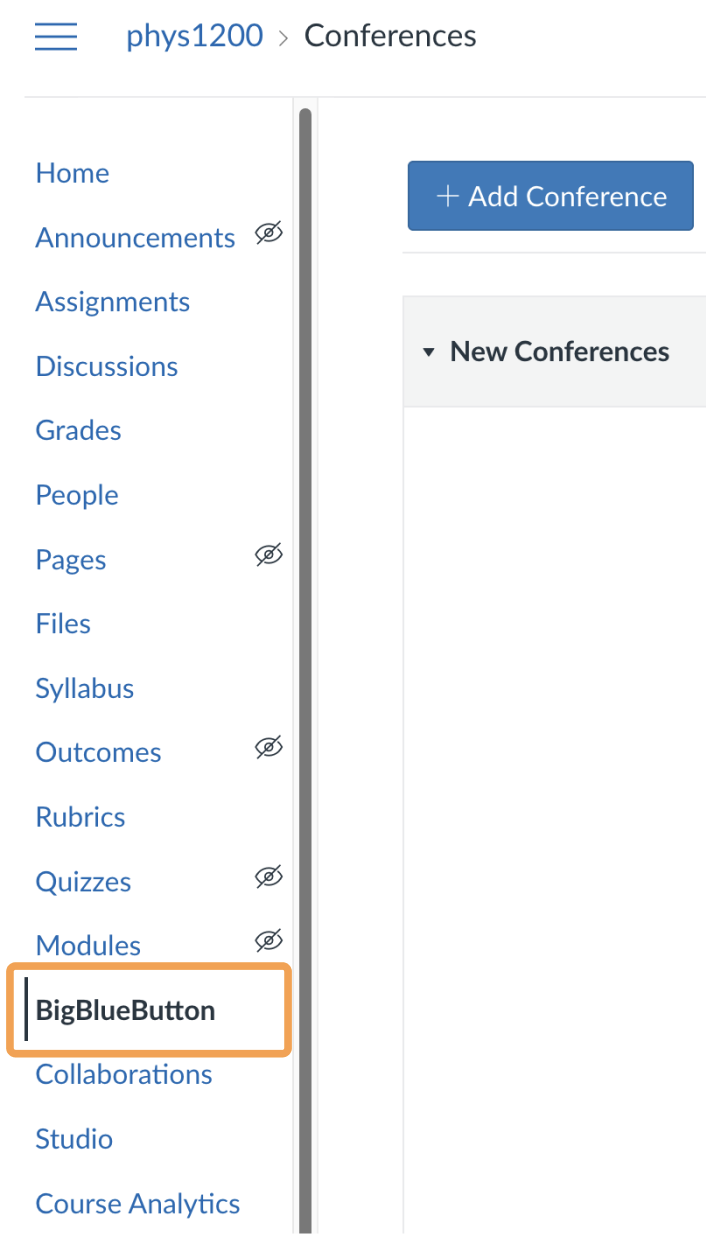
If you enabled recording when you created the Conference and used the start/stop record button during the live session, a recording is available afterward.To locate a recording, select BigBlueButton in the course navigation.
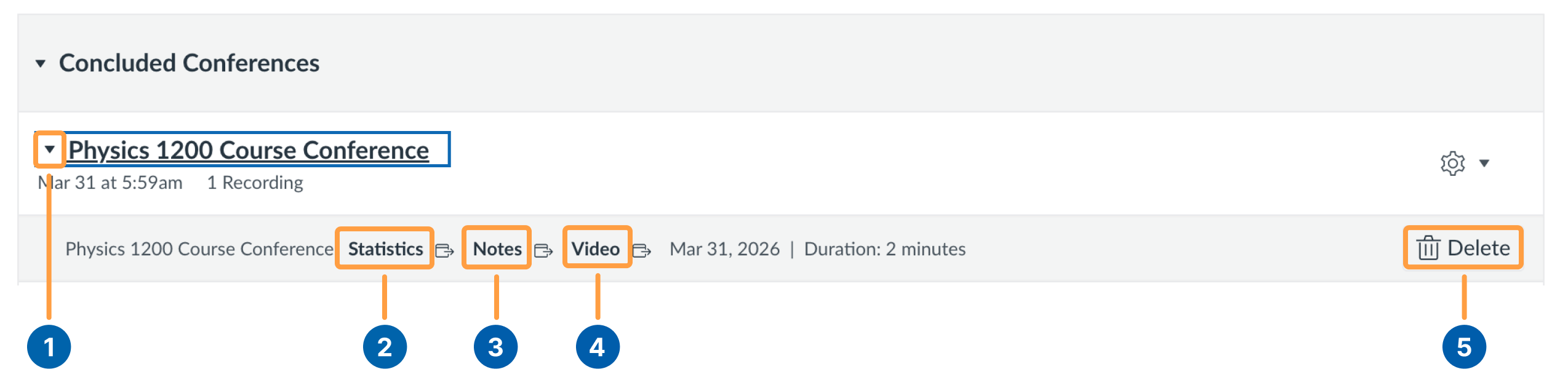
Under Concluded Conferences, locate the Conference activity to view its available recordings.
You may need to expand the Concluded Conference Activity Menu [1] to reach the recording Video Link [4]. From here you can also Delete [5] a recording.If you are a premium tier Canvas Customer you will also have access to recorded meeting Statistics [2] and Notes [3]. If you are a premium-tier Canvas customer, you also have access to recorded meeting Statistics [2] and Notes [3].
A recording takes approximately the same amount of time to process as the duration of the live session.
Was this page helpful?
Assistant
Responses are generated using AI and may contain mistakes.