The built in access control list gives you full control over who can see the conference
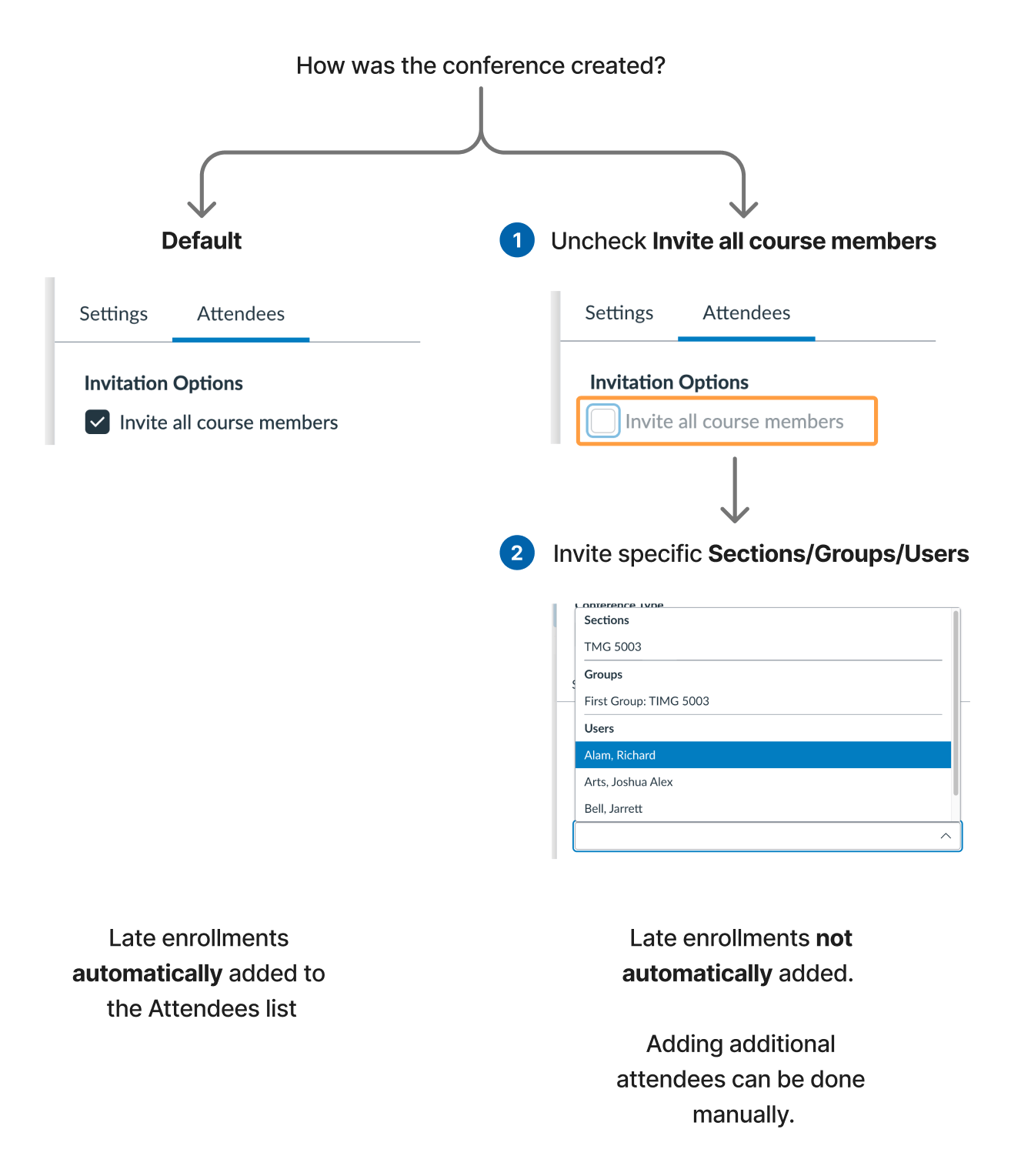
Each conference has a built-in access control list that lets you specify exactly who can see the conference, join it, and view subsequent recordings. By default, all members in the course are invited to the Conference, and any late enrollments automatically add the to conference.You can change this default when creating a conference by un-selecting Invite all course members.
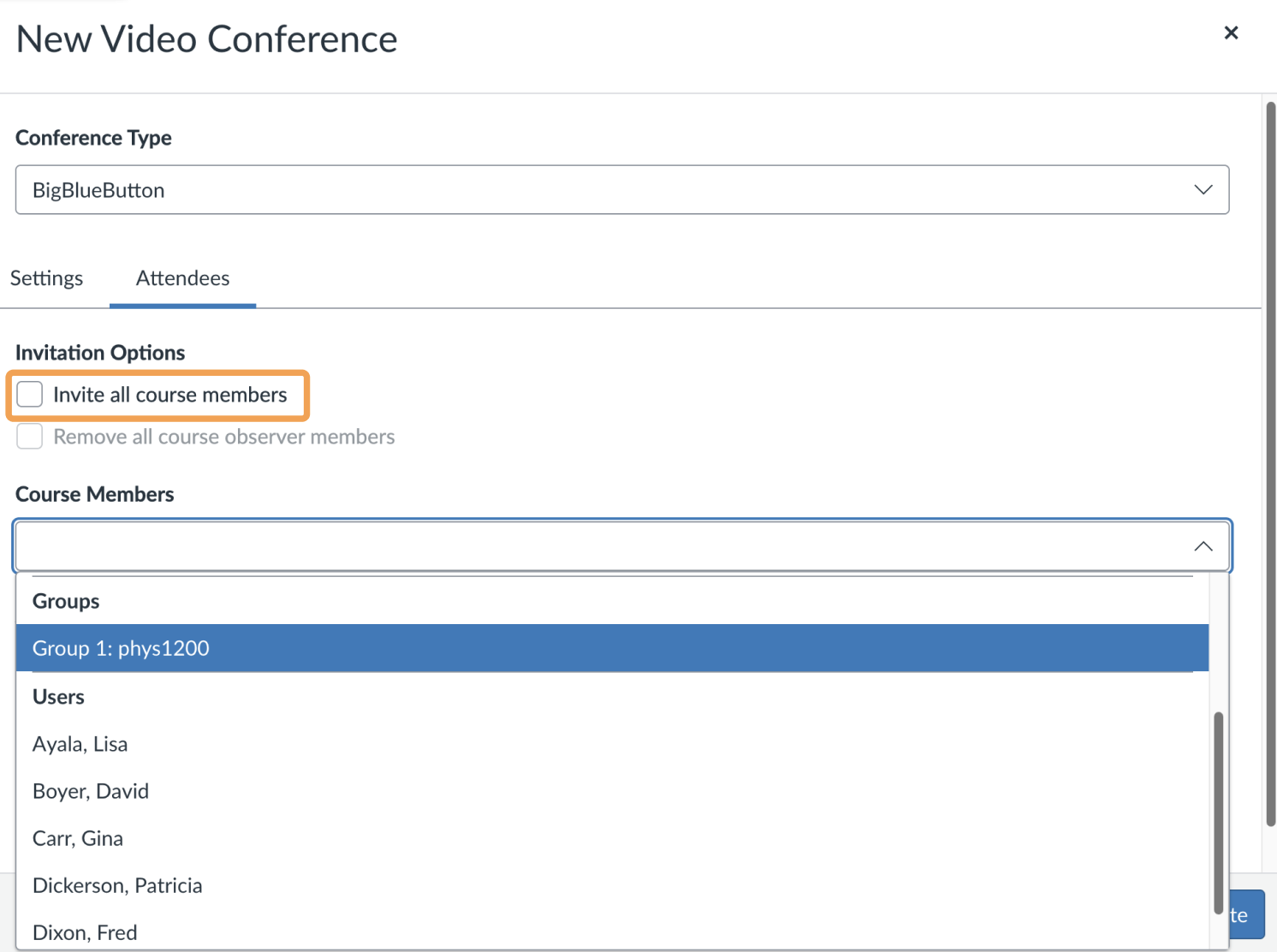
To choose specific members, unselect Invite all course members and select individual members. The options to invite sections, groups, and users then become available.
When creating a conference and unselecting Invite all course members, and Canvas will respect your selection and not automatically add late enrollments.To save your Conference settings, select Update.
Was this page helpful?
Assistant
Responses are generated using AI and may contain mistakes.