

As an administrator or owner of the BigBlueButtonBN room/activity you can customize your participants list.
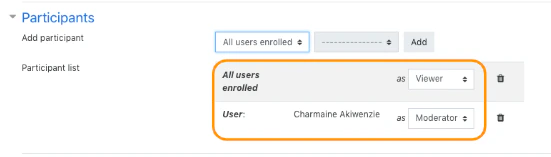
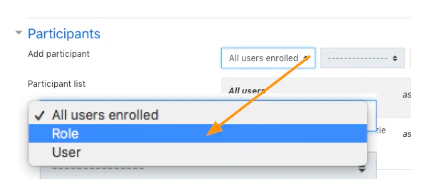
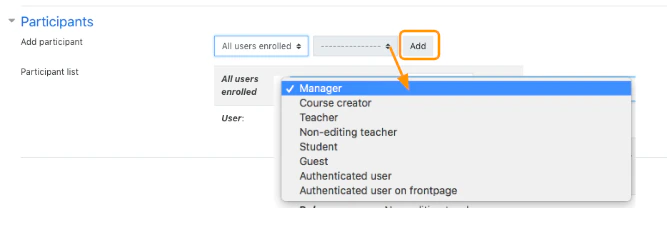
 All added users appear under the owner of the activity in the participants list. The BigBlueButtonBN room/activity sets participants added to the list as viewers by default.
 To change how users enter the BigBlueButtonBN conference, select the enter as drop down. Participants can enter as either viewers or moderators.
Viewers are limited within the BigBlueButton conference while moderators are enabled with full functionality.
To change how users enter the BigBlueButtonBN conference, select the enter as drop down. Participants can enter as either viewers or moderators.
Viewers are limited within the BigBlueButton conference while moderators are enabled with full functionality.
 To delete a user added to the participants list, select the trash can icon.