Save whiteboards and shared notes from breakout rooms as PDFs and access them from the Action menu after rooms end.
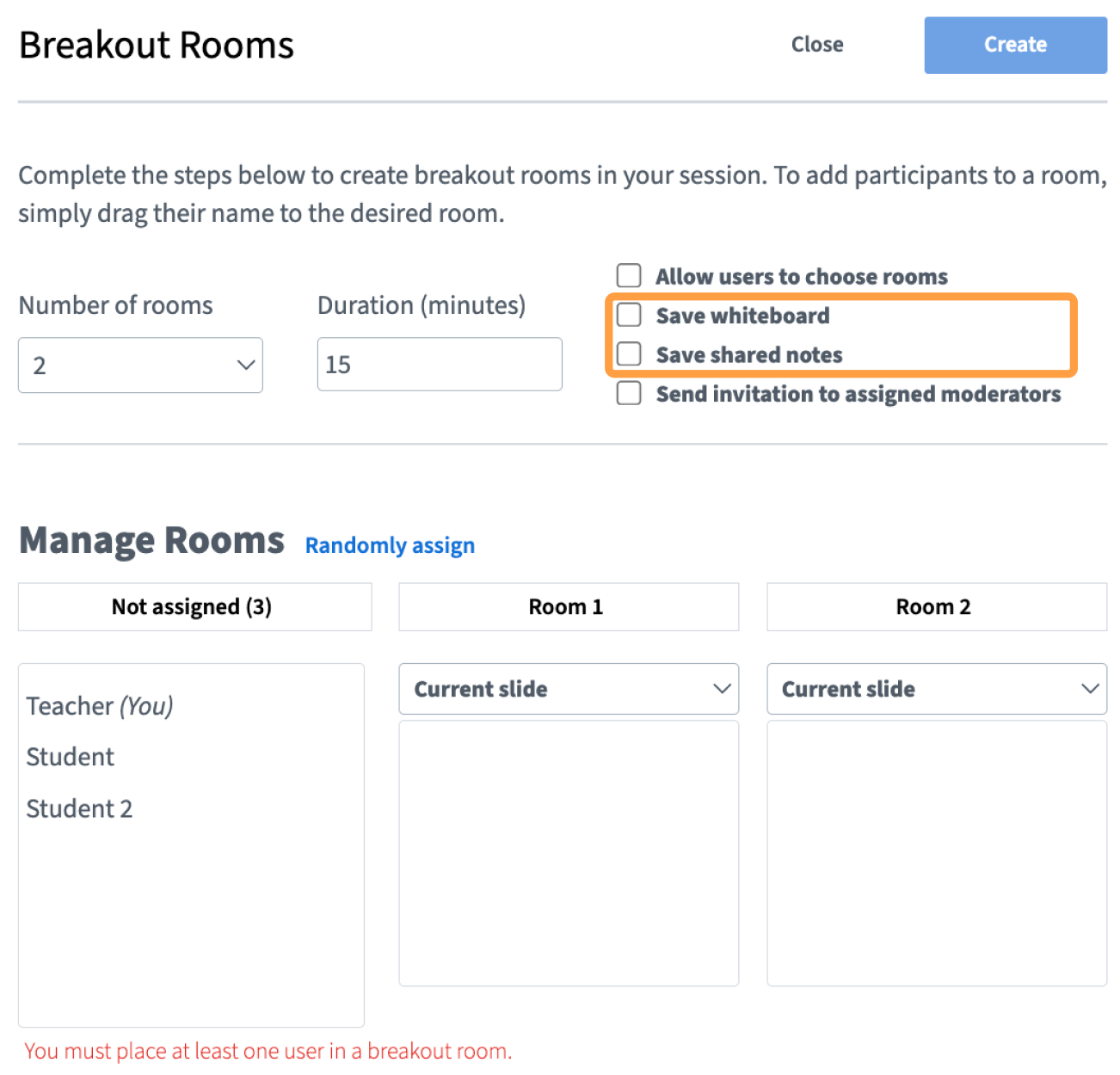
When creating breakout rooms, you can select Save whiteboard or Save shared notes.
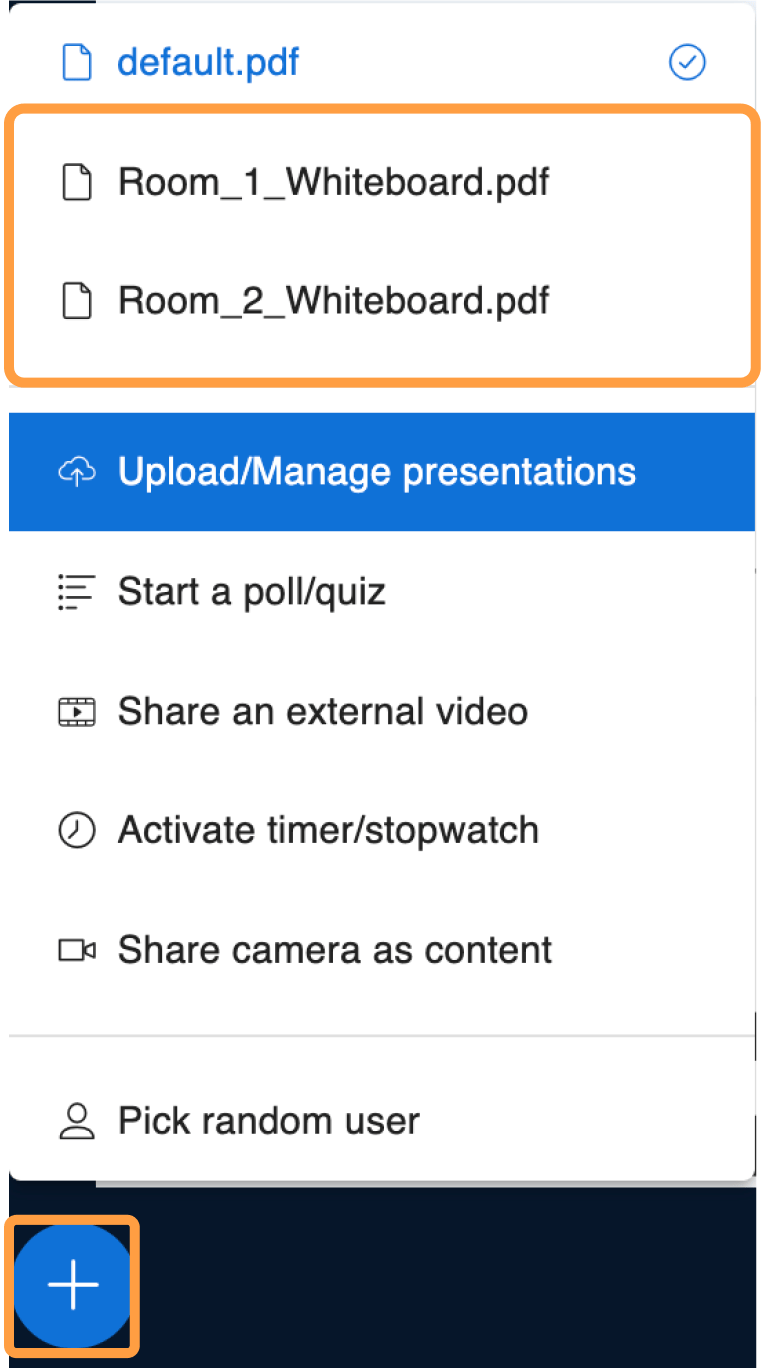
This will export whiteboard presentations or shared notes from all of the breakout rooms you created as PDFs. When breakout rooms end, you can access the files from the Action menu (+).
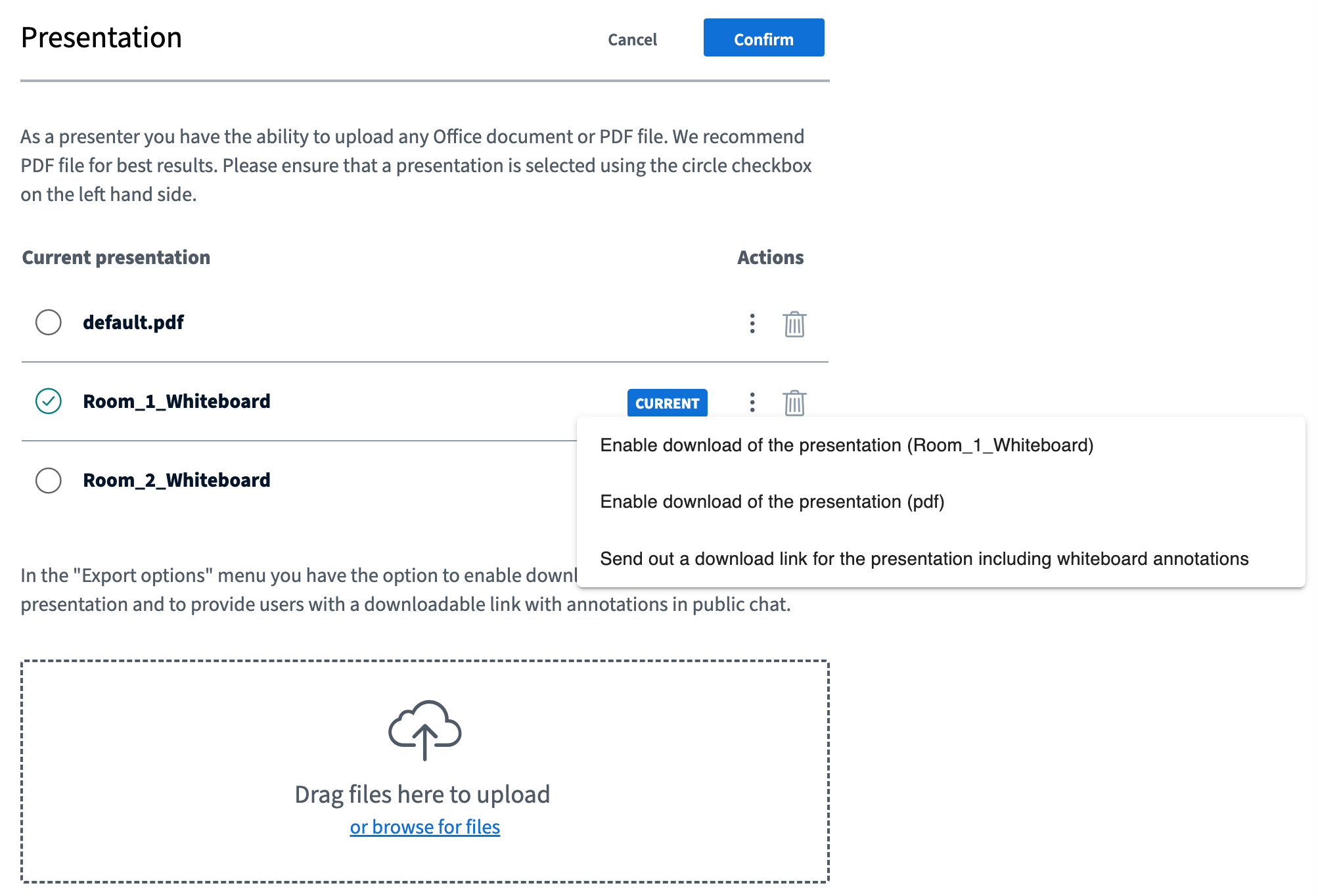
Or, you can access the files from the Upload/Manage presentations menu.
Breakout room presentations and shared notes can be managed as shown in the guides below: