The presenter role enables the assigned user to share and control video playback from an external video. Using the Share an external video command, you can share a URL for
When using this feature, the video does not appear in the processed recordings.
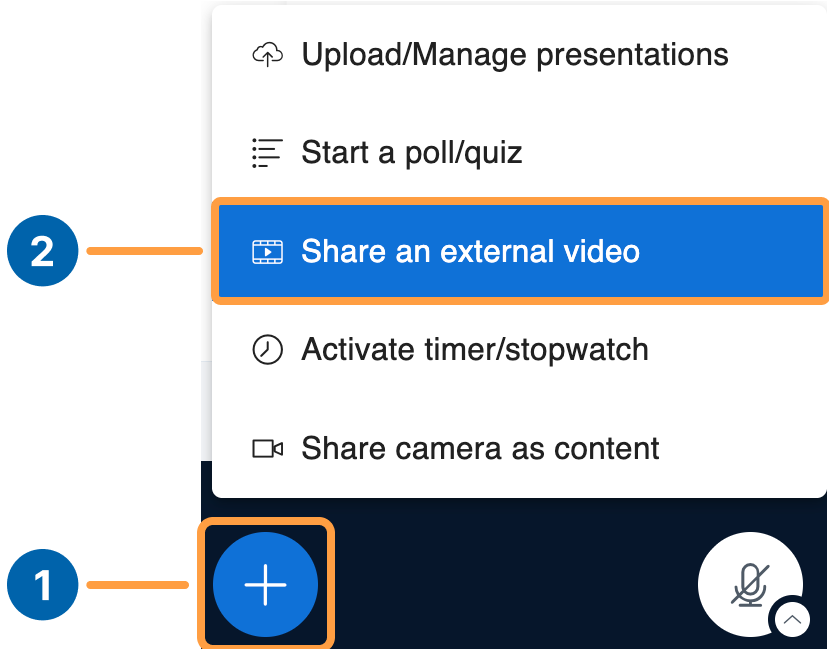
Select the ’+’ Action menu [1] and choose Share an external video [2].
Externalvideo
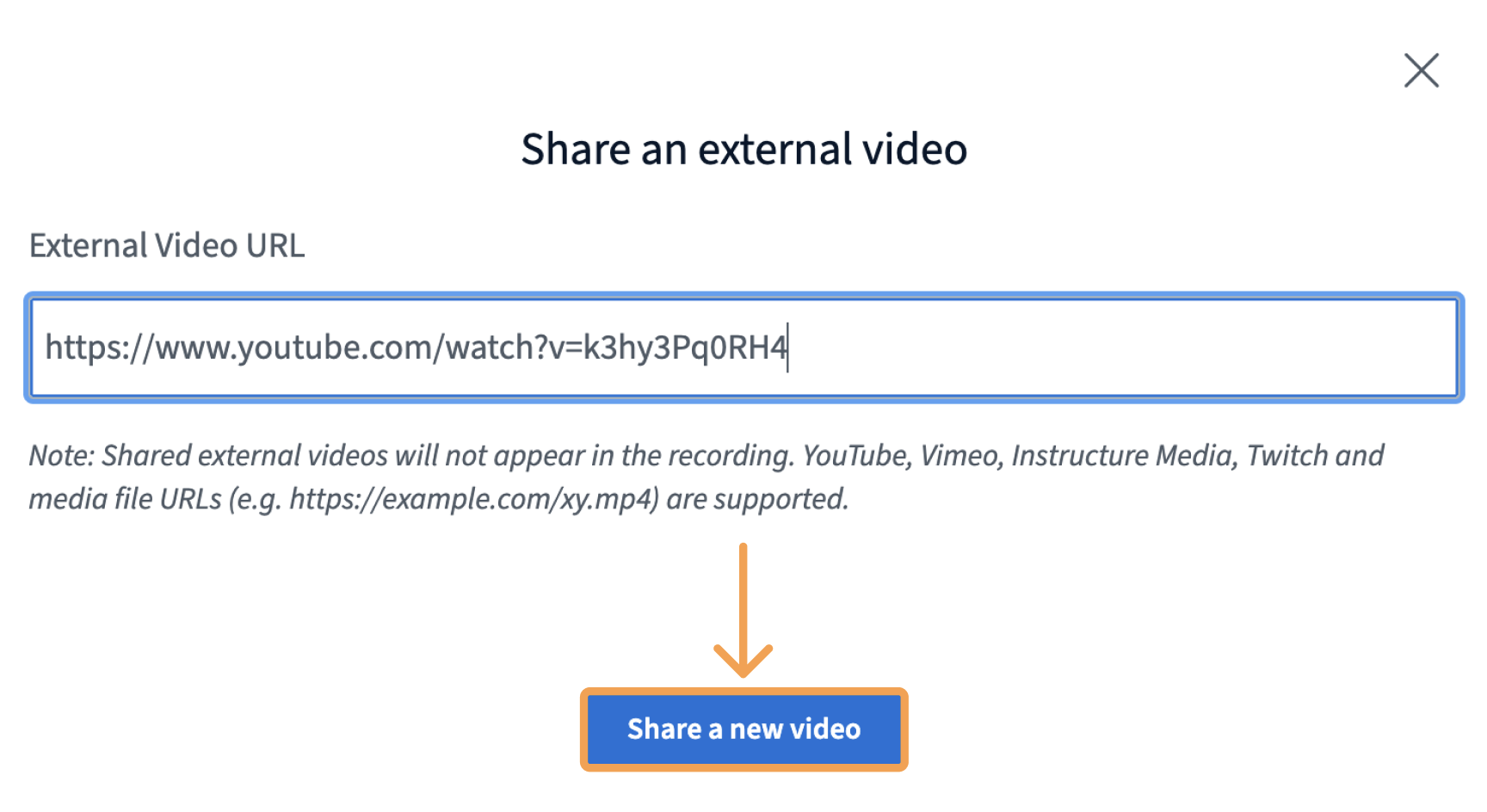
A dialog box appears. Paste in the URL to your video and select Share a new video.
Screenshot 2026 03 16 At 4 24 08 PM
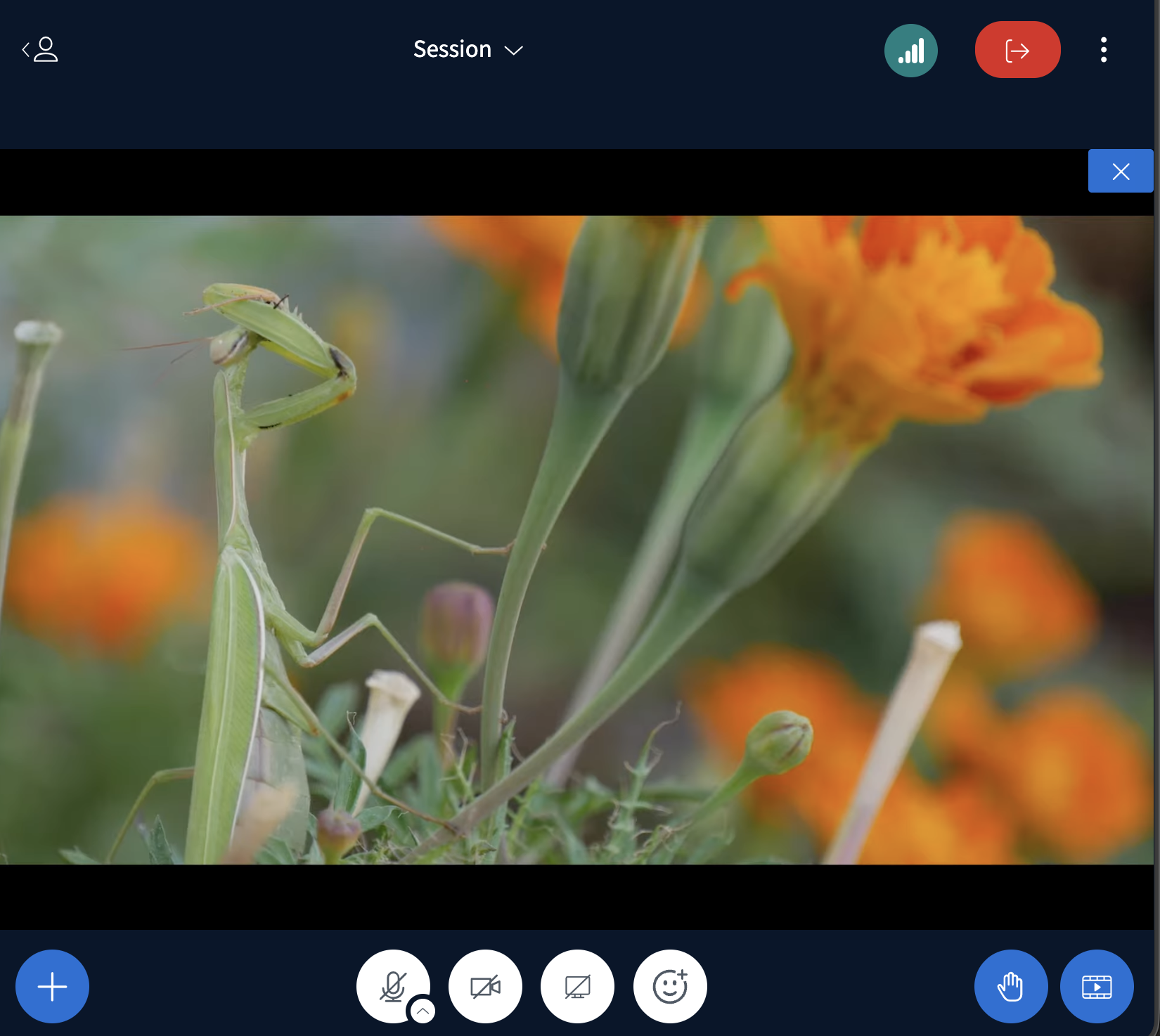
The video appears in the presentation area, and BigBlueButton synchronizes playback for all users. At any time you can:
  • Start/Pause the video
  • Move the playhead
  • Stop sharing
Screenshot 2026 03 16 At 4 17 22 PM
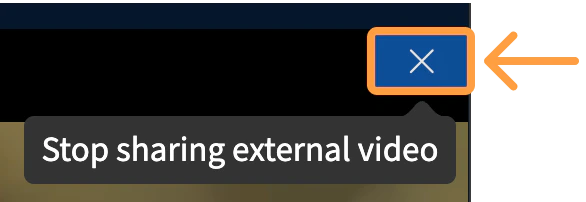
To stop sharing, select the X in the upper right-hand corner of the presentation area.
Stopsharing
When you stop sharing, the presentation area reverts to the previous presentation.