Moderators can assign the presenter role to any user in the session, including themselves. The presenter can upload a presentation, share a link from YouTube, or engage a poll. By default, the first moderator to join the session is the presenter.
Screenshot 2026 03 16 At 8 06 18 PM

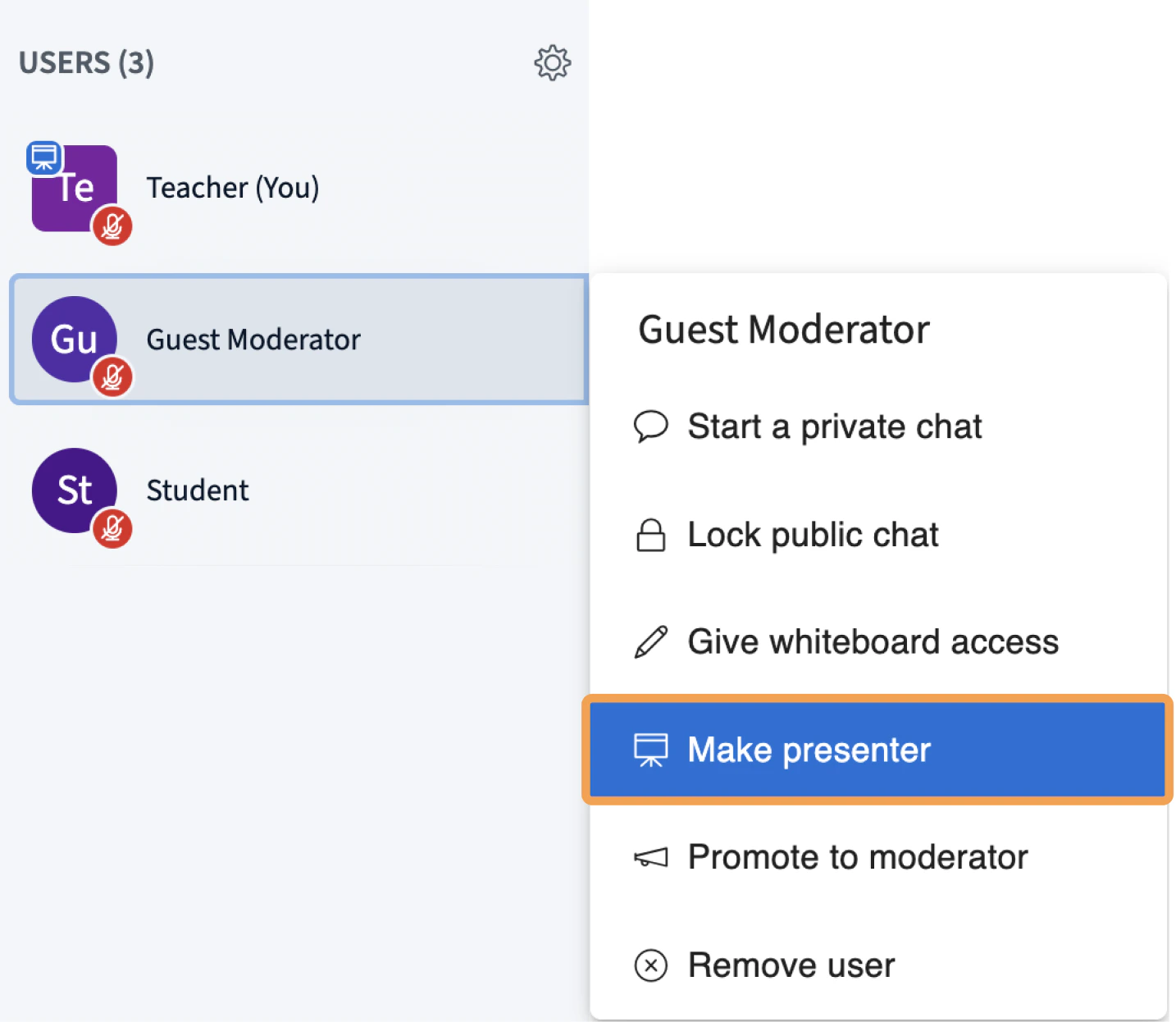
Make a user the presenter

To assign the presenter role to another user, select the user’s name in the Users list [1], then select Make presenter [2].
Screenshot 2026 03 16 At 8 06 06 PM
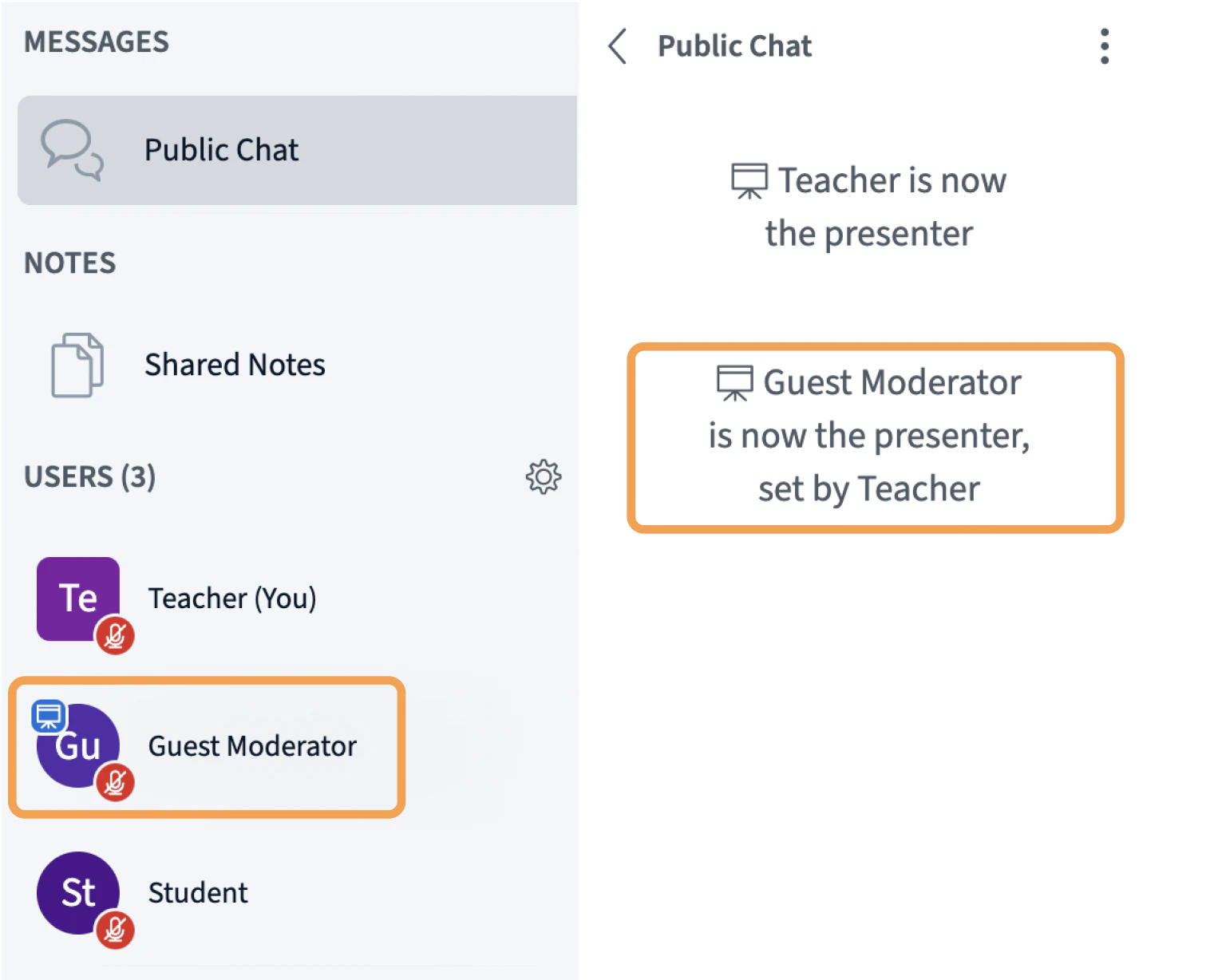
The presenter icon moves to the new presenter’s avatar in the Users list, and that user gains presenter controls in the presentation area.

Reclaim presenter status

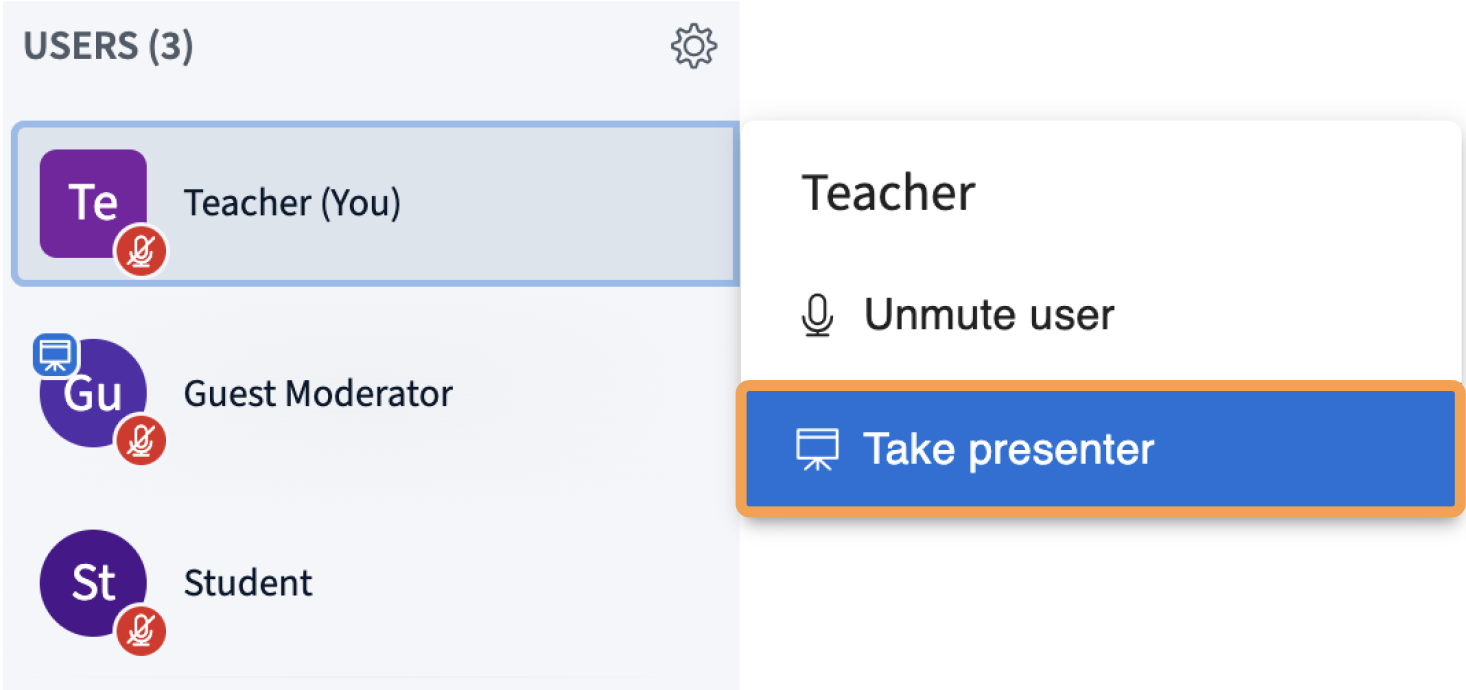
To take back the presenter role, select your own name in the Users list and select Take presenter role.
Screenshot 2026 03 16 At 8 08 28 PM
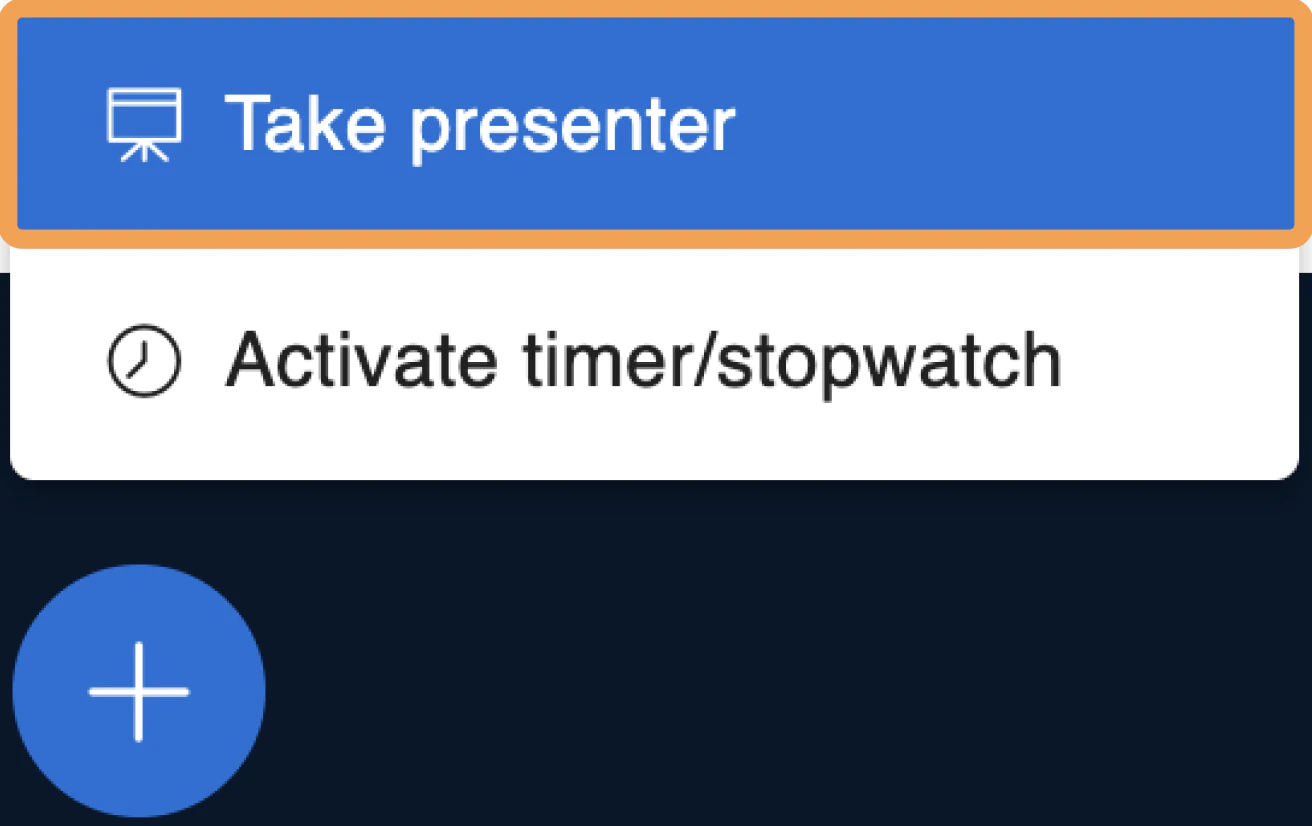
You can also reclaim presenter status from the action button in the presentation area. Select the action button, then select Take presenter role.
Screenshot 2026 03 16 At 8 04 59 PM
The presenter icon moves to your avatar in the Users list, and you regain access to the presenter tools.

Request the presenter role as a viewer

If you are not a moderator, ask a moderator in the session to make you the presenter.